
WBFRYEE New W164
WBFRYEE 12.3" LCD Digital Dashboard Cluster User Manual
Model: New W164
Introduction
This manual provides comprehensive instructions for the installation, operation, and maintenance of your WBFRYEE 12.3" LCD Digital Dashboard Cluster, model New W164. This digital instrument panel is designed for select Mercedes-Benz R Class, ML, GL, G, GLE, GLS vehicles manufactured between 2006 and 2019, specifically compatible with W164, W166, and W463 chassis. Please read this manual thoroughly before installation and use to ensure proper function and safety.
Setup and Installation
The WBFRYEE 12.3" LCD Digital Dashboard Cluster is designed for a "plug and play" installation, integrating with your vehicle's existing systems. Professional installation is recommended.
Installation Steps:
- Preparation: Ensure the vehicle's ignition is off and the battery is disconnected before beginning installation.
- Disassembly of Original Instrument Panel:

Image: Easy Disassembly. This image illustrates the process of carefully pulling out the steering wheel and using a tool to pry open the two buckles located on the original instrument panel. This action allows for the removal of the existing instrument panel.
Carefully pull out the steering wheel to gain access. Use an appropriate prying tool to gently open the two buckles securing the original instrument panel. Once released, carefully remove the old instrument panel from its housing.
- Connecting the New Digital Cluster:
Image: Consistent Plug Connection. This image shows the new digital dashboard cluster's connector being plugged directly into the vehicle's original wiring harness. This "plug and play" design ensures a straightforward and secure connection without modification.
Connect the product's wiring harness to the original car line. The design ensures a consistent and secure fit. Ensure all connections are firm and properly seated.
- Mounting the New Digital Cluster: Carefully insert the new 12.3" LCD Digital Dashboard Cluster into the dashboard opening. Ensure it clicks securely into place.
- Reconnection: Reconnect the vehicle battery.
- Initial Power-On: Turn the ignition to the ON position to verify proper functionality. The system should start up within approximately 2 seconds.
For detailed wiring diagrams or specific vehicle model instructions, consult a qualified automotive technician or the vehicle's service manual.
Operating Instructions
The WBFRYEE Digital Dashboard Cluster provides a clear and intuitive interface for accessing vehicle information and settings.
Key Features and Functions:
- Dynamic Display Adjustment: The cluster dynamically adjusts its display based on driving conditions, providing real-time feedback.
- Vehicle Status Monitoring: Access real-time vehicle status, fault warnings, and maintenance tips directly on the display.
- Self-Check on Startup: Upon starting the vehicle, the system automatically performs a self-check to ensure all indicators are functioning normally, enhancing safety.
- Driving Data Recording: The cluster records driving data, which can be useful for later analysis and maintenance purposes.
Display Overview:

Image: Digital Dashboard Main View. This image displays the primary interface of the 12.3-inch LCD digital dashboard, featuring a digital speedometer on the left, a tachometer on the right, and a central information display showing mileage, trip distance, and current temperature.
The main display provides essential driving information at a glance, including speed, RPM, mileage, trip distance, and temperature. The layout is designed for quick and easy comprehension.
Specific Function Displays:

Image: Door and Fuel Information. This image highlights specific functions of the digital dashboard, including a "Door opening / Closing reminder" on the left side of the display and a "Fuel consumption display" on the right, providing critical operational information to the driver.
- Door Opening/Closing Reminder: Visual alerts indicate if any vehicle doors are open or not securely closed.
- Fuel Consumption Display: Provides real-time or average fuel consumption data.
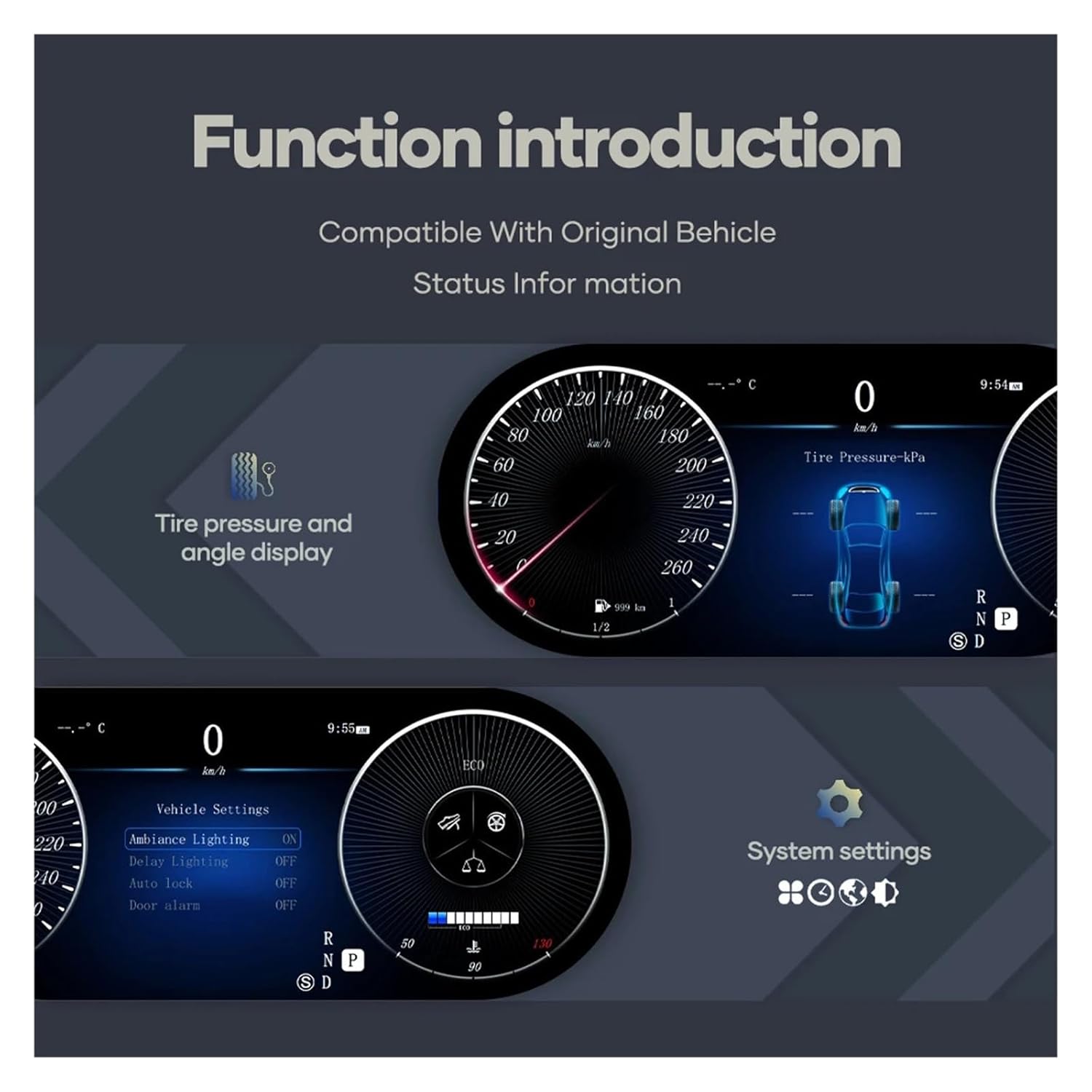
Image: Tire Pressure and System Settings. This image shows the digital dashboard displaying tire pressure and angle information on the upper section, and a "System settings" menu on the lower section, allowing access to various vehicle configurations.
- Tire Pressure and Angle Display: Monitors and displays tire pressure for each wheel, along with vehicle angle information.
- System Settings: Access various vehicle settings, including ambiance lighting, delay lighting, auto lock, and door alarm.
Startup Performance:
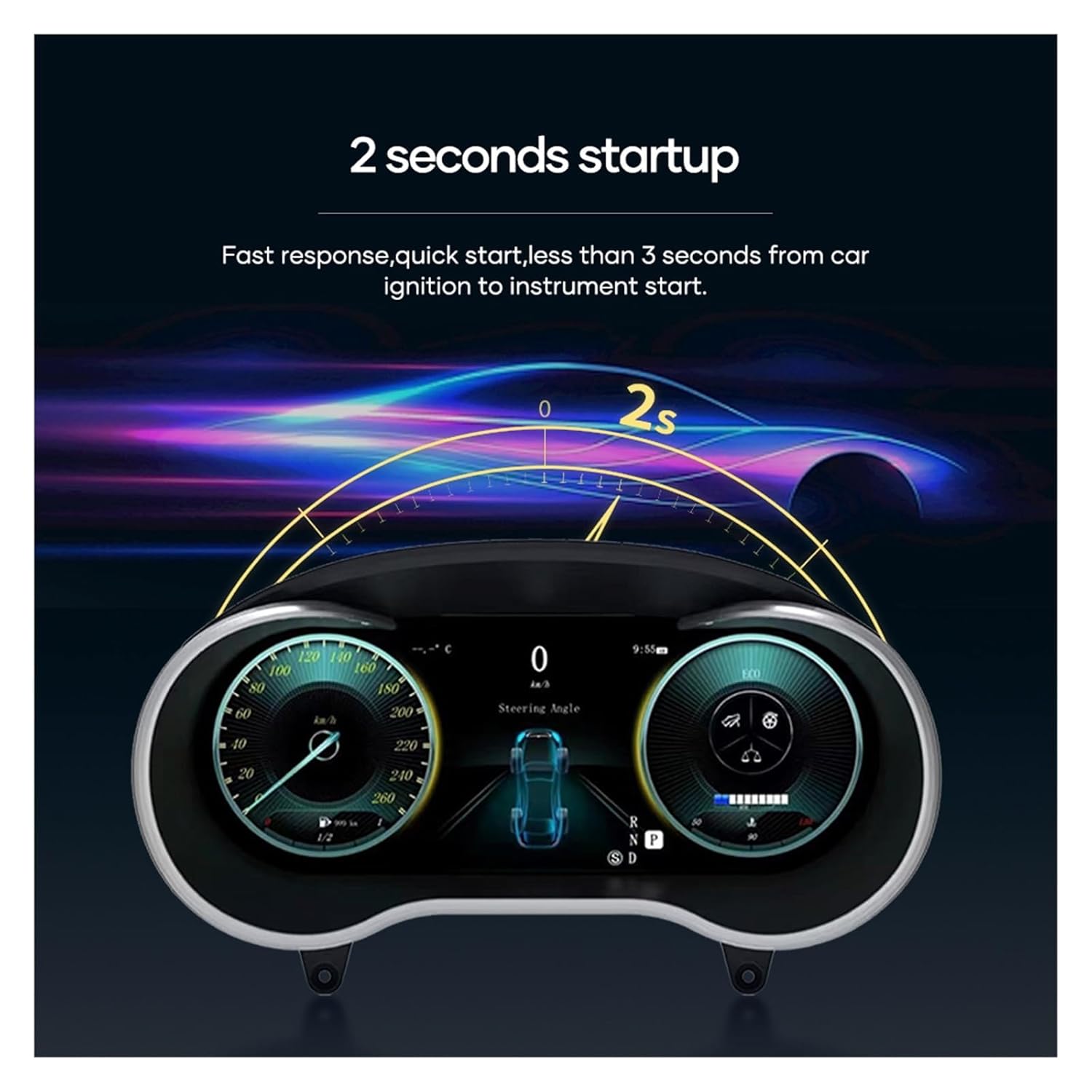
Image: Fast Startup. This graphic visually represents the rapid startup capability of the digital dashboard, indicating that it becomes fully operational within approximately 2 seconds from the car's ignition, providing quick access to information.
The digital cluster features a fast response time, typically starting up in less than 3 seconds from car ignition to full instrument display.
Maintenance
To ensure the longevity and optimal performance of your WBFRYEE Digital Dashboard Cluster, follow these maintenance guidelines:
- Cleaning: Use a soft, lint-free cloth to gently wipe the screen. For stubborn smudges, slightly dampen the cloth with water or a screen-safe cleaner. Avoid abrasive materials or harsh chemicals.
- Software Updates: Periodically check for available software updates from the manufacturer to ensure the system has the latest features and bug fixes. Follow the provided instructions for any update procedures.
- Environmental Conditions: Avoid exposing the unit to extreme temperatures, direct sunlight for prolonged periods, or excessive moisture.
- Professional Inspection: If you notice any unusual behavior, display issues, or error messages that cannot be resolved through troubleshooting, consult a qualified technician.
Troubleshooting
This section addresses common issues you might encounter with your digital dashboard cluster.
| Problem | Possible Cause | Solution |
|---|---|---|
| Display does not turn on. |
|
|
| Incorrect readings (speed, RPM, fuel). |
|
|
| System freezes or is unresponsive. |
|
|
For issues not listed here, or if the suggested solutions do not resolve the problem, please contact WBFRYEE customer support.
Specifications
| Feature | Detail |
|---|---|
| Display Size | 12.3 inches |
| Display Type | LCD Digital |
| Compatibility | Mercedes-Benz R Class, ML, GL, G, GLE, GLS (W164, W166, W463) 2006-2019 Years |
| Operating System | Linux System |
| Resolution | HD 1920 x 720 |
| RAM | 4GB |
| ROM | 4GB |
| External Memory Support | Max 64GB (TF/Micro SD Slot) |
| Power Output | 4*60W |
| Voltage | 12V |
| Material Type | ABS |
| Item Weight | 5kg |
| Interface | USB Port |
| Startup Time | Approx. 2 seconds |
Warranty Information
Specific warranty details for the WBFRYEE 12.3" LCD Digital Dashboard Cluster are typically provided at the point of purchase or included with the product packaging. Please refer to your purchase documentation for the exact terms and conditions of your warranty.
Generally, product warranties cover manufacturing defects under normal use. Damage resulting from improper installation, misuse, accidents, or unauthorized modifications is typically not covered. Keep your proof of purchase for any warranty claims.
For additional protection, third-party protection plans may be available, such as the 3-Year Protection Plan or Complete Protect offered by some retailers. These plans are separate from the manufacturer's warranty and have their own terms.
Customer Support
If you require assistance with installation, operation, troubleshooting, or warranty claims, please contact WBFRYEE customer support through the retailer where the product was purchased. You may also visit the official WBFRYEE website for support resources, FAQs, and contact information.
When contacting support, please have the following information ready:
- Product Model: New W164
- ASIN: B0DLSFFM79
- Date of Purchase
- Description of the issue
Related Documents - New W164
 |
Installation and Operation Manual: Mercedes-Benz GLC/C-Class LCD Instrument Cluster Comprehensive installation and operation guide for the 12.3-inch LCD instrument cluster upgrade for Mercedes-Benz GLC and C-Class (2015-2019) models. |
 |
Prelin car Digital Dashboard Cluster User Manual - Setup and Features Comprehensive user manual for the Prelin car Digital Dashboard Cluster, detailing model selection, display adjustments, connectivity options (CarPlay, HDMI), and system settings. Includes step-by-step instructions and feature explanations for various car models. |
 |
Mercedes-Benz GLE SUV Navodila za uporabo Obsežen uporabniški priročnik za Mercedes-Benz GLE SUV, ki pokriva varnost, vožnjo, MBUX sistem, vzdrževanje in ključne funkcije vozila. Vsebuje izjavo o omejitvi odgovornosti in avtorske pravice. |
 |
Auto Parts User Manual Comprehensive installation, maintenance, and safety guide for automotive replacement parts, including troubleshooting and warranty information. |
 |
Mercedes-Benz 2025 Service and Warranty Information Comprehensive guide to Mercedes-Benz 2025 model year service requirements, warranty coverage, and owner responsibilities, including details on limited warranties, emission systems, and high-voltage battery coverage. |
 |
User Manual: XUDA Wireless CarPlay & Android Auto Module for Mercedes-Benz NTG5 Detailed user manual for the XUDA Wireless CarPlay and Android Auto module, compatible with Mercedes-Benz NTG5 systems (2015-2018). Includes installation, connection, specifications, and feature setup. |
Ask a question about this manual
Ask about setup, troubleshooting, compatibility, parts, safety, or missing instructions. Manuals+ will review the question and use this page’s manual context to help answer it.