
Rogbid Model X
Rogbid Model X 4G LTE Smartwatch User Manual
Your comprehensive guide to operating and maintaining your Rogbid Model X Smartwatch.
Introduction
The Rogbid Model X is an advanced 4G LTE smartwatch designed for comprehensive communication, health monitoring, and activity tracking. Featuring dual cameras, a vibrant display, and robust connectivity, it offers a seamless blend of technology and convenience. This manual provides detailed instructions to help you get the most out of your device.

Image: The Rogbid Model X smartwatch, highlighting its sleek design and versatile capabilities.
What's in the Box
Please verify that all items are present in your package:
- 1x Rogbid Model X Smartwatch
- 1x Watch Band
- 1x Charging Cable
- 1x Operating Tool
- 1x User Manual (this document)
Setup Guide
1. Initial Charging and Power On
Before first use, fully charge your Rogbid Model X. Connect the charging cable to the watch's charging port and a compatible USB power adapter. The screen will indicate charging status.
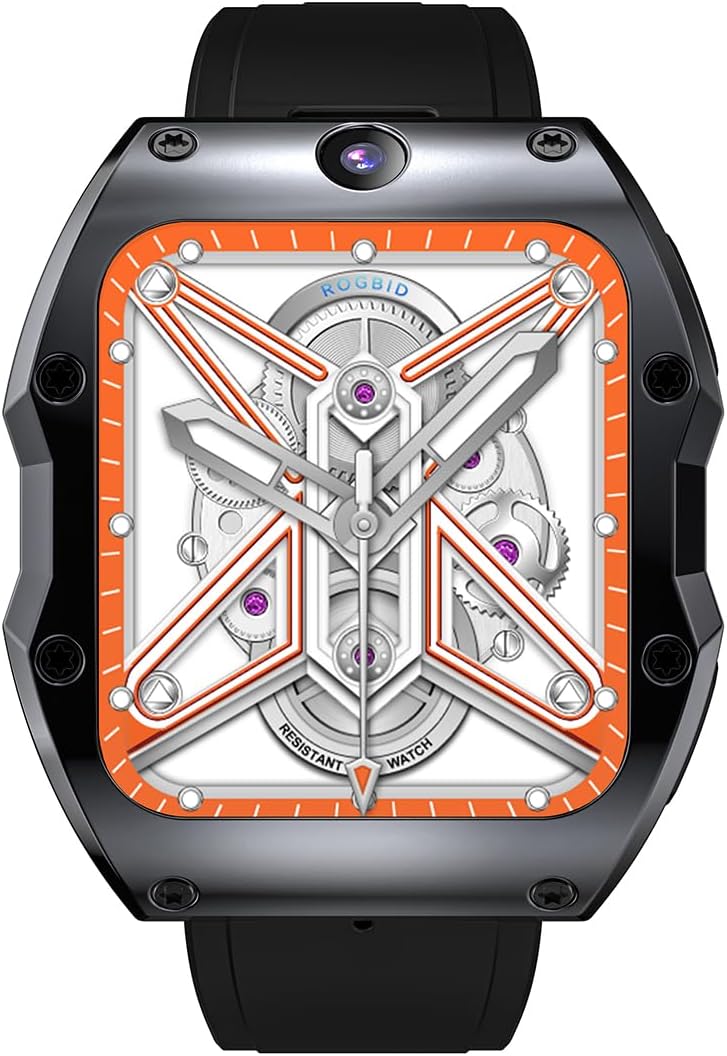
Image: The Rogbid Model X smartwatch connected to its charging cable.
2. SIM Card Installation (for 4G LTE Functionality)
The Rogbid Model X supports an independent Nano SIM card for 4G LTE connectivity. Use the provided operating tool to open the SIM card slot. Carefully insert your Nano SIM card as shown in the diagram below, ensuring correct orientation. Close the slot securely.
Supported Bands: TDDLTE: B38(2600MHZ), B39(1900), B40(2300), B41(2500); FDDLTE: B1(2100), B2(1900), B3(1800), B5(850), B7(2600), B8(900), B12(700), B17(700), B20(800); WCDMA: B1(2100), B5(850), B2(1900); GSM: B2(1900), B3(1800), B5(850), B8(900).

Image: A visual guide to installing the Nano SIM card into the smartwatch.
3. Facial Recognition Setup
For enhanced security, set up facial recognition. Navigate to the security settings on your watch and follow the on-screen prompts to register your face. This feature protects your personal information.
Operating Instructions
1. Basic Navigation
The Rogbid Model X features a 2.1-inch curved AMOLED touchscreen. Navigate by swiping left, right, up, or down, and tap to select items. The intuitive interface allows for easy access to apps and features.

Image: The smartwatch display showcasing its clarity and vibrant visuals.
2. Making and Receiving Calls
With a Nano SIM card installed, your Rogbid Model X can function as an independent phone. Dial numbers directly from the watch or answer incoming calls. Enjoy clear communication thanks to its robust 4G LTE support.
Video: Demonstrates the 4G LTE call functionality of the Rogbid Model X smartwatch.
3. Using the Dual Cameras
The watch is equipped with a 13MP side camera and a 5MP front camera. Access the camera application to capture photos or record videos. The intelligent anti-shake technology helps in capturing clear moments. The front camera is ideal for video calls and selfies.

Image: Close-up view of the smartwatch cameras and examples of their use for photos and video calls.
4. Health Monitoring
The Rogbid Model X provides 24/7 health monitoring. Utilize the upgraded PPG sensors to track your heart rate and blood oxygen levels (SpO₂). The sleep tracker analyzes sleep stages (deep sleep, restful sleep, awake time) to help you understand your sleep quality. Access health data through the dedicated health application on the watch.
5. Activity Tracking and GPS
With built-in dual-satellite GPS technology, the watch accurately tracks your location and activity. It supports 9 different sports modes including Walking, Running, Cycling, Skipping, Badminton, Basketball, and Football. View real-time data such as steps, distance, calories, and active minutes directly on the watch display. More detailed data can be viewed on the companion application.
6. Dual-Chip System and Modes
The watch is equipped with Unisoc SC9832 and Par2822 chips, offering seamless performance and extended battery life. You can switch between two primary modes:
- 4G Mode: Full functionality with 4G LTE connectivity.
- Sport Mode: Optimized for fitness tracking with lower power consumption, extending battery life up to 5-7 days.
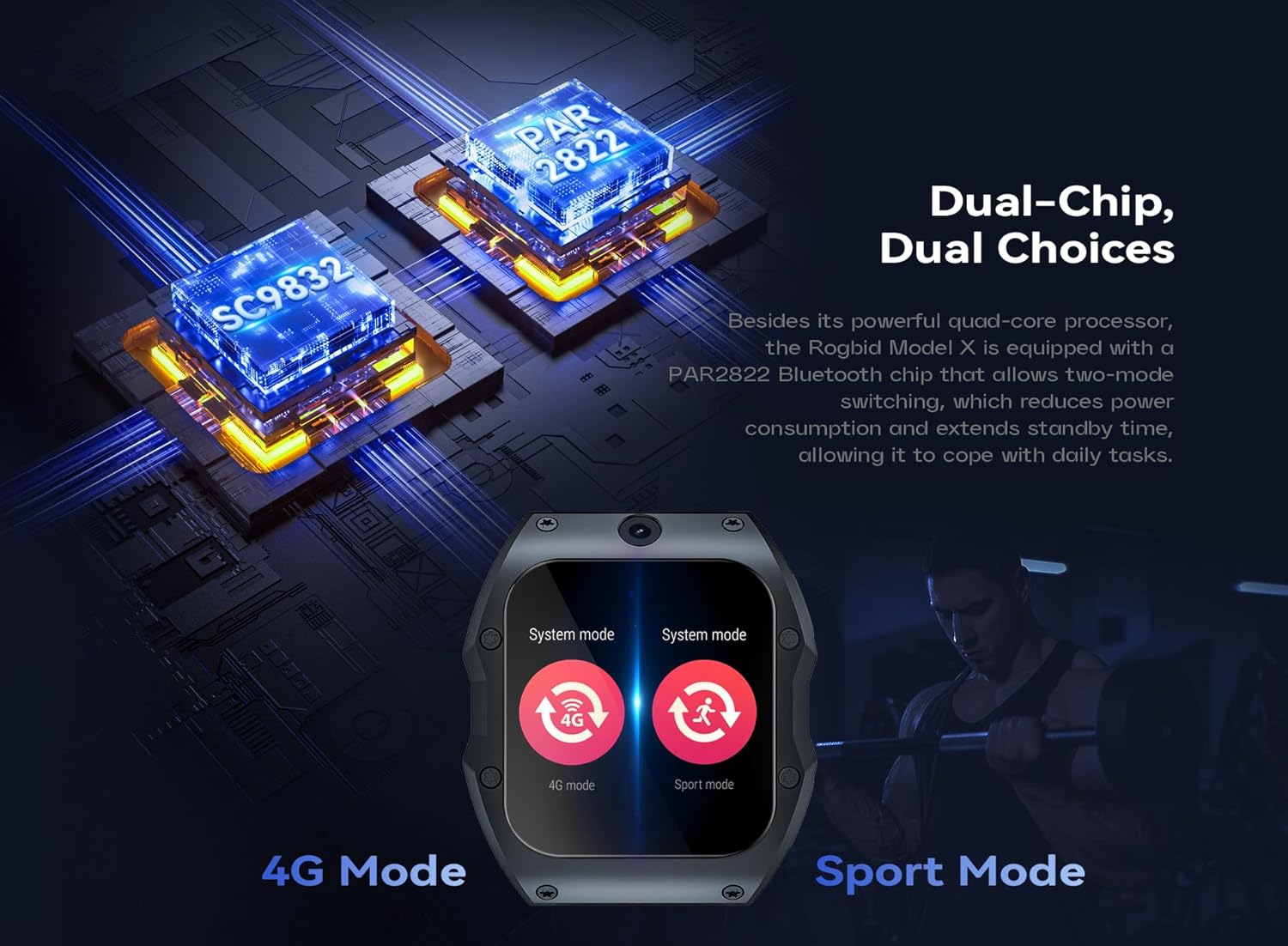
Image: Illustration of the dual-chip system and the option to switch between 4G and Sport modes.
7. SOS Emergency Feature
For safety, the watch includes an SOS one-touch emergency feature. Press and hold the designated button (refer to your quick start guide for exact button) for approximately 3 seconds to instantly dial a preset emergency contact. Ensure your emergency contacts are configured in the watch settings.
Maintenance
1. Cleaning Your Smartwatch
To maintain the appearance and functionality of your Rogbid Model X, regularly clean it with a soft, lint-free cloth. For stubborn dirt, slightly dampen the cloth with water. Avoid using harsh chemicals or abrasive materials.
2. Water and Dust Resistance
The Rogbid Model X is designed with IP67 water and dust resistance. This means it can withstand immersion in up to 1 meter of water for 30 minutes and is protected against dust ingress. While resistant, avoid prolonged exposure to water, hot water, or steam. Ensure all ports are closed securely before exposure to water or dust.
Image: The smartwatch being exposed to water and dust, illustrating its protective features.
3. Battery Care
The watch is equipped with a 1050mAh battery. To prolong battery life, avoid extreme temperatures and fully discharging the battery frequently. Charge the watch using the provided charging cable.
Troubleshooting
| Issue | Possible Solution |
|---|---|
| Watch not powering on | Ensure the watch is fully charged. Connect to the charger and wait a few minutes before attempting to power on again. |
| Cannot make/receive calls | Check if the Nano SIM card is correctly inserted and activated. Verify network signal strength. Ensure 4G Mode is selected if applicable. |
| GPS not accurate | Ensure you are in an open area with clear sky view. Allow the watch sufficient time to acquire GPS signal. |
| Battery drains quickly | Reduce screen brightness, disable unnecessary notifications, close background applications. Consider switching to Sport Mode for extended battery life. |
| Touchscreen unresponsive | Restart the watch. If the issue persists, ensure the screen is clean and dry. |
Specifications
- Model: Rogbid Model X
- Display: 2.1-inch Curved AMOLED Touchscreen, 400x454 Resolution
- Processor: Unisoc SC9832, Par2822 (Dual-Chip System)
- Memory: 4GB RAM + 128GB ROM (for RAM4GB+ROM128GB variant)
- Cameras: 13MP Side Camera, 5MP Front Camera
- Connectivity: 4G LTE (Nano SIM), Bluetooth, GPS (Dual-Satellite)
- Network Bands: TDDLTE: B38/B39/B40/B41; FDDLTE: B1/B2/B3/B5/B7/B8/B12/B17/B20; WCDMA: B1/B2/B5; GSM: B2/B3/B5/B8
- Battery: 1050mAh Lithium Polymer
- Operating System: Android Wear 2.9
- Water Resistance: IP67
- Health Monitoring: Heart Rate, Blood Oxygen (SpO₂), Sleep Tracker
- Activity Tracking: 9 Sports Modes, Steps, Distance, Calories, Active Minutes
- Special Features: Facial Recognition, SOS Emergency Call, LDS Antenna Technology
- Material: Full-Ceramic Unibody Design
Warranty and Support
For warranty information and technical support, please refer to the warranty card included in your product packaging or visit the official Rogbid website. Keep your purchase receipt as proof of purchase for any warranty claims.
Manufacturer: ROGBID
Ask a question about this manual
Ask about setup, troubleshooting, compatibility, parts, safety, or missing instructions. Manuals+ will review the question and use this page’s manual context to help answer it.