
1. Introduction
The Airbot S9 Ultra Robotic Vacuum Cleaner is designed to provide an efficient and hands-free cleaning experience for your home. This device integrates sweeping, vacuuming, and mopping functionalities, adapting intelligently to various floor types and cleaning requirements. This manual provides essential information for the safe and effective use, setup, operation, and maintenance of your Airbot S9 Ultra.
2. Safety Information
Please read all safety instructions carefully before using the appliance. Retain this manual for future reference.
- Ensure the power adapter is compatible with your local power supply.
- Do not operate the robot in wet environments or near water.
- Keep hair, loose clothing, fingers, and all parts of the body away from openings and moving parts.
- Do not use the robot to pick up large objects, sharp objects, or burning/smoking materials.
- Supervise children and pets when the robot is operating.
- Only use manufacturer-specified attachments and accessories.
- Turn off the robot and unplug the charging dock before cleaning or performing maintenance.
3. Package Contents
Verify that all items are present in the package:

Image: The Airbot S9 Ultra Robotic Vacuum Cleaner with its charging dock and various cleaning accessories, including brushes, filters, and cloths.
- Robotic Vacuum Cleaner (x1)
- Charging Dock (x1)
- 2-in-1 Dustbin & Water Tank (x1)
- Side Brush (x1)
- High-efficiency Filter (x1)
- Main Brush (x1)
- Cleaning Brush (x1)
- Mopping Cloth Holder & Mopping Cloth (x1)
- User Manual (x1)
- Quick Guide (x1)
4. Product Overview
The Airbot S9 Ultra is equipped with advanced features for comprehensive home cleaning.
Key Features:
- All-in-One Cleaning: Combines sweeping, vacuuming, and mopping capabilities.
- Powerful Suction: Up to 12000 Pa suction power with four adjustable levels (1000 Pa for fluff, 2000 Pa standard, 6000 Pa strong, 12000 Pa max).
- Advanced LiDAR Navigation: Creates detailed maps of your home, optimizes cleaning paths, and avoids obstacles.
- Customizable Cleaning: Use the Airbot app to set schedules, select specific rooms, and define no-go zones.
- Multi-Surface Adaptability: Adjusts cleaning methods for various surfaces, from hardwood floors to carpets.
- Long Battery Life: Up to 140 minutes of continuous cleaning on a full charge.
- Quiet Operation: Designed for minimal noise during cleaning cycles.
- Integrated Water Tank & Dustbin: 290ml water tank and dustbin for simplified maintenance.
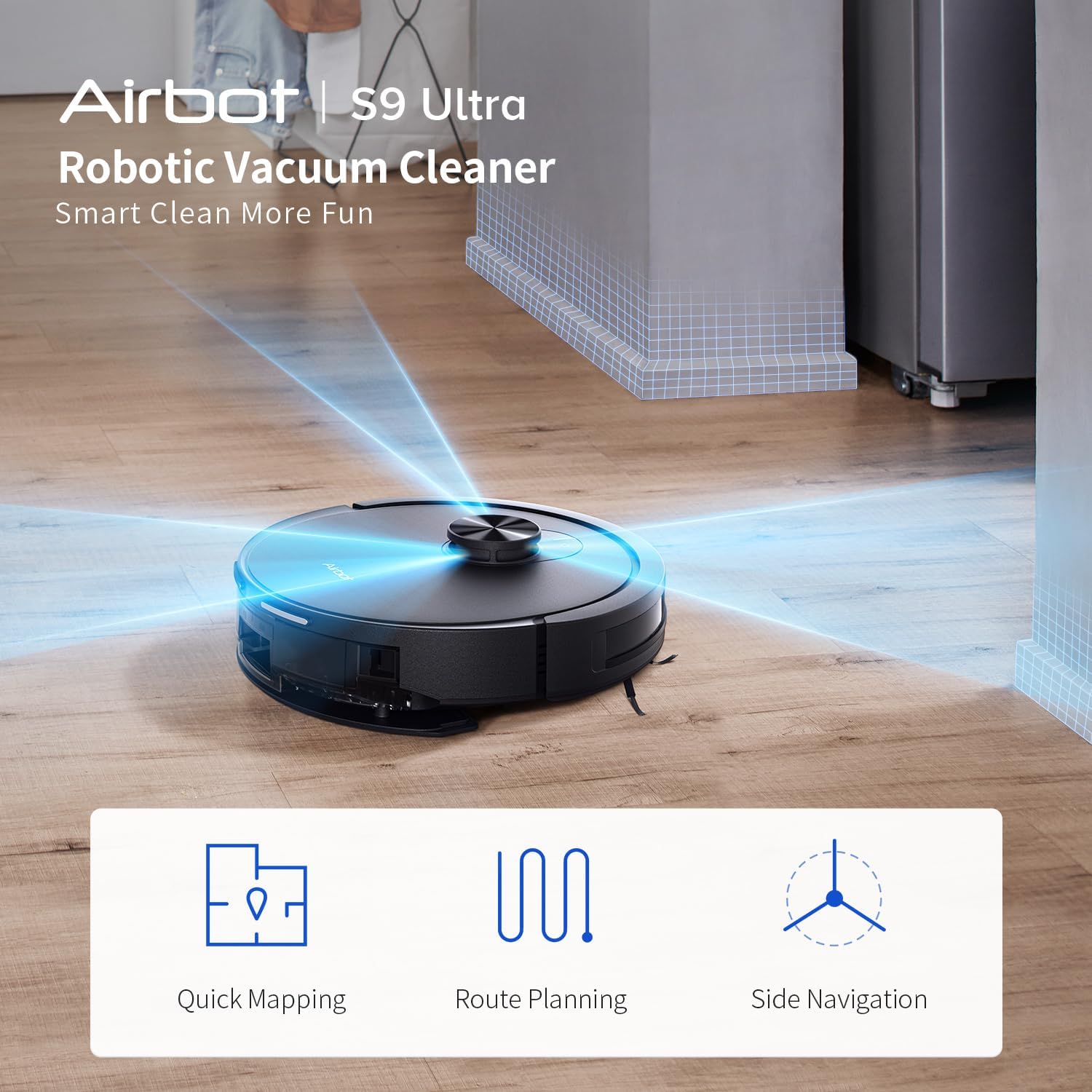
Image: The Airbot S9 Ultra robot vacuum illustrating its navigation capabilities, including quick mapping, efficient route planning, and precise side navigation.

Image: A visual representation of the Airbot S9 Ultra's 12000 Pa super suction, detailing its four adjustable suction levels for different debris types: Fluff (1000 Pa), Dust (2000 Pa), Snack Crumbs (6000 Pa), and Steel Ball Weights (12000 Pa).

Image: The Airbot S9 Ultra demonstrating its integrated cleaning functions: 'Suck!' for no trace of hair, 'Sweep!' for clean corners, and 'Mop!' with controllable water volume.
5. Setup
5.1 Charging Dock Placement
- Place the charging dock against a wall in an open area.
- Ensure there is at least 0.5 meters of clear space on both sides and 1.5 meters in front of the dock.
- Connect the power adapter to the charging dock and plug it into a power outlet.
5.2 Initial Charging
- Place the robot on the charging dock. Ensure the charging contacts on the robot align with those on the dock.
- The indicator light on the robot will show charging status. Allow the robot to fully charge before first use (approximately 4-6 hours).
5.3 App Installation and Connection
- Download the 'Airbot Home' app from your smartphone's app store.
- Follow the in-app instructions to register an account and add your Airbot S9 Ultra device.
- Connect the robot to your home Wi-Fi network as prompted by the app.
6. Operating Instructions
6.1 Starting a Cleaning Cycle
- Manual Start: Press the power button on the robot once to start a cleaning cycle.
- App Control: Open the Airbot Home app and select 'Start Cleaning' to initiate a cycle.
6.2 Mapping and Navigation
During its first cleaning cycle, the robot will create a map of your home using its LiDAR navigation system. This map will be saved in the app for future customized cleaning.

Image: The Airbot S9 Ultra demonstrating its 'Whole-House Customized Cleaning Solution', showing it cleaning along edges with LDS navigation, turning around when encountering stairs due to cliff sensors, and crossing 18mm high thresholds with extra-wide off-road wheels.
6.3 Customizable Cleaning (via App)
The Airbot Home app allows for advanced cleaning customization:
- Schedule Cleaning: Set specific times for the robot to clean automatically.
- Zone Cleaning: Select specific rooms or areas on the map for targeted cleaning.
- No-Go Zones: Draw virtual boundaries on the map to prevent the robot from entering certain areas.
- Suction & Water Flow Adjustment: Adjust cleaning power and water output for mopping based on floor type and dirt level.

Image: The Airbot S9 Ultra demonstrating its 8 cleaning methods, highlighting how the 'Airbot Home' app generates a map and allows users to customize cleaning methods for different rooms like the dining room, living room, bedroom, and kitchen.
7. Maintenance
Regular maintenance ensures optimal performance and extends the lifespan of your Airbot S9 Ultra.
7.1 Emptying the Dustbin & Refilling Water Tank
- Press the release button to remove the 2-in-1 dustbin and water tank.
- Open the dustbin compartment and empty debris into a trash can.
- Refill the water tank with clean water. Do not use cleaning solutions that are not approved by Airbot.
- Reinsert the 2-in-1 unit until it clicks into place.

Image: A close-up of the Airbot S9 Ultra, highlighting its 290ml water tank capacity, which offers 45% increased water tank capacity and 30% increased water usage time compared to previous models.
7.2 Cleaning Brushes
- Main Brush: Remove the main brush cover and lift out the brush. Use the included cleaning tool to remove hair and debris.
- Side Brush: Unscrew and remove the side brush. Clean any tangled hair or debris. Replace if worn.
7.3 Cleaning Filters
- Remove the HEPA filter from the dustbin. Tap it gently to remove dust.
- Do not wash the HEPA filter with water. Replace the filter every 3-6 months, depending on usage.
7.4 Cleaning Sensors
- Wipe the cliff sensors, wall sensors, and charging contacts with a clean, dry cloth.
8. Troubleshooting
If you encounter issues with your Airbot S9 Ultra, refer to the following common problems and solutions:
| Problem | Possible Cause | Solution |
|---|---|---|
| Robot does not turn on | Low battery; Power button not pressed correctly | Place on charging dock; Press and hold power button for 3 seconds |
| Robot cannot charge | Charging contacts dirty; Charging dock unplugged | Clean charging contacts; Ensure dock is plugged in |
| Robot gets stuck frequently | Obstacles in path; Cliff sensors dirty | Clear obstacles; Clean cliff sensors |
| Poor cleaning performance | Dustbin full; Brushes tangled; Filter clogged | Empty dustbin; Clean brushes; Clean/replace filter |
| App connection issues | Incorrect Wi-Fi password; Router too far | Re-enter Wi-Fi password; Move robot closer to router |
9. Specifications
| Feature | Detail |
|---|---|
| Brand | Airbot |
| Model Name | Airbot S9 Ultra |
| Suction Power | Up to 12000 Pa |
| Navigation System | LiDAR |
| Battery Life | Up to 140 minutes |
| Battery Type | Lithium Ion |
| Dustbin & Water Tank Capacity | 2-in-1 unit, 290ml water tank |
| Filter Type | HEPA |
| Control Method | App Control (Smartphones) |
| Product Dimensions | 32.5L x 10W x 32.5H cm |
| Color | Black |
| Recommended Surfaces | Hardwood, Marble, Carpets |
| Special Features | Automatic Dust Collection, Multi-surface adaptability, Quiet operation |
10. Warranty and Support
For warranty information and customer support, please refer to the warranty card included in your package or visit the official Airbot website. Keep your purchase receipt as proof of purchase.
- Online Support: Visit www.airbot.com/support (example link) for FAQs, troubleshooting guides, and contact information.
- Email Support: support@airbot.com (example email)