
1. Introduction
Thank you for choosing the Liphisy PT01 Selfie Stick Tripod. This device is designed to enhance your mobile photography and videography experience, offering versatility as both a handheld selfie stick and a stable tripod. Please read this manual carefully to ensure proper setup, operation, and maintenance of your product.
2. Product Overview
The Liphisy PT01 combines a durable aluminum alloy extendable pole with a stable tripod base and a detachable wireless remote control. It is designed for ease of use and portability.
Components:
- Extendable Selfie Stick / Tripod Base
- Adjustable Phone Holder
- Detachable Wireless Remote Control
- 1/4-inch Universal Screw Mount (for cameras or other accessories)

Figure 2.1: Overview of the Liphisy PT01 Selfie Stick Tripod and its components.

Figure 2.2: Detail of the sturdy tripod base and aluminum alloy extension pole.
3. Setup Instructions
3.1 Unfolding the Tripod
- Hold the main body of the selfie stick.
- Gently pull the bottom part downwards to extend the tripod legs.
- Ensure the legs are fully spread for maximum stability.
3.2 Attaching Your Device
- Extend the phone holder arms by pulling them apart.
- Carefully place your smartphone into the holder, ensuring it is securely gripped. The holder accommodates devices between 2.4 and 3.8 inches wide.
- For cameras or other accessories, use the 1/4-inch screw mount located on top of the phone holder.
3.3 Pairing the Wireless Remote Control
- Locate the wireless remote control, which is typically housed in the handle of the selfie stick. Gently slide it out.
- On the underside of the remote, locate the ON/OFF switch and slide it to the 'ON' position. The indicator light will begin to flash.
- Enable Bluetooth on your smartphone.
- Search for available devices and select 'SelfieCom' or a similar name to pair.
- Once paired, the indicator light on the remote will stop flashing. The remote is now ready for use.

Figure 3.1: Wireless remote, phone holder, and 1/4-inch screw for device compatibility.
4. Operating Instructions
4.1 Adjusting Height and Angle
- Height Adjustment: Pull the extendable pole upwards to reach your desired height, up to a maximum of 50 inches. Push it down to retract.
- Phone Holder Rotation: The phone holder can rotate 360 degrees, allowing for both horizontal and vertical device orientation.
- Head Rotation: The main head of the tripod can be adjusted up to 300 degrees to capture shots from various angles. Loosen the knob, adjust, and tighten to secure.
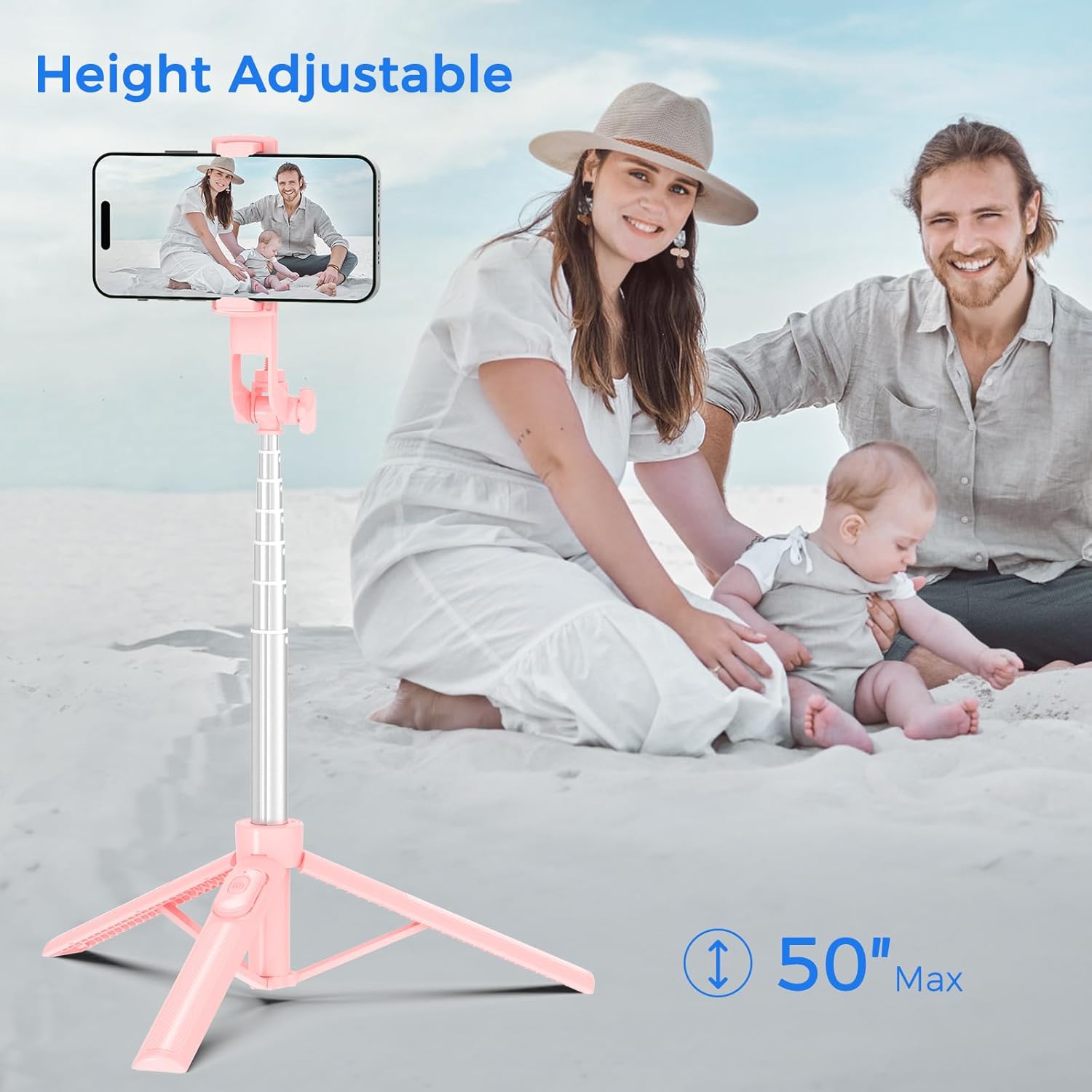
Figure 4.1: The tripod extended to its maximum height of 50 inches.

Figure 4.2: Multi-angle adjustment capabilities of the phone holder and tripod head.
4.2 Using as a Selfie Stick
- Ensure the tripod legs are folded and secured within the handle.
- Extend the pole to your desired length.
- Hold the handle firmly and use the remote control to capture photos or start/stop video recording.
4.3 Using as a Tripod
- Unfold the tripod legs and place the device on a flat, stable surface.
- Adjust the height and angle as needed.
- Use the remote control to take photos or record videos from a distance.

Figure 4.3: Examples of the selfie stick tripod in various applications.
5. Maintenance
5.1 Cleaning
- Wipe the device with a soft, dry cloth.
- Avoid using harsh chemicals or abrasive cleaners.
5.2 Storage
- Retract the pole and fold the tripod legs completely for compact storage.
- Store the device in a cool, dry place away from direct sunlight.
5.3 Remote Control Battery
- The remote control uses a small button cell battery (included).
- If the remote control stops responding, the battery may need replacement. Refer to the remote control's specific instructions for battery type and replacement procedure.
6. Troubleshooting
- Remote Control Not Pairing:
Ensure the remote control's ON/OFF switch (located on its underside) is in the 'ON' position. Check your phone's Bluetooth settings to ensure it's enabled and searching for devices. If previously paired, try unpairing and re-pairing. Ensure the remote's battery is not depleted. - Device Not Stable on Tripod:
Ensure the tripod legs are fully extended and placed on a flat, stable surface. Verify that your phone is securely clamped in the holder. Avoid using in strong winds or on uneven terrain. - Phone Holder Not Gripping:
Ensure the phone holder arms are fully extended and then allowed to retract to firmly grip your device. The holder is designed for devices between 2.4 and 3.8 inches wide. - Pole Not Extending/Retracting Smoothly:
Check for any obstructions or debris in the pole sections. Clean if necessary. Do not force the pole.
7. Specifications
| Feature | Specification |
|---|---|
| Model Number | PT01 |
| Brand | Liphisy |
| Maximum Height | 50 Inches |
| Minimum Length (Folded) | Approximately 9 inches |
| Item Weight | 9.6 ounces (0.27 Kilograms) |
| Package Dimensions | 9.25 x 2.95 x 1.93 inches |
| Compatible Devices | Android Phones, iPhones, Cameras (via 1/4-inch screw) |
| Tripod Head Type | Pan Heads (300-degree rotation) |
| Phone Holder Rotation | 360 degrees |
| Remote Control Battery | 1 Product Specific battery (included) |
| Material | Aluminum Alloy and Plastic |

Figure 7.1: Portable design, showing minimal length and weight.
8. Warranty and Support
For any questions, concerns, or technical assistance regarding your Liphisy PT01 Selfie Stick Tripod, please contact Liphisy customer support. Refer to your purchase documentation or the official Liphisy website for contact information and details regarding warranty coverage.