
Product Overview
The ALLONE ALG-NSPCWCMNT is a versatile wireless controller designed for an enhanced gaming experience. It offers compatibility with Nintendo Switch, Switch Lite, Switch OLED, and Windows PC (wired connection only for PC). Key features include a screenshot function, continuous fire, automatic input, gyro sensor, vibration, and acceleration sensor. The controller supports both wired and wireless connections for Switch consoles and features an auto-sleep function to conserve battery life.
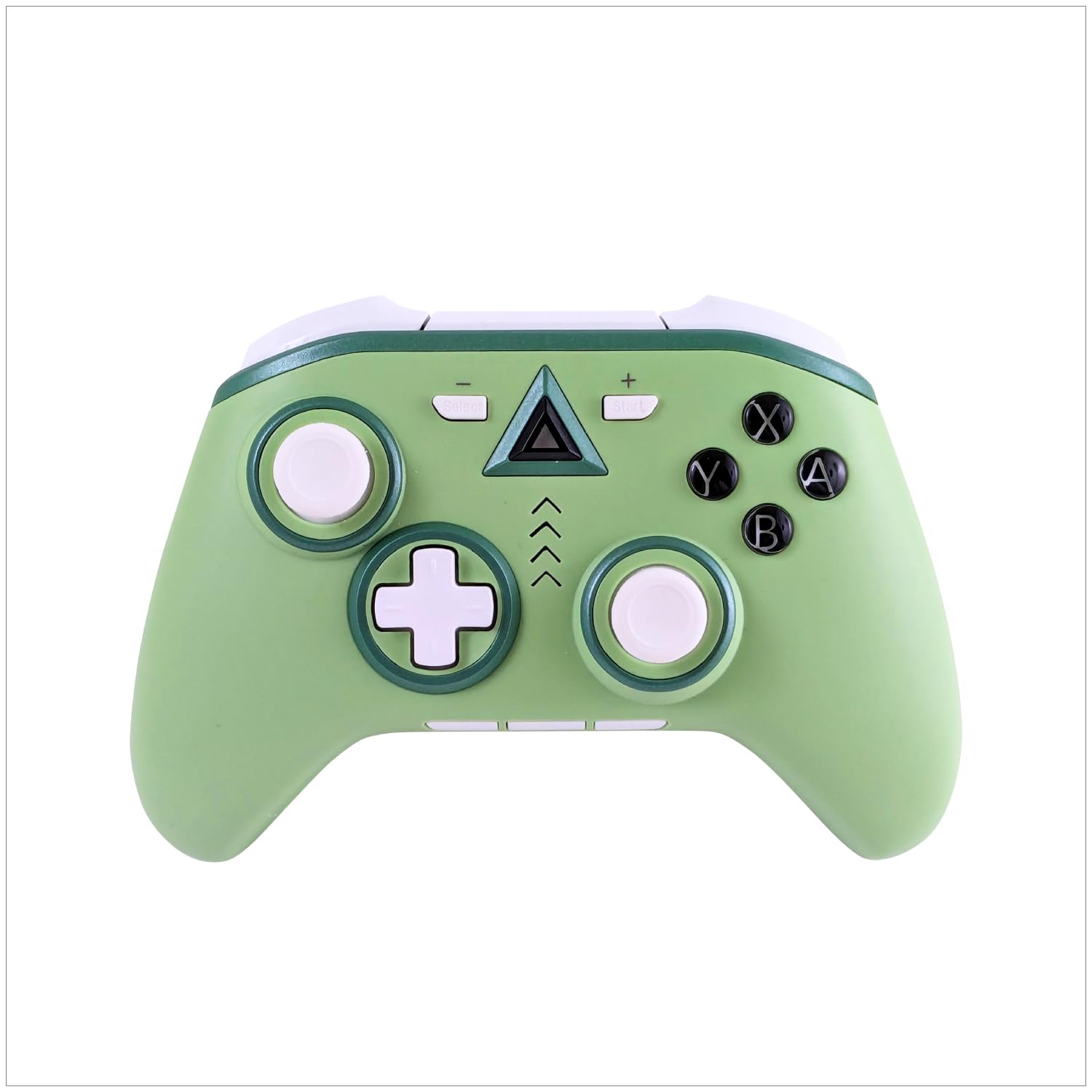
Image: ALLONE ALG-NSPCWCMNT Wireless Controller in Mint color.
Setup Instructions
Compatibility
- Nintendo Switch
- Nintendo Switch Lite
- Nintendo Switch OLED Model
- PC (Windows 10/11) - Wired connection only for PC (X-Input only)
Wireless Connection (Nintendo Switch)
- Ensure your Nintendo Switch console is powered on and updated to the latest system software.
- From the HOME Menu, select "Controllers" > "Change Grip/Order".
- Press and hold the SYNC Button on the top of the controller for a few seconds until the player LEDs begin to flash.
- Once paired, the player LED(s) corresponding to the controller number will remain lit.
The controller supports both wired and wireless connections for Nintendo Switch consoles, offering flexibility in your gaming setup.

Image: ALLONE Wireless Controller shown with a Nintendo Switch console, indicating wireless compatibility.
Wired Connection (PC - Windows 10/11)
- Connect the controller to your PC using the provided Type-C USB cable.
- The controller will be automatically recognized as an X-Input device.
- No additional drivers are typically required for Windows 10/11.

Image: ALLONE Wireless Controller connected to a PC monitor, illustrating wired PC compatibility.
Operating Instructions
Key Features
- Screenshot Function: Capture your favorite in-game moments with a single button press.
- Continuous Fire (Turbo) Function: Assign to specific buttons for rapid input, reducing hand fatigue during repetitive actions.
- Automatic Input Button Function: Record and execute button actions automatically, enhancing gameplay.
- Gyro Sensor: Provides motion control capabilities for compatible games.
- Vibration Function: Offers immersive haptic feedback during gameplay.
- Acceleration Sensor: Detects movement and orientation for responsive control.

Image: Visual representation of the controller's Gyro, Vibration, Acceleration sensor, and approximately 9 hours of continuous use battery life.
Battery and Power Management
- Continuous Use: Approximately 9 hours on a full charge.
- Auto-Sleep Function: The controller automatically enters sleep mode when not in use for a period, conserving battery and extending playtime.
- Charging: Use the included Type-C USB cable (80cm) to charge the controller.
Ergonomics
The controller features a comfortable silicone grip, designed to fit well in hands of various sizes, including children's. This ergonomic design ensures comfortable extended play sessions.
Maintenance
- Keep the controller clean by wiping it with a soft, dry cloth.
- Avoid exposing the controller to extreme temperatures, humidity, or direct sunlight.
- Do not attempt to disassemble or modify the controller, as this may void the warranty.
- Store the controller in a safe place when not in use to prevent damage.
Troubleshooting
| Problem | Solution |
|---|---|
| Controller does not connect wirelessly to Switch. | Ensure the Switch console is updated. Try re-pairing by holding the SYNC button. Make sure the controller is charged. |
| Controller not recognized by PC. | Ensure a stable wired connection using the Type-C cable. Verify your PC is running Windows 10/11. Try a different USB port. |
| Buttons or joysticks are unresponsive. | Check battery level. Restart the controller and the console/PC. If issues persist, contact customer support. |
| Short battery life. | Ensure the controller is fully charged before use. The auto-sleep function helps conserve power; ensure it's activating when idle. |
Specifications
| Feature | Detail |
|---|---|
| Brand | ALLONE |
| Model Number | ALG-NSPCWCMNT |
| Color | Mint |
| Product Type | Wireless Controller |
| Compatibility | Nintendo Switch, Switch Lite, Switch OLED, PC (Windows 10/11) |
| Number of Buttons | 10 |
| Product Weight | 205 grams |
| Product Dimensions | 40 x 160 x 110 mm |
| Included Components | Charging Type-C Cable (80cm) |
| Country of Origin | China |

Image: The ALLONE Wireless Controller available in Mint, Camel, and Purple color variations.
Warranty and Support
ALLONE conducts thorough product inspections before shipment to ensure customer satisfaction. In the unlikely event of a defect or issue, please contact our customer support center for assistance. Our dedicated support team will provide prompt and courteous service.
For further inquiries or support, please visit the ALLONE Store on Amazon.
Product Videos
PeriphX Controller Overview
Video: An overview of the PeriphX controller, showcasing its design and various lighting effects during gameplay. This video highlights the aesthetic and functional aspects of a similar gaming controller.