1. Introduction
Welcome to the user manual for your new Atzeste iPad Pencil. This guide provides comprehensive instructions on how to set up, operate, and maintain your stylus, ensuring you get the most out of its advanced features like palm rejection, tilt sensitivity, and fast charging. Please read this manual carefully before using the product.

Image: The Atzeste iPad Pencil, designed for seamless interaction with your iPad.
2. Product Overview
The Atzeste iPad Pencil is designed for precision and ease of use. Familiarize yourself with its components:
- Touch Control: Located at the top for power on/off.
- Indicator Light: Shows power status and charging.
- USB-C Port: For charging the pencil.
- Magnetic Surface: Allows for magnetic attachment to compatible iPad models.
- 1.5mm Fine Tip: Provides precise writing and drawing experience.

Image: Labeled diagram of the Atzeste iPad Pencil's features.

Image: Overview of the stylus pen's design and versatile applications.
3. Compatibility
The Atzeste iPad Pencil is compatible with a wide range of iPad models. Please confirm your iPad model before use to ensure full functionality. This stylus is compatible with iPad models from 2018 to 2024.
- iPad (6th, 7th, 8th, 9th, & 10th Generation)
- iPad Pro 11-inch (1st, 2nd, & 3rd Generation)
- iPad Pro 12.9-inch (3rd, 4th, 5th, & 6th Generation)
- iPad Air (3rd, 4th, & 5th Generation)
- iPad mini (5th & 6th Generation)
Note: This stylus is only compatible with the above models of iPad and is not compatible with other devices or older iPad models.

Image: Detailed compatibility guide for the Atzeste iPad Pencil.
4. Setup and First Use
Turning On/Off
The Atzeste iPad Pencil features a smart touch switch for easy operation. This stylus does not require Bluetooth pairing for basic functionality.
- To turn on: Simply press the top button of the stylus quickly.
- To turn off: Press the top button again quickly.
- The pencil will automatically enter auto-sleep mode after 5 minutes of inactivity to conserve battery.

Image: Instructions for powering the stylus on and off.
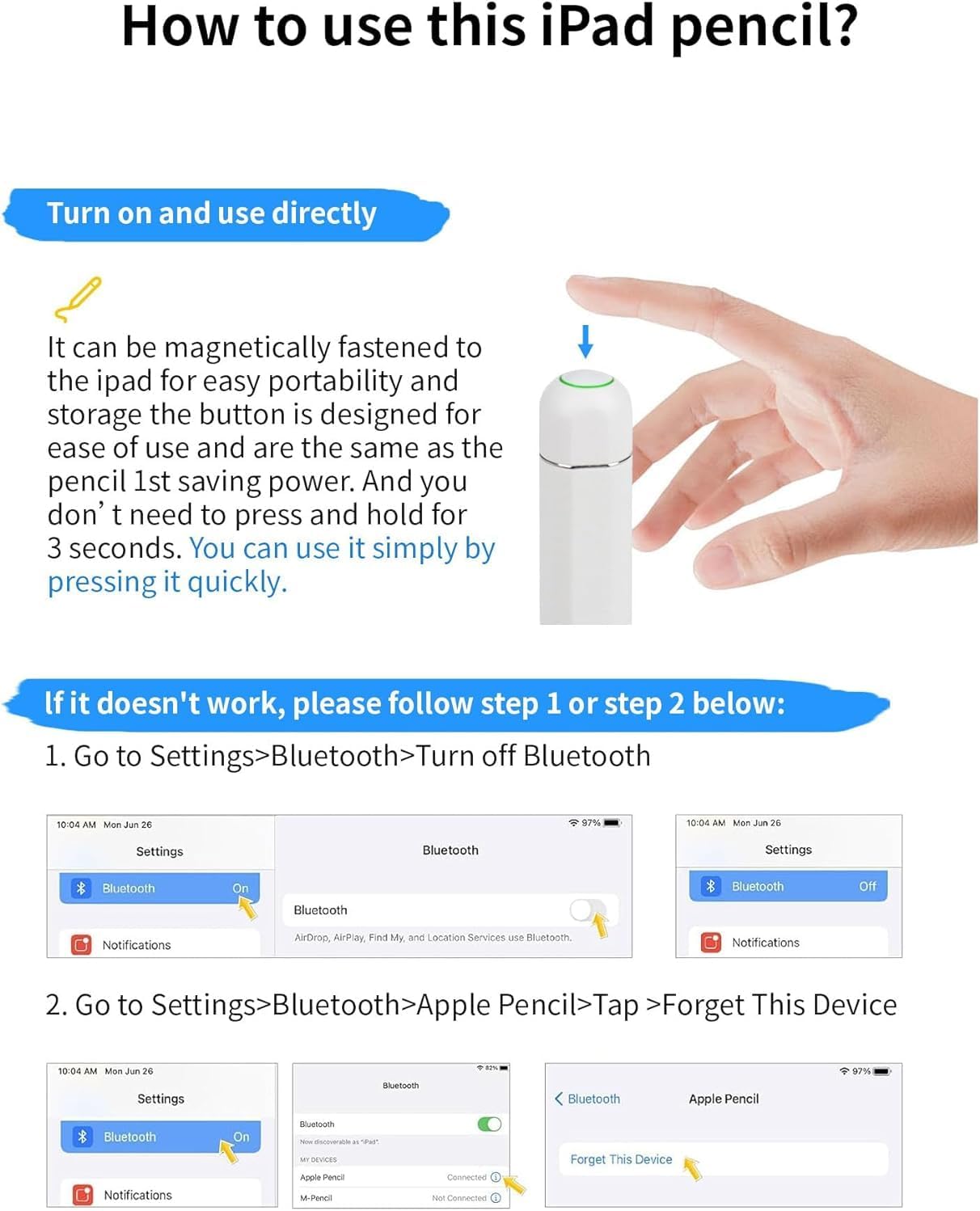
Image: Visual guide for initial use and troubleshooting steps.
5. Key Features
5.1. High Precision & Palm Rejection
The Atzeste iPad Pencil offers exceptional accuracy with no lag, no slip, and no offset, ensuring a natural writing and drawing experience. The integrated palm rejection technology allows you to rest your hand comfortably on the iPad screen without interfering with your input.

Image: Illustrating precise input and effective palm rejection.
5.2. Tilt Sensitivity
Experience dynamic line thickness by simply tilting the pencil. This feature allows for artistic shading and varied strokes, similar to a traditional pencil, enhancing your creative possibilities across various compatible applications.

Image: Demonstrating tilt sensitivity and compatible applications.
5.3. Magnetic Adsorption Design
For enhanced portability and organization, the Atzeste iPad Pencil features a magnetic surface that allows it to attach securely to the side of compatible iPad models. This prevents rolling and loss, keeping your pencil readily accessible.
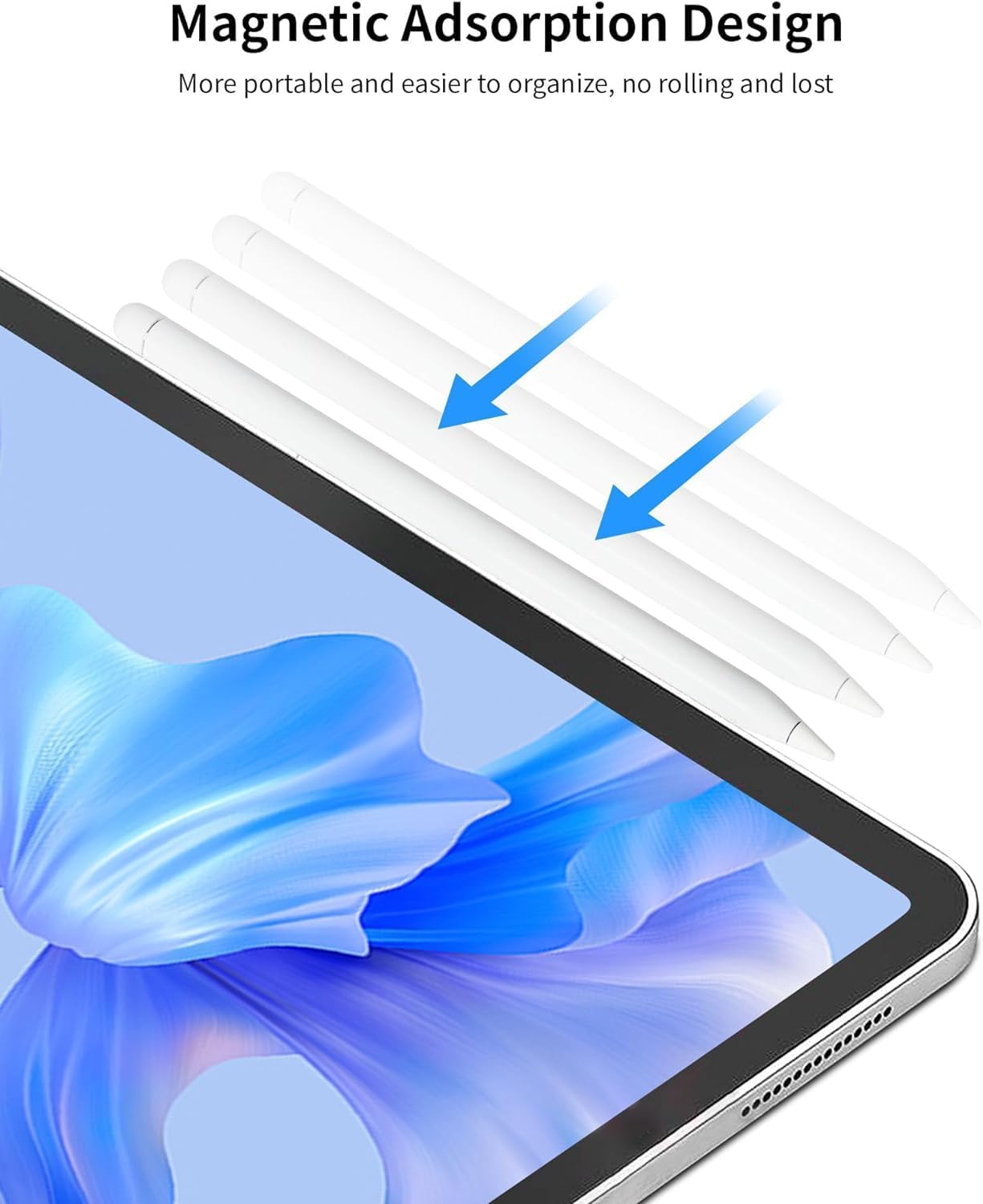
Image: Magnetic attachment feature for convenient storage.
6. Charging
The Atzeste iPad Pencil is equipped with a USB-C charging port for convenient power replenishment. A USB-C charging cable is included.
- Charging Time: Approximately 40 minutes for a full charge.
- Working Time: Up to 9 hours of continuous use.
- Standby Time: Up to 365 days.
Important Note on Magnetic Charging: While the pencil has a magnetic surface, the magnetic charging function is only available for iPad Pro 12.9" (3rd/4th/5th/6th Gen), iPad Pro 11" (1st/2nd/3rd Gen), and iPad Air (4th/5th Gen), and iPad Mini 6. The iPad 10th Generation does not support magnetic adsorption charging, so this stylus cannot be properly attached to its side for charging.

Image: Charging methods and battery performance details.
7. Troubleshooting
If your Atzeste iPad Pencil is not functioning as expected, please follow these troubleshooting steps:
- Ensure Bluetooth is Off on your iPad:
Go to iPad Settings > Bluetooth. Make sure the Bluetooth toggle is set to Off. This stylus does not require Bluetooth and can sometimes conflict with existing Bluetooth connections.
- Forget Previous Apple Pencils:
If you have previously used an Apple Pencil with your iPad, it might interfere with the Atzeste Pencil. Go to iPad Settings > Bluetooth > Locate "Apple Pencil" in the device list > Tap the "i" icon next to it > Select Forget This Device.
- Check Battery Level:
Ensure the Atzeste iPad Pencil is sufficiently charged. Connect it to a USB-C power source and check the indicator light.
- Restart iPad:
A simple restart of your iPad can often resolve minor software glitches.
If the issue persists after following these steps, please refer to the Warranty and Support section for further assistance.
8. Specifications
| Attribute | Detail |
|---|---|
| Brand | atzeste |
| Model Number | AZ092W |
| Item Weight | 2.46 ounces |
| Package Dimensions | 7.72 x 2.44 x 0.75 inches |
| Batteries | 1 Lithium Ion battery required (included) |
| Manufacturer | Atzeste |
| First Available Date | July 4, 2025 |
9. Maintenance
To ensure the longevity and optimal performance of your Atzeste iPad Pencil, follow these maintenance guidelines:
- Cleaning: Gently wipe the pencil's body with a soft, dry, lint-free cloth. Avoid using harsh chemicals or abrasive materials.
- Tip Care: The 1.5mm fine tip is durable but can wear over time with heavy use. Replacement tips are available (often 3 extra replacement pen tips are included). Ensure the tip is clean and free of debris.
- Storage: Store the pencil in a cool, dry place, away from direct sunlight and extreme temperatures. Utilize its magnetic adsorption feature to attach it to your iPad when not in use for secure storage.
- Charging: Avoid overcharging. Disconnect the pencil once fully charged.
10. Warranty and Support
Atzeste is committed to providing high-quality products. For any warranty claims, technical support, or inquiries regarding your Atzeste iPad Pencil, please contact Atzeste customer service through the retailer where you purchased the product or visit the official Atzeste website for contact information.
Please retain your proof of purchase for warranty purposes.