
JOY worker JW-GHED121D-1P40G-B
JOY worker Small Electric Standing Desk (Model JW-GHED121D-1P40G-B) User Manual
Model: JW-GHED121D-1P40G-B
Brand: JOY worker
Introduction
This manual provides essential instructions for the assembly, operation, maintenance, and troubleshooting of your JOY worker Small Electric Standing Desk. Please read this manual thoroughly before assembly and use to ensure safe and efficient operation.
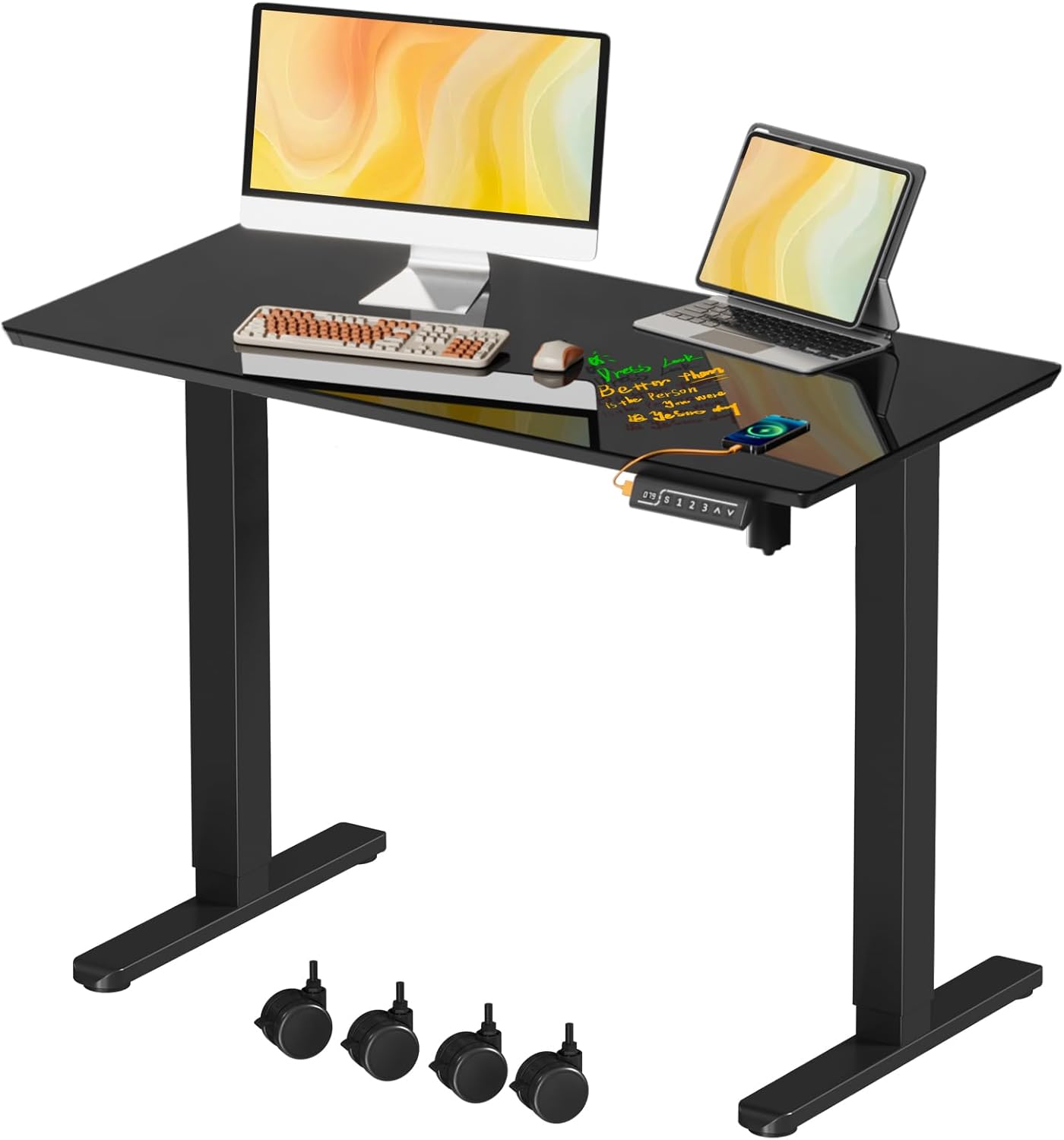
Image: The JOY worker Small Electric Standing Desk in black glass, featuring a monitor, laptop, and other office items, with optional casters shown below.
Important Safety Information
- Always ensure the desk is properly anchored to the floor to prevent tipping, especially when adjusting height or moving.
- Do not place more than 176 lbs (80 kg) on the desk to avoid stability issues and potential damage.
- Exercise caution when handling the glass top to prevent breakage. Avoid dropping heavy objects onto the surface.
- Keep children and pets away from the desk during height adjustments.
- Ensure all cables are managed to prevent entanglement during desk movement.
- Do not disassemble or modify the desk's electrical components. Contact support for service.
Setup and Assembly
The JOY worker Electric Standing Desk is designed for straightforward assembly. All necessary screws and accessories are included. Assembly can typically be completed in approximately 15 minutes.
Package Contents:
Verify that all components are present before beginning assembly. Refer to the included parts list in your package.
Assembly Steps:
- Step 1: Prepare the Tabletop and Desk Frame. Carefully unbox the one-piece glass tabletop and the desk frame components. Place the tabletop upside down on a soft, clean surface to prevent scratches.
- Step 2: Attach the Desk Feet. Securely attach the desk feet to the bottom of the desk frame using the provided hardware. Ensure all screws are tightened.
- Step 3: Connect Power Cords. Connect the motor and control panel cables to the main control box. Ensure all connections are firm.
- Step 4: Install Foot Pads or Casters (Optional). Decide whether to use the non-slip foot pads for stationary use or the lockable casters for mobility. Attach your chosen option to the bottom of the desk feet.

Image: Visual guide for quick installation, illustrating the main components and assembly sequence.

Image: Illustration of the two options for desk base: non-slip heightening foot pads or removable lockable wheels.
Operating Instructions
Your JOY worker Electric Standing Desk features smooth, quiet height adjustment and programmable memory settings.
Control Panel Functions:
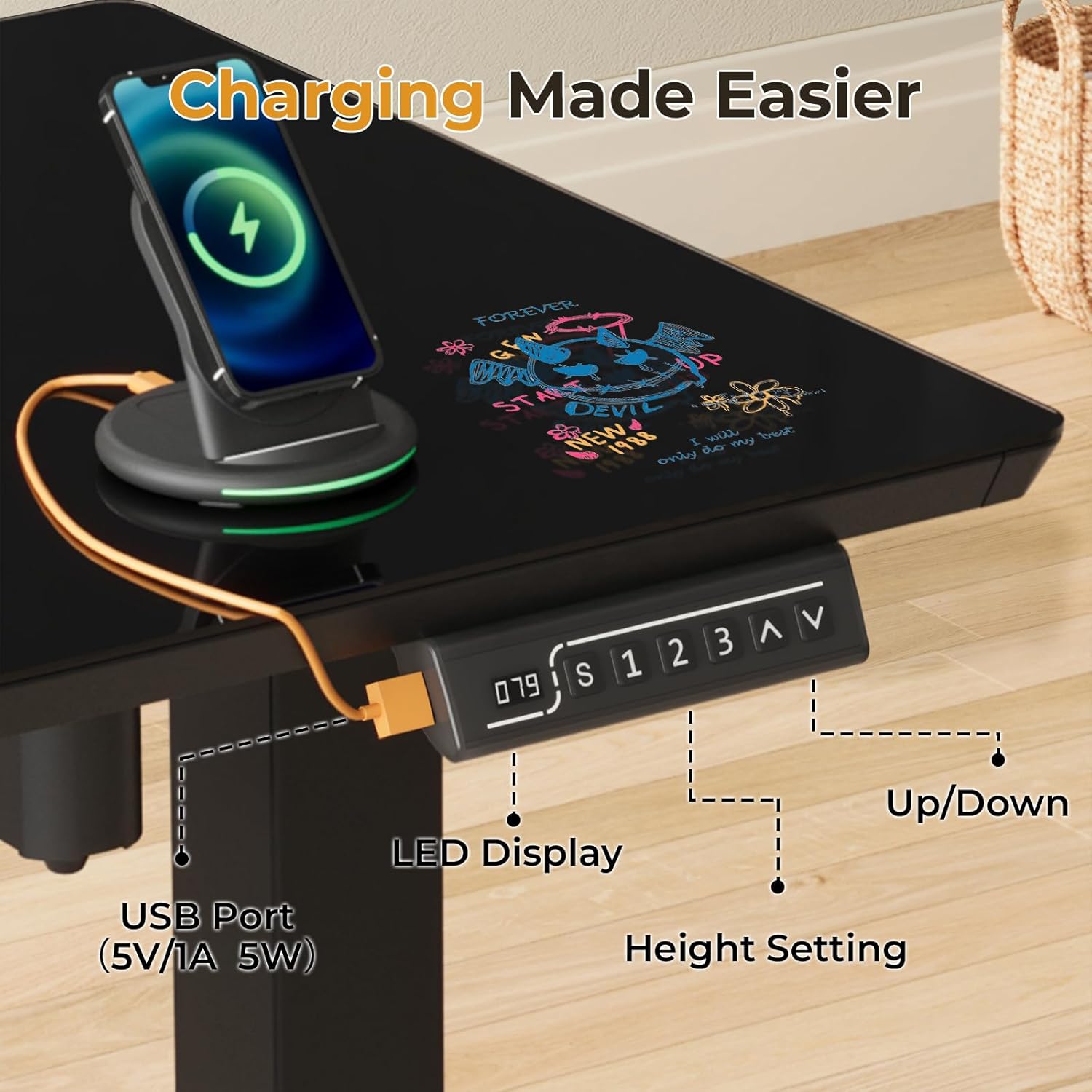
Image: The control panel, highlighting the LED display, up/down arrows, memory buttons (1, 2, 3), and a USB port.
- LED Display: Shows the current desk height in inches.
- Up/Down Arrows (▲ / ▼): Press and hold to adjust the desk height manually. The desk moves smoothly between 28.3 inches and 46.5 inches at a speed of 25mm/s.
- Memory Presets (1, 2, 3):
- To Save a Height: Adjust the desk to your desired height using the up/down arrows. Press the "S" button, then press one of the memory buttons (1, 2, or 3) within 3 seconds. The display will confirm the setting.
- To Recall a Height: Press the corresponding memory button (1, 2, or 3). The desk will automatically move to the saved height.
- USB Port (5V/1A 5W): Located on the control panel for convenient charging of small electronic devices.
Anti-Collision Feature:
The desk is equipped with a weight and balance sensor (anti-collision system) that will halt operation if it encounters an obstruction during height adjustment. If this occurs, remove the obstruction and resume operation.

Image: Comparison of the desk at its minimum (28.34") and maximum (46.45") adjustable heights.
Maintenance
Proper care will ensure the longevity and appearance of your JOY worker Electric Standing Desk.
Glass Tabletop Care:
- The tempered glass surface is scratch-resistant and easy to clean.
- For daily cleaning, wipe with a soft, damp cloth and a mild glass cleaner. Avoid abrasive cleaners.
- The glass surface can be used with dry-erase markers. Wipe clean with a dry-erase eraser or a soft cloth.
- Avoid placing extremely hot items directly on the glass without a coaster.

Image: The durable tempered glass desktop, highlighting its writable and easy-to-clean properties.
Frame and Electrical Components:
- Wipe the alloy steel frame with a soft, dry cloth.
- Keep electrical components (motor, control box, cables) dry and free from dust.
- Regularly check all screws and connections to ensure they remain tight.
Troubleshooting
If you encounter issues with your desk, refer to the following common problems and solutions:
| Problem | Possible Cause | Solution |
|---|---|---|
| Desk does not move or respond to controls. |
|
|
| Desk stops during adjustment. |
|
|
| Desk height is inconsistent or memory presets are not working. |
| Perform a reset:
|
| Unusual noise during operation. |
|
|
Product Specifications
| Feature | Detail |
|---|---|
| Brand | JOY worker |
| Model Number | JW-GHED121D-1P40G-B |
| Desk Design | Electric Standing Desk |
| Color | Black Glass |
| Product Dimensions (D x W x H) | 19.7"D x 40"W x 46.4"H |
| Tabletop Size | 40" x 20" (One-piece tempered glass) |
| Minimum Height | 28.34 inches |
| Maximum Height | 46.45 inches |
| Height Adjustment Speed | 25mm/s |
| Noise Level | Under 50 dB |
| Maximum Weight Capacity | 176 lbs (80 kg) |
| Base Material | Alloy Steel (T-shaped bracket) |
| Special Features | Adjustable Height, 3 Programmable Memory Modes, Built-in USB Port (5V/1A 5W), Anti-collision System, Writable Glass Surface, Optional Casters/Foot Pads |
| Assembly Required | Yes (Tools included) |

Image: Detailed dimensions of the desk, including width, depth, height range, and weight capacity.
Warranty and Support
The JOY worker Small Electric Standing Desk comes with a Limited Warranty. For specific warranty terms and conditions, please refer to the documentation included with your product or contact JOY worker customer support.
For technical assistance, troubleshooting beyond this manual, or warranty claims, please visit the official JOY worker store or contact their customer service department.