
1. Introduction
Thank you for choosing the CLARIMOND Visual Electric Toothbrush with HD Video Camera. This advanced sonic toothbrush is designed to provide a precise and effective cleaning experience, enhanced by real-time visual feedback. This manual provides essential information for the safe and optimal use of your new toothbrush.

Image 1.1: CLARIMOND Visual Electric Toothbrush and its retail packaging.
2. Package Contents
Please verify that all items are present in your package:
- 1 x CLARIMOND Visual Electric Toothbrush Handle
- 3 x DuPont Brush Heads
- 1 x USB Type-C Charging Cable
- 1 x Protective Travel Case
- 1 x User Manual (this document)
3. Product Overview
The CLARIMOND Visual Electric Toothbrush combines sonic cleaning technology with an integrated HD camera for enhanced oral hygiene. Key features include:
- Integrated HD Camera: Provides live visual guidance for precise cleaning.
- Smart Sonic Cleaning Technology: High-frequency vibrations for effective plaque removal.
- Multiple Brushing Modes: Customizable settings for various oral care needs.
- Long Battery Life: Up to 45 days of use on a single charge.
- Type-C Fast Charging: Convenient and rapid recharging.
- IPX7 Waterproof: Safe for use in wet environments.
- Smart Timer: Ensures optimal brushing duration with quadrant alerts.
- DuPont Bristles: High-quality bristles for effective and gentle cleaning.

Image 3.1: Key features of the CLARIMOND Visual Electric Toothbrush.
4. Setup
4.1 Initial Charging
- Connect the provided USB Type-C charging cable to the charging port at the bottom of the toothbrush handle.
- Plug the other end of the cable into a compatible USB power adapter (not included) or a USB port.
- Allow the toothbrush to charge fully before first use. The indicator light will show charging status and turn solid when complete. A full charge typically takes approximately 2 hours.
4.2 Attaching the Brush Head
- Align the brush head with the metal shaft on the toothbrush handle.
- Gently push the brush head down until it clicks securely into place. Ensure there is a small gap between the brush head and the handle to allow for proper vibration.
- To remove, pull the brush head straight up from the handle.
4.3 App Download and Connection (for HD Camera Functionality)
To utilize the HD camera feature, you must download the dedicated CLARIMOND app on your smartphone or tablet.
- Scan the QR code provided in the product packaging or search for the official CLARIMOND app in your device's app store (e.g., Apple App Store for iOS, Google Play Store for Android).
- Install the app and follow the on-screen instructions to create an account or log in.
- Turn on your CLARIMOND toothbrush.
- Open the app and follow the pairing instructions to connect your toothbrush via Wi-Fi or Bluetooth, as prompted by the app.
Note: The HD camera functionality is dependent on the app. Please refer to the app's instructions for detailed usage and ensure your device meets the app's compatibility requirements. Check app store reviews for current information on app performance and reliability.
5. Operating Instructions
5.1 Power On/Off
- Press the power button once to turn on the toothbrush. It will start in the last used mode.
- Press and hold the power button for 2 seconds to turn off the toothbrush.
5.2 Changing Modes
While the toothbrush is on, press the power button repeatedly to cycle through the available cleaning modes. The indicator light for the selected mode will illuminate.
5.3 Brushing Technique
- Wet the brush head and apply a small amount of toothpaste.
- Place the brush head against your teeth at a slight angle towards the gum line.
- Turn on the toothbrush and gently move it across your teeth, allowing the sonic vibrations to do the work. Do not scrub vigorously.
- The smart timer will pause briefly every 30 seconds to indicate when to move to the next quadrant of your mouth.
- After 2 minutes, the toothbrush will automatically turn off, signaling the completion of a recommended brushing cycle.
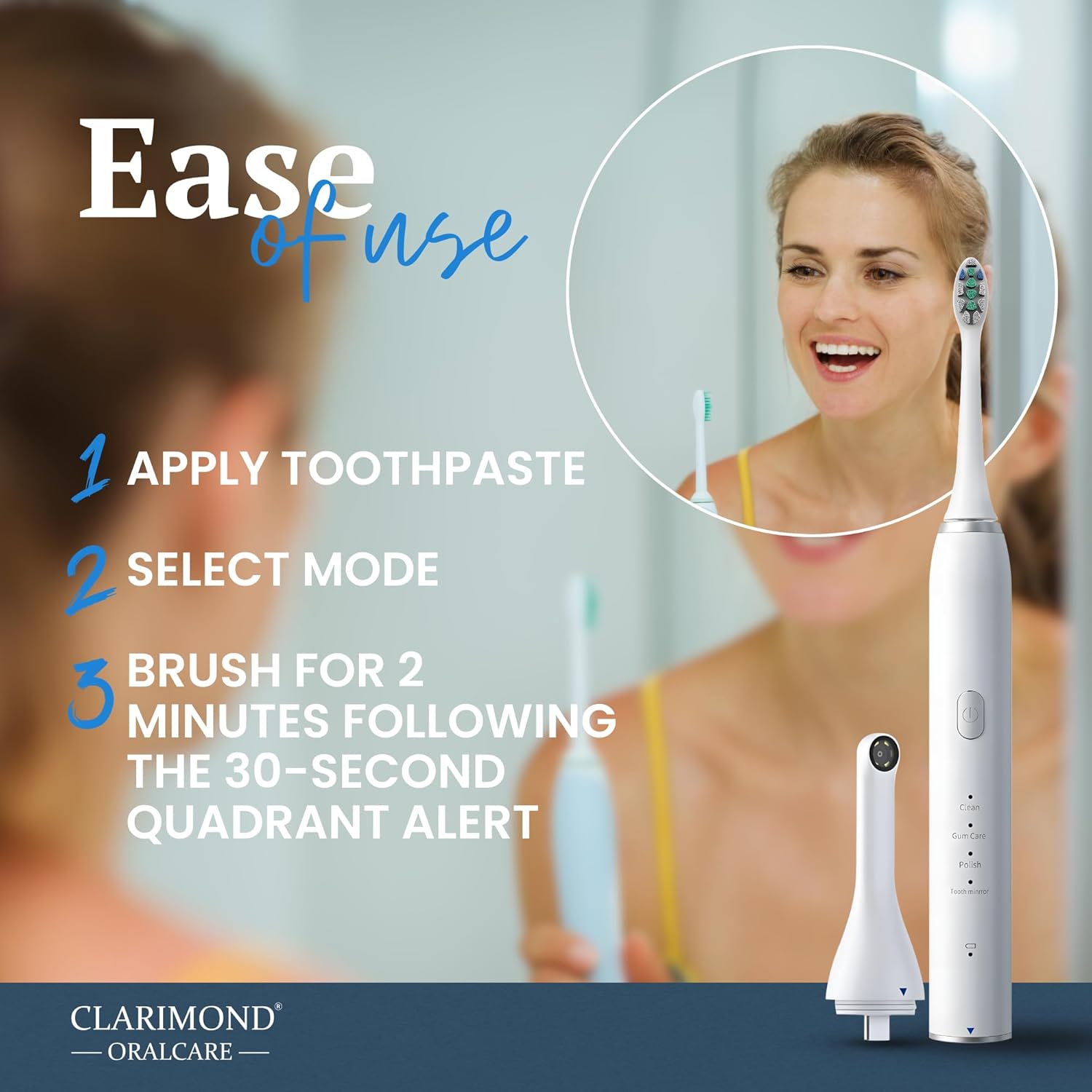
Image 5.1: Simple steps for using the CLARIMOND Visual Electric Toothbrush.
6. Cleaning Modes
Your CLARIMOND Visual Electric Toothbrush offers multiple modes to cater to different oral care needs:
- Clean Mode: Standard mode for daily plaque removal and general cleaning.
- Gum Care Mode: Gentle vibrations for stimulating gums and improving gum health.
- Polish Mode: Higher frequency vibrations for polishing tooth surfaces and removing surface stains.
- Tooth Care Mode: (If applicable, based on product description, otherwise remove or adjust) A balanced mode for comprehensive tooth and gum care.
- Whitening Mode: (If applicable, based on product description, otherwise remove or adjust) Designed to help whiten teeth by targeting stains.

Image 6.1: Overview of smart features and cleaning modes.
7. HD Camera and App Usage
The integrated HD camera provides a live view of your mouth directly on your smartphone or tablet via the CLARIMOND app. This feature allows you to:
- Identify areas that require more attention during brushing.
- Monitor your brushing technique in real-time.
- Track your oral health progress over time.
Ensure your toothbrush is connected to the app as described in Section 4.3. Open the app before or during brushing to access the live camera feed and other smart features.
For optimal performance, ensure your app is updated to the latest version. If you experience connectivity issues or app unreliability, please consult the app's help section or the CLARIMOND support website.
8. Charging
The CLARIMOND Visual Electric Toothbrush features a long-lasting battery and convenient Type-C fast charging.
- When the battery is low, the indicator light will flash.
- Connect the toothbrush to the Type-C charging cable and a power source.
- The indicator light will show charging status and turn solid when fully charged.
- Avoid submerging the charging base or the toothbrush while charging.
9. Maintenance
9.1 Cleaning the Toothbrush
- After each use, rinse the brush head thoroughly under running water while the toothbrush is briefly turned on to remove any remaining toothpaste or debris.
- Turn off the toothbrush and remove the brush head. Rinse both the brush head and the handle separately under running water.
- Wipe the handle with a soft, damp cloth. Do not use abrasive cleaners or harsh chemicals.
- Ensure the charging port cover is securely closed to maintain IPX7 waterproofing.
9.2 Storage
- Store the toothbrush upright in a dry place.
- Use the provided travel case for hygienic storage and protection when traveling.
- Replace brush heads every 3 months, or sooner if the bristles become frayed.
10. Troubleshooting
| Problem | Possible Cause | Solution |
|---|---|---|
| Toothbrush does not turn on. | Battery is depleted. | Charge the toothbrush fully. |
| Toothbrush does not charge. | Charging cable or adapter is faulty; poor connection. | Ensure the Type-C cable is securely connected to both the toothbrush and the power source. Try a different USB adapter or port. |
| Weak vibrations or reduced performance. | Low battery; worn brush head. | Charge the toothbrush. Replace the brush head. |
| HD camera not connecting to app. | Toothbrush not powered on; app not open; connectivity issues; outdated app. | Ensure toothbrush is on. Open the CLARIMOND app. Check Wi-Fi/Bluetooth connection. Update the app. Restart both toothbrush and device. |
| App is unreliable or crashes. | Software bug; device incompatibility; insufficient device resources. | Ensure your device meets app requirements. Update the app. Clear app cache/data. Reinstall the app. Contact CLARIMOND support if issues persist. |
11. Specifications
| Feature | Detail |
|---|---|
| Model | B0DLN4SH5X |
| Power Source | Battery Powered (1 x 9V battery included) |
| Charging | USB Type-C |
| Battery Life | Up to 45 days (based on 2 minutes, twice daily) |
| Waterproof Rating | IPX7 |
| Special Features | Brushing Timer, HD Video Camera, Multiple Cleaning Modes |
| Bristle Type | DuPont |
| Age Range | Adult |
| Package Dimensions | 8.46 x 5.51 x 1.46 inches |
| Weight | 8 ounces |
12. Safety Information
- Not suitable for children under 3 years old.
- Do not submerge the charging base in water.
- Consult your dentist before using this product if you have severe periodontal disease or have undergone oral surgery.
- Keep the toothbrush and accessories out of reach of small children.
- Do not modify or attempt to repair the device yourself. Contact customer support for assistance.
13. Warranty and Support
CLARIMOND ORALCARE products are manufactured to high-quality standards. For warranty information, please refer to the documentation included with your purchase or visit the official CLARIMOND ORALCARE website. For technical support, troubleshooting assistance, or to inquire about replacement parts, please contact CLARIMOND customer service through their official channels.
Online Support: Visit the CLARIMOND ORALCARE website for FAQs and contact information.


