
Groovz GRVZ-CM-FLOR
Groovz True Wireless Earbuds User Manual
Model: GRVZ-CM-FLOR
Introduction
Welcome to the Groovz True Wireless Earbuds user manual. This guide provides essential information for setting up, operating, and maintaining your earbuds to ensure optimal performance and longevity.
- True Wireless Freedom: With Groovz True Wireless Earbuds, immerse yourself in music and take calls without tangled wires. Experience instant pairing with Bluetooth 5.3 and effortlessly navigate playlists or answer calls with smart touch controls.
- Get Lost in the Music: Experience every note and beat in high-definition audio, letting the music resonate just as the artist intended. Whether you’re working out, commuting, or unwinding, feel every moment of your music in vivid clarity and depth.
- Crystal Clear Conversations: Communicate seamlessly with dual microphones featuring advanced noise reduction, ensuring every word is heard even in busy environments. With Groovz wireless earbuds, experience clear sound on both ends of the call.
- Battery Life at a Glance: Check your charge in real-time with the LED Battery Display directly on the case, so you’re never caught off guard by dead earbuds and are ready to go. Enjoy up to 27 hours of playtime—22 hrs charging case and 5 hrs for earbuds.
- Wireless Earbuds With Personality: Express yourself with a variety of colors to make these uniquely yours. Designed and engineered in the USA, our water resistant earbuds deliver premium sound and comfort with three ear tip sizes (S, M, L) for a snug fit.
Setup Guide
Unboxing and Initial Charge
The Groovz True Wireless Earbuds come in a compact, high-end box. Inside, you will find the earbuds in their charging case, a USB charging cable, and extra ear tips in small, medium, and large sizes to ensure a comfortable fit.

Image: Groovz True Wireless Earbuds and Charging Case in Floral design.
Charging the Earbuds and Case
Before first use, fully charge your Groovz earbuds and charging case. The case features an LED display that shows the exact battery percentage, allowing you to monitor charge levels in real-time. The earbuds provide up to 5 hours of playtime on a single charge, with the charging case extending total playtime to 27 hours.
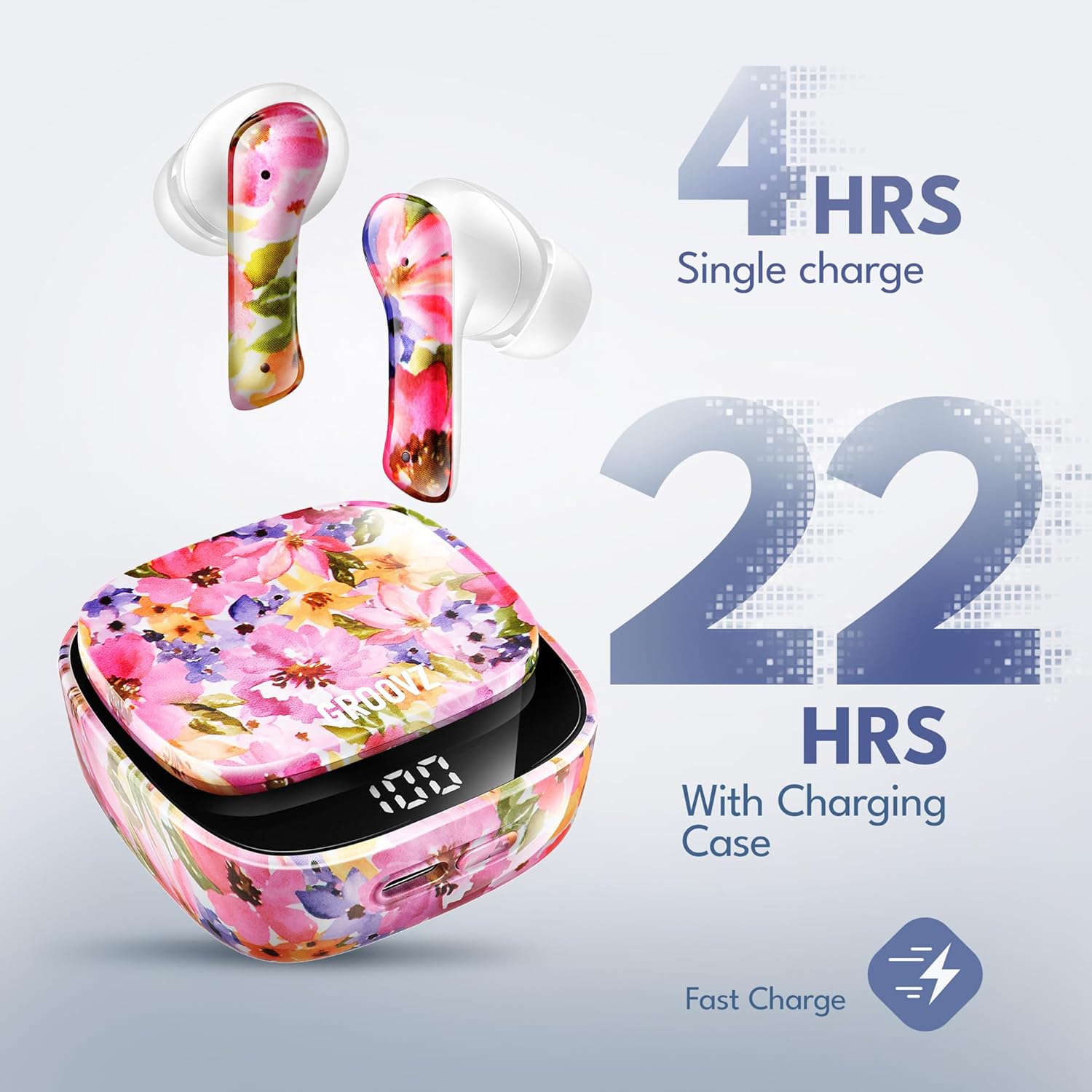
Image: Groovz Earbuds battery life illustration: 4 hours single charge, 22 hours with charging case.
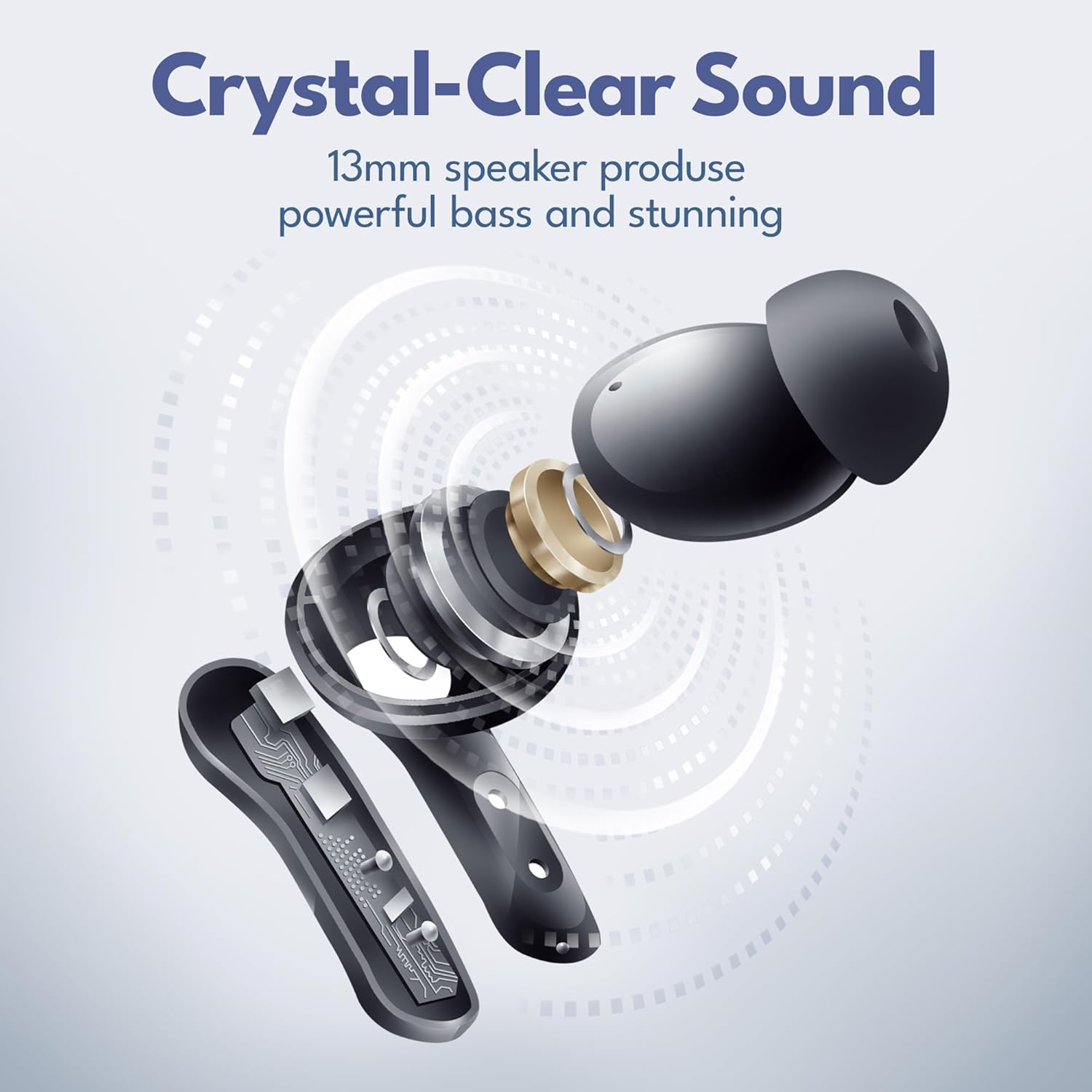
Image: Groovz Earbuds charging case with digital power display showing battery percentage.
Pairing with Your Device
To pair your Groovz True Wireless Earbuds, simply open the charging case. The earbuds will automatically enter pairing mode. On your device (smartphone, tablet, or Bluetooth-enabled device), navigate to Bluetooth settings and select 'Groovz Earbuds' from the list of available devices. The earbuds support instant pairing with Bluetooth 5.3 for a quick and stable connection.

Image: Groovz Earbuds in charging case, ready for pairing.
Operating Your Earbuds
Smart Touch Controls
Your Groovz earbuds feature intuitive smart touch controls for easy management of your audio and calls. Tap to play/pause music, answer/end calls, or double-tap for next track. Refer to the quick start guide included in the box for a full list of touch commands.

Image: Woman demonstrating touch control on Groovz earbud.
Audio Experience
Experience high-definition audio with powerful bass and stunning clarity. The 13mm speakers are engineered to deliver rich, immersive sound, allowing you to enjoy every detail of your music.

Image: Diagram illustrating the internal components and crystal-clear sound of Groovz earbuds.
Crystal Clear Calls
Equipped with dual microphones and advanced noise reduction technology, Groovz earbuds ensure crystal clear conversations, even in noisy environments. Your voice will be heard clearly on both ends of the call.
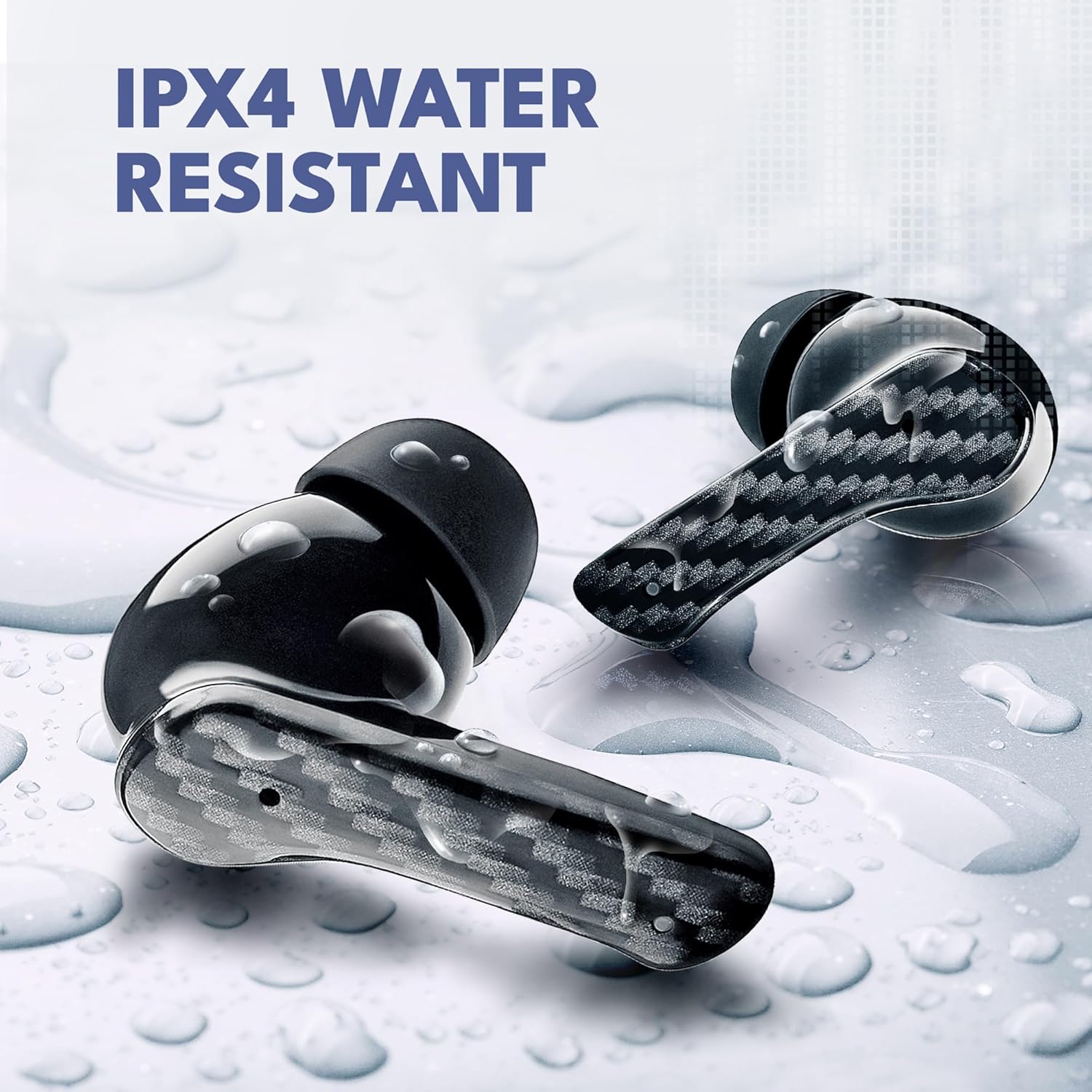
Image: Woman making a call with Groovz earbuds, highlighting AI-enhanced calls.
Maintenance and Care
Water Resistance
The Groovz True Wireless Earbuds are IPx4 water resistant, making them suitable for workouts and outdoor activities. This rating protects against splashing water from any direction. Avoid submerging the earbuds in water.

Image: Groovz Earbuds with water droplets, illustrating IPX4 water resistance.
Cleaning and Storage
To maintain optimal performance, regularly clean your earbuds and charging case with a soft, dry cloth. Ensure the charging contacts are free of debris. Store the earbuds in their charging case when not in use to protect them and keep them charged.
Troubleshooting
Common Issues and Solutions
- Earbuds not pairing: Ensure both earbuds are in the charging case and fully charged. Open the case and check your device's Bluetooth settings to reconnect. If issues persist, try forgetting the device and re-pairing.
- No sound from one earbud: Check battery levels for both earbuds. Place both earbuds back in the case, close it, wait a few seconds, then open it again to reset the connection.
- Poor sound quality: Ensure ear tips are correctly sized and seated in your ear for a snug fit. Clean any debris from the earbud speakers. Check the audio source device for sound settings.
- Charging issues: Verify the charging cable is securely connected to both the case and a power source. Ensure the charging contacts on the earbuds and inside the case are clean.
Specifications
| Feature | Detail |
|---|---|
| Brand | Groovz |
| Model Name | GRVZ-CM-FLOR |
| Connectivity Technology | Wireless (Bluetooth 5.3) |
| Battery Life | Up to 27 Hours (5 hours earbuds, 22 hours charging case) |
| Water Resistance Level | IPx4 Water Resistant |
| Control Method | Touch |
| Ear Placement | In Ear |
| Noise Control | Active Noise Cancellation |
| Audio Driver Type | Dynamic Driver |
| Frequency Range | 20 Hz - 20,000 Hz |
| Item Weight | 5 ounces |
| Package Dimensions | 4.29 x 3.66 x 1.85 inches |
Warranty and Support
Warranty Information
Groovz True Wireless Earbuds are designed and engineered in the USA, reflecting a commitment to quality. For specific warranty details and terms, please refer to the warranty card included with your product or contact Groovz customer support directly.
Customer Support
If you encounter any issues or have questions not covered in this manual, please contact Groovz customer support. Visit the official Groovz store on Amazon for more information and contact options: Groovz Store.