
1. Introduction
Thank you for choosing the Hmusic H25 Neckband Bluetooth Headphones. This manual provides essential information for setting up, operating, and maintaining your headphones to ensure optimal performance and longevity. Please read this manual thoroughly before use.
2. What's in the Box
Verify that all items listed below are included in your package:
- Hmusic H25 Wireless Headphones Neckband
- USB C Charging Cable
- User Manual
- Eartips (S/M/L sizes)
- Ear Fins (1 pair)

Image: Package contents of the Hmusic H25 headphones.
3. Product Overview
The Hmusic H25 features a flexible neckband design with in-ear earbuds and an integrated control panel for easy access to functions.
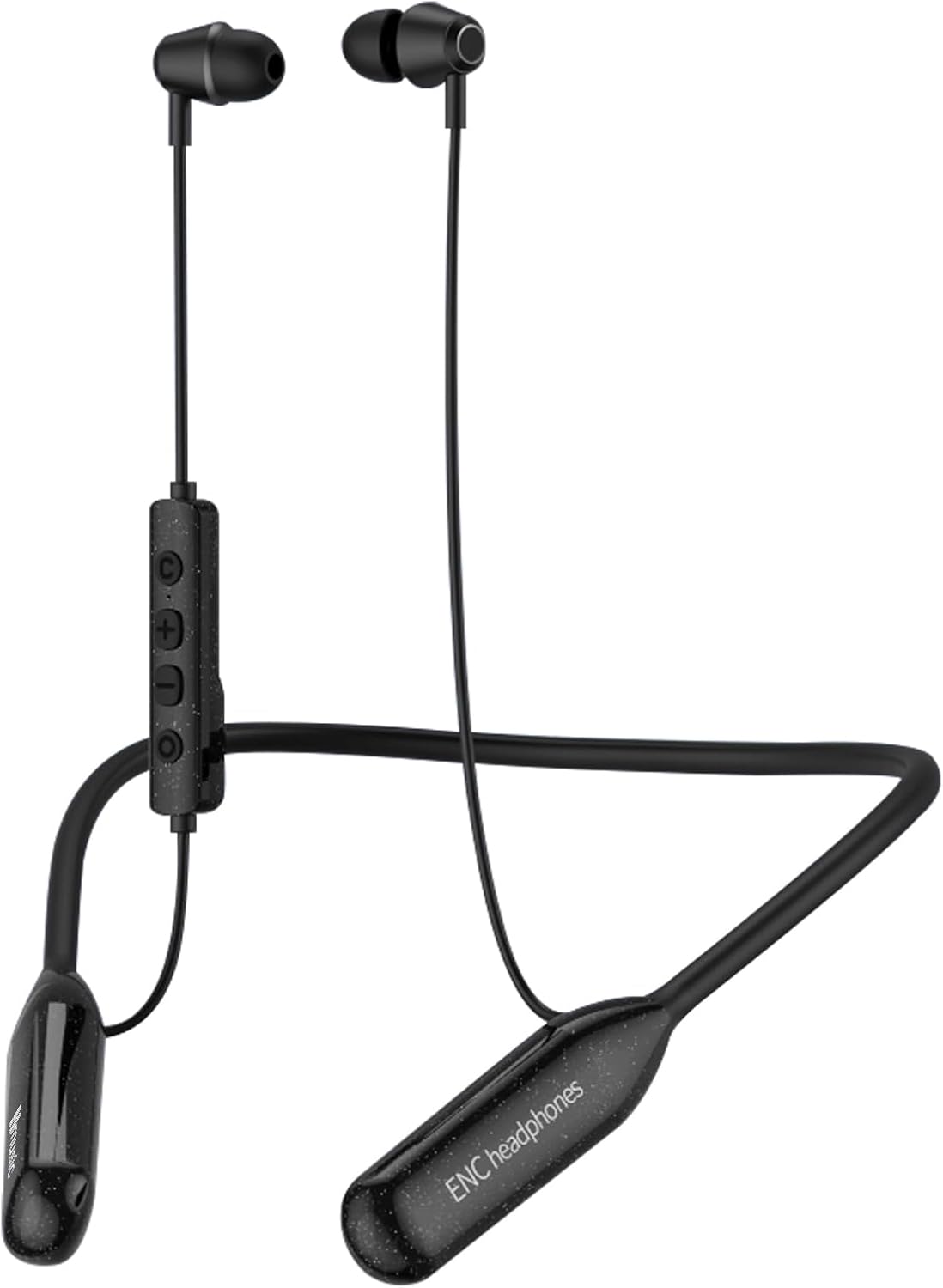
Image: Front view of the Hmusic H25 Neckband Bluetooth Headphones.
3.1 Control Buttons
The inline control panel allows for easy management of music, calls, and other functions.

Image: Detailed view of the control buttons on the Hmusic H25.
- Power Key (O button):
- Hold: Turn on/off, Reject call
- X1 (Single Press): Play/Pause music, Answer/Hang up call
- X2 (Double Press): Redial
- '+' Button:
- X1 (Single Press): Volume up
- Hold: Next song
- '-' Button:
- X1 (Single Press): Volume down
- Hold: Previous song
- 'C' Key:
- X1 (Single Press): Switch game/music mode
- Hold: Activate voice assistant
4. Setup
4.1 Charging the Headphones
Before first use, fully charge the headphones. A full charge takes approximately 3.5 hours.
- Connect the provided USB-C charging cable to the charging port on the control panel of the headphones.
- Connect the other end of the USB-C cable to a USB power adapter (not included) or a computer's USB port.
- The indicator light will show charging status (refer to the user manual for specific light indications).
- Once fully charged, disconnect the charging cable.

Image: USB-C charging port on the Hmusic H25 headphones.
4.2 Wearing the Headphones
For optimal sound quality and comfort, ensure a proper fit.
- Select the ear tips (S/M/L) and ear fins that best fit your ears. A snug fit helps with sound isolation and stability.
- Place the neckband around your neck.
- Insert the earbuds into your ears, adjusting them until they feel secure and comfortable.

Image: Proper wearing and ear tip selection for the Hmusic H25 headphones.
4.3 Pairing with a Device
The Hmusic H25 headphones support Bluetooth 5.4 for stable connections and dual-device pairing.
- Power On: Press and hold the Power Key (O button) until the indicator light flashes (usually blue/red alternately), indicating pairing mode.
- Activate Bluetooth: On your device (smartphone, tablet, laptop), enable Bluetooth.
- Select Device: In your device's Bluetooth settings, search for 'Hmusic H25' and select it to connect.
- Confirmation: Once connected, the indicator light on the headphones will typically flash blue slowly, and you will hear an audio prompt.

Image: Hmusic H25 headphones demonstrating dual-device Bluetooth connection.
5. Operating Instructions
5.1 Power On/Off
- Power On: Press and hold the Power Key (O button) for approximately 3 seconds until the indicator light turns on and you hear an audio prompt.
- Power Off: Press and hold the Power Key (O button) for approximately 5 seconds until the indicator light turns off and you hear an audio prompt.
5.2 Music Playback
- Play/Pause: Press the Power Key (O button) once.
- Volume Up: Press the '+' button once.
- Volume Down: Press the '-' button once.
- Next Track: Press and hold the '+' button.
- Previous Track: Press and hold the '-' button.
5.3 Call Management
The H25 headphones feature an ENC (Environmental Noise Cancellation) microphone for clear calls.
- Answer/End Call: Press the Power Key (O button) once.
- Reject Call: Press and hold the Power Key (O button) for approximately 2 seconds.
- Redial Last Number: Double-press the Power Key (O button).

Image: Hmusic H25 headphones enabling clear calls with ENC technology.
5.4 Voice Assistant
- Activate Voice Assistant: Press and hold the 'C' Key for approximately 2 seconds to activate your device's voice assistant (e.g., Siri, Google Assistant).
5.5 Game/Music Modes
Switch between optimized sound profiles for gaming or music listening.
- Switch Mode: Press the 'C' Key once to toggle between Game Mode and Music Mode.

Image: Internal structure of the Hmusic H25 earbud, highlighting dynamic drivers for game/music modes.
6. Maintenance
6.1 Cleaning
- Regularly clean the earbuds and ear tips with a soft, dry cloth.
- Remove ear tips and clean them with mild soap and water if necessary, ensuring they are completely dry before reattaching.
- Avoid using harsh chemicals or abrasive materials.
6.2 Storage
- When not in use, store the headphones in a cool, dry place, away from direct sunlight and extreme temperatures.
- The magnetic earbuds can be attached together to prevent tangling and secure them around your neck or for compact storage.

Image: Magnetic earbuds feature for anti-tangle storage.
7. Troubleshooting
| Problem | Possible Solution |
|---|---|
| Headphones do not power on. | Ensure the headphones are fully charged. Press and hold the Power Key for 3-5 seconds. |
| Cannot pair with device. | Ensure headphones are in pairing mode (flashing blue/red). Turn off and on Bluetooth on your device. Move headphones closer to the device. |
| No sound or low volume. | Check volume levels on both headphones and connected device. Ensure headphones are properly connected. Try re-pairing. |
| Call quality is poor. | Ensure the microphone is not obstructed. Move to an area with less environmental noise. Check network signal strength. |
| Intermittent connection. | Ensure no obstacles between headphones and device. Move closer to the device. Avoid strong electromagnetic interference. |
8. Specifications
| Feature | Detail |
|---|---|
| Model Name | Wireless Neckband Headphones |
| Connectivity Technology | Wireless |
| Wireless Communication | Bluetooth 5.4 |
| Bluetooth Range | 65 Feet (approx. 20 meters) |
| Battery Life | Up to 200 hours playback |
| Charging Time | 3.5 Hours (USB-C) |
| Water Resistance Level | IPX5 Waterproof |
| Noise Control | Sound Isolation, ENC Mic |
| Audio Driver Size | 10 Millimeters Dynamic Driver |
| Control Type | Button Control |
| Item Weight | 230 Grams |
| Included Components | Headphones, USB C cable, User Manual, Eartips |
9. Warranty and Support
The Hmusic H25 Neckband Bluetooth Headphones typically come with a manufacturer's warranty. For specific warranty terms, conditions, and duration, please refer to the warranty card included in your product packaging or visit the official Hmusic website. For technical support or service inquiries, please contact Hmusic customer service through their official channels.
Contact Information: Refer to the product packaging or the official Hmusic website for the most current support contact details.