
Introduction
This manual provides detailed instructions for the installation, operation, and maintenance of your Philips LED Slim 6-inch Canless Downlight. Please read this manual thoroughly before installation and retain it for future reference. This product is designed for residential and commercial indoor use.
Safety Information
- Always turn off power at the circuit breaker before beginning installation.
- Consult a qualified electrician if you are unsure about the installation process.
- Ensure all electrical connections comply with local codes and ordinances.
- Do not install in locations directly exposed to water. This product is suitable for damp locations but not wet locations.
- This product is IC-rated, suitable for direct contact with insulation.
- Do not attempt to modify the fixture. Any modifications may void the warranty and create a safety hazard.
Setup and Installation
The Philips LED Slim Canless Downlight is designed for easy installation without the need for a traditional recessed can housing. It features a slim profile and an external junction box.
Components Overview

The Philips LED Slim 6-inch Canless Downlight, showing the light fixture, external junction box, and product packaging for a 24-pack.
Installation Steps
- Prepare the Opening: Cut a 6-inch diameter hole in the ceiling at the desired location. Ensure there are no obstructions such as joists or pipes.
- Connect Wiring: Open the external junction box. Connect the household electrical wires (live, neutral, ground) to the corresponding wires inside the junction box using appropriate wire connectors. Secure the junction box to a ceiling joist or other structural element if possible, or place it within the ceiling cavity.
- Select Color Temperature (CCT): Before inserting the downlight, locate the CCT selection switch on the side of the junction box. Choose your preferred color temperature (2700K, 3000K, 3500K, 4000K, or 5000K).
- Insert Downlight: Connect the downlight fixture to the junction box cable. Push the spring-loaded clips on the sides of the downlight upwards and insert the fixture into the ceiling opening. The clips will automatically secure the downlight in place.
- Restore Power: Turn the power back on at the circuit breaker.

An illustration of the downlight installation process in drywall or suspended ceilings, emphasizing that no housing is required.
Daisy Chain Compatibility
Multiple Philips LED Slim Downlights can be connected in a daisy chain configuration from a single mains connection, simplifying wiring for larger areas.

A schematic showing how multiple downlights can be connected in a daisy chain configuration from a single mains connection.
Installation Videos
An animated video demonstrating the step-by-step installation of the Philips LED 6-inch Canless Downlight, including wiring the junction box and inserting the fixture into the ceiling.
A video demonstrating the easy installation of Philips Slim Downlights in a hallway, including cutting holes, wiring, and selecting color temperature.
A video showing the installation of Philips LED Slim Canless Downlights in a living room, highlighting the ease of installation and the aesthetic result.
Operating Instructions
Color Temperature Selection
The Philips LED Slim Downlight offers five selectable color temperatures (CCT) to match your preference and environment. The CCT is selected via a switch located on the external driver junction box prior to installation. Once installed, the CCT cannot be changed without accessing the junction box.
- 2700K (Soft White): Warm and relaxing ambiance.
- 3000K (Bright White): Balanced white light.
- 3500K (Neutral White): Soft white tone.
- 4000K (Cool White): Vibrant and cool light.
- 5000K (Daylight): Cool bluish tone, ideal for task lighting.
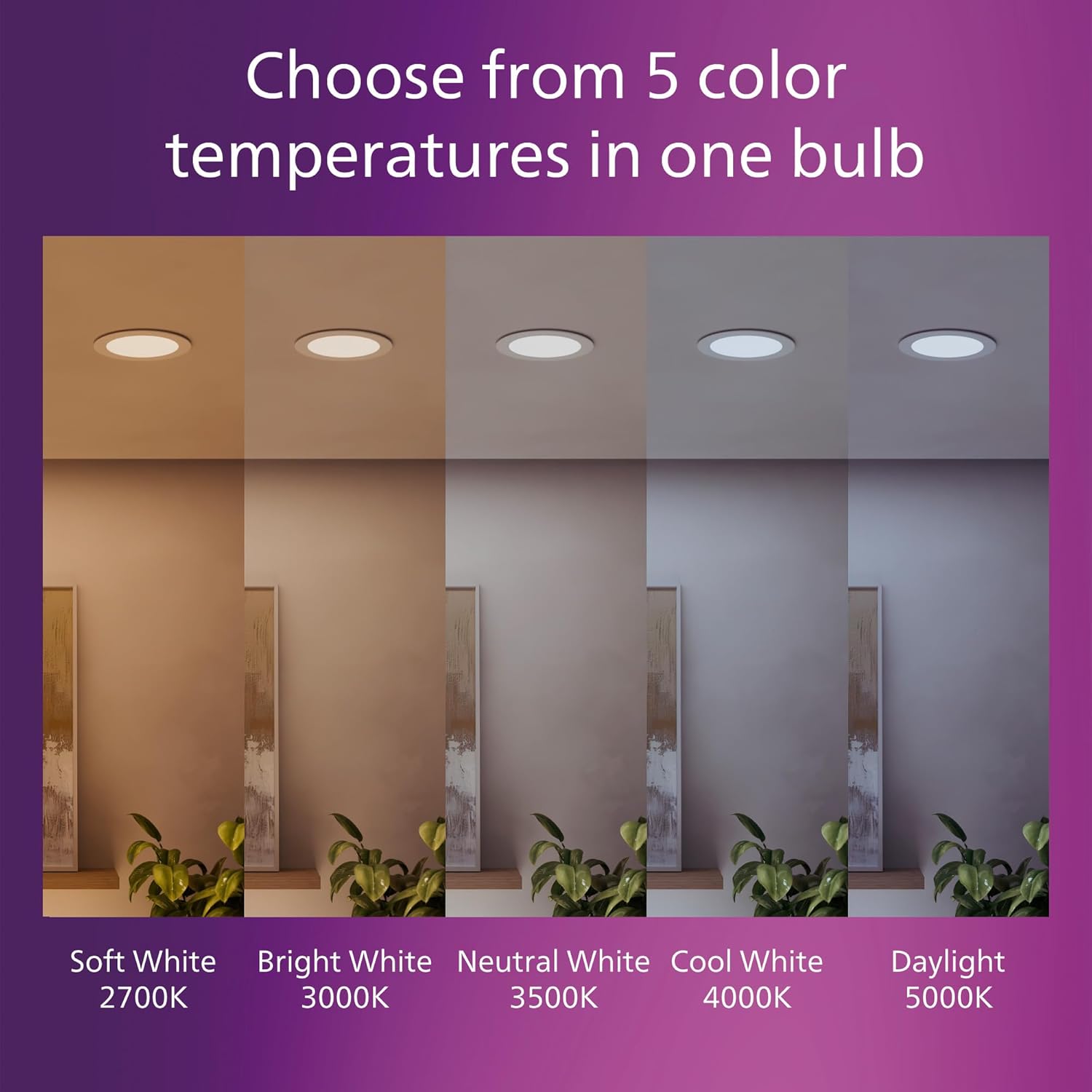
An image illustrating the five color temperature options available: Soft White (2700K), Bright White (3000K), Neutral White (3500K), Cool White (4000K), and Daylight (5000K).
An animated video showcasing the Philips LED Selectable White feature, demonstrating how to choose between different color temperatures to set the desired ambiance.
Dimmable Functionality
The Philips LED Slim Downlight is dimmable, allowing you to adjust the light output to create the desired ambiance. Ensure you use a compatible LED dimmer switch for optimal performance. Refer to the specifications section for compatible dimmer information.
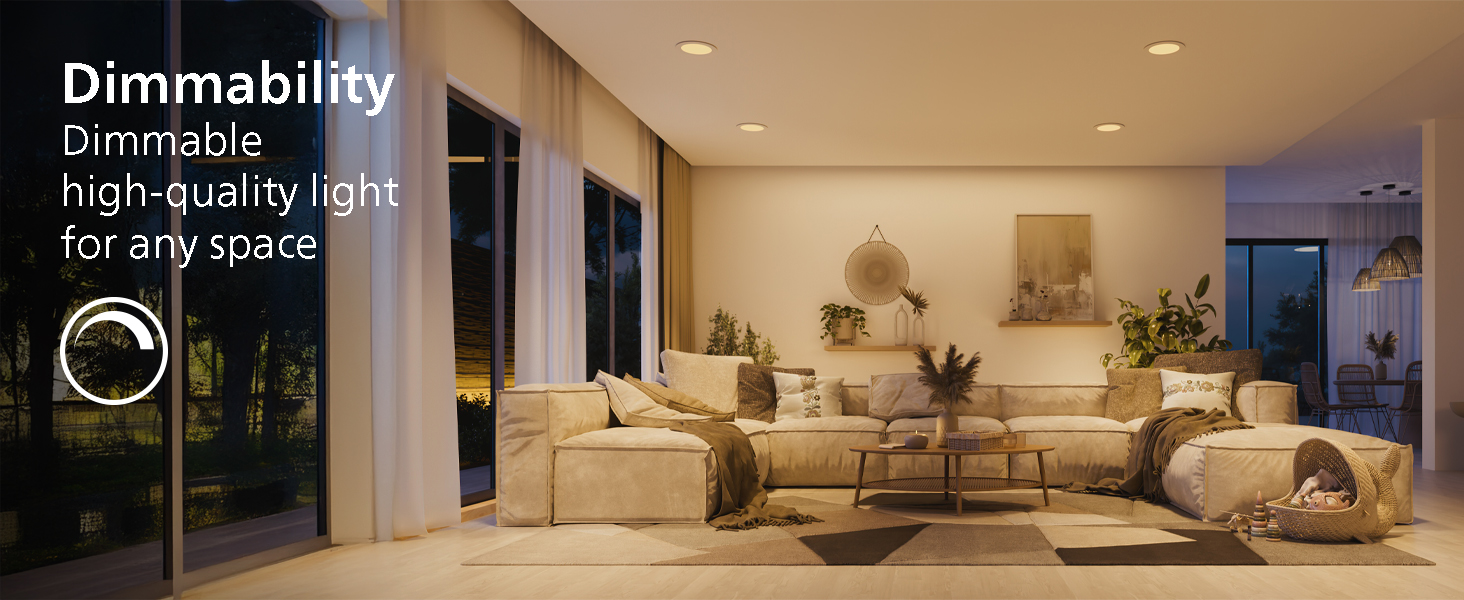
A living room scene showcasing the dimmable functionality of the lights, allowing for adjustable brightness.
Maintenance
Cleaning
To clean the downlight, ensure the power is off at the circuit breaker. Use a soft, dry, or slightly damp cloth to wipe the surface. Avoid using harsh chemicals, abrasive cleaners, or solvents, as these can damage the finish or electrical components.
Longevity
This LED downlight has a rated lifetime of up to 50,000 hours. With an average use of approximately 3 hours per day, this downlight can last up to 45 years, minimizing the need for frequent replacement.
Troubleshooting
- Light does not turn on:
- Check if the power is on at the circuit breaker.
- Verify all electrical connections are secure.
- Ensure the CCT switch on the junction box is set correctly.
- Light flickers:
- Ensure you are using a compatible LED dimmer switch.
- Check for loose wiring connections.
- Incorrect color temperature:
- Turn off power, access the junction box, and verify the CCT switch setting.
Specifications

A technical diagram detailing the physical dimensions of the 6-inch downlight, including its diameter and slim profile.
| Feature | Detail |
|---|---|
| Brand | Philips |
| Model Name | SLM US 6" 5CCT DIM 24PK |
| Item Model Number | R588087-2 |
| Size | 6-inch (24 Pack) |
| Light Source Type | LED |
| Wattage | 12.5 Watts (60W equivalent) |
| Brightness | 1000 Lumens |
| Efficiency | 83 lumens per watt |
| Color Temperature | Selectable: 2700K, 3000K, 3500K, 4000K, 5000K |
| Voltage | 120 Volts |
| Installation Type | Flush Mount, Canless |
| Special Features | Dimmable, Eye-Friendly, IC Rated, Suitable for Damp Locations |
| Material | Plastic |
| Lifetime | Up to 50,000 hours |
| UPC | 190096163298 |
Compatible Dimmer Information
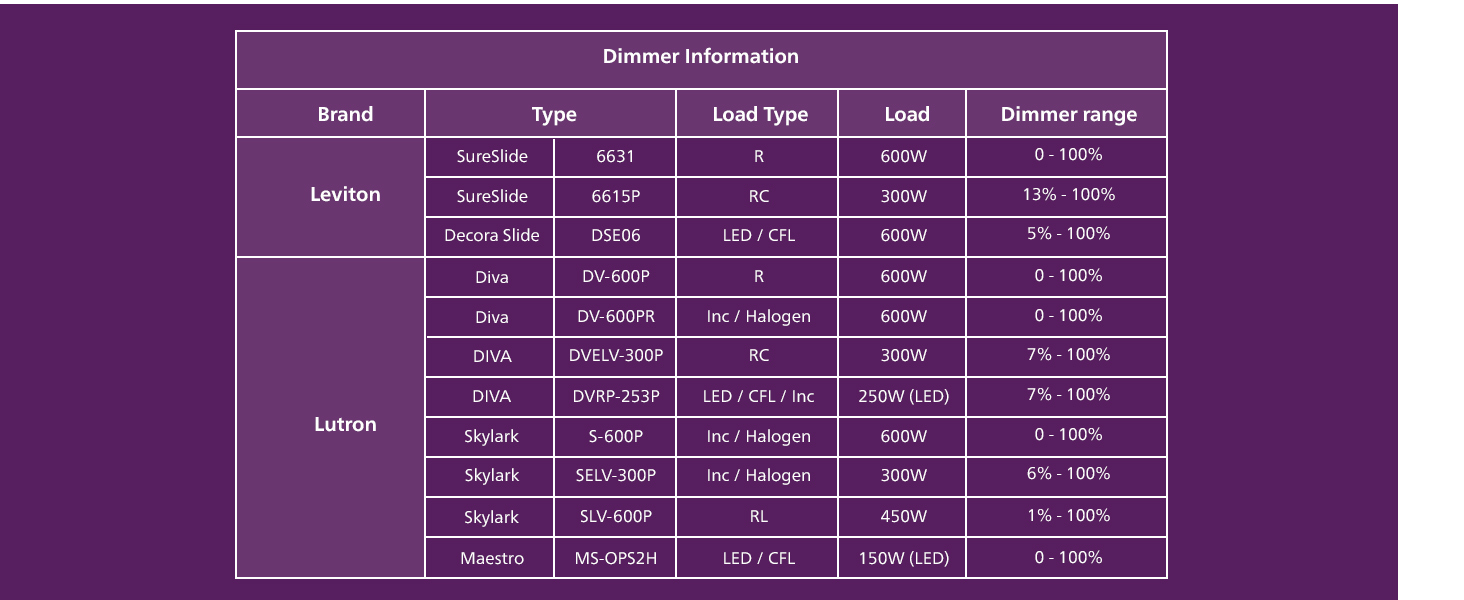
A table providing detailed compatibility information for various dimmer switches from brands like Leviton and Lutron, including load and dimmer range specifications.
Warranty
This Philips LED Slim Canless Downlight is covered by a 2-year manufacturer's warranty from the date of purchase. This warranty covers defects in materials and workmanship under normal use. For warranty claims or further details, please contact Philips customer support.
Support
For technical assistance, troubleshooting, or product inquiries, please visit the official Philips Lighting website or contact their customer support. You can find more information and support resources at the Philips Lighting Store on Amazon.