
1. Introduction
This manual provides detailed instructions for the safe and efficient operation of your KENWOOD ProTalk PKT-300 Compact UHF Two Way Radio. Please read this manual thoroughly before using the radio to ensure proper functionality and to prevent damage.
The KENWOOD ProTalk PKT-300 is a compact and durable UHF two-way radio designed for professional communication. It features 2W power, 6 channels (expandable to 16), VOX hands-free operation, privacy talk, and a rugged design meeting MIL-STD 810 and IP52 standards.
2. Safety Information
Always observe the following safety precautions to reduce the risk of fire, electric shock, personal injury, or damage to the radio.
- Do not operate the radio in explosive atmospheres (e.g., flammable gases, dust particles, metallic powders).
- Do not modify or disassemble the radio. Repairs should only be performed by qualified technicians.
- Use only Kenwood-approved batteries and chargers. Using unapproved accessories may cause damage or injury.
- Keep the radio and its accessories out of reach of small children.
- Avoid prolonged exposure to direct sunlight or extreme temperatures.
- Do not immerse the radio in water, despite its IP52 rating, as this rating indicates protection against limited dust ingress and splashing water, not full immersion.
3. Package Contents
Verify that all items are present in the package:
- KENWOOD ProTalk PKT-300 Radio Unit
- Rechargeable Battery
- Charging Cradle
- AC Adapter
- USB-C Cable
- Belt Clip Holster
- User Manual (this document)

Image: Contents of the KENWOOD ProTalk PKT-300 package, including the radio unit, battery, charger, AC adapter, USB-C cable, and belt clip holster.
4. Product Overview
The PKT-300 radio features a compact design with an LCD display and intuitive controls.

Image: The KENWOOD ProTalk PKT-300 radio highlighting its lightweight, compact design, user-friendly features, and bright backlit LCD display.
Key Features:
- Compact and Lightweight: Designed for portability and ease of carrying.
- LCD Display: Provides clear information on channel, battery status, and other settings.
- VOX Hands-Free Operation: Allows communication without pressing the PTT button.
- Privacy Talk: Enhances communication security.
- Durable Construction: Meets MIL-STD 810 standards and IP52 for water and dust resistance.
- Long Battery Life: Up to 16-18 hours of operation with power-saving mode.
5. Setup
5.1. Battery Installation
- Ensure the radio is powered off.
- Align the battery pack with the battery compartment on the back of the radio.
- Slide the battery into place until it clicks securely.
5.2. Charging the Battery
Before first use, fully charge the battery. A full charge typically takes approximately 3 hours.
- Connect the AC adapter to the charging cradle.
- Plug the AC adapter into a standard wall outlet.
- Place the radio (with battery installed) into the charging cradle. Ensure the charging contacts align.
- The charging indicator light on the cradle will illuminate, typically red during charging and green when fully charged.

Image: The KENWOOD ProTalk PKT-300 radio in its charging cradle, illustrating its robust build and efficient charging capabilities.
5.3. Attaching the Belt Clip
The included belt clip holster allows for convenient carrying.
- Align the belt clip with the grooves on the back of the radio.
- Slide the clip downwards until it locks into place.
6. Operating the Radio
6.1. Power On/Off
Press and hold the Power/Volume knob (usually located on top) until the radio powers on or off.
6.2. Adjusting Volume
Rotate the Power/Volume knob clockwise to increase volume and counter-clockwise to decrease it.
6.3. Selecting a Channel
Use the Channel Up/Down buttons (usually labeled with arrows) to select the desired communication channel. The selected channel will be displayed on the LCD.
6.4. Transmitting and Receiving
- To transmit, press and hold the Push-to-Talk (PTT) button on the side of the radio. Speak clearly into the microphone.
- Release the PTT button to receive.
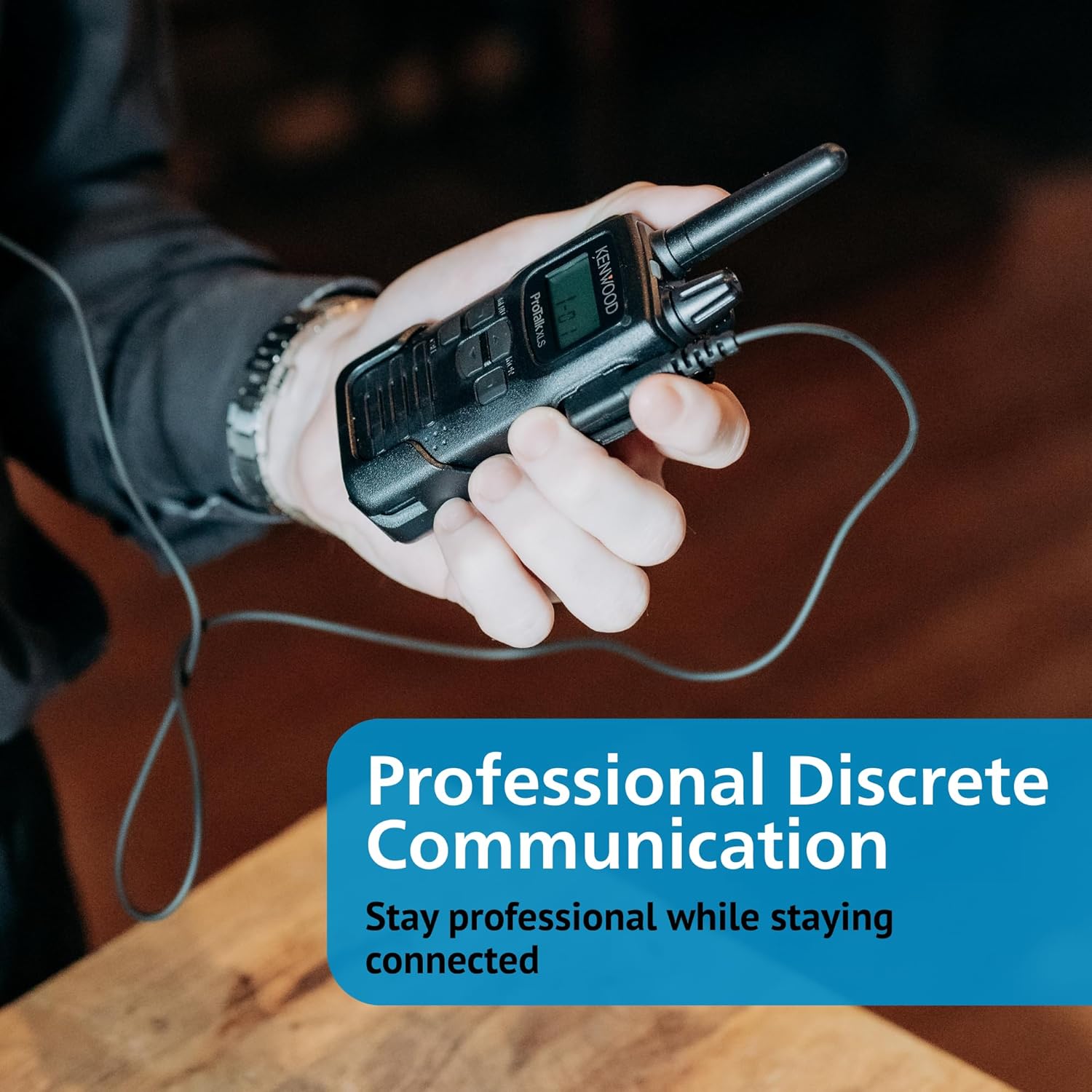
Image: The KENWOOD ProTalk PKT-300 radio in use with an earpiece, emphasizing its suitability for professional and discrete communication.
6.5. VOX (Voice Operated Transmission)
The VOX feature allows hands-free transmission when a voice is detected. Refer to the radio's menu for VOX activation and sensitivity adjustment.

Image: The KENWOOD ProTalk PKT-300 radio being held by gloved hands, demonstrating its IP52 water and dust protection and the functionality of voice activation (VOX) even when wearing gloves.
6.6. Privacy Talk
The privacy talk feature scrambles your voice to prevent unauthorized listening. This feature can be enabled or disabled through the radio's menu settings.
6.7. Call Alerts
The radio supports 10 customizable call alert tones. These can be used to signal specific individuals or groups. Consult the menu for setting up and assigning call alert tones.

Image: A user demonstrating the use of the KENWOOD ProTalk PKT-300 radio with an earpiece, highlighting the feature of 10 customizable call tones for specific alerts.
7. Maintenance
7.1. Cleaning the Radio
- Wipe the radio's surface with a soft, damp cloth.
- Do not use harsh chemicals, solvents, or abrasive cleaners.
- Ensure the radio is dry before re-using or charging.
7.2. Battery Care
- Avoid fully discharging the battery frequently, as this can reduce its lifespan.
- Store the battery in a cool, dry place when not in use for extended periods.
- If the battery will not be used for a long time, charge it to about 50% before storing.
7.3. Storage
When storing the radio for an extended period, remove the battery and store both the radio and battery in a cool, dry environment away from direct sunlight and extreme temperatures.
8. Troubleshooting
| Problem | Possible Cause | Solution |
|---|---|---|
| Radio does not power on. | Battery is dead or not properly installed. | Charge the battery or re-install it correctly. |
| Cannot transmit or receive. | Incorrect channel selected; out of range; privacy settings mismatch. | Verify channel and privacy settings; move closer to other radios; check for obstructions. |
| Poor audio quality. | Low battery; interference; radio too far from other units. | Charge battery; move away from sources of interference; reduce distance between radios. |
| Battery life is shorter than expected. | Battery is old or not fully charged; frequent transmissions. | Ensure full charge; consider replacing old battery; reduce transmission time. |
9. Specifications
| Feature | Detail |
|---|---|
| Model Number | PKT-300K |
| Item Weight | 1.4 pounds (approx. 0.64 kg) |
| Product Dimensions | 1.97 x 1.06 x 4 inches (approx. 5 x 2.7 x 10.2 cm) |
| Display Type | LCD with Backlight |
| Power Output | 2 Watts |
| Channels | 6 (expandable to 16) |
| Frequency Band | UHF |
| Battery Life | 16-18 hours (2200 mAh rechargeable battery with power-saving mode) |
| Communication Range | Up to 6 miles outdoors or 28 floors vertically |
| Durability Standard | MIL-STD 810 (exceeds standards) |
| Water/Dust Protection | IP52 |
| Special Features | VOX, Privacy Talk, 10 Call Alert Tones, Key Lock Protection, Wireless Cloning |
10. Warranty Information
The KENWOOD ProTalk PKT-300 radio comes with a 2-Year Manufacturer Warranty. This warranty covers defects in materials and workmanship under normal use. Please retain your proof of purchase for warranty claims.
For detailed warranty terms and conditions, please refer to the warranty card included with your product or visit the official Kenwood website.
11. Customer Support
If you encounter any issues not covered in this manual or require further assistance, please contact Kenwood customer support.
- Online Support: Visit the official Kenwood website for FAQs, software updates, and additional resources.
- Contact Information: Refer to the Kenwood website or your product packaging for specific contact details (phone, email).
For more information about Kenwood products, you can visit the Kenwood Store on Amazon.


