
1. Introduction
This manual provides instructions for the installation, usage, and maintenance of XvuaTeIw replacement filters designed for compatible Sharp Air Purifier models. These filters are crucial for maintaining optimal air quality and the efficient operation of your air purifier.
The filter set typically includes a HEPA filter (FZ-D60HFE) for capturing fine particles, a Deodorizing filter (FZ-D60DFE or FZ-G60DFE) for removing odors, and a Humidifying filter (FZ-A61MFR) for humidification functions.
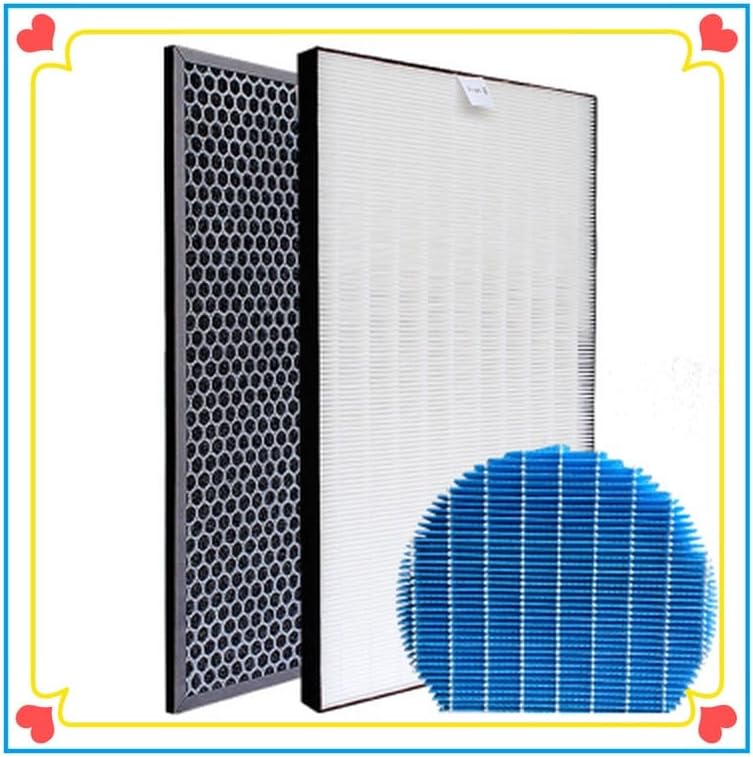
Image 1.1: Overview of the three filter types: HEPA, Deodorizing, and Humidifying.
2. Setup and Installation
Before installing new filters, ensure your Sharp Air Purifier is turned off and unplugged from the power outlet. Refer to your original Sharp Air Purifier user manual for specific instructions on opening the filter compartment, as procedures may vary slightly by model.
- Remove the Front Panel: Carefully detach the front panel of your air purifier.
- Remove Old Filters: Locate and remove the used HEPA, Deodorizing, and Humidifying filters. Dispose of them according to local regulations.
- Install New Deodorizing Filter: Insert the new Deodorizing filter (black, honeycomb pattern) into its designated slot. Ensure it is oriented correctly, usually with the arrow pointing towards the inside of the unit.
- Install New HEPA Filter: Place the new HEPA filter (white, pleated) behind the Deodorizing filter. Ensure it fits snugly and the airflow direction is correct.
- Install New Humidifying Filter: If your model uses a humidifying filter, install the new humidifying filter (blue, circular or drum-shaped) into the water tank or humidifying unit compartment.
- Reattach Panel: Securely reattach the front panel of the air purifier.
- Reset Filter Indicator: Plug in and turn on your air purifier. Follow the air purifier's instructions to reset the filter replacement indicator light, if applicable.
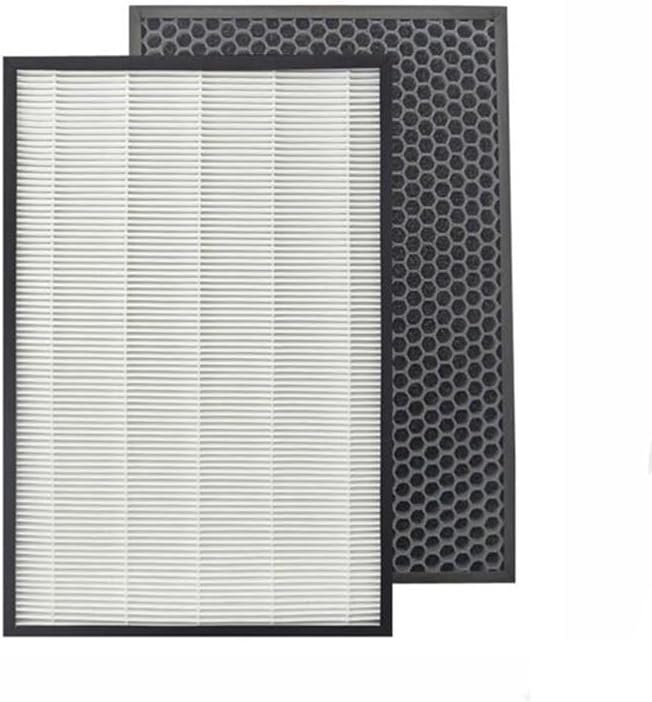
Image 2.1: HEPA and Deodorizing filters ready for installation.

Image 2.2: Detailed view of the HEPA filter (FZ-D60HFE).

Image 2.3: Detailed view of the Deodorizing filter (FZ-D60DFE / FZ-G60DFE).
3. Operating Instructions
These filters function as components within your Sharp Air Purifier. Once correctly installed, the air purifier will utilize them automatically to purify and, if applicable, humidify the air.
- HEPA Filter (FZ-D60HFE): Captures airborne particles such as dust, pollen, pet dander, and mold spores.
- Deodorizing Filter (FZ-D60DFE / FZ-G60DFE): Contains activated carbon to absorb and neutralize various odors, including pet odors, cooking smells, and volatile organic compounds (VOCs).
- Humidifying Filter (FZ-A61MFR): Works with the humidification function of your air purifier to add moisture to the air, preventing the release of mineral deposits into the air.
For specific operational modes and settings of your air purifier, please consult your Sharp Air Purifier's original user manual.
4. Maintenance
Regular maintenance ensures the longevity and effectiveness of your air purifier and its filters.
Filter Replacement Frequency
- HEPA Filter (FZ-D60HFE): Typically recommended for replacement every 2-5 years, depending on usage and air quality.
- Deodorizing Filter (FZ-D60DFE / FZ-G60DFE): Typically recommended for replacement every 2-5 years, depending on usage and air quality.
- Humidifying Filter (FZ-A61MFR): Typically recommended for replacement every 1-2 years, or when mineral buildup becomes significant.
Note: These are general guidelines. Your air purifier's filter indicator light will provide the most accurate timing for replacement. Factors like continuous operation, pet presence, smoking, and high pollution levels can shorten filter life.
Cleaning Instructions
- HEPA Filter (FZ-D60HFE): DO NOT WASH. HEPA filters are designed for dry filtration. Washing will damage the filter media and reduce its effectiveness. Use a vacuum cleaner with a brush attachment to gently clean the exterior surface if visible dust accumulates, but avoid direct contact with the pleated material.
- Deodorizing Filter (FZ-D60DFE / FZ-G60DFE): DO NOT WASH. The activated carbon media will be damaged by water. Gentle vacuuming may be performed on the surface to remove large dust particles.
- Humidifying Filter (FZ-A61MFR): This filter can often be gently rinsed with clean water to remove mineral deposits. For stubborn buildup, a mild descaling solution (e.g., diluted white vinegar) may be used, followed by thorough rinsing. Ensure the filter is completely dry before reinstallation to prevent mold growth.

Image 4.1: Detail of the HEPA filter pleats.
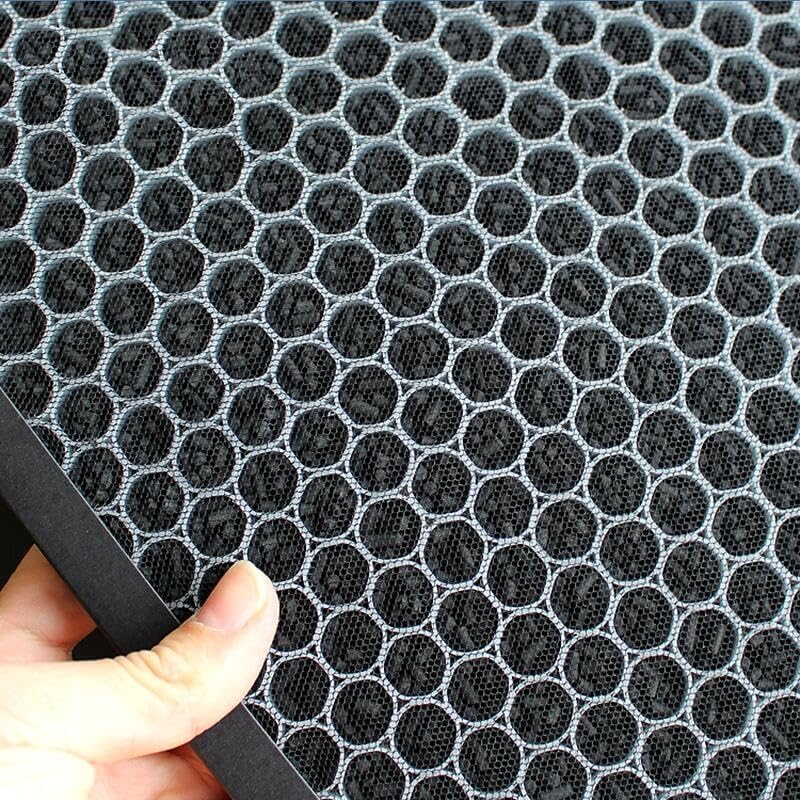
Image 4.2: A hand demonstrating the structure of the Deodorizing filter.
5. Troubleshooting
If you experience issues after filter replacement, consider the following:
- Reduced Airflow:
- Ensure filters are installed correctly and not obstructed.
- Check if the pre-filter (if applicable, usually a washable mesh filter) is clean.
- Verify that the air purifier's intake and output vents are clear.
- Persistent Odors:
- Confirm the Deodorizing filter is correctly installed.
- If odors persist shortly after replacement, the environment may have very high odor levels, requiring more frequent filter changes.
- Ensure there are no other odor sources in the room.
- Filter Indicator Light Remains On:
- You may need to manually reset the filter indicator on your Sharp Air Purifier after installing new filters. Refer to your air purifier's manual for specific instructions on resetting the filter life counter.
- No Humidification:
- Ensure the water tank is filled and correctly seated.
- Check that the Humidifying filter is properly installed and not excessively clogged with mineral deposits.
If problems persist, consult the original Sharp Air Purifier manual or contact Sharp customer support.
6. Specifications
| Brand | XvuaTeIw |
| Compatible Air Purifier Models | Sharp KC-D61R-W, KC-D60E, KC-D60EU-W |
| Filter Model Numbers | FZ-D60HFE (HEPA), FZ-D60DFE / FZ-G60DFE (Deodorizing), FZ-A61MFR (Humidifying) |
| Package Dimensions | 1.18 x 0.79 x 0.39 inches (Note: This dimension appears to be for a single small component, not the full filter set. Actual filter dimensions will vary.) |
| Item Weight | 1.76 ounces (Note: This weight appears to be for a single small component, not the full filter set. Actual filter weights will vary.) |
| Filter Type | HEPA, Activated Carbon (Deodorizing), Humidifying Media |
7. Warranty and Support
For warranty information or product support regarding your XvuaTeIw replacement filters, please contact the seller or manufacturer directly. Keep your purchase receipt as proof of purchase.
For support related to your Sharp Air Purifier unit, please refer to the official Sharp documentation or contact Sharp customer service.


