
Introduction
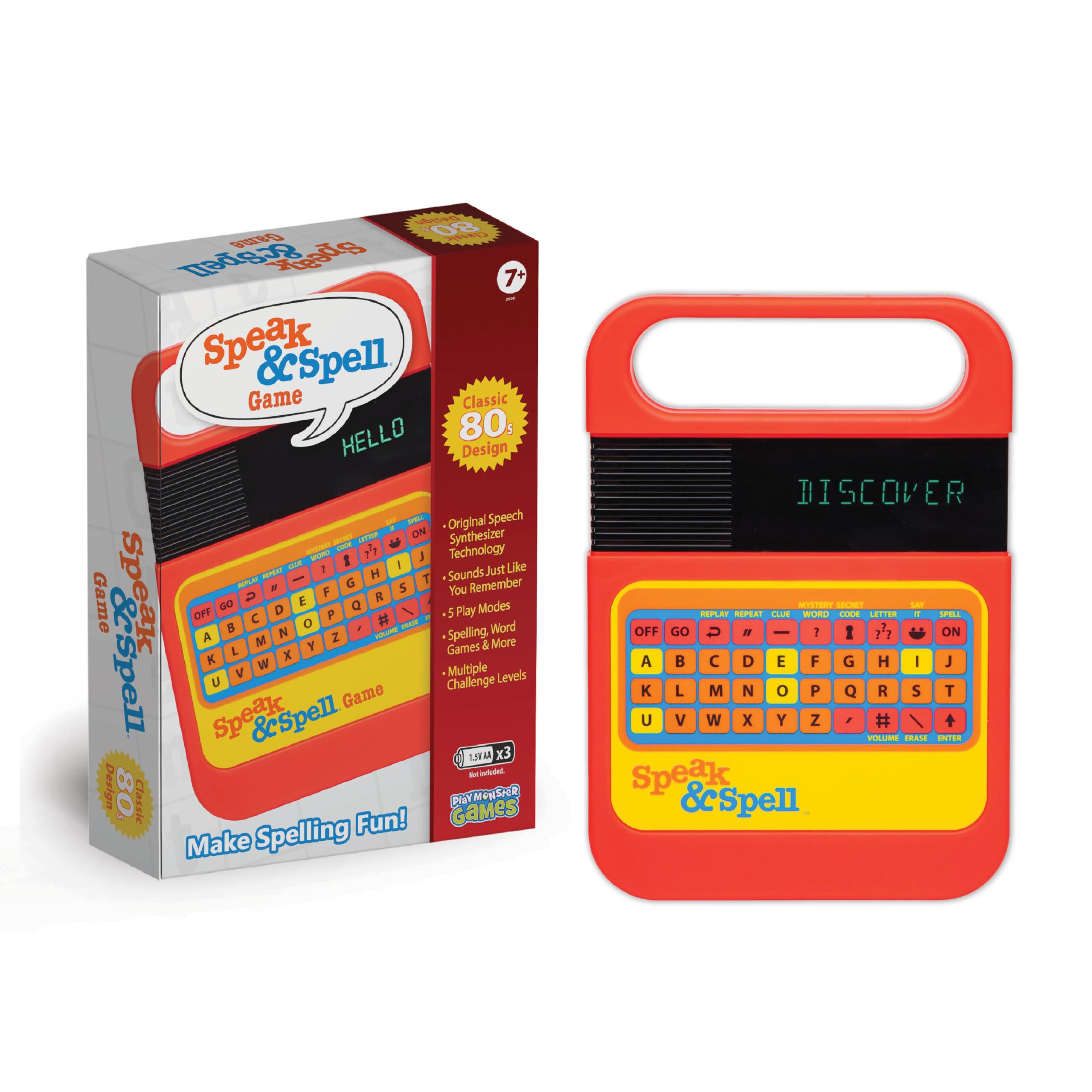
The PlayMonster Speak & Spell is an electronic learning system designed to help children aged 7 and up improve their spelling and vocabulary. This classic handheld device features a speech synthesizer and multiple interactive game modes to engage users in educational play.
What's in the Box
- Speak & Spell Handheld Game
Setup
Battery Installation
The Speak & Spell requires 3 x 1.5V AA batteries (not included). To install batteries:
- Locate the battery compartment on the back of the device.
- Using a Phillips head screwdriver, unscrew the battery compartment cover.
- Insert 3 AA batteries, ensuring correct polarity (+/-).
- Replace the battery compartment cover and secure it with the screw.
Note: Always use fresh batteries and dispose of old batteries responsibly. Do not mix old and new batteries or different types of batteries.
Operating Instructions
Follow these steps to operate your Speak & Spell game:
- Remove the toy from its packaging.
- Place the toy on a flat surface.
- Press the 'ON' button to start the game.
- Follow the voice prompts to play the selected game mode (Spell, Mystery, Say It, Secret Code, or Letter).
- Use the keypad to input the correct spellings or responses.
- Repeat until the game is complete or the user decides to switch game modes or turn off the toy.
Key Features and Play Modes
The Speak & Spell offers various modes to enhance learning and engagement:
- Retro Design: Experience the classic look and feel of the original 80s Speak & Spell, complete with iconic graphics and sounds.
- 5 Play Modes: Explore different ways to learn and play:
- Spell: The device pronounces a word, and the user spells it using the keypad.
- Mystery Word: Users guess letters to uncover a hidden word, similar to Hangman.
- Say It: The device displays a word, and the user must pronounce and spell it.
- Secret Code: Users input a word, and the console generates a secret code.
- Letter: Focuses on letter recognition and pronunciation.
- Multiple Challenge Levels: Adjust the difficulty to match the user's skill level, providing a progressive learning experience.
- Original Speech Synthesizer Technology: Utilizes the authentic speech technology from the original device for a nostalgic and effective learning tool.
- Portable Design: Features a convenient handle, making it easy to carry and play on the go.
Product Visuals and Demonstrations


Official Product Video
Official demonstration video of the Speak & Spell Electronic Game by PlayMonster LLC.
Specifications
| Product Dimensions | 10.5 x 2.5 x 10.5 inches |
| Item Weight | 13.7 ounces |
| Item Model Number | 25141 |
| Manufacturer Recommended Age | 7 - 7 years |
| Release Date | April 7, 2025 |
| Language | English |
| Manufacturer | PlayMonster |
Troubleshooting
If you encounter any issues with your Speak & Spell, please try the following:
- No Power: Ensure batteries are correctly installed and are not depleted. Replace with fresh batteries if necessary.
- Sound Issues: Check if the volume is turned up. If the sound is distorted, replace the batteries.
- Unresponsive Buttons: Turn the device off and then on again to reset it. If the issue persists, replace batteries.
- Screen Malfunction: If the screen is blank or displaying incorrect characters, try replacing the batteries. If the problem continues, contact customer support.
Warranty and Support
For warranty information or technical support, please refer to the contact details provided on the product packaging or visit the official PlayMonster website. Keep your purchase receipt as proof of purchase for any warranty claims.