
Introduction
Thank you for choosing yobola Wireless Bluetooth Earbuds. This manual provides detailed instructions on how to set up, operate, and maintain your earbuds to ensure optimal performance and longevity. Please read this manual carefully before use and keep it for future reference.
What's in the Box
Upon unboxing your yobola Wireless Bluetooth Earbuds, you should find the following items:
- 1 x User Manual
- 1 x USB-C Cable
- 1 x Pair of Wireless Earbuds
- 1 x Wireless Charging Case
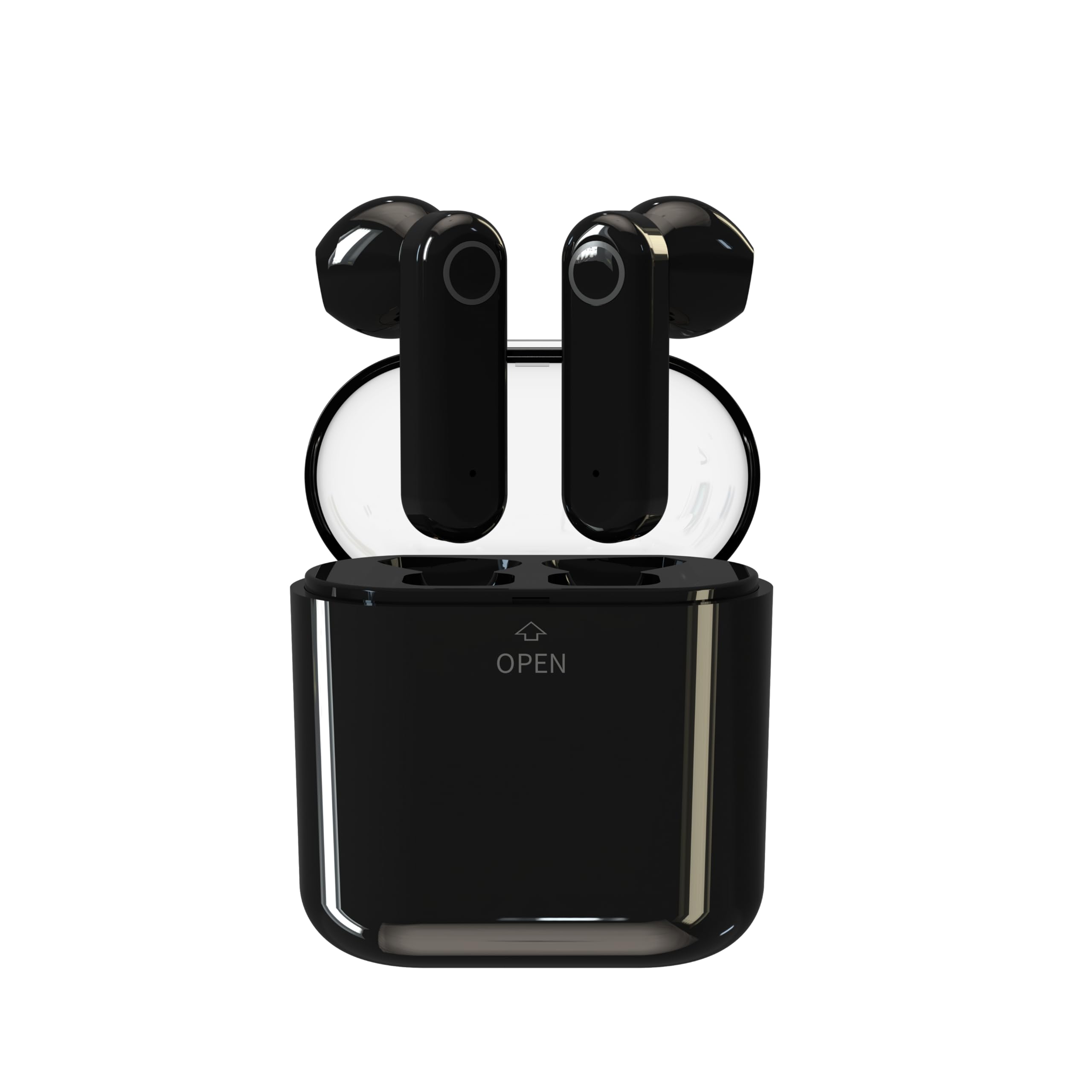
Image: yobola Wireless Bluetooth Earbuds and Charging Case. The image displays the white earbuds and their matching white charging case.
Product Overview
The yobola Wireless Bluetooth Earbuds are designed for convenience and high-quality audio. They feature an in-ear form factor, intuitive touch controls, and a compact charging case for extended battery life.
Video: This video demonstrates the unboxing of the yobola Wireless Earbuds, showing the contents of the package including the earbuds, charging case, and USB-C cable. It also illustrates how to charge the earbuds and how to properly wear them for a secure fit.
Setup
1. Charging the Earbuds and Case
Before first use, fully charge the earbuds and the charging case. Connect the provided USB-C cable to the charging port on the case and to a power source. The indicator light on the case will show the charging status. Once fully charged, the indicator light will change or turn off.
2. Bluetooth Pairing
- Open the charging case. The earbuds will automatically enter pairing mode, and an indicator light on the earbuds or case will flash.
- On your device (smartphone, tablet, laptop), enable Bluetooth.
- Search for available Bluetooth devices and select "yobola LY-20230130" (or similar name) from the list.
- Once connected, a voice prompt will confirm successful pairing, and the indicator light will stop flashing.
The earbuds will automatically reconnect to the last paired device when taken out of the case, provided Bluetooth is enabled on the device.
Operating Instructions
Touch Controls
The yobola earbuds feature intuitive touch controls on each earbud. The specific functions may vary slightly, but common controls include:
- Play/Pause: Single tap on either earbud.
- Next Track: Double tap on the right earbud.
- Previous Track: Double tap on the left earbud.
- Answer/End Call: Single tap on either earbud during an incoming call.
- Reject Call: Press and hold either earbud for 2 seconds during an incoming call.
- Activate Voice Assistant: Triple tap on either earbud.
Wearing the Earbuds
For the best audio experience and secure fit, gently insert each earbud into your ear canal and rotate slightly until it feels comfortable and snug. Ensure the microphone is facing downwards.
Maintenance
To maintain the performance and hygiene of your earbuds:
- Cleaning: Regularly clean the earbuds and charging case with a soft, dry, lint-free cloth. Do not use harsh chemicals or abrasive materials.
- Storage: When not in use, store the earbuds in their charging case to protect them from dust and damage.
- Water Resistance: The earbuds are water-resistant, making them suitable for sports and travel. However, they are not waterproof; avoid submerging them in water.
Troubleshooting
If you encounter any issues with your yobola Wireless Bluetooth Earbuds, refer to the following common solutions:
- Earbuds not pairing: Ensure both earbuds are charged and taken out of the case. Turn off and on Bluetooth on your device. Try forgetting the device in your Bluetooth settings and re-pairing.
- No sound from one earbud: Place both earbuds back into the charging case, close the lid, wait a few seconds, then take them out again. This often resynchronizes them.
- Charging issues: Check if the USB-C cable is securely connected to both the case and the power source. Ensure the charging contacts on the earbuds and inside the case are clean and free of debris.
- Low volume: Adjust the volume on both your connected device and via the earbud touch controls.
Specifications
Below are the technical specifications for the yobola Wireless Bluetooth Earbuds LY-20230130:
| Brand | yobola |
| Model Number | LY-20230130 |
| Connectivity Technology | Wireless (Bluetooth) |
| Bluetooth Version | 5.1 |
| Ear Placement | In-Ear |
| Form Factor | In-Ear |
| Noise Control | Active Noise Cancellation |
| Impedance | 32 Ohms |
| Sensitivity | 32 ohms |
| Frequency Range | 20 Hz - 20,000 Hz |
| Audio Driver Type | Dynamic |
| Control Type | Touch Control |
| Water Resistance Level | Waterproof (Étanche) |
| Special Features | Sweat Resistant |
| Recommended Uses | Exercise, Gaming, Music Listening |
| Compatible Devices | iOS/Android/Windows/Smartphone/Laptops and all Bluetooth-enabled devices. |
| Average Battery Life | 5 hours |
| Charging Time | 5 hours |
Warranty and Support
yobola products are designed for reliability and performance. For warranty information or technical support, please refer to the contact details provided on the product packaging or visit the official yobola website. Please retain your proof of purchase for any warranty claims.


