
1. Introduction
Thank you for choosing the Uwell Caliburn G3 Pro Koko Kit. This device is designed for an optimal vaping experience, offering a powerful 1250mAh integrated battery, a versatile 5-35W output range, and a clear 1.8-inch TFT color screen. It supports both automatic and air-activated modes and is compatible with 3ml Caliburn G3 POD cartridges (0.4/0.9ohm) for both RDL (Restricted Direct Lung) and MTL (Mouth-to-Lung) vaping styles. This manual provides detailed instructions for setup, operation, maintenance, and troubleshooting to ensure you get the most out of your device.
Note: This product does not contain nicotine or any tobacco liquids/refills. It is intended for use with nicotine-free e-liquids only.
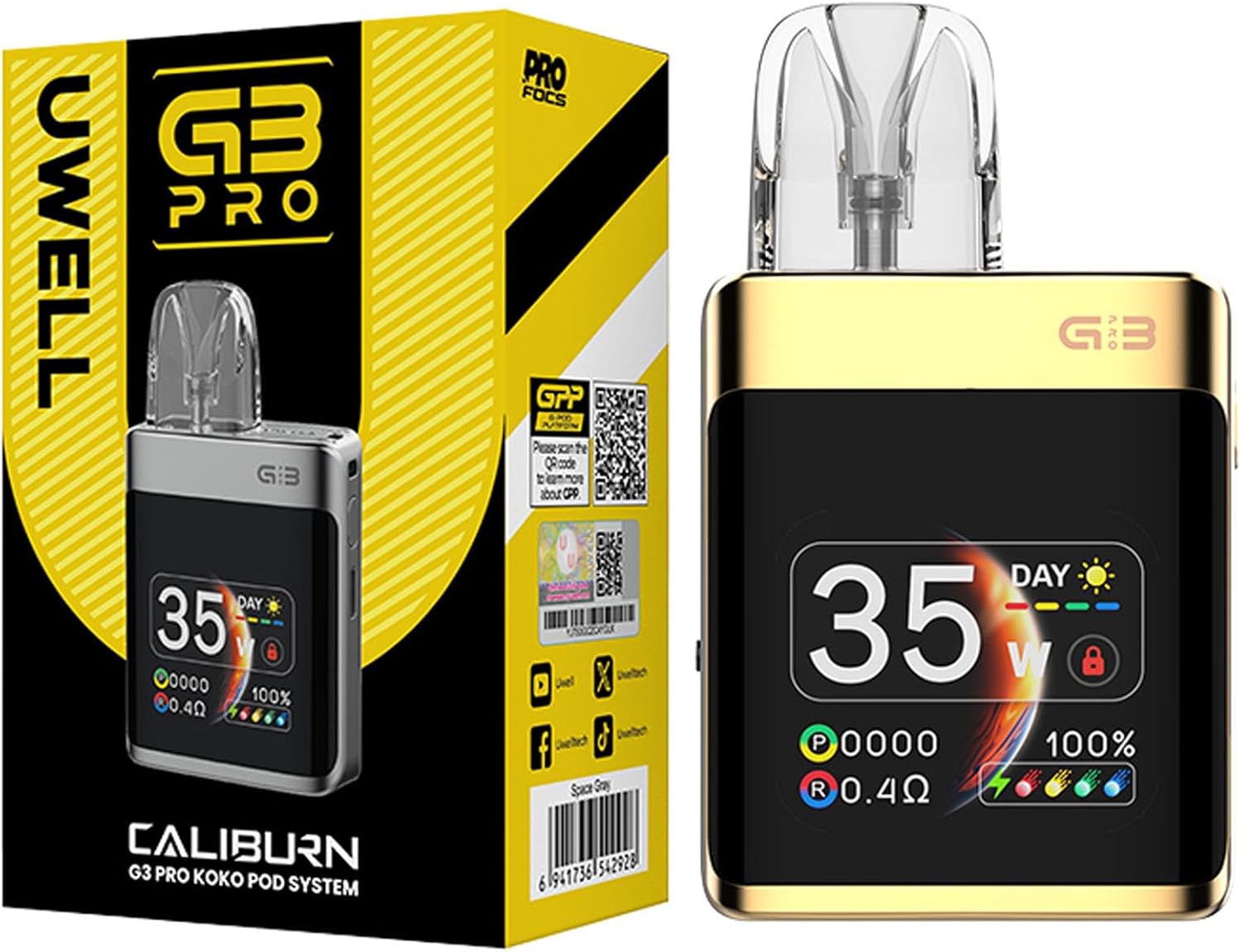
Image 1.1: Uwell Caliburn G3 Pro Koko Kit and its packaging.
2. Package Contents
Please check the package contents to ensure all items are present:
- 1x Uwell Caliburn G3 Pro Koko Device
- 1x 0.4Ω Caliburn G3 Integrated Coil Cartridge (Side fill)
- 1x 0.9Ω Caliburn G3 Integrated Coil Cartridge (Side fill)
- 1x Type-C Charging Cable
- 1x User Manual
3. Product Features
- Integrated 1250mAh Battery: Provides long-lasting power for extended vaping sessions.
- 5-35W Output: Adjustable wattage for a customized vaping experience.
- 1.8'' TFT Color Screen: Displays vaping details clearly with customizable dynamic themes.
- Adjustable Airflow: Side airflow adjustment allows precise control over your draw.
- Dual Activation Modes: Choose between automatic (draw-activated) or button-activated vaping.
- Caliburn G3 Pod Compatibility: Compatible with all Caliburn G3 Pod cartridges, supporting RDL to MTL vaping.
- 3ml Cartridge Capacity: Easy side-filling system for convenience.
- Pro-focus 3.0 Technology: Ensures perfect flavor with every puff.
- Type-C Charging: Fast and efficient charging.
4. Setup Guide
4.1 Initial Charging
Before first use, fully charge the device. Connect the included Type-C charging cable to the device's charging port and plug the other end into a suitable USB power source. The screen will indicate the charging status.
4.2 Installing and Filling the Pod Cartridge
- Remove the pod cartridge from the device.
- Locate the silicone stopper on the side of the pod.
- Open the stopper and fill the pod with your preferred e-liquid. Ensure not to overfill.
- Securely close the silicone stopper.
- Insert the filled pod back into the device. It will snap into place magnetically.
- Allow the coil to prime for 5-10 minutes after filling a new pod to prevent dry hits.

Image 4.1: Exploded view showing cartridge, device, filler plug, lanyard hole, button, Type-C charging port, and airflow adjustment valve.

Image 4.2: The device is compatible with various Caliburn G3 cartridges, supporting both RDL and MTL vaping with side and top refill options.
5. Operating Instructions
5.1 Basic Operations
- Power On/Off: Press the fire button 5 times rapidly to turn the device on or off.
- Lock/Unlock Button Function: Press the fire button 2 times rapidly to lock or unlock the button function. This prevents accidental firing while allowing draw-activated vaping.
- Power Adjustment: Press the fire button 3 times rapidly to enter wattage adjustment mode. Use the button to cycle through wattage values from 5W to 35W. Press and hold to confirm the selection.
- Brightness & Theme Selection: Press the fire button 4 times rapidly to access the menu settings for brightness and theme selection.
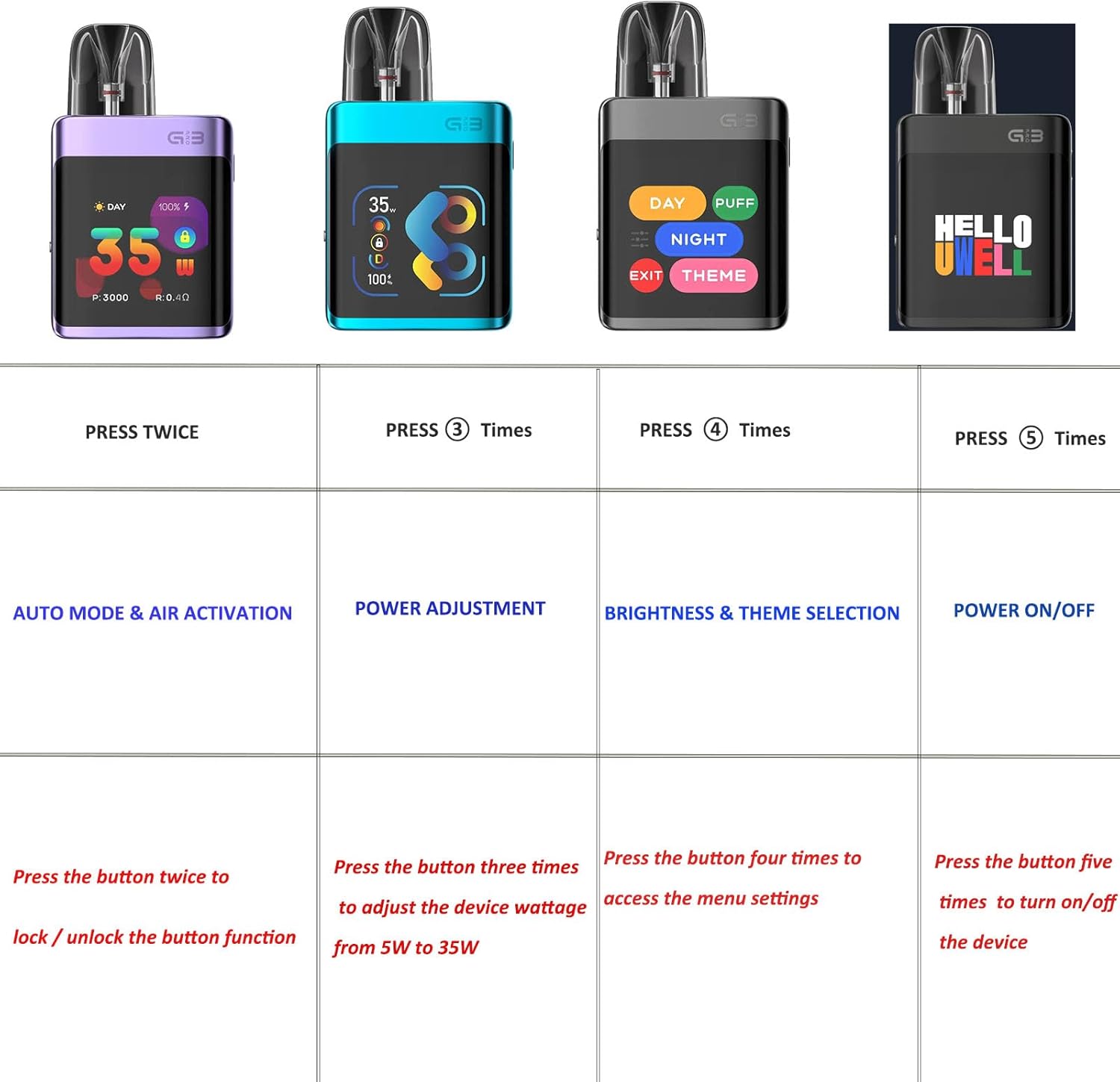
Image 5.1: Button functions: Double press for auto mode/air activation, three presses for power adjustment, four presses for brightness & theme selection, five presses for power on/off.
5.2 Airflow Adjustment
The device features a side airflow adjustment slider. Move the slider to increase or decrease the airflow to achieve your desired draw tightness, from a loose RDL to a tight MTL.

Image 5.2: Adjust the side slider to control airflow for a customized draw.
5.3 Vaping
Once the device is charged and the pod is filled and primed, you can begin vaping. Depending on your selected mode:
- Automatic Mode: Simply inhale from the mouthpiece.
- Button-Activated Mode: Press and hold the fire button while inhaling.

Image 5.3: The device produces vapor with a simple draw or button press.
6. Maintenance
6.1 Cleaning
Regularly clean the device, especially the pod connection area, to prevent e-liquid buildup and ensure optimal performance. Use a dry cloth or cotton swab. Do not use harsh chemicals or immerse the device in water.
6.2 Pod Replacement
Replace the pod cartridge when you notice a burnt taste, reduced vapor production, or a change in flavor. Pods are consumable items and their lifespan depends on usage habits and e-liquid type.
6.3 Charging Best Practices
To prolong battery life, avoid overcharging or completely draining the battery. Use the provided Type-C cable and a standard 5V/2A charging adapter.
7. Troubleshooting
- Device Not Turning On: Ensure the device is charged. Press the fire button 5 times rapidly to power on.
- No Vapor Production: Check if the pod is properly inserted. Ensure the device is powered on and not locked. Check e-liquid level and replace the pod if the coil is burnt.
- Burnt Taste: This usually indicates a dry coil. Refill the pod immediately. If the taste persists, replace the pod cartridge. Ensure you prime new pods for 5-10 minutes after filling.
- Leaking: Ensure the silicone stopper on the pod is securely closed. Avoid overfilling the pod.
- Screen Issues: If the screen is unresponsive or displaying errors, try turning the device off and on again. If the issue persists, contact customer support.
8. Technical Specifications

Image 8.1: Visual representation of specifications and display modes (Day/Night).
| Parameter | Value |
|---|---|
| Brand | Uwell |
| Product Name | Caliburn G3 Pro KOKO Kit |
| Battery Capacity | Integrated 1250mAh |
| Charging | Type-C |
| Output Power | 35W max |
| Screen | 1.8'' TFT Color Screen |
| Airflow | Adjustable Airflow |
| Compatible Cartridges | 0.4Ω/0.9Ω Caliburn G3 Integrated Coil Cartridge (Side fill) |
| Cartridge Capacity | 3ml |
| Filling | Side filling |
| Material | PCTG, Zinc Alloy |
| Product Dimensions (L x W x H) | 85.15mm x 49.5mm x 19.5mm |
| Net Weight | Approx. 91g |
9. Warranty and Support
Uwell products are manufactured to the highest quality standards. For warranty information and customer support, please refer to the warranty card included in your product packaging or visit the official Uwell website. Keep your purchase receipt as proof of purchase for any warranty claims.
If you encounter any issues not covered in this manual, please contact Uwell customer service or your authorized retailer for assistance.


