
MATRIXCAMP E001
Endoscope Camera User Manual
Brand: MATRIXCAMP | Model: E001
Introduction
This manual provides comprehensive instructions for the safe and effective use of your MATRIXCAMP Endoscope Camera. Please read this manual thoroughly before operating the device to ensure proper functionality and to prevent damage.
The endoscope camera is a versatile inspection tool designed to provide clear visual access to hard-to-reach areas. Its high-definition camera, adjustable LED lighting, and waterproof, semi-rigid cable make it ideal for various applications, from household inspections to automotive diagnostics.
What's in the Box
Upon opening the package, please verify that all the following components are included:
- Endoscope (with 16.4ft Semi-rigid Type-C Cable) x 1
- Lightning adapter x 1
- Micro-USB adapter x 1
- Magnet x 1
- Hook x 1
- Mirror x 1
- Protective Hood x 1
- User Manual x 1

Image: The endoscope camera and its various useful accessories.
Key Features
- High Compatibility: Supports Apple iOS (iOS9+) and Android systems via Type-C, Lightning, and Micro-USB adapters.
- HD Resolution Camera: Captures video and images with 1920x1440 resolution (more than 2.0M pixels) for clear visuals.
- IP67 Waterproof: The 7.9mm diameter probe and semi-rigid cable are waterproof, allowing for inspection in damp or wet environments.
- 8 Adjustable LED Lights: Provides ample illumination in dark working conditions, with adjustable brightness to prevent glare.
- Semi-Rigid Cable: The 16.4ft (5M) flexible yet semi-rigid cable maintains its shape, making it easier to navigate through pipes and tight spaces.

Image: Detailed view of the endoscope's high-definition camera and LED lights.

Image: The endoscope's IP67 waterproof and semi-rigid cable.
Setup Guide
1. App Installation
To use the endoscope camera, you must first download and install the compatible application on your smartphone or tablet. Refer to the QR code provided in the included user manual to quickly find and download the correct app from your device's app store (App Store for iOS, Google Play Store for Android).
2. Connecting the Endoscope
The endoscope features a universal Type-C connector. Depending on your device, you will use one of the provided adapters:
- For iPhone/iPad: Use the Lightning adapter.
- For Android Phone/Pad/iPad with Type-C port: Connect directly or use the Type-C adapter if needed.
- For Android Phone/Pad with Micro-USB port: Use the Micro-USB adapter.
Simply connect the appropriate adapter to the endoscope's Type-C cable, then plug the adapter into your smartphone's charging port. Once connected, open the installed app, and the real-time image from the endoscope camera should appear on your screen.

Image: The endoscope's universal compatibility with various smartphone types via included adapters.
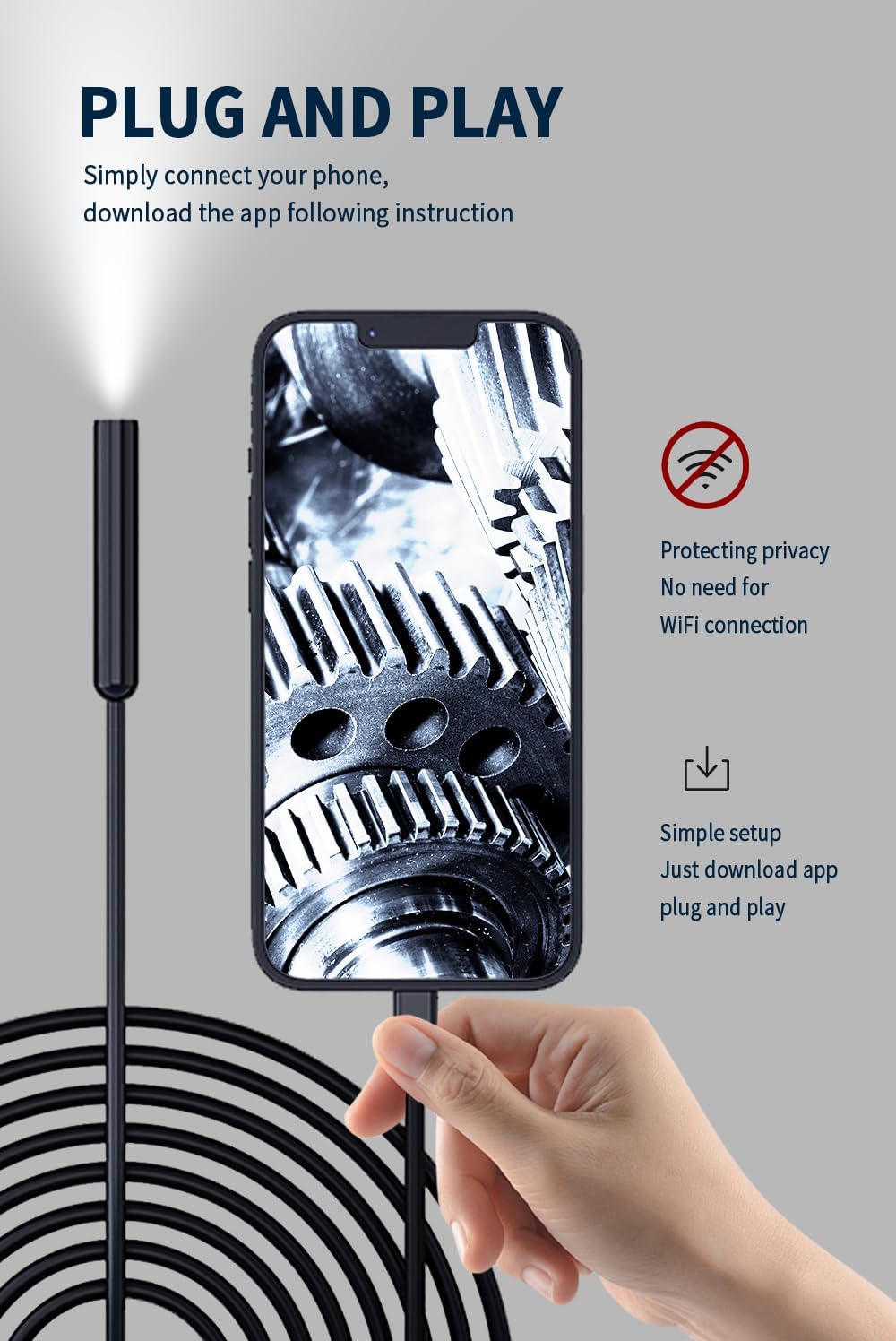
Image: Simple plug-and-play connection process.
Operating Instructions
1. Adjusting LED Lights
The endoscope camera head is equipped with 8 adjustable LED lights. On the cable, locate the small control unit. This unit features a wheel or dial that allows you to adjust the brightness of the LED lights. Rotate the wheel to increase or decrease the light intensity to achieve optimal visibility in different environments and to minimize glare from reflective surfaces.
2. Capturing Photos and Videos
The control unit on the cable also has a button. This button is used to capture still photos or start/stop video recordings directly from the endoscope. Within the app, you can typically switch between photo and video modes before pressing the button to initiate capture.
3. Using Accessories
The endoscope comes with several attachments that can be screwed onto the camera head for enhanced functionality:
- Magnet: Useful for retrieving small metallic objects from inaccessible areas.
- Hook: Designed for hooking and pulling objects that are out of reach.
- Mirror: Attaches to the side of the camera to provide a side-view perspective, useful for inspecting angles or surfaces not directly in front of the camera.
- Protective Hood: Provides additional protection for the camera lens, especially in environments with sharp or abrasive materials.
Maintenance
To ensure the longevity and optimal performance of your endoscope camera, follow these maintenance guidelines:
- Cleaning: After each use, especially in dirty or wet conditions, gently wipe the camera lens and cable with a soft, damp cloth. For stubborn dirt, a mild, non-abrasive cleaning solution can be used. Ensure the device is completely dry before storage.
- Storage: Store the endoscope in a cool, dry place, away from direct sunlight and extreme temperatures. Avoid tightly coiling the semi-rigid cable to prevent damage.
- Handling: Do not bend the cable excessively or apply undue force, as this may damage the internal wiring or the camera head.
Troubleshooting
If you encounter issues with your endoscope camera, refer to the following common problems and their solutions:
- App not displaying images:
- Ensure the endoscope's LED light is on.
- Try unplugging and reinserting the adapter/cable to ensure a secure connection.
- For iPhone: Try unplugging and reinserting the Lightning adapter.
- For Android: Ensure that your phone supports OTG functionality and that it is already enabled in your phone's settings.
- Product not working / Phone battery draining quickly:
- It is normal for the camera to warm up, especially when the LED light is at its highest brightness. This does not affect normal use or the product's lifespan.
- If the product is stuck or not working, please try re-plugging it.
- Ensure your phone's battery is above 20% for optimal performance.
- Side camera not working:
- Press and hold the physical button on the control unit to switch between cameras (if your model features multiple lenses).
Specifications
| Specification | Value |
|---|---|
| Product Dimensions | 4.72 x 4.72 x 1.46 inches; 6.74 ounces |
| Item Model Number | E001 |
| Manufacturer | Matrixcamp |
| Color | Black |
| Video Capture Resolution | 2.5K (1920x1440) |
| Zoom Type | No Zoom |
| Shooting Modes | Manual |
| Exposure Control Type | Manual |
Warranty and Support
MATRIXCAMP is committed to providing high-quality tools and customer satisfaction. We offer a comprehensive warranty for your endoscope camera:
- Warranty: MATRIXCAMP promises to provide free returns and exchanges for any issues encountered within three years of purchase.
- Customer Support: For any further questions, technical assistance, or warranty claims, please contact MATRIXCAMP customer service through the platform where you purchased the product.
Ask a question about this manual
Ask about setup, troubleshooting, compatibility, parts, safety, or missing instructions. Manuals+ will review the question and use this page’s manual context to help answer it.