
AstroAI L7S
AstroAI L7S Portable Tire Inflator User Manual
Model: L7S
1. Introduction
Thank you for choosing the AstroAI L7S Portable Tire Inflator. This compact and powerful device is designed for quick and efficient inflation of various items, including car tires, motorcycle tires, bicycle tires, and sports balls. Featuring a digital display, automatic shut-off, and a built-in LED light, it provides a convenient and safe inflation experience. Please read this manual thoroughly before use to ensure proper operation and maintenance.
2. Safety Information
To prevent injury or damage to the device, please observe the following safety precautions:
- Do not leave the inflator unattended during operation.
- Keep out of reach of children.
- Do not operate in wet conditions or immerse in water.
- Avoid prolonged continuous operation to prevent overheating. Allow the device to cool down if it becomes hot.
- Ensure the correct pressure setting for the item being inflated to avoid over-inflation, which can cause bursting and serious injury.
- Do not block the air vents during operation.
- Store the device in a cool, dry place when not in use.
3. Package Contents

Figure 3.1: The AstroAI L7S Portable Tire Inflator shown with its included accessories: the main inflator unit, flexible air hose, USB-C charging cable, and various inflation nozzles for different applications.
Please check the package for the following items:
- AstroAI L7S Portable Tire Inflator
- Flexible Air Hose
- USB-C Charging Cable
- Presta Valve Adapter
- Ball Needle
- Swim Ring Nozzle
- User Manual
4. Product Features
- Compact and Portable Design: The L7S is designed to be pocket-sized and lightweight, making it easy to store and carry.

Figure 4.1: The compact design of the AstroAI L7S allows for easy storage in small spaces, such as a car's center console.
- Long-Lasting Battery: Equipped with a 4000mAh battery, providing ample power for multiple inflations on a single charge.
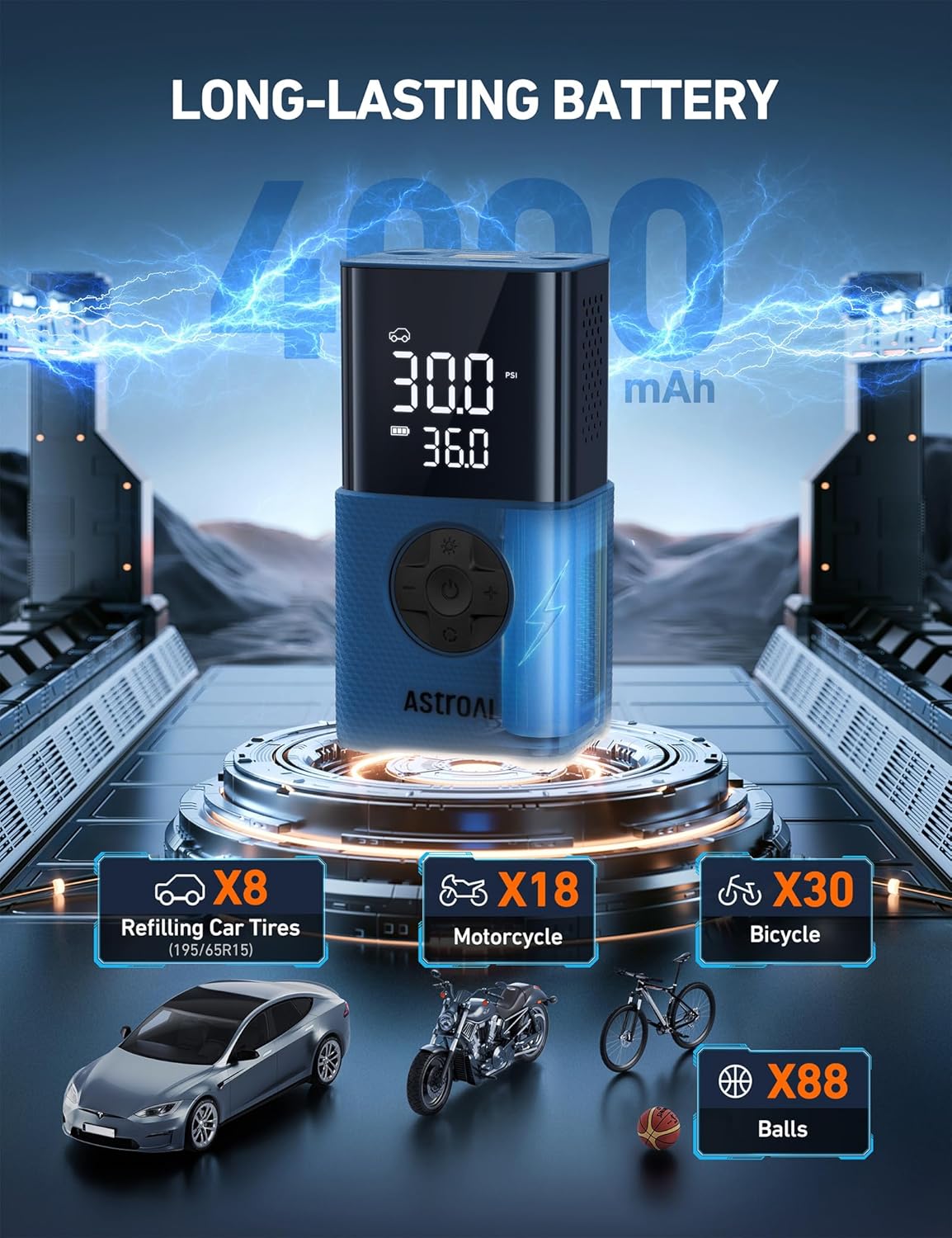
Figure 4.2: The inflator's 4000mAh battery can inflate multiple items, such as 8 car tires, 18 motorcycle tires, 30 bicycle tires, or 88 balls on a full charge.
- Rapid Inflation: Capable of inflating a standard car tire (195/65R15) from 30 to 36 PSI in less than 1.5 minutes with an airflow of 17L/Min.

Figure 4.3: Demonstrates the rapid inflation capability of the device, showing it can inflate a tire in under 1.5 minutes.
- Cordless Operation: Provides the freedom to inflate anywhere without the need for external power sources.

Figure 4.4: Illustrates the convenience of cordless operation compared to traditional corded inflators, allowing for inflation without being tethered to a power outlet.
- Precise Tire Pressure Sensors: Equipped with advanced sensors for highly accurate pressure readings, ensuring optimal inflation.
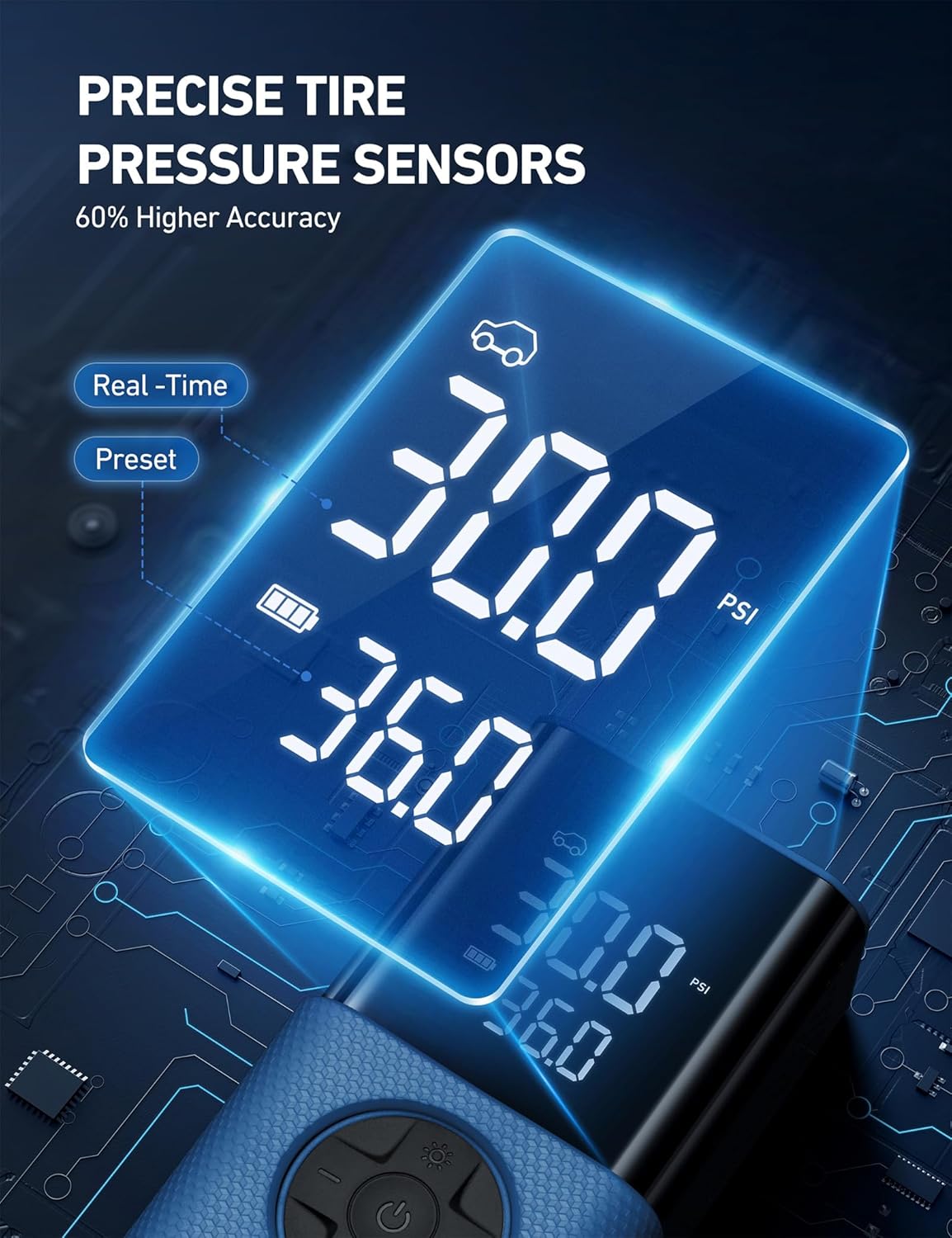
Figure 4.5: The digital display provides real-time and preset pressure values with high accuracy, aiding in precise inflation.
- Automatic Shut-off: The inflator automatically stops when the preset pressure is reached, preventing over-inflation and ensuring safety.

Figure 4.6: The device features an auto shut-off function for hands-free inflation, stopping automatically once the desired pressure is achieved.
- One-Click Presetting & Intuitive Operation: Easy-to-use controls allow for quick selection of pressure units and modes.
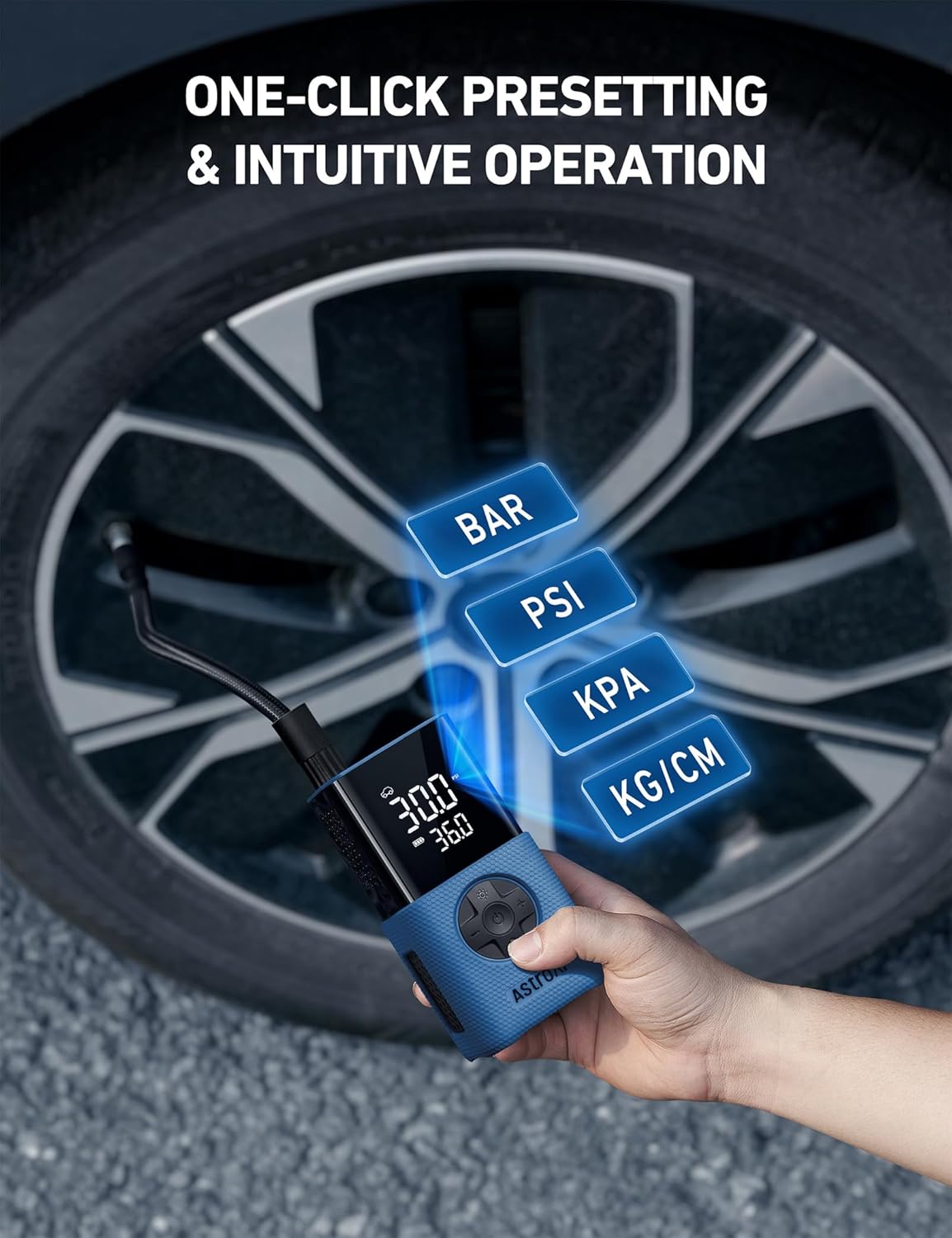
Figure 4.7: The intuitive interface allows users to easily switch between pressure units like BAR, PSI, KPA, and KG/CM².
- Versatile Use: Suitable for a wide range of inflation needs, from car and motorcycle tires to bicycles and various sports balls.

Figure 4.8: The inflator supports various applications, including car tires (30-42 PSI), motorcycle tires (26-43 PSI), bicycle tires (30-120 PSI), balls (4-16 PSI), and custom settings (3-150 PSI).
- Built-in LED Light: Provides illumination for use in low-light conditions or as an emergency signal.
- Power Bank Function: Can be used to charge other electronic devices via its USB-C and USB output ports.
5. Setup
5.1 Charging the Inflator
- Connect the provided USB-C charging cable to the inflator's USB-C port.
- Connect the other end of the cable to a suitable USB power adapter (not included).
- The battery indicator on the digital display will flash during charging and remain solid when fully charged.
- A full charge typically takes approximately 3-4 hours.
5.2 Attaching the Air Hose and Nozzle
- Screw the flexible air hose securely onto the air outlet port of the inflator.
- Select the appropriate nozzle for the item you wish to inflate (e.g., Presta valve adapter for certain bike tires, ball needle for sports balls).
- Attach the selected nozzle to the end of the air hose.
6. Operating Instructions
6.1 Powering On/Off
- To power on, press and hold the power button (center button) for 2 seconds.
- The display will light up, showing the current pressure and preset value.
- The device will automatically power off after a period of inactivity to conserve battery.
6.2 Setting Pressure Units
- With the device powered on, short press the "M" button (mode button) to cycle through pressure units: PSI, BAR, KPA, KG/CM².
- Select your desired unit.
6.3 Selecting Inflation Mode
- Short press the "M" button repeatedly to cycle through preset inflation modes: Car, Motorcycle, Bicycle, Ball, and Custom.
- Each mode has a default preset pressure, which can be adjusted.
6.4 Adjusting Target Pressure
- Once a mode is selected, use the "+" and "-" buttons to increase or decrease the target pressure.
- The display will show the target pressure.
6.5 Starting and Stopping Inflation
- Connect the air hose and nozzle securely to the item to be inflated.
- Ensure the target pressure is set.
- Press the power button (center button) to start inflation.
- The inflator will automatically stop when the target pressure is reached.
- To manually stop inflation, press the power button again.
- Carefully disconnect the air hose from the item.
6.6 Using the LED Light
- Short press the light button (top button) to turn on the LED light.
- Press again to cycle through different light modes (e.g., steady light, flashing red, SOS).
- Press a final time to turn off the light.
6.7 Using as a Power Bank
- Connect your electronic device to the inflator's USB-A or USB-C output port using a compatible charging cable.
- The inflator will begin charging your device.
7. Maintenance
- Cleaning: Wipe the exterior of the inflator with a soft, damp cloth. Do not use harsh chemicals or abrasive cleaners. Ensure the device is powered off and disconnected from any power source before cleaning.
- Storage: Store the inflator and its accessories in a cool, dry place, away from direct sunlight and extreme temperatures. Keep it in its original packaging or a protective case to prevent damage.
- Battery Care: To prolong battery life, charge the device fully before first use and at least once every three months if not used regularly. Avoid completely draining the battery.
8. Troubleshooting
| Problem | Possible Cause | Solution |
|---|---|---|
| Inflator does not turn on. | Low battery or no charge. | Charge the inflator fully. |
| Inflator does not inflate. | Air hose not securely connected; nozzle blocked; target pressure too low. | Ensure all connections are tight. Check for obstructions in the nozzle. Increase target pressure if current pressure is already at or above the setting. |
| Inaccurate pressure reading. | Loose connection; sensor calibration issue. | Ensure the air hose is tightly connected. If issues persist, contact customer support. |
| Device overheats and shuts off. | Prolonged continuous operation. | Allow the inflator to cool down for at least 15-20 minutes before resuming use. |
9. Specifications
| Specification | Value |
|---|---|
| Brand | AstroAI |
| Model Number | AIRUN L7S |
| Product Dimensions | 6.9 x 5.2 x 13.5 cm |
| Item Weight | 617 g |
| Voltage | 12 Volts |
| Noise Level | 80 dB |
| Max Pressure | 150 PSI |
| Battery Capacity | 4000mAh |
| UPC | 810074988452 |
10. Warranty and Support
AstroAI products come with a limited warranty. For detailed warranty information, product support, or any questions regarding your AstroAI L7S Portable Tire Inflator, please contact AstroAI Customer Service. You can typically find contact information on the official AstroAI website or through your purchase platform.
Please have your model number (L7S) and proof of purchase ready when contacting support.
Ask a question about this manual
Ask about setup, troubleshooting, compatibility, parts, safety, or missing instructions. Manuals+ will review the question and use this page’s manual context to help answer it.