
Belife BVC
Belife Vacuum Charger User Manual
Model: BVC Series Charger
1. Important Safety Information
Please read all safety instructions carefully before using the Belife Vacuum Charger. Retain this manual for future reference.
- Use only the original Belife charger provided with your vacuum cleaner. Using incompatible chargers may damage the device or pose a safety risk.
- Do not expose the charger to water or moisture.
- Do not disassemble, modify, or attempt to repair the charger. Contact authorized service personnel for repairs.
- Keep the charger away from heat sources and direct sunlight.
- Ensure the power outlet voltage matches the charger's specifications (100-240V).
- Unplug the charger from the power outlet when not in use or before cleaning.
- This charger complies with CE, FCC, RoHS, and UL standards for safe and dependable use.
2. Product Overview
The Belife Vacuum Charger is an original replacement power adapter specifically designed for Belife BVC Series cordless vacuum cleaners. It provides reliable and efficient charging for your vacuum.
2.1 Package Contents
- 1 x Belife BVC11 & BVC12 Vacuum Cleaner Charger
2.2 Compatibility
This charger is exclusively compatible with the following Belife cordless vacuum cleaner models:
- Belife BVC11
- Belife BVC12
- Belife BVC11A
- Belife BVC11B
- Belife BVC11C
- Belife BVC11P
- Belife BVC-11
Note: Please use only the Belife original charger. Other vacuum adapters may not be compatible and could cause damage.
2.3 Product Visuals

Image 1: The Belife Vacuum Charger, showing its compact black design and proprietary connector cable.
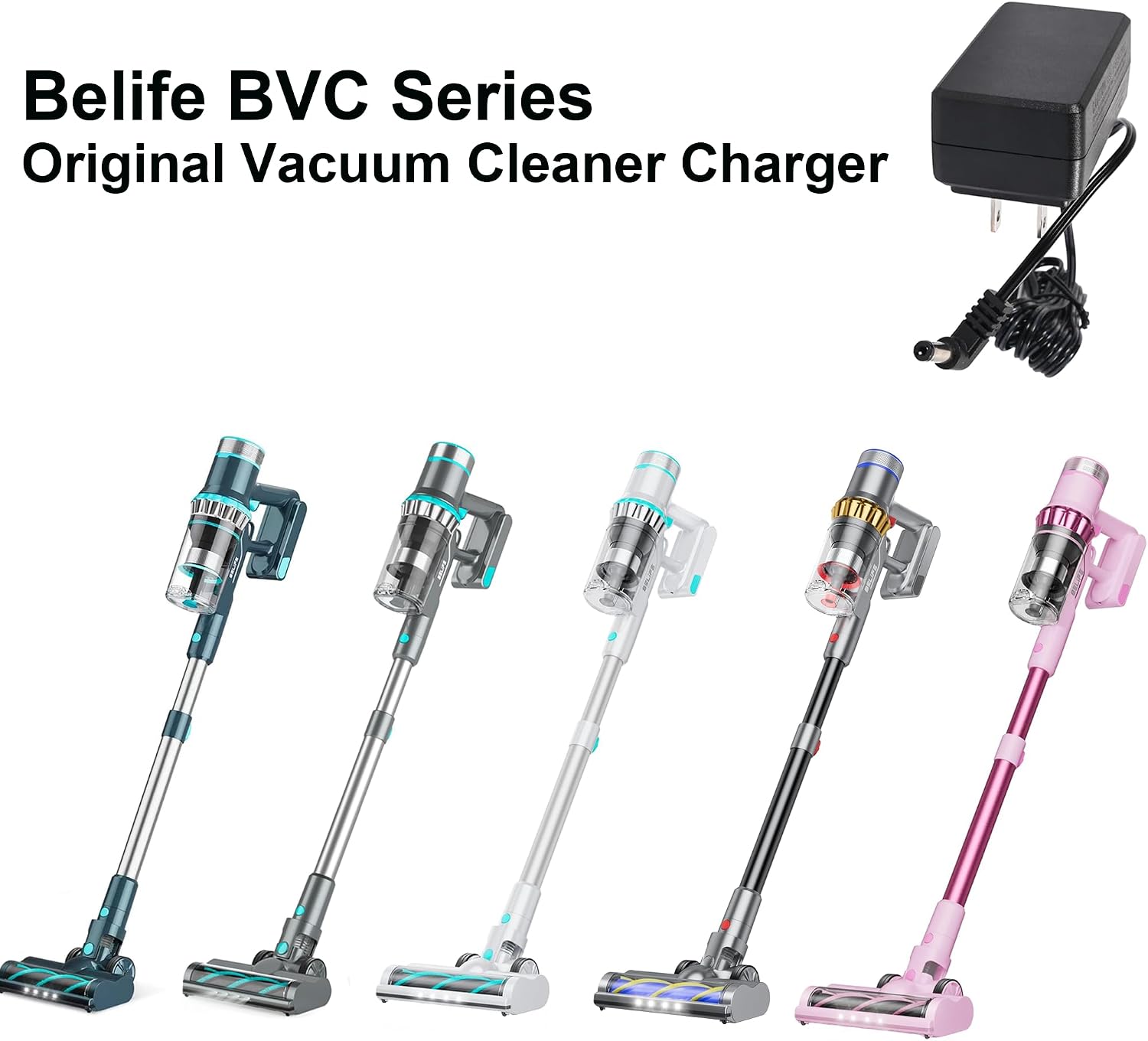
Image 2: An illustration of the Belife BVC Series Original Vacuum Cleaner Charger alongside various compatible Belife cordless vacuum models, highlighting its intended use.
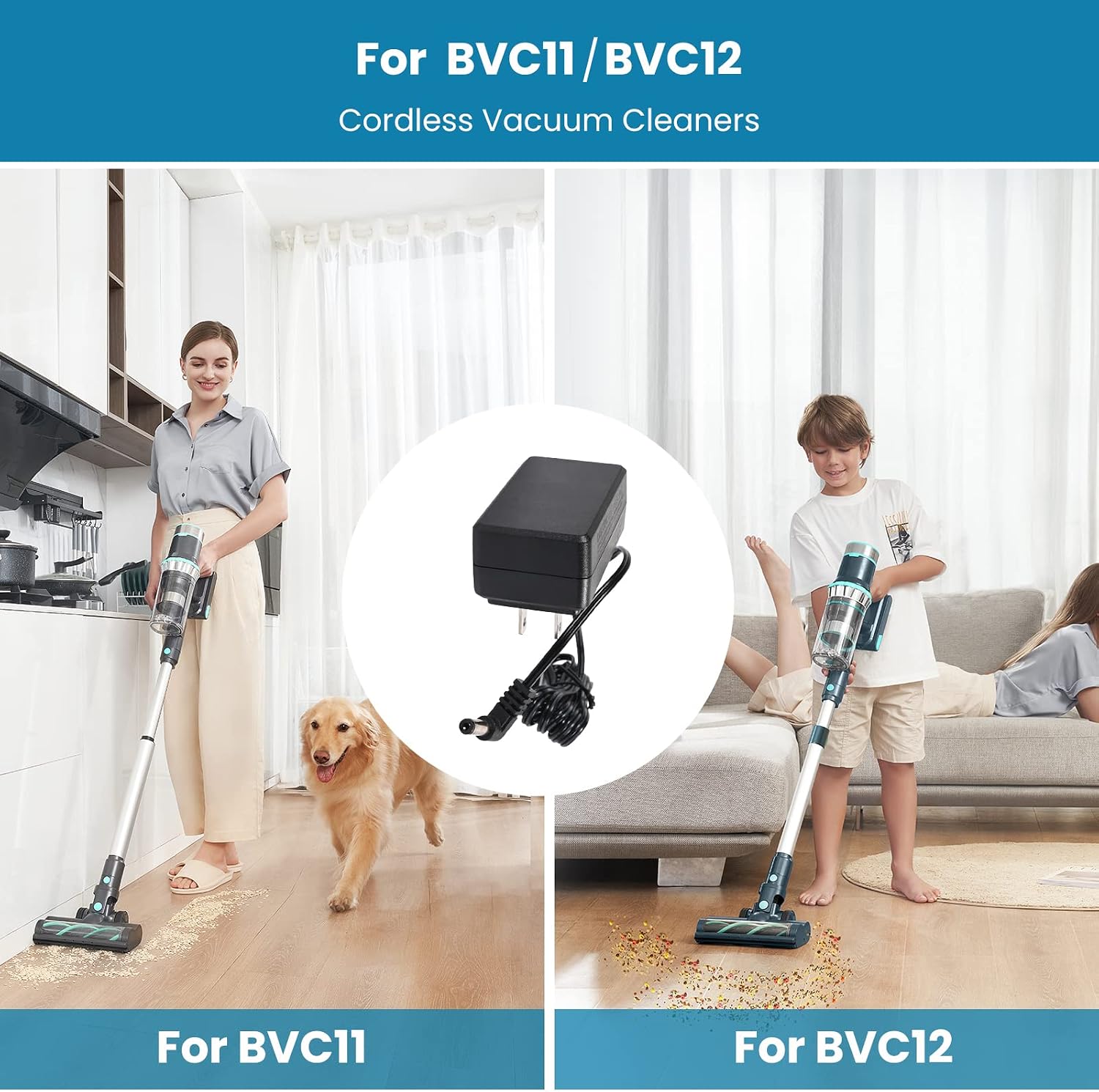
Image 3: Depicts the Belife BVC11 and BVC12 cordless vacuum cleaners in use, with an inset showing the charger, illustrating its role in powering these specific models.
3. Setup Instructions
- Unpack the Charger: Carefully remove the Belife Vacuum Charger from its packaging.
- Locate Charging Port: Identify the charging port on your Belife BVC series cordless vacuum cleaner. This is typically located on the battery pack or the main body of the vacuum.
- Connect Charger to Vacuum: Insert the proprietary connector of the charger cable firmly into the charging port of your vacuum cleaner.
- Plug into Power Outlet: Plug the charger's AC adapter into a standard wall power outlet (100-240V, 50/60Hz).
- Verify Connection: Ensure both connections are secure. The vacuum cleaner's charging indicator (if present) should illuminate, indicating that charging has begun.
4. Operating Instructions
Once set up, the Belife Vacuum Charger operates automatically to charge your vacuum's battery.
- Charging Process: The charger will deliver a stable 31V 500mA output to efficiently charge your vacuum's battery.
- Charging Time: Refer to your specific Belife BVC series vacuum cleaner's manual for estimated charging times.
- Charging Indicators: Monitor the charging indicator lights on your vacuum cleaner to determine the charging status (e.g., charging, fully charged).
- Overcharge Protection: The charger is designed with safety features to prevent overcharging, ensuring battery longevity.
- Disconnecting: Once the vacuum is fully charged, unplug the charger from the wall outlet first, then disconnect the cable from the vacuum cleaner.
5. Maintenance
Proper maintenance ensures the longevity and optimal performance of your Belife Vacuum Charger.
- Cleaning: Disconnect the charger from the power outlet before cleaning. Wipe the charger's exterior with a soft, dry cloth. Do not use liquid cleaners or abrasive materials.
- Storage: When not in use for extended periods, store the charger in a cool, dry place, away from direct sunlight and moisture. Avoid wrapping the cable too tightly around the adapter.
- Cable Care: Regularly inspect the charger cable for any signs of damage, such as fraying or cuts. If damage is observed, discontinue use and replace the charger.
6. Troubleshooting
If you encounter issues with your Belife Vacuum Charger, refer to the following common problems and solutions:
| Problem | Possible Cause | Solution |
|---|---|---|
| Vacuum not charging. |
|
|
| Slow charging. |
|
|
| Charger feels hot during use. |
|
|
7. Specifications
| Feature | Detail |
|---|---|
| Model Number | BVC Series Charger |
| Input Voltage | AC 100-240V, 50/60Hz |
| Output Voltage/Current | DC 31V, 500mA |
| Compatibility | Belife BVC11, BVC12, BVC11A, BVC11B, BVC11C, BVC11P, BVC-11 Cordless Vacuums |
| Material | Plastic |
| Color | Black |
| Connector Type | Proprietary |
| Item Weight | 2.89 ounces (approx. 82 grams) |
| Package Dimensions | 3.7 x 2.6 x 1.93 inches (approx. 9.4 x 6.6 x 4.9 cm) |
| Certifications | CE, FCC, RoHS, UL |
8. Warranty and Support
Belife products are manufactured to high-quality standards. For information regarding warranty coverage and terms, please refer to the warranty card included with your original vacuum cleaner purchase or visit the official Belife website.
If you require technical assistance or have questions not covered in this manual, please contact Belife Customer Support. Contact details can typically be found on the product packaging, the official Belife website, or through your point of purchase.
For the latest information and support, please visit: Belife Official Store on Amazon
Ask a question about this manual
Ask about setup, troubleshooting, compatibility, parts, safety, or missing instructions. Manuals+ will review the question and use this page’s manual context to help answer it.