Introduction
This manual provides detailed instructions for the proper use and maintenance of your rgjzkgn 1080P FHD Body Camera. Please read this manual thoroughly before operating the device to ensure optimal performance and longevity.

The rgjzkgn 1080P FHD Body Camera, shown from its front and back, is designed for portability and features a 128GB storage capacity.
Package Contents
Verify that all items are present in the package:
- rgjzkgn 1080P FHD Body Camera (Model: C1-BC20241225)
- USB Charging Cable
- Belt Clip
- User Manual
Product Overview
Familiarize yourself with the camera's components and controls.

This image illustrates the camera's side controls, including the Type-C USB port for charging and data transfer, dedicated buttons for one-key video recording, photo taking, night vision mode activation, and voice recording. A buckle for attachment is also visible.
Controls and Indicators:
- Power Button: Used to power the device on/off.
- 'M' Button: Short press to switch between recording/camera/playback modes. Long press for settings menu.
- Video Record Button: Initiates and stops video recording.
- Photo Capture Button: Takes still images.
- Audio Record Button: Starts and stops audio-only recording.
- Night Vision Button: Activates/deactivates IR night vision.
- Reset Button: Used to reset the device if unresponsive.
- Charging Port: USB Type-C port for charging the internal battery and data transfer.
- 2.0-inch Screen: For live view, playback, and menu navigation.
Setup
1. Charging the Battery
Before first use, fully charge the body camera. Connect the provided USB charging cable to the camera's Type-C USB port and plug the other end into a compatible USB power adapter (not included) or a computer's USB port. The charging indicator will show the charging status. A full charge takes approximately 3 hours and provides up to 10 hours of continuous recording.
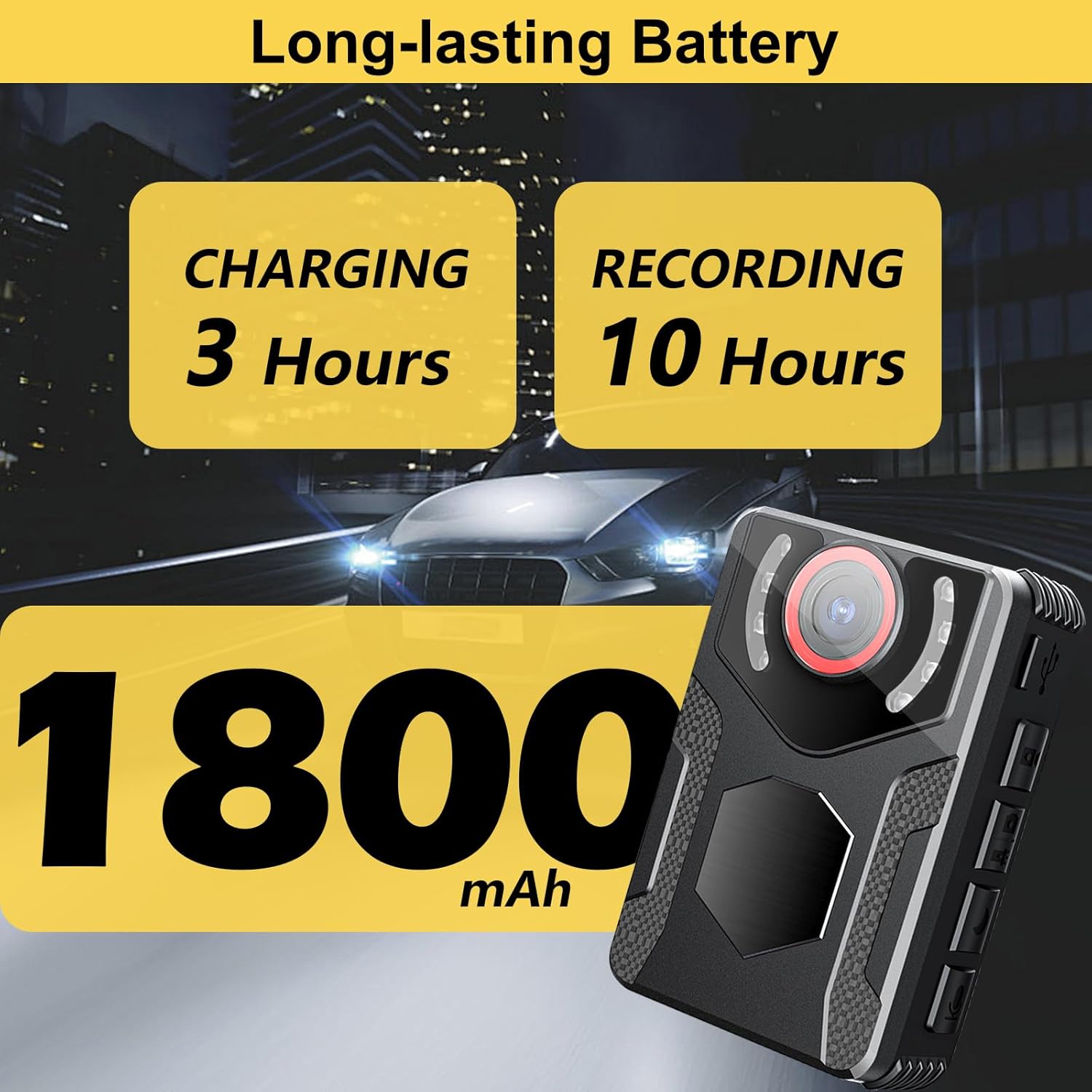
This image highlights the camera's battery performance, indicating a 3-hour charging time for 10 hours of recording, powered by an 1800 mAh battery.
2. Powering On/Off
- To Power On: Press and hold the Power button until the screen illuminates and the 'Welcome' message appears.
- To Power Off: Press and hold the Power button until the screen turns off.
3. Memory
The camera comes with 128GB of internal memory, capable of storing up to 900 minutes of 1080P FHD video. No external SD card is required for operation.
Operating Instructions
1. Video Recording
- Ensure the camera is powered on.
- Press the dedicated Video Record button once to start recording. A red indicator light or on-screen icon will confirm recording is active.
- Press the Video Record button again to stop recording. The video file will be saved automatically.

This image focuses on the camera's display, showcasing its ability to capture clear 50MP pictures and 1080P Full HD video, enhanced by active noise reduction for superior audio quality.
2. Photo Capture
- Ensure the camera is powered on.
- Press the dedicated Photo Capture button once to take a still image.
3. Audio Recording
- Ensure the camera is powered on.
- Press the dedicated Audio Record button once to start audio-only recording.
- Press the Audio Record button again to stop recording. The audio file will be saved automatically.
4. Night Vision
The camera is equipped with 4 energy-efficient IR lights for clear footage in low-light conditions or complete darkness.
- Press the Night Vision button to activate IR Night Vision.
- Press the button again to deactivate.

This diagram visually explains the function of the camera's 4 infrared lights, enabling clear capture in dark settings through IR Night Vision.
5. Motion Detection
When enabled, the camera will automatically begin recording when motion is detected.
- Access the settings menu by long-pressing the 'M' button.
- Navigate to the Motion Detection option and enable it.
6. Loop Recording
This feature ensures continuous recording by overwriting the oldest files when the memory is full.
- Access the settings menu by long-pressing the 'M' button.
- Navigate to the Loop Recording option and enable it.
7. Playback and Data Transfer
On-Device Playback:
- Short press the 'M' button to switch to playback mode.
- Use the navigation buttons to select video, photo, or audio files.
- Press the Play/Pause button to view the selected file.
Transferring to Computer:
- Connect the camera to your computer using the provided USB cable.
- The camera will appear as a removable disk drive.
- Access the files on the camera's internal memory and copy them to your computer.
Maintenance
- Keep the camera clean by wiping it with a soft, dry cloth. Avoid using harsh chemicals or abrasive materials.
- Ensure the lens is free from dust and smudges for clear recordings.
- Store the camera in a cool, dry place away from direct sunlight and extreme temperatures.
- Regularly back up important recordings to a computer or external storage device.
Troubleshooting
Camera Not Powering On:
- Ensure the battery is sufficiently charged. Connect to a power source and allow it to charge for at least 30 minutes.
- If unresponsive, try pressing the Reset button.
Recording Issues (e.g., blurry video, no audio):
- Check the lens for smudges or obstructions.
- Ensure the microphone is not covered during audio recording.
- Verify that the camera's internal memory is not full. Transfer files to a computer to free up space.
Device Not Recognized by Computer:
- Try a different USB port on your computer.
- Ensure the USB cable is securely connected to both the camera and the computer.
- Restart both the camera and the computer.
Specifications
| Feature | Description |
|---|---|
| Brand | rgjzkgn |
| Model Number | C1-BC20241225 |
| Video Resolution | 1080P Full HD |
| Photo Resolution | 8128*6096P (50MP) |
| Screen Size | 2.0 Inches |
| Internal Storage | 128GB (up to 900 minutes of 1080P FHD video) |
| Battery Life | Up to 10 hours continuous recording |
| Charging Time | Approx. 3 hours |
| Connectivity | USB Type-C |
| Special Features | IR Night Vision, Motion Detection, Loop Recording, Anti-Shake, Audio Recording, Compact Design |
| Dimensions | 5.31 x 3.58 x 2.24 inches |
| Weight | 7.8 ounces |
Warranty and Support
For warranty information or technical support, please refer to the contact details provided on the product packaging or the official rgjzkgn website. Keep your purchase receipt as proof of purchase.