
1. Product Overview
The TELESIN T13 Waterproof Wireless Remote Control is an advanced accessory designed to enhance your GoPro experience. It features a vibrant color LCD display for clear visibility in various lighting conditions, allowing you to monitor camera status, battery life, and current shooting parameters. Its robust design is waterproof, making it suitable for diverse environments.

Image: TELESIN T13 Remote Control, showcasing its color LCD display and main control buttons.
2. Package Contents
- TELESIN T13 Wireless Remote Control
- Lycra Wrist Strap
- USB-C Charging Cable
- User Manual (this document)
3. Setup and Pairing
3.1 Powering On/Off
To power on the remote, long press the top power button for 3 seconds. To power off, long press the 'M' (Mode) button.
3.2 Language Selection
Upon first power-on or after a reset, you may be prompted to select a language. Use the navigation buttons to choose your preferred language (English, Spanish, Traditional Chinese, Japanese) and confirm.
3.3 Pairing with GoPro
- On the TELESIN T13 remote, navigate to the 'RC Setup' menu and select 'Pair New'. The remote will begin scanning for a signal.
- On your GoPro camera, go to 'Preferences' > 'Wireless Connections' > 'Connect Device' > 'GoPro Remote'.
- Ensure your GoPro's wireless connection is turned on.
- The remote will automatically search for and connect to the nearest device.
- Once connected, the remote's screen will display the camera's status.
For a visual guide on pairing and initial setup, please refer to the official product video below:
Video: Official TELESIN T13 Waterproof Remote Control for GoPro demonstration, including pairing and basic operation.
3.4 Display Brightness Adjustment
The remote's 1.4-inch HD color LCD display offers multiple levels of brightness adjustment for optimal visibility in various conditions, from strong sunlight to dark nights. This can be adjusted in the settings menu.
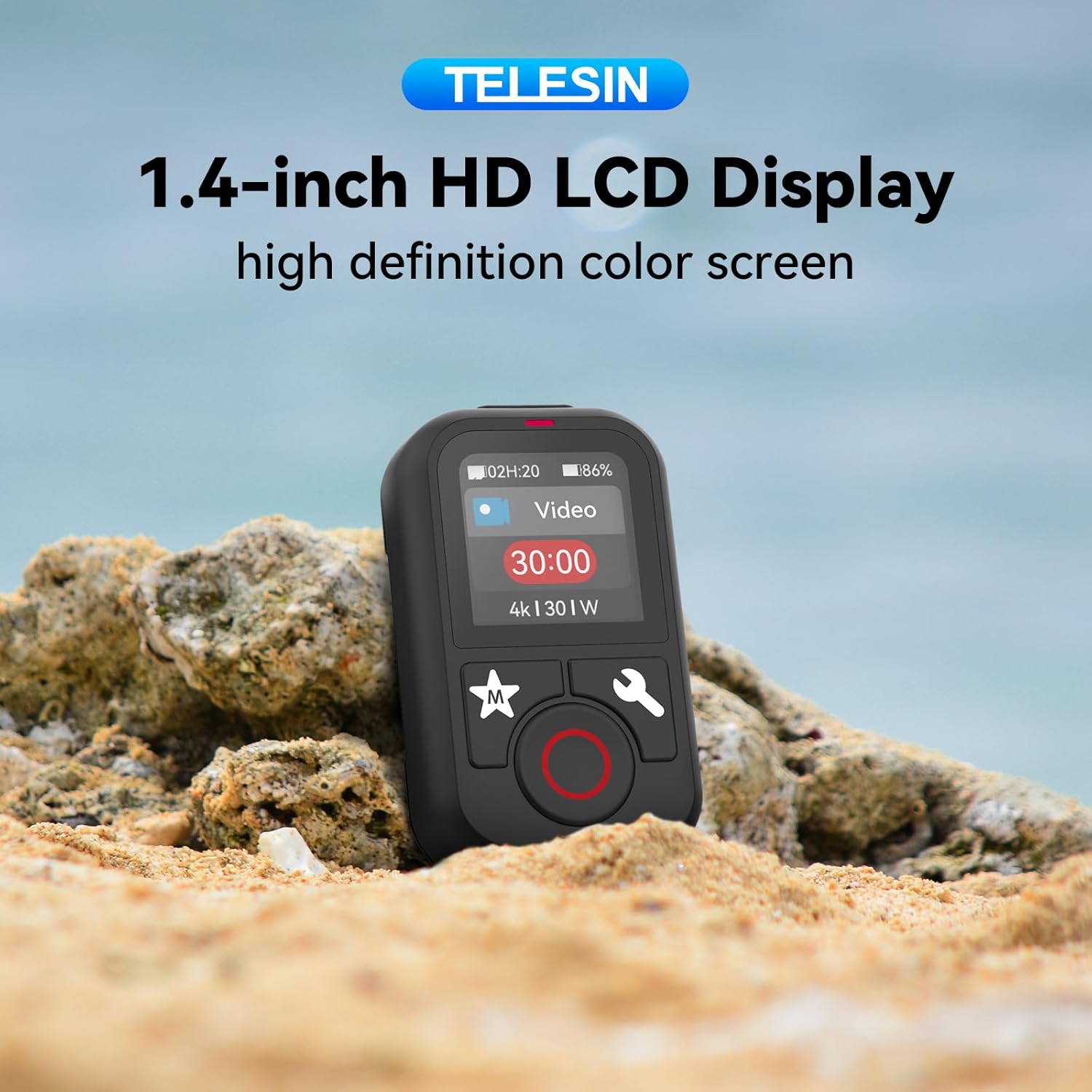
Image: Close-up of the TELESIN T13's 1.4-inch HD LCD Display, highlighting its clear color screen.
4. Operating Instructions
4.1 Mode Switching
Easily switch between photo, video, and time-lapse modes using the 'M' (Mode) button. The remote's display will show the current mode and allow you to select sub-modes.

Image: The remote control displaying various shooting modes, indicating effortless switching.
4.2 Starting/Stopping Recording
Press the large red 'Record' button to start capturing. Press it again to stop recording. The remote's screen will show the recording duration and camera parameters.

Image: Detailed view of the remote's buttons, including the prominent red record button.
4.3 Quick Wake-up and Record
When the camera is in deep sleep mode, a quick tap of the record button on the remote will wake up the camera and automatically begin recording.
4.4 Hands-Free Operation
The included Lycra wrist strap allows for convenient hands-free use, enabling you to wear the remote on your wrist or attach it to handlebars for easy access during activities.

Image: The remote control shown attached to a wrist and bicycle handlebars, demonstrating its versatile mounting options.
5. Charging
The TELESIN T13 remote control features a Type-C charging port. A full charge takes approximately 2 hours and provides up to 8 hours of working time (at 20% brightness). Please ensure the charging cable is connected to a computer or a standard USB power source (5V/0.2A).

Image: The remote control with an icon indicating 8 hours of battery life, emphasizing its long-lasting performance.
6. Waterproofing Guidelines
The TELESIN T13 remote control is waterproof up to 1 meter (3.28 feet) for 30 minutes. This makes it suitable for use in rainy conditions or during over-water sports activities where splashes may occur. Note: The Bluetooth control does not function for underwater use. Avoid operating the remote while fully submerged.

Image: A person surfing with the remote on their wrist, illustrating its real waterproof performance for over-water activities.
7. Compatibility
The TELESIN T13 remote control is compatible with the following GoPro models:
- GoPro Hero 13
- GoPro Hero 12
- GoPro Hero 11
- GoPro Hero 10
- GoPro Hero 9
- GoPro Hero 8 Black
- GoPro Max
It can control up to 5 cameras simultaneously.
8. Specifications
| Feature | Specification |
|---|---|
| Product Dimensions | 3.39 x 1.11 x 4.25 inches |
| Item Weight | 2.89 ounces |
| Model Number | TXSM-AU-S5-RMT-01-TGP |
| Battery Life | Up to 8 hours (20% brightness) |
| Charging Time | 2 hours (Type-C) |
| Remote Distance | Up to 60 meters (197 feet) |
| Waterproof Rating | Up to 1 meter for 30 minutes (not for submerged operation) |
| Display | 1.4-inch Color LCD |
| Supported Languages | English, Spanish, Traditional Chinese, Japanese |
9. Maintenance
- Clean the remote control with a soft, damp cloth. Avoid harsh chemicals.
- Ensure the USB-C charging port cover is securely closed when using the remote near water.
- Store the remote in a cool, dry place away from direct sunlight and extreme temperatures.
10. Troubleshooting
- Remote not powering on: Ensure the battery is charged. Connect to a power source using the USB-C cable.
- Unable to pair with GoPro: Ensure both the remote and GoPro are in pairing mode. Check GoPro's wireless connection settings. Try resetting the remote's pairing settings.
- Display issues: Adjust the backlight brightness in the settings. If the screen is unresponsive, try restarting the remote.
- Bluetooth range issues: Ensure there are no obstructions between the remote and the GoPro. The maximum range is 60 meters in an open environment.
11. Warranty and Support
For warranty information, technical support, or service inquiries, please contact TELESIN customer support through their official website or the retailer where you purchased the product. Keep your proof of purchase for any warranty claims.