
1. Introduction
The Loog Digital Piano is a portable electronic keyboard designed for beginners, offering musician-grade sound and versatile features. This manual provides essential information for setup, operation, maintenance, and troubleshooting to ensure optimal use of your instrument.
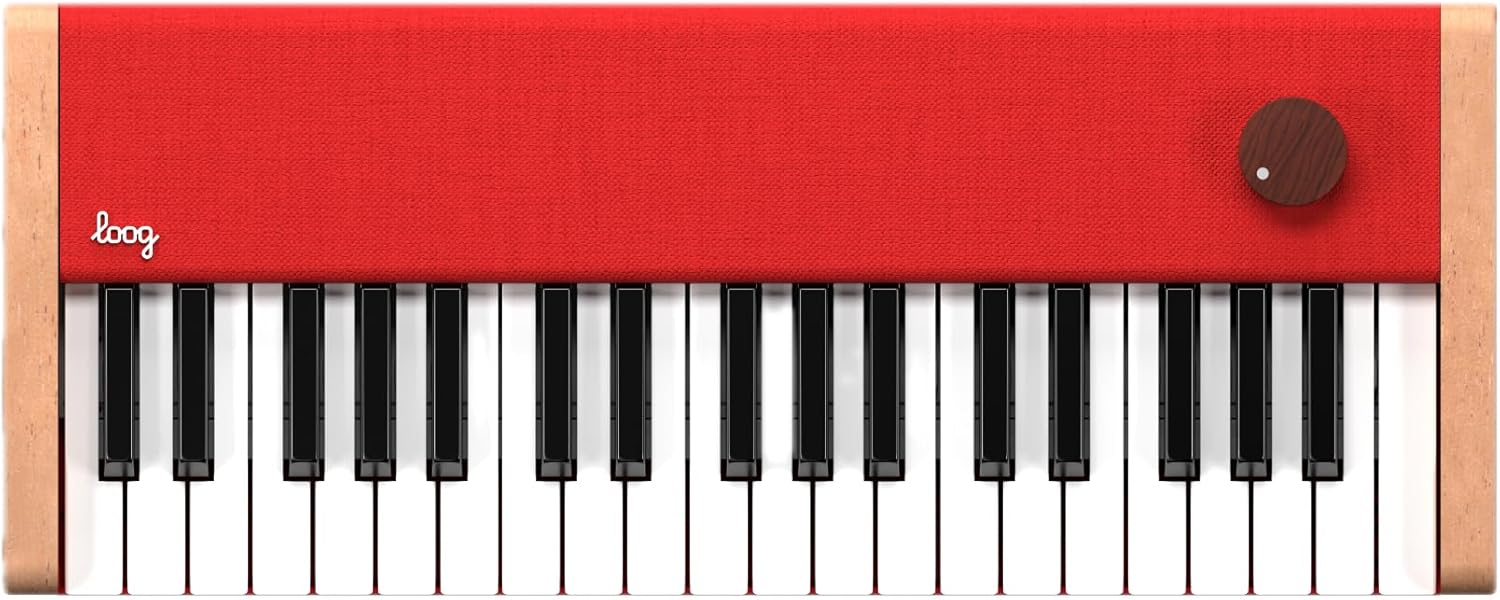
Image: Top-down view of the Loog Digital Piano.
2. Setup
2.1 Unboxing and Initial Inspection
Upon opening the package, verify that all components are present. The Loog Digital Piano typically includes the piano unit and flashcards. Inspect the piano for any visible damage before proceeding.

Image: Loog Digital Piano with included flashcards.
2.2 Charging the Piano
The Loog Digital Piano features a built-in rechargeable battery. Before first use, fully charge the device using the provided USB-C cable. Connect the USB-C cable to the piano's charging port and the other end to a compatible USB power adapter (5V / 2A recommended, do not exceed 5V). A full charge provides approximately 8 hours of battery life.
- LED Power Indicator:
- Red: Charge is less than 10%
- Blue: Charging
- Off: Fully charged

Image: Diagram showing the piano's ports and LED indicator details.
2.3 Connecting Peripherals
- Headphones: Connect standard 3.5mm headphones to the headphone jack for private practice.
- MIDI over USB-C: The USB-C port also supports MIDI connectivity, allowing the piano to function as a MIDI controller with compatible software on Windows, macOS, or Linux devices.
- Sustain Pedal: A dedicated port is available for connecting an optional sustain pedal.
- Octave Shifter: A connector is present for an optional octave shifter accessory.
3. Operating Instructions
3.1 Power On/Off and Volume Control
Locate the single wooden knob on the top right of the piano. This knob controls both power and volume. Rotate it clockwise to power on the piano and increase volume, and counter-clockwise to decrease volume and power off.

Image: Close-up of the Loog Digital Piano showing the volume knob.
3.2 Playing the Piano
The Loog Digital Piano features 37 velocity-sensitive keys, providing a responsive playing experience. The built-in speakers deliver musician-grade piano sound. Simply press the keys to produce notes.

Image: A child playing the Loog Digital Piano.
3.3 Using the Dedicated Learning App
Enhance your learning experience with the dedicated Loog Piano app. Connect your piano via USB-C to a compatible device running the app. The app provides interactive lessons and exercises.

Image: Screenshot of the Loog Piano learning app interface.

Image: The Loog Piano app displaying interactive lessons for beginners.
3.4 Official Product Video
Video: An official introduction to the Loog Piano, highlighting its features for children and beginners.
4. Maintenance
4.1 Cleaning
To clean the piano, use a soft, dry cloth. Avoid abrasive cleaners or solvents, which can damage the finish. For stubborn marks, a slightly damp cloth can be used, followed by immediate drying.
4.2 Battery Care
To prolong battery life, avoid fully discharging the piano frequently. Store the piano in a cool, dry place when not in use for extended periods. Recharge the battery periodically if stored for a long time.
5. Troubleshooting
- No Sound:
- Ensure the piano is powered on and the volume knob is turned up.
- Check if headphones are connected; if so, sound will output through headphones only.
- Verify the battery is charged.
- MIDI Connectivity Issues:
- Ensure the USB-C cable is securely connected to both the piano and your computer/device.
- Check your computer's MIDI settings and software for proper recognition of the Loog Piano.
- Keys Not Responding:
- Ensure the piano is powered on.
- If only certain keys are unresponsive, contact customer support.
6. Specifications
| Feature | Detail |
|---|---|
| Brand | Loog |
| Model Name | Loog Piano |
| Model Number | LGP |
| Number of Keys | 37 |
| Skill Level | Beginner |
| Special Features | Built-In Speaker, Portable, Rechargeable, Velocity-Sensitive Keys |
| Connectivity Technology | USB-C (MIDI) |
| Connector Type | 3.5mm Jack (Headphones), USB Type C (Power/MIDI) |
| Power Source | Battery Powered |
| Battery Life | 8 hours |
| Item Weight | 3.5 Pounds |
| Item Dimensions (D x W x H) | 18.9" x 7.5" x 2.7" |
| Age Range Description | 3+ |
7. Warranty
The Loog Digital Piano comes with a 2-year manufacturer's warranty. Please retain your proof of purchase for warranty claims. For detailed terms and conditions, refer to the warranty information provided with your product or contact Loog customer support.
8. Support
For further assistance, technical support, or inquiries regarding your Loog Digital Piano, please visit the official Loog website or contact their customer service department. Contact information can typically be found on the product packaging or the Loog Guitars website.


