
1. Product Overview
The Biorunn DUDUAUTO Android 13 Radio Stereo, model DUDU7, is an advanced car multimedia system designed to enhance your driving experience. It features a 12.3-inch 2K QLED screen, 8GB RAM, 128GB ROM, and runs on DUDU OS with Android 13. Key functionalities include Dual Band GPS, Wireless Car-Play, Android Auto, DSP audio processing, 4G LTE, 5G WIFI, and Bluetooth connectivity.
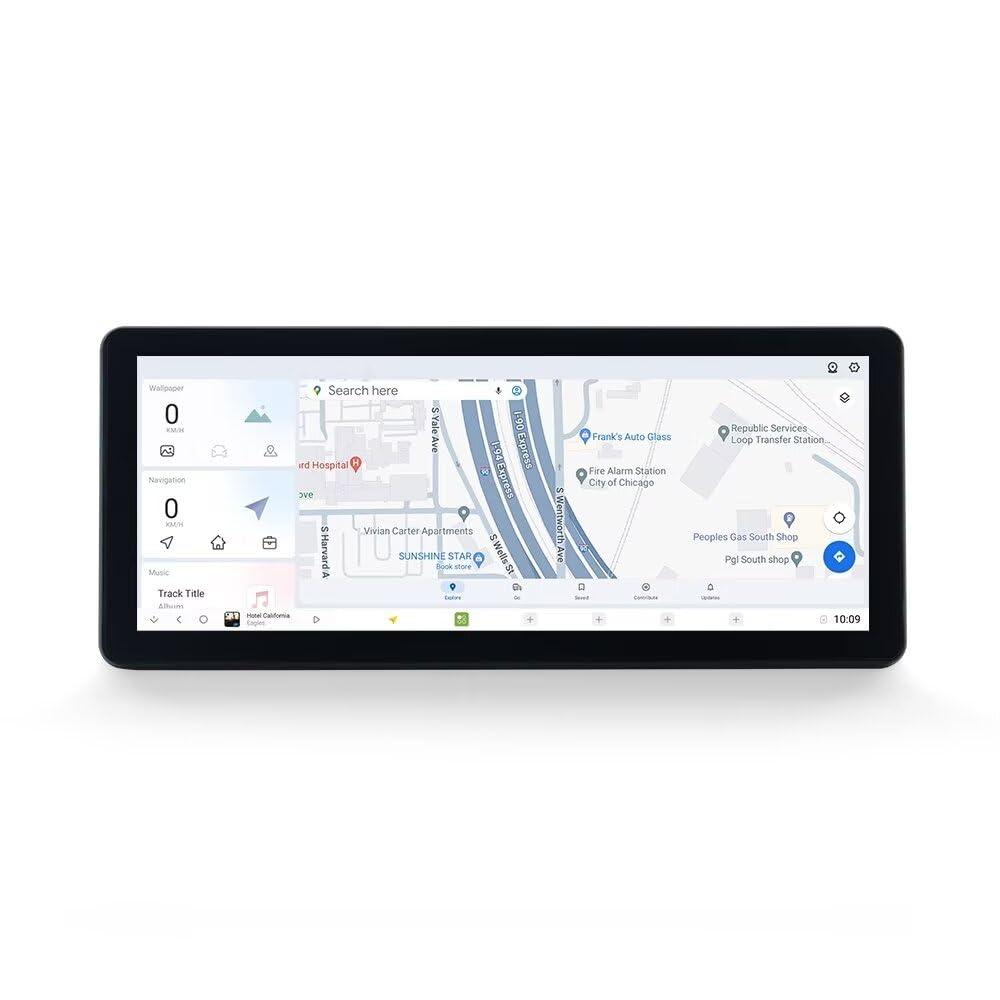
Image: Biorunn DUDUAUTO Android 13 Radio Stereo DUDU7, Style A.
Key Features:
- Operating System: DUDU OS with Android 13, UIS7870 processor.
- Display: 12.3 Inch 2K QLED Screen (2000x1200 resolution).
- Memory: 8GB RAM + 128GB ROM.
- Connectivity: Built-in Wireless/Wired Car-Play and Android Auto, 4G LTE, 5G WIFI, Bluetooth.
- Navigation: Dual-frequency lane six-mode GPS positioning (L1 L5 B1 B2a E1 E5a) for enhanced accuracy.
- Audio: Digital Sound Processor (DSP) for superior audio quality.
- Customization: Free themes, DIY wallpapers, and online OTA updates.
2. Package Contents
Verify that all items listed below are included in your package. If any items are missing or damaged, please contact customer support.

Image: Visual representation of the DUDUAUTO DUDU7 package contents.
- Main Head Unit (12.3-inch screen)
- Installation Frame
- Microphone (MIC)
- RCA Cable Set
- Reversing Camera Cable
- USB Plugs (x3)
- Fakra 4G Antenna
- Fakra GPS Antenna (for DUDU7)
- Power Cables and Wiring Harnesses
- Installation Tools (Pry tool, Screwdriver)
3. Installation Guide
Professional installation is recommended. Ensure the vehicle is turned off and the battery is disconnected before beginning installation. Refer to the video below for a detailed step-by-step guide.
Video: Installation instructions for the DUDUAUTO 13-inch large screen in a Honda Accord 10th generation (2018-2022).
Installation Steps:
- Preparation: Use the provided pry tool to carefully remove the original car parts, including the side gusset, decoration strip, and center console handrail assembly.
- Remove Original Head Unit: Unscrew and remove the original car CD head unit. Disconnect all original car wires.
- Connect New Wiring: Plug in all power cables and connect the new wiring harness to the vehicle's existing connections. Ensure all connections are secure.
- Install Antennas: Connect the 4G and GPS antennas to the designated ports on the new head unit.
- Mount New Head Unit: Install the new DUDUAUTO 12.3-inch head unit with its frame into the dashboard. Secure it with screws.
- Test Functionality: Before reassembling the interior, turn on the vehicle and test the new head unit's basic functions (power, touch screen, audio, navigation, Car-Play/Android Auto).
- Reassemble: If all functions are working correctly, restore and assemble the original car storage box, center console handrail assembly, decoration strip, and side gussets.

Image: Detailed view of the DUDU7 head unit's rear panel, showing various connection ports including Protocol Serial, USB, Reverse video, RCA, 360 panoramic device, Radio Antenna, WIFI, GPS Antenna, 4G Antenna, Cooling fan, Type-C, Coaxial Optical, Audio Out, Modified Amplifier, and Power Cable.
4. Initial Setup
Upon the first power-on, the system will guide you through an initial setup process.
- Language Selection: Choose your preferred system language (e.g., English).
- Antenna Placement: Position the GPS and 4G antenna modules for optimal signal reception.
- External 4G/USB Placement: Place external 4G and USB in the front passenger glovebox for easy access. A restart may be needed to acquire a 4G signal.
- Audio System Check: If your vehicle has a factory amplifier or modified audio system, carefully test for ground loop noise. Contact support if detected.
- CANBUS Setup: If your vehicle supports CANBUS, select your model to retain factory functions such as climate control, reverse sensors, and settings.
- Accessory Confirmation: Confirm if you have purchased DUDUAUTO Panorama 360 kit or other accessories like AR Recorder, TPMS, BT SWC, or Bluetooth OBD.
- Tutorials: View first-time user tutorials via QR code to familiarize yourself with the system.
- System Reboot: A restart is required for settings changes to take effect. Do not disconnect power or turn off the ignition during this process.
5. Operating Instructions
5.1 User Interface and Customization
The DUDU OS 3.0 offers a highly customizable interface with various themes and dynamic wallpapers. You can arrange widgets and plugins to suit your preferences.

Image: DUDU OS 3.0 interface showcasing various layouts and dynamic wallpaper options.
5.2 Navigation
Utilize the Dual Band GPS for precise and accurate navigation. The system supports various map applications.

Image: Illustration of Dual Band GPS L1+L5 for improved positioning and signal accuracy.
5.3 Wireless Car-Play / Android Auto
Connect your smartphone wirelessly or via cable to access Car-Play or Android Auto features, including calls, maps, music, and messages.

Image: Smartphones displaying Car-Play and Android Auto interfaces, highlighting wireless and wired connection options.
5.4 Audio System
The integrated DSP and high-quality audio chips provide an enhanced sound experience. Adjust equalizer settings to your preference.

Image: Close-up of the audio chip, highlighting AKM7739 DSP Velvet Audio Technology for enhanced sound quality.
5.5 Advanced Features
- Custom Gestures: Configure full-screen custom gestures for convenient control of various functions like Home, Back, multitasking, and volume.
- Desktop Integration: Seamlessly integrate desktop and application functions, including picture-in-picture for simultaneous use of AR Navigation, music playback, and maps.
- Extended Rear Entertainment: Supports connection to a TYPE-C touch-screen convenience screen for a rear entertainment system, allowing front navigation and rear entertainment simultaneously.
- 360 Panorama (Optional): If purchased, install 4 cameras to obtain 360-degree images around the vehicle, aiding in blind spot visibility and parking.
6. Maintenance
- Screen Cleaning: Use a soft, lint-free cloth to clean the screen. Avoid harsh chemicals.
- Software Updates: Regularly check for and install OTA (Over-The-Air) software updates to ensure optimal performance and access to new features.
- System Reset: In case of persistent issues, a factory reset option is available in the settings menu. Back up important data before performing a reset.
7. Troubleshooting
| Problem | Possible Cause | Solution |
|---|---|---|
| No Power | Loose power connection, blown fuse. | Check power cables and vehicle fuses. Ensure proper connection. |
| No Sound | Volume too low, incorrect audio source, loose speaker wires. | Increase volume, select correct audio source, check speaker connections. |
| GPS Signal Loss | Poor antenna placement, interference. | Ensure GPS antenna is placed in an unobstructed location. Restart the unit. |
| Car-Play/Android Auto Not Connecting | Bluetooth/Wi-Fi off, phone compatibility, app issues. | Ensure Bluetooth/Wi-Fi is enabled on both devices. Check phone compatibility and app versions. Try restarting both devices. |
| Touch Screen Unresponsive | Software glitch, temporary freeze. | Perform a soft reset (refer to system settings). If issue persists, contact support. |
For further assistance, please refer to the support section.
8. Specifications
| Feature | Detail |
|---|---|
| Brand | Biorunn |
| Model Name | DUDU7 |
| Screen Size | 12.3 Inches |
| Operating System | Android 13 (DUDU OS) |
| Processor | UIS7870 (8-Core 6nm EUV) |
| RAM | 8GB |
| Memory Storage Capacity | 128 GB |
| Display Type | 2K QLED (2000x1200) |
| Touch Screen Type | Capacitive |
| Special Features | BT, Touchscreen, Wireless Android Auto, Wireless Car-play, DSP |
| Connectivity Technology | Wireless (4G LTE, 5G WIFI, Bluetooth) |
| GPS | Dual Band (L1 L5 B1 B2a E1 E5a) |
| Audio Output | Fiber + coaxial RCA5.1 channel output |
| BT Chip | BTS0 Qualcomm 5031 (supports aptX HD protocol) |
| USB Interface | USB 2.0, Type-C USB 3.2 Gen1 |
9. Warranty and Support
Your Biorunn DUDUAUTO Radio Stereo comes with a standard manufacturer's warranty. For specific warranty details, please refer to the documentation included with your product or contact the seller directly.
Technical Support:
RongNan International, the seller, provides 24-hour technical support. If you encounter any issues or have questions, please feel free to reach out to them. They aim to respond within 24 hours.
For optimal problem resolution, it is advised to contact the seller before returning the product.

Image: Information regarding 24-hour technical support provided by RongNan International.