
1. Product Overview
The Jadeshay WiFi Smart Energy Meter is a versatile device designed for monitoring and controlling electrical consumption. It integrates smart features such as remote control via mobile applications, voice control, and programmable timing functions. This meter is suitable for various applications, including residential and photovoltaic systems, offering real-time data and protection against electrical anomalies.
- Remote Control: Manage appliances from anywhere using the Tuya or Smart Life app.
- Voice Control: Compatible with Alexa and Google Assistant for hands-free operation.
- Timing Functions: Features 30 sets of timer settings, including time switch, countdown, and cyclic time modes.
- Real-time Monitoring: Displays voltage, current, and electricity consumption on an LED screen.
- Protection Features: Adjustable settings for overvoltage, undervoltage, overcurrent, and leakage protection.
- Photovoltaic System Compatibility: Measures electricity generated by solar systems and electricity fed into the grid.

Image 1.1: Jadeshay WiFi Smart Energy Meter displaying real-time data, alongside a smartphone showing the companion app interface.
2. Setup and Installation
This device is designed for DIN rail mounting. Professional installation by a qualified electrician is recommended to ensure safety and proper functionality.
2.1 Wiring Diagram
Ensure correct connection of input (IN) and output (OUT) terminals, as well as neutral (N) and live (L) wires. If installing a circuit breaker after the energy meter, connect the neutral and live wires correctly according to the diagram below.

Image 2.1: Detailed wiring diagram illustrating the connection of the smart energy meter within a typical electrical setup, including solar power integration.
2.2 App Connection (Tuya/Smart Life)
- Download the "Tuya" or "Smart Life" app from your smartphone's app store.
- Register or log in to your account.
- Ensure your device is powered on and the WiFi indicator is blinking. If not, refer to the troubleshooting section for instructions on how to initiate pairing mode.
- In the app, tap '+' to add a new device. Select the appropriate device type (e.g., Electrical > Circuit Breaker or Energy Meter).
- Follow the on-screen instructions to connect the device to your 2.4GHz WiFi network.
- Once connected, you can rename the device and access its features.
3. Operating Instructions
3.1 Remote Control and Monitoring
After successful app connection, you can remotely control the energy meter and monitor electrical parameters from your smartphone. The app displays real-time voltage, current, and energy consumption data. It also allows you to view historical consumption data by hour, day, month, and year, especially useful for photovoltaic systems.
3.2 Timing Functions
The device supports 30 sets of timing settings, enabling automated control of connected loads.
- Time Switch: Schedule specific on/off times for the device.
- Countdown Mode: Set a timer for the device to turn off after a specified duration.
- Cyclic Time: Program repetitive on/off cycles.

Image 3.1: Visual representation of the timing functions available on the smart energy meter, including time switch, cyclic time, and chronograph.
3.3 Voice Control
Integrate the energy meter with Amazon Alexa or Google Assistant for convenient voice control. Once linked, you can use voice commands to turn the device on or off.

Image 3.2: The smart energy meter supports voice control through popular platforms like Google Assistant and Amazon Alexa.
3.4 LED Digital Display
The integrated LED display provides intuitive readings of key electrical parameters:
- Voltage (V)
- Current (A)
- Electricity Consumption (kWh)
- Pulse (for energy measurement)
- WiFi status
- Leakage current (mA)
You can also adjust protection settings (overvoltage, undervoltage, overcurrent, leakage, overheat, shutdown delay, overcurrent delay) directly via the app.
4. Maintenance
The Jadeshay WiFi Smart Energy Meter requires minimal maintenance. Keep the device clean and free from dust. Ensure proper ventilation around the unit if installed in an enclosure. Do not attempt to open or repair the device yourself, as this may void the warranty and pose electrical hazards. For any issues, refer to the troubleshooting section or contact customer support.
5. Troubleshooting
5.1 WiFi Connection Issues
If you experience difficulty connecting to WiFi or unstable connectivity:
- Check WiFi Network: Ensure your router is operating on a 2.4GHz frequency. The device does not support 5GHz networks.
- Signal Strength: Place the device within good range of your WiFi router. Walls and other obstacles can weaken the signal.
- Reset Pairing Mode: To enter pairing mode, typically press and hold the 'set up' or 'query' button for 5 seconds until the WiFi indicator light blinks rapidly. Refer to the device's physical buttons for the correct one.
- Router Settings: Temporarily disable any MAC filtering or firewall settings on your router that might block new devices.
- Power Cycle: Turn off the power to the energy meter for a few seconds, then turn it back on and attempt to reconnect.
5.2 Device Not Responding
- Power Supply: Verify that the device is receiving power. Check the LED display for activity.
- Overload Protection: If the device has tripped due to overcurrent, overvoltage, or undervoltage, it will automatically cut power. Check the app or display for protection alerts and clear the fault condition before attempting to reset.
- App Sync: Ensure your app is updated to the latest version and is properly synced with the device.
5.3 Inaccurate Readings
- Wiring: Double-check all wiring connections according to the installation diagram (Image 2.1) to ensure they are secure and correct. Incorrect wiring can lead to inaccurate measurements.
- Calibration: The device is factory calibrated. If you suspect significant inaccuracies, contact customer support.
6. Specifications
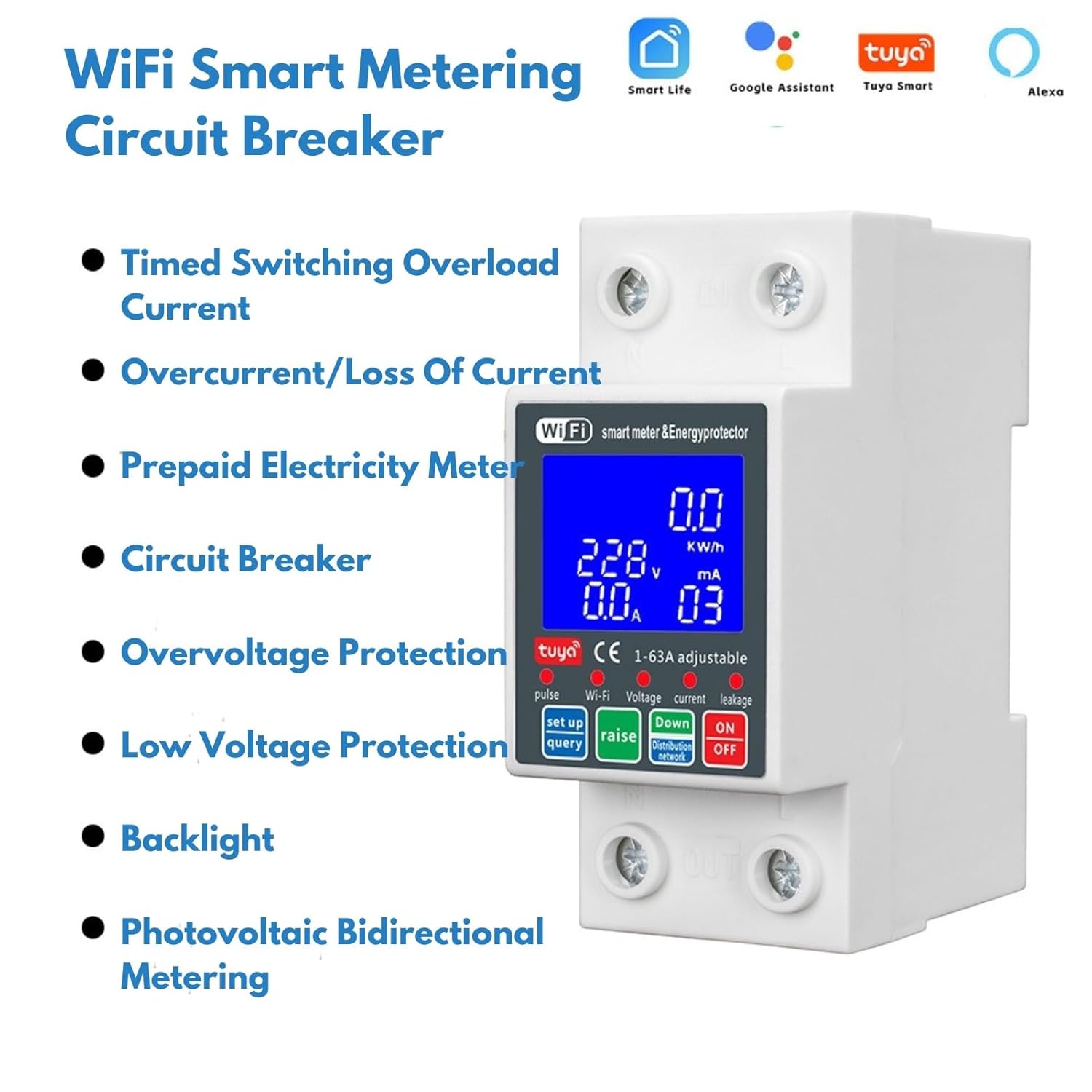
Image 6.1: Dimensions and technical specifications of the Jadeshay WiFi Smart Energy Meter.
| Feature | Specification |
|---|---|
| Brand | Jadeshay |
| Model Number | OQJXQQOVJ-GJAYS98675 |
| Rated Current | 63 A |
| Voltage | 230V |
| Rated Frequency | 50Hz |
| Working Voltage Range | 80V-300V AC |
| WiFi Frequency | 2.4GHz |
| Display | LED Backlight Digital Screen |
| Impolsocope Protection | 80V-210V (adjustable, default: 175V) |
| Overvoltage Protection | 120V-300V (adjustable, default: 275V) |
| Overcurrent Protection | 1A-63A (adjustable, default: 63A) |
| Type of Circuit Breaker | Standard |
| Type of Fixing | DIN Rail Mounting |
| Number of Poles | 2 |
| Dimensions (approx.) | 7.62 x 5.08 x 2.54 cm |
| Weight (approx.) | 175 grams |
7. Warranty and Support
For warranty information, please refer to the documentation provided with your purchase or contact the seller directly. If you encounter any issues not covered in this manual or require further assistance, please reach out to Jadeshay customer support or your point of purchase. When contacting support, please have your model number (OQJXQQOVJ-GJAYS98675) and purchase details available.