
1. Product Overview
The LG-SG4T2 is an unmanaged switching hub designed for high-speed network connections. It features four 2.5GBASE-T Ethernet ports and two 10G SFP+ ports, providing flexible and powerful connectivity for various network environments. This device offers plug-and-play convenience, a fanless design for quiet operation, and multiple installation options.
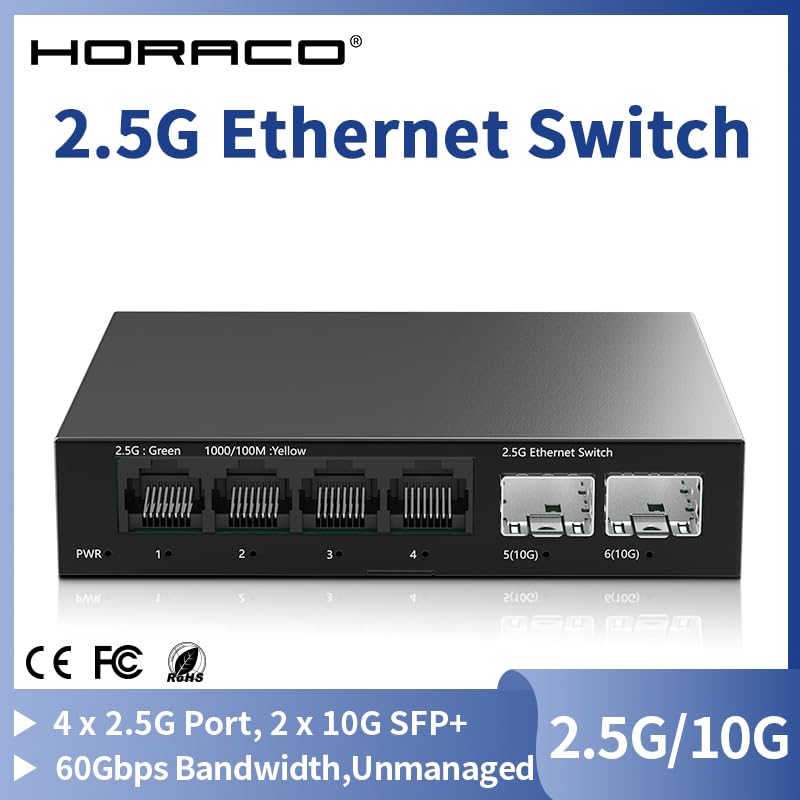
Figure 1: Front view of the LG-SG4T2 switching hub, illustrating the four 2.5GBASE-T RJ45 ports and two 10G SFP+ ports, along with LED indicators for power and link status.
2. Package Contents
Please verify that all items are present in the package:
- LG-SG4T2 Switching Hub: 1 unit
- User Manual: 1 book
- Certificate of Conformity: 1 piece
- AC Power Adapter: 1 piece
- Rubber Feet: 4 pieces (for desktop placement)
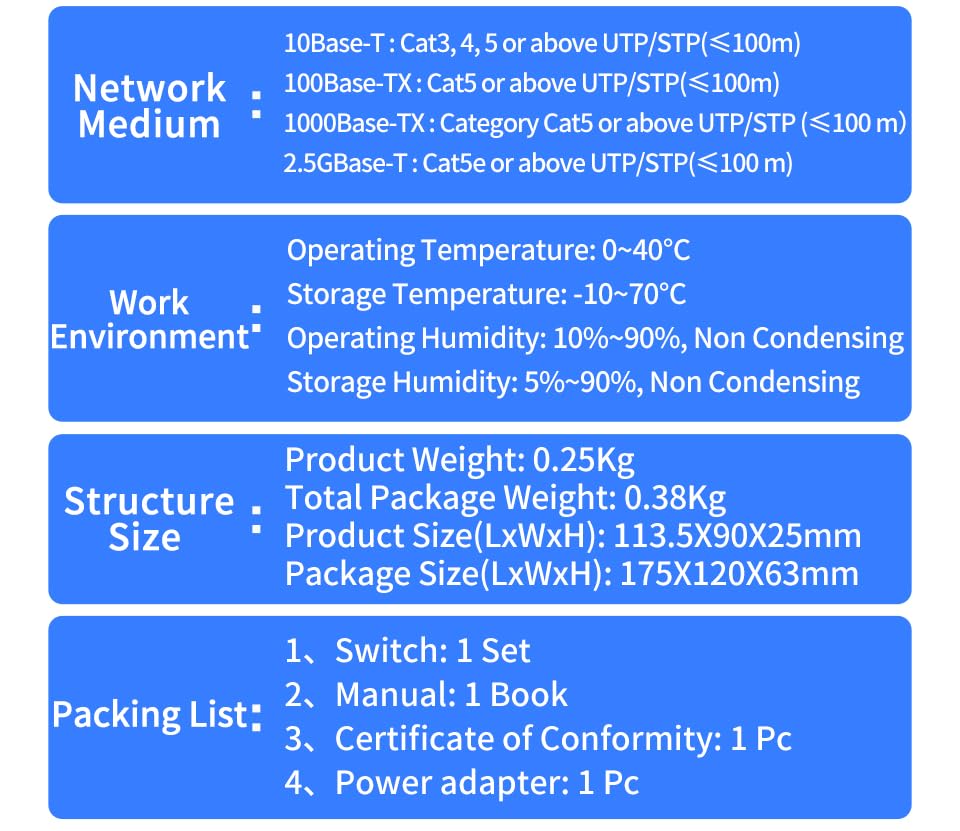
Figure 2: Detailed view of the packing list, confirming the inclusion of the switch, manual, certificate, power adapter, and rubber feet.
3. Setup Instructions
The LG-SG4T2 switch is designed for plug-and-play operation, requiring no complex configuration.
3.1 Connecting Power
- Connect the AC power adapter to the power input port on the rear panel of the switch.
- Plug the other end of the power adapter into a standard electrical outlet.
- Verify that the PWR LED on the front panel illuminates, indicating the device is powered on.
3.2 Connecting Network Devices
- For 2.5GBASE-T Ethernet Ports (RJ45): Use standard Cat5e or above UTP/STP Ethernet cables to connect your network devices (e.g., computers, servers, NAS) to ports 1-4.
- For 10G SFP+ Ports: Insert compatible SFP+ modules (not included) into ports 5 and 6. Then, connect appropriate fiber optic cables or DAC (Direct Attach Copper) cables to these modules to link with 10Gbps-capable devices or your core network.

Figure 3: Connection diagram illustrating the proper way to connect RJ45 Ethernet cables to ports 1-4 and SFP+ modules with their respective cables to ports 5-6.
3.3 Installation Options
The LG-SG4T2 supports both desktop placement and wall-mounting.
- Desktop Placement: Attach the included rubber feet to the bottom of the switch to prevent slipping and protect surfaces.
- Wall-Mounting: The switch features mounting holes on its underside. Securely fasten the switch to a wall using appropriate screws (not included) suitable for your wall material. Ensure adequate ventilation around the device.
4. Operating Instructions
Once powered on and connected, the LG-SG4T2 operates automatically. It is an unmanaged switch, meaning no software configuration is required.
4.1 LED Indicators
- PWR LED: Indicates power status. Lit when the device is powered on.
- 2.5G (Green) LED (for RJ45 ports): Lit when a 2.5Gbps link is established.
- 1000/100M (Yellow) LED (for RJ45 ports): Lit when a 1000Mbps or 100Mbps link is established.
- 10G (Green) LED (for SFP+ ports): Lit when a 10Gbps link is established.
4.2 Fanless Design
The LG-SG4T2 features a fanless heat sink design, ensuring silent operation. This makes it suitable for environments where noise is a concern, such as offices or home setups. The design optimizes heat dissipation without the need for active cooling fans.
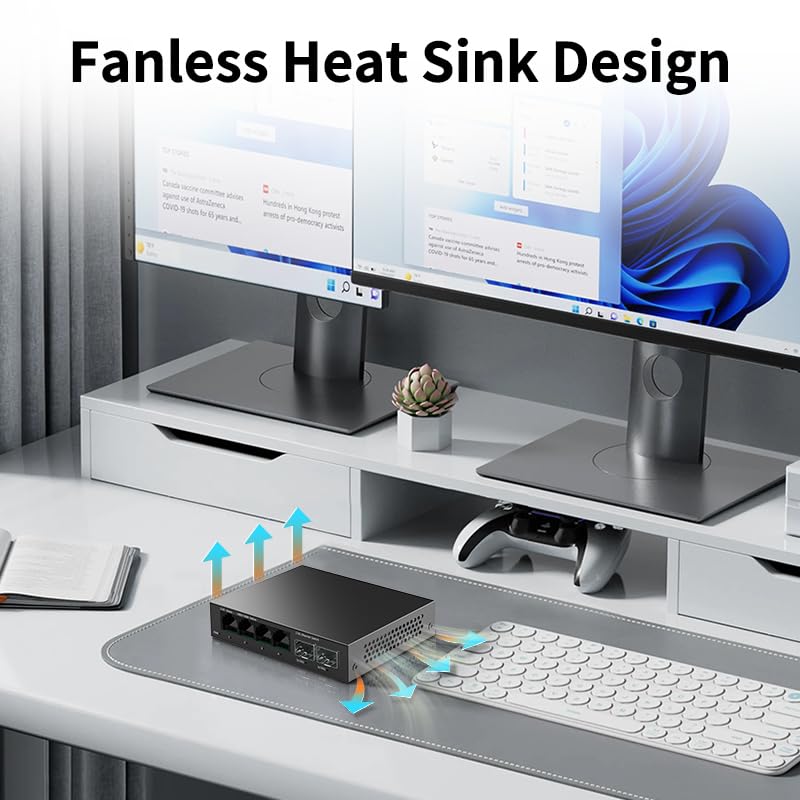
Figure 4: Visual representation of the fanless heat sink design, highlighting how the device dissipates heat passively for silent operation.
5. Maintenance
To ensure optimal performance and longevity of your LG-SG4T2 switching hub, follow these maintenance guidelines:
- Cleaning: Regularly clean the exterior of the switch with a soft, dry cloth. Do not use liquid or aerosol cleaners. Ensure the ventilation holes are free from dust and obstructions.
- Environment: Operate the switch within the recommended environmental conditions (see Specifications section). Avoid placing the device in direct sunlight, near heat sources, or in areas with high humidity.
- Cable Management: Ensure all connected cables are neatly organized and not under excessive tension, which could damage ports or cables.
6. Troubleshooting
If you encounter issues with your LG-SG4T2 switch, refer to the following troubleshooting steps:
- No Power:
- Check if the power adapter is securely connected to both the switch and the electrical outlet.
- Verify that the electrical outlet is functioning correctly.
- Ensure the PWR LED on the switch is lit.
- No Link/Connection:
- Ensure the Ethernet cable or SFP+ module/cable is securely connected to both the switch port and the network device.
- Check the status of the link/activity LEDs on the switch for the corresponding port.
- Try using a different cable or port to rule out faulty components.
- Verify that the connected network device is powered on and functioning correctly.
- Slow Network Speed:
- Ensure you are using appropriate cables for the desired speed (e.g., Cat5e or higher for 2.5Gbps).
- Check the link speed indicated by the LEDs on the switch.
- Verify that your network adapter and connected devices support the desired speed (2.5Gbps or 10Gbps).
- Ensure there are no excessive network traffic or bottlenecks elsewhere in your network.
7. Specifications
Detailed technical specifications for the LG-SG4T2 switching hub:
| Feature | Description |
|---|---|
| Model | LG-SG4T2 |
| Interfaces | 4 x 2.5GBASE-T RJ45 Ports, 2 x 10G SFP+ Ports |
| RJ45 Port Speed | 2.5Gbps (2.5GBASE-T), 1000Mbps (1000BASE-T), 100Mbps (100BASE-TX) |
| SFP+ Port Speed | Max 10Gbps (with compatible modules) |
| Backplane Bandwidth | 60Gbps |
| Packet Forwarding Rate | 44.64Mpps |
| MAC Address Table | 4K |
| Forwarding Mode | Store-and-Forward |
| Dimensions (LxWxH) | 113.5 x 90 x 25 mm |
| Product Weight | 0.25 Kg |
| Operating Voltage | DC 12V 1A |
| Network Medium (RJ45) | 10Base-T: Cat3, 4, 5 or above UTP/STP (≤100m) 100Base-TX: Cat5 or above UTP/STP (≤100m) 1000Base-TX: Category Cat5 or above UTP/STP (≤100m) 2.5GBase-T: Cat5e or above UTP/STP (≤100m) |
| Operating Temperature | 0~40°C |
| Storage Temperature | -10~70°C |
| Operating Humidity | 10%~90%, Non Condensing |
| Storage Humidity | 5%~90%, Non Condensing |

Figure 5: Product parameters detailing physical dimensions, working voltage, backplane bandwidth, packet forwarding rate, and MAC address table size.
Figure 6: Specifications for network cable types, operating and storage temperatures, and humidity levels.
8. Safety Information
Please read and follow these safety guidelines to prevent damage to the device or injury to yourself:
- Do not open the device casing. There are no user-serviceable parts inside.
- Use only the provided power adapter. Using an incompatible adapter may damage the device and void the warranty.
- Keep the device away from water, fire, and high-temperature environments.
- Ensure proper ventilation around the device to prevent overheating. Do not block any ventilation openings.
- Avoid placing heavy objects on top of the switch.
9. Warranty and Support
This product comes with a standard manufacturer's warranty. For specific warranty terms and conditions, please refer to the documentation provided at the time of purchase or contact your retailer.
For technical support or assistance with product issues, please contact the seller or manufacturer through the contact information provided with your purchase. Please have your product model number (LG-SG4T2) and purchase details ready when seeking support.