
1. Introduction
This manual provides essential instructions for the safe and efficient operation of your Generic G200 Multifunctional Magnetic Bluetooth Speaker. Please read this manual thoroughly before using the product and retain it for future reference.
2. Safety Information
- Do not expose the speaker to extreme temperatures or direct sunlight.
- Avoid dropping or subjecting the speaker to strong impacts.
- Keep the speaker away from water and liquids, despite its IPX5 rating, to prevent damage to internal components.
- Do not attempt to disassemble or repair the speaker yourself. Contact qualified service personnel.
- Use only the specified charging voltage (5V).
3. Package Contents
Verify that all items are present in the package:
- Generic G200 Magnetic Bluetooth Speaker
- Charging Cable (USB-C, typically)
- Magnetic Ring (for non-magnetic surfaces)
- User Manual
4. Product Overview
The Generic G200 is a compact, portable Bluetooth speaker featuring magnetic attachment capabilities and RGB lighting. It is designed for versatile use with various devices.

Image: The Generic G200 speaker in white, highlighting its compact size and magnetic attachment feature when used with a smartphone.

Image: The G200 speaker magnetically attached to a smartphone, illustrating its use as a phone stand and speaker combination.
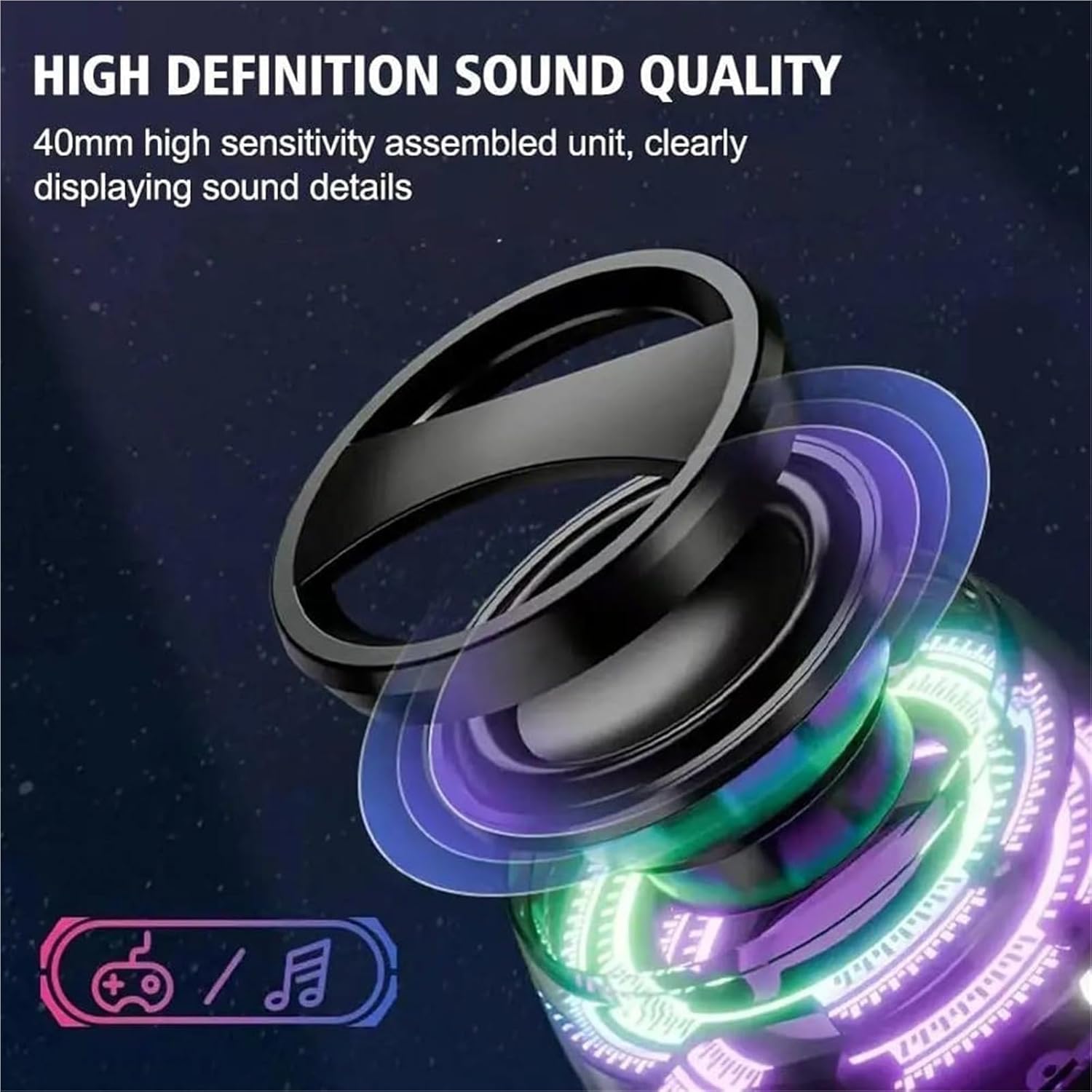
Image: A detailed view of the speaker's internal 40mm dynamic coil, indicating its sound output capabilities.
5. Setup
5.1 Charging the Speaker
Before first use, fully charge the speaker. Connect the charging cable to the speaker's charging port and the other end to a 5V USB power adapter (not included). The charging indicator light will show charging status and turn off when fully charged.
5.2 Power On/Off
- Power On: Press and hold the power button for approximately 3 seconds until you hear an audible prompt and the RGB lights illuminate.
- Power Off: Press and hold the power button for approximately 3 seconds until you hear an audible prompt and the lights turn off.
5.3 Bluetooth Pairing (Single Speaker)
- Ensure the speaker is powered on and in pairing mode (indicated by a flashing light or audible prompt).
- On your device (smartphone, tablet, laptop), enable Bluetooth.
- Search for available Bluetooth devices and select "G200" from the list.
- Once connected, you will hear a confirmation sound. The speaker is now ready for audio playback.

Image: The G200 speaker demonstrating compatibility with multiple devices including phones, tablets, laptops, and gaming consoles.
5.4 True Wireless Stereo (TWS) Pairing (Two Speakers)
To achieve a stereo sound experience, you can pair two G200 speakers together:
- Power on both G200 speakers. Do not connect them to any device via Bluetooth yet.
- Double-click the power button on one of the speakers. It will automatically search for and pair with the other speaker.
- Once successfully paired, you will hear a confirmation sound, and the speakers will indicate Left (L) and Right (R) channels.
- Now, connect your device to one of the paired speakers via Bluetooth as described in section 5.3. Both speakers will play audio in stereo.

Image: Two G200 speakers configured for True Wireless Stereo (TWS) pairing, showing the left and right channel assignment.
6. Operating Instructions
6.1 Audio Playback
- Play/Pause: Short press the power button to play or pause audio.
- Volume Control: Volume is primarily controlled via your connected device.
6.2 RGB Lighting Effects
The speaker features dynamic RGB lighting. The lighting effects typically cycle automatically. Refer to the product packaging or manufacturer's website for specific controls if available, as the provided information does not detail explicit control methods for the RGB lights.
6.3 Magnetic Attachment
The G200 speaker has a magnetic base allowing it to attach to metal surfaces such as refrigerators, whiteboards, or compatible phone cases. For non-magnetic surfaces, use the included magnetic ring:
- Clean the desired non-magnetic surface.
- Peel off the protective film from the adhesive side of the magnetic ring.
- Firmly press the magnetic ring onto the clean surface and hold for a few seconds to ensure adhesion.
- Once the magnetic ring is securely attached, you can magnetically attach the G200 speaker to it.

Image: Examples of the G200 speaker's magnetic attachment feature, demonstrating its versatility for outdoor and everyday use.
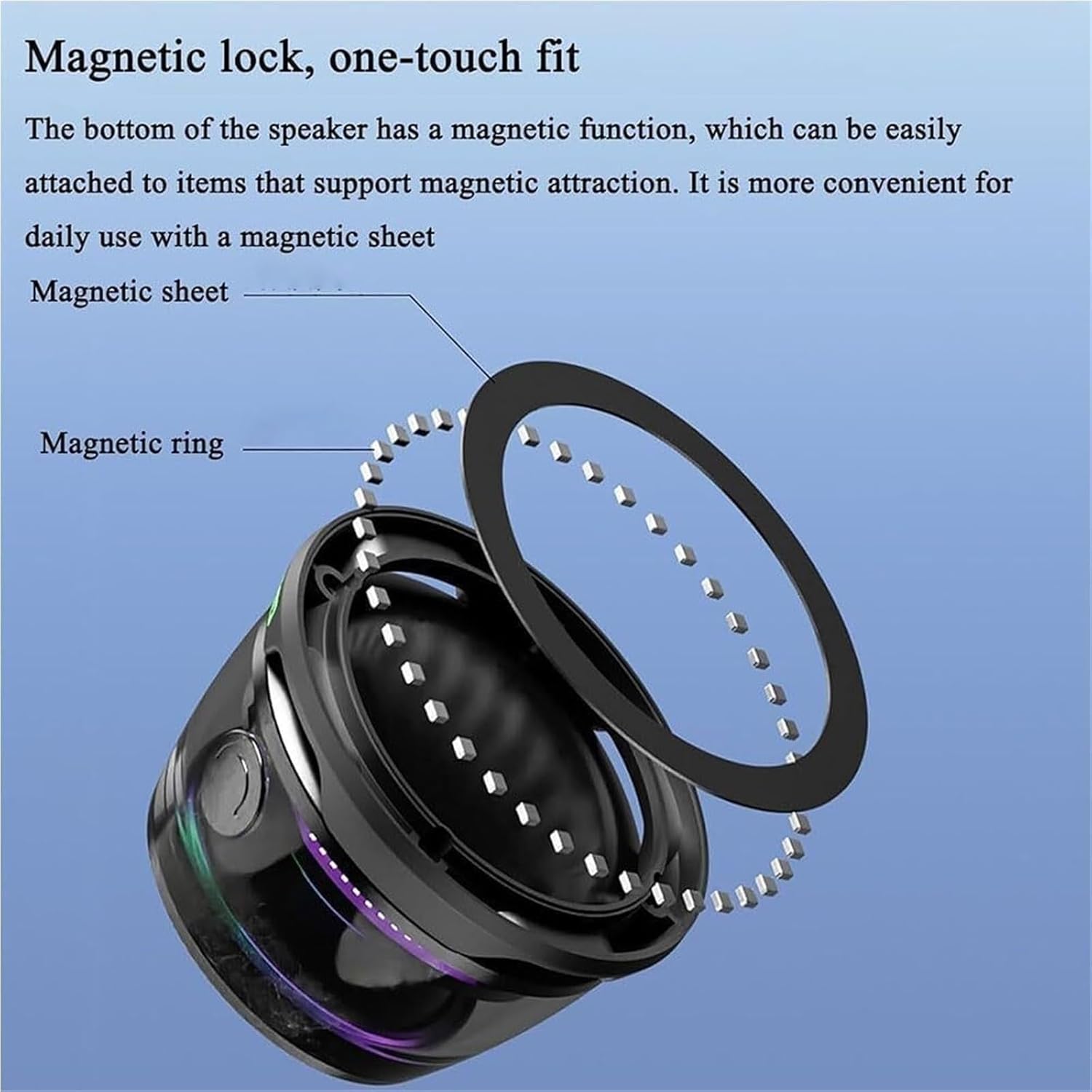
Image: A visual guide to the magnetic lock system, showing the speaker's magnetic bottom and the optional magnetic ring for extended use.
7. Maintenance
- Cleaning: Use a soft, dry cloth to wipe the speaker. Do not use abrasive cleaners or solvents.
- Storage: Store the speaker in a cool, dry place away from direct sunlight and extreme temperatures when not in use for extended periods.
- Battery Care: To prolong battery life, avoid fully discharging the battery frequently. Charge the speaker regularly, even if not in use.
8. Troubleshooting
| Problem | Possible Solution |
|---|---|
| Speaker does not power on. | Ensure the speaker is fully charged. Press and hold the power button for 3 seconds. |
| Cannot pair via Bluetooth. |
|
| No sound or low volume. |
|
| TWS pairing fails. |
|
9. Specifications
| Feature | Detail |
|---|---|
| Model Name | G200 |
| Connectivity | Bluetooth |
| Speaker Unit | 40mm Dynamic Coil |
| Output Power | 3W |
| Frequency Response Range | 250Hz - 15kHz |
| Battery Life | 6-7 hours (playback) |
| Standby Time | 300 hours |
| Waterproof Rating | IPX5 |
| Dimensions | 2.24 x 2.24 x 1.49 inches (5.7 x 5.7 x 3.8 cm) |
| Weight | 75g (2.65 oz) |
| Control Method | Touch (Power button) |
10. Warranty and Support
This product comes with a limited warranty. For detailed warranty information, please refer to the documentation included with your purchase or contact the retailer. For technical support or inquiries, please reach out to the manufacturer or your point of purchase.