
Introduction
This user manual provides comprehensive instructions for the assembly, operation, and maintenance of your jiteentarou Farmhouse TV Stand. Please read this manual thoroughly before beginning assembly or use to ensure safe and proper functionality.
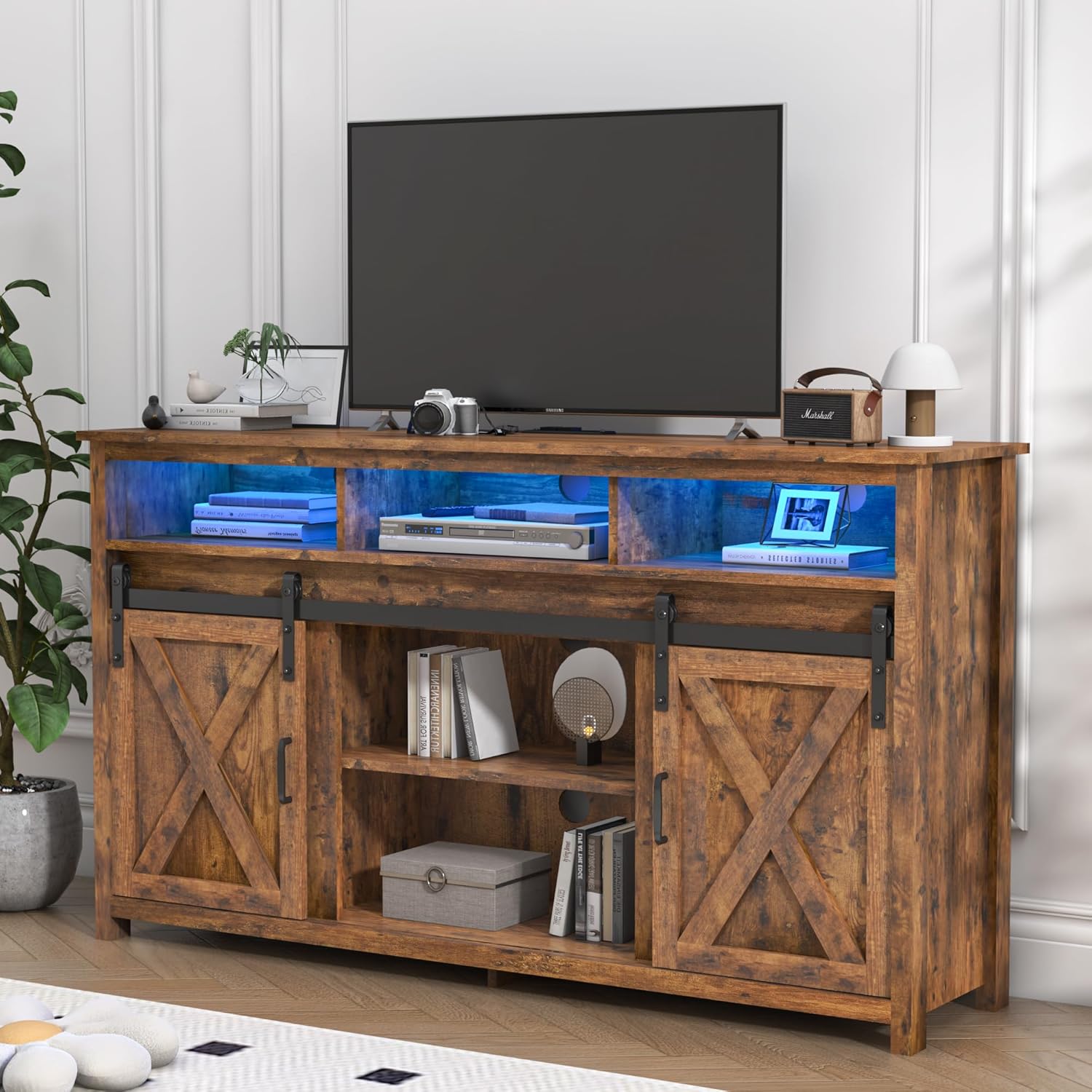
Figure 1: jiteentarou Farmhouse TV Stand (57in Rustic Brown)
This image displays the assembled Farmhouse TV Stand in a living room setting, showcasing its rustic brown finish, sliding barn doors, and the illuminated shelving for media devices and decor.
Safety Information
Adherence to the following safety guidelines is crucial for preventing injury and damage to the product.
- Tipping Hazard: Ensure the TV stand is properly secured to a wall using anti-tip hardware (if included) to prevent accidental tipping, especially in households with children or pets.
- Weight Capacity: Do not exceed the maximum weight capacity of the top surface or shelves. Refer to the specifications section for details. Overloading can cause structural failure.
- Power Outlet Safety: The built-in power outlet is designed for specific electrical loads. Do not overload the power outlet with high-power appliances. Always plug the TV stand into a grounded outlet.
- Assembly: Assemble the unit on a soft, clean surface to prevent scratches. Ensure all fasteners are securely tightened before use. Periodically check and re-tighten fasteners as needed.
- Placement: Place the TV stand on a level, stable surface. Avoid placing it in direct sunlight or near heat sources to prevent material degradation.
- Children: Keep small parts and assembly hardware away from children during assembly.
Setup and Assembly
Assembly of the Farmhouse TV Stand requires careful attention to detail. It is recommended that two adults perform the assembly.
Required Tools (Not Included):
- Phillips Head Screwdriver
- Hammer (for dowels, if applicable)
Before You Begin:
- Unpack all components and hardware. Verify that all parts are present by comparing them with the included parts list in your packaging.
- Lay out all pieces on a soft, clean surface (e.g., a blanket or carpet) to prevent scratching.
- Familiarize yourself with the hardware and components. Each piece is typically labeled with a letter or number.
Assembly Steps:
Follow the step-by-step pictorial instructions provided in the separate assembly guide included with your product. Key stages typically include:
- Attaching cam locks and dowels to panels.
- Assembling the main frame and shelves.
- Installing the back panel.
- Mounting the sliding barn door hardware and doors.
- Installing the built-in power outlet and LED lighting (if applicable).
- Securing the unit to the wall using anti-tip hardware.
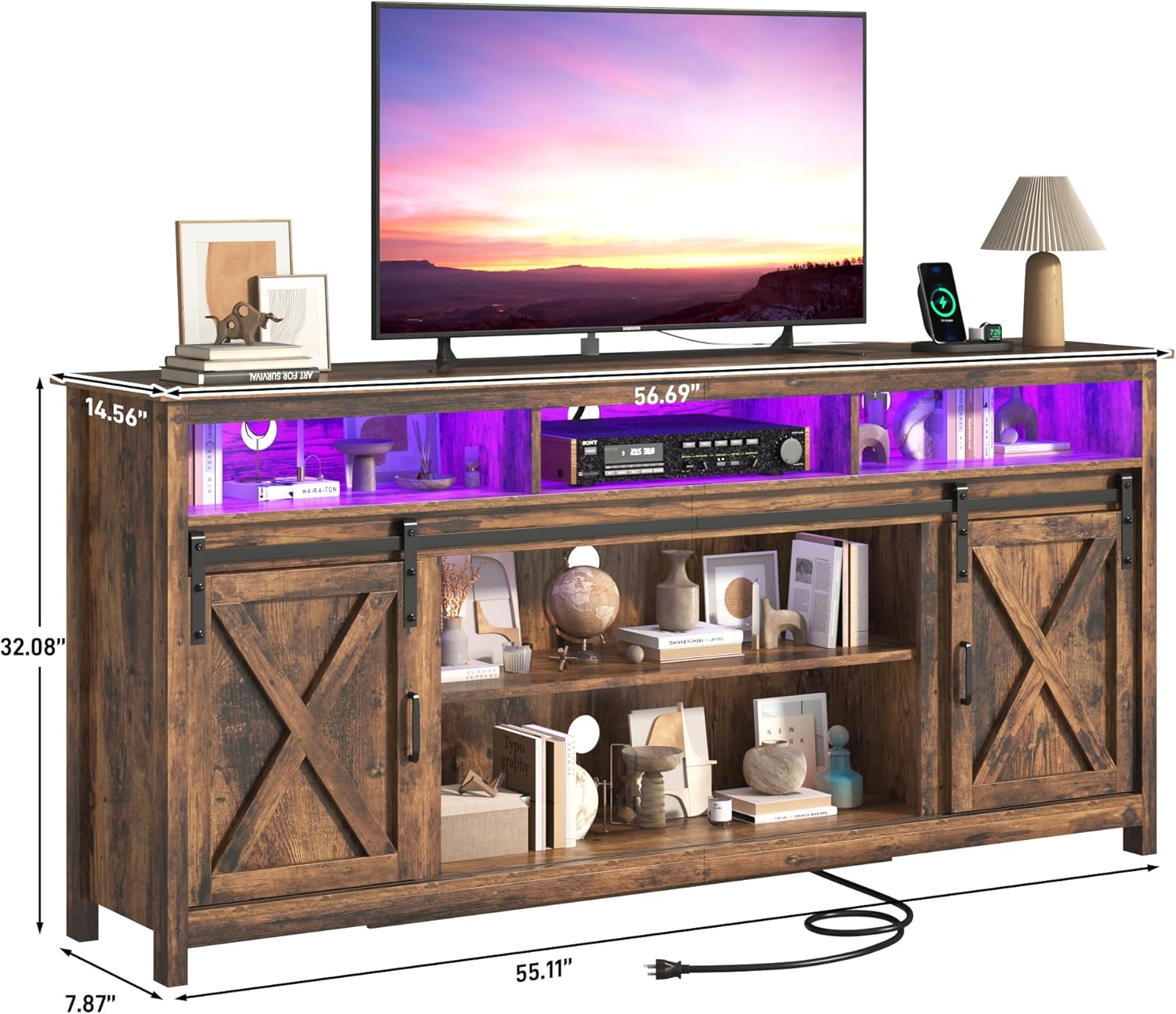
Figure 2: Product Dimensions for Planning
This image provides key dimensions of the TV stand, useful for planning placement and ensuring compatibility with your television and room layout.
Operating Instructions
Using the Sliding Barn Doors:
The TV stand features smooth-gliding barn doors. To open or close a compartment, gently slide the door along its track. The doors can be positioned to cover the side compartments or the central shelving area as desired, allowing flexible access and concealment of media devices or storage.

Figure 3: Key Features - Sliding Door, Adjustable Shelves, Cable Management
This image highlights the functional aspects of the TV stand, including the adjustable shelves for customized storage, the smooth sliding mechanism of the barn doors, and the integrated cable management hole for organized wiring.
Utilizing the Built-in Power Outlet:
The integrated power outlet provides convenient access to power for your electronic devices. Plug the TV stand's power cord into a standard wall outlet. You can then plug your TV, media players, gaming consoles, or other devices directly into the outlets on the TV stand. This feature helps reduce cable clutter.
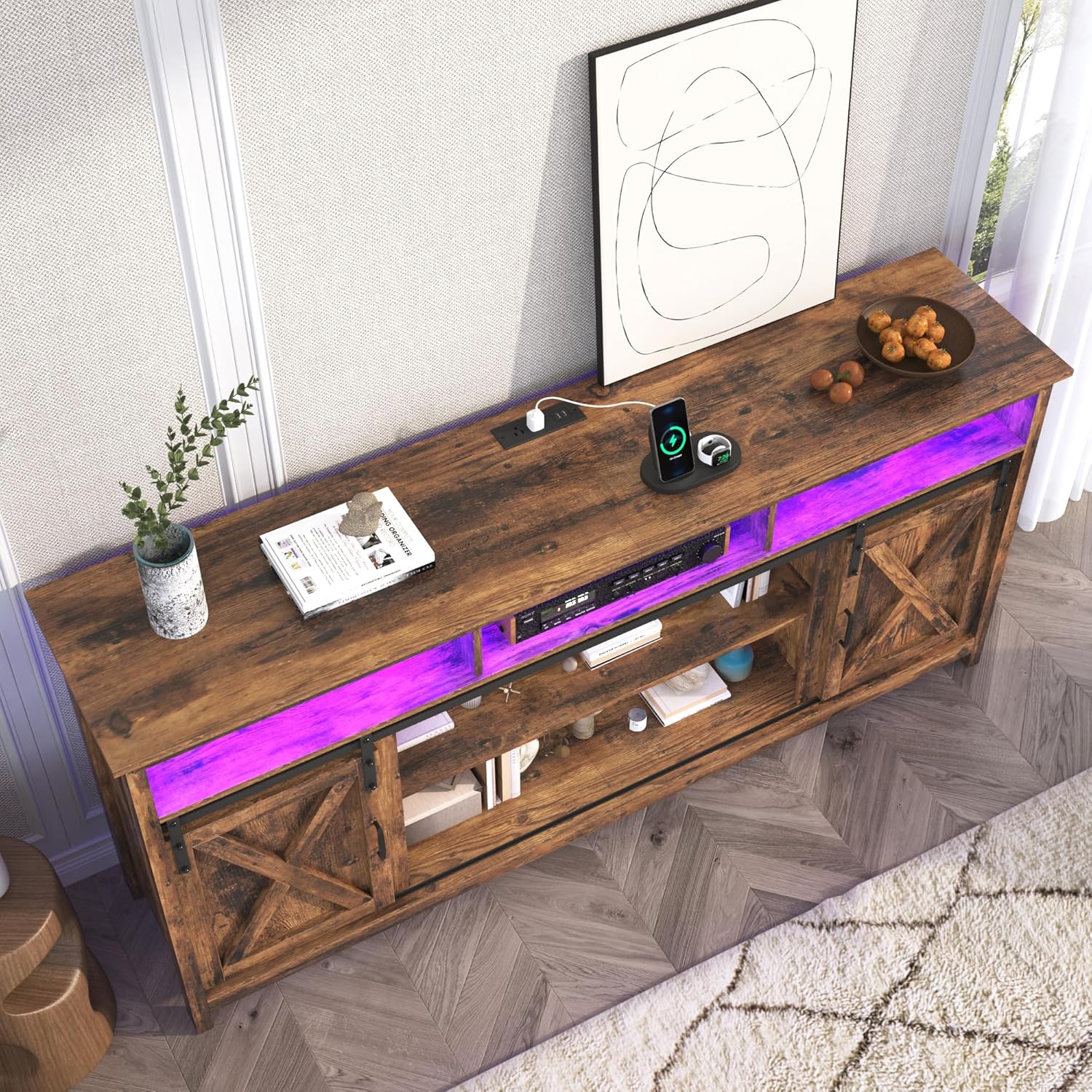
Figure 4: Built-in Power Outlet and Charging Features
This image provides a top-down view of the TV stand, clearly showing the integrated power strip with multiple outlets, USB ports, and a wireless charging area, designed for convenient device connectivity.
Adjustable Shelves:
The interior shelves are adjustable, allowing you to customize the storage space to fit various items, from tall media devices to stacks of books. To adjust, remove the shelf, reposition the shelf pins to the desired height, and reinsert the shelf.
Cable Management:
Utilize the pre-drilled cable management holes on the back panel to route and organize your device cables, maintaining a tidy appearance and preventing tangles.
Maintenance and Care
Proper care will extend the life and appearance of your TV stand.
- Cleaning: Wipe surfaces with a soft, damp cloth. Avoid using harsh chemicals, abrasive cleaners, or polishes that may damage the finish.
- Spills: Immediately wipe up any spills to prevent moisture damage or staining.
- Hardware: Periodically check all screws, bolts, and fasteners to ensure they remain tight. Re-tighten as necessary to maintain structural integrity.
- Sliding Doors: Keep the sliding tracks free of dust and debris to ensure smooth operation. A dry cloth or soft brush can be used for cleaning the tracks.
- Environmental Conditions: Avoid extreme temperature changes or high humidity, which can cause wood to warp or crack.
Troubleshooting
This section addresses common issues you might encounter.
| Problem | Possible Cause | Solution |
|---|---|---|
| Unit is wobbly or unstable. | Loose fasteners; uneven floor; incorrect assembly. | Ensure all screws and bolts are fully tightened. Move the unit to a level surface or use shims under the legs. Review assembly instructions. |
| Sliding doors stick or do not move smoothly. | Debris in track; misaligned track/rollers; damaged hardware. | Clean the track thoroughly. Check that the track and rollers are correctly installed and aligned. Inspect for any damaged parts. |
| Built-in power outlet is not working. | Not plugged into wall; tripped circuit breaker; faulty outlet. | Ensure the TV stand's power cord is securely plugged into a functional wall outlet. Check your home's circuit breaker. If issues persist, discontinue use and contact customer support. |
| Missing parts during assembly. | Packaging error; parts misplaced during unpacking. | Carefully re-check all packaging materials. Contact customer support with the specific part number(s) from the assembly manual. |
Specifications
| Feature | Detail |
|---|---|
| Brand | jiteentarou |
| Model | 57in Rustic Brown (B0DL9T2F6R) |
| Dimensions (L x W x H) | 56.7 x 14.6 x 31.9 inches |
| Item Weight | 100 pounds |
| Material | Engineered Wood |
| Color | Rustic Brown |
| Special Features | Sliding Door, Built-in Power Outlet, Adjustable Shelves |
| Number of Shelves | 3 |
| Assembly Required | Yes |
Warranty and Support
For warranty information, please refer to the documentation included with your purchase or contact the manufacturer directly. If you require assistance with assembly, missing parts, or have any questions regarding your jiteentarou Farmhouse TV Stand, please contact jiteentarou customer support.
Manufacturer: jiteentarou
Contact: Please visit the jiteentarou store on Amazon for contact details or support options: jiteentarou Store