
1. Product Overview
The exsulity AI Language Translator Earbuds are designed to break down language barriers, offering real-time translation in up to 144 languages. These earbuds combine advanced translation technology with high-quality audio for music and calls, providing a versatile and user-friendly experience for travel, business, and everyday communication. They feature a lightweight design and intuitive touch controls.

Image: exsulity AI Language Translator Earbuds in their charging case.
Video: An overview of the exsulity Language Translator Earbuds, demonstrating their features and ease of use.
2. What's in the Box
- 2 x Language Translator Earbuds (Left and Right)
- 1 x Charging Compartment
- 1 x Data Cable (for charging)
- 1 x Headset Instruction Manual (this document)
- 1 x Translation App Instruction Manual
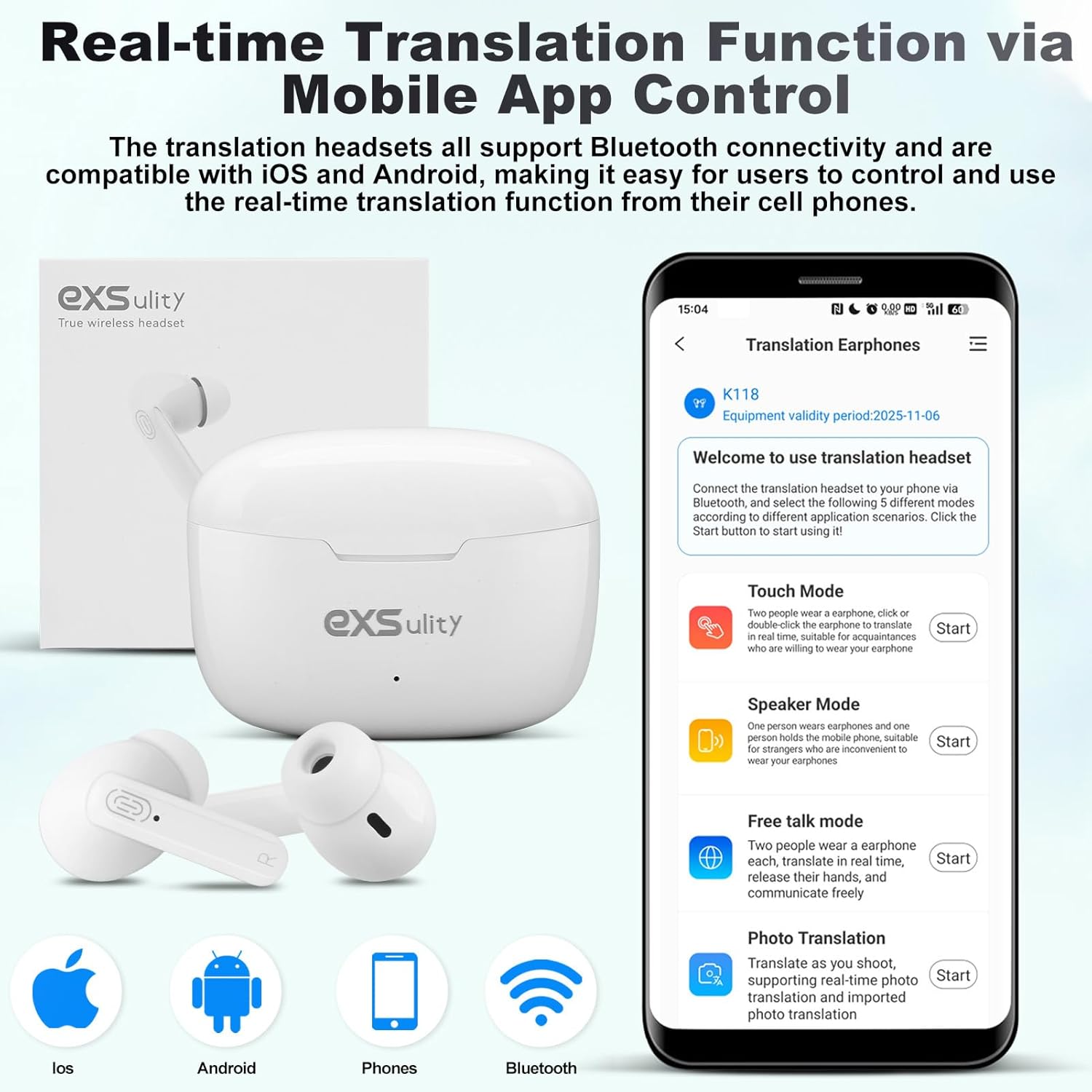
Image: The exsulity earbuds, charging case, and a smartphone displaying the companion app, illustrating the product and its primary interface.
3. Setup Guide
3.1. Initial Pairing
- Ensure the earbuds are charged.
- Open the charging case. The earbuds will automatically enter pairing mode.
- On your smartphone (iOS or Android), go to Bluetooth settings and search for available devices.
- Select "Y113" (or similar name) from the list to connect. A voice prompt will confirm "Connected".
3.2. App Download and Activation
To utilize the full translation capabilities, download the dedicated app:
- Locate the QR code on the product packaging or the separate Translation App Instruction Manual.
- Scan the QR code with your smartphone's camera. This will direct you to the App Store (iOS) or Google Play Store (Android) to download the "WOOASK" app.
- Install and open the WOOASK app.
- Create a new account within the app to activate the online translation function.
- Ensure your earbuds are connected via Bluetooth to your phone before activating the app. Note: One translation headset corresponds to one account. Changing headsets or accounts during use may require additional payment for online translation services.

Image: The earbuds alongside a visual representation of the 144 languages supported for online translation.
4. Operating Modes
The exsulity translator earbuds offer five distinct translation modes to suit various communication scenarios:
- Touch Mode: Ideal for close conversations. Two people each wear one earbud. Click or double-click on the earbud to initiate real-time translation. Suitable for acquaintances willing to share an earbud.
- Speaker Mode: One person wears an earbud, and the other person holds the mobile phone. This mode is convenient for strangers or situations where sharing earbuds is not practical.
- Free Talk Mode: Both users wear an earbud, allowing for continuous real-time translation without needing to press buttons. This mode facilitates natural, free-flowing conversations.
- Photo Translation: Translate text from images by taking a photo through the app. Supports real-time photo translation and importing existing photos.
- Offline Mode (Paid Feature): For translation without an internet connection. Requires purchasing and downloading specific language packs within the app.
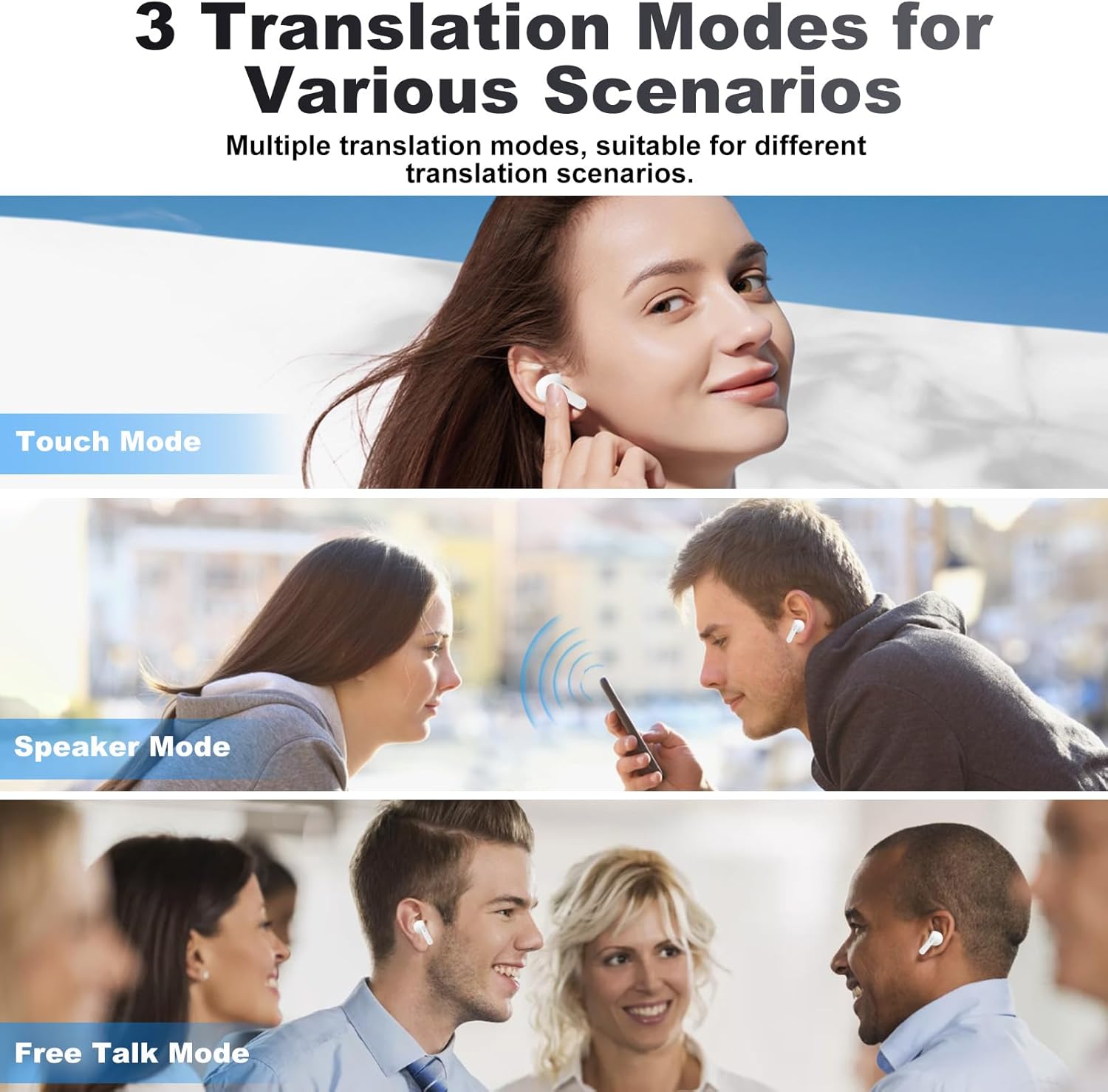
Image: Visual guide demonstrating the three primary translation modes: Touch, Speaker, and Free Talk.

Image: Individuals utilizing the intelligent voice translation feature of the earbuds for seamless communication.
5. Music and Call Functions
Beyond translation, these earbuds deliver HD stereo sound for music and clear calls thanks to their omni-directional silicone microphone.
5.1. Music Playback
- Play/Pause: Press the touch area on either earbud once.
- Next Song: Press the touch area on either earbud twice.
5.2. Phone Calls
- Answer/End Call: Press the touch area on either earbud once.
- Reject Call: Press and hold the touch area on either earbud for 2 seconds.

Image: The earbuds highlighting their multi-functional capabilities for translation, music, and phone calls.
6. Battery and Charging
The earbuds provide reliable battery life for extended use:
- Approximately 3 hours of continuous translation use.
- Up to 480 hours of standby time.
6.1. Charging Instructions
- Place the earbuds into the charging compartment.
- Connect the provided data cable to the charging compartment and a suitable USB power source.
- The indicator light on the charging case will show charging status.
- When the battery is low during use, a beep sound will occur every 30 seconds.
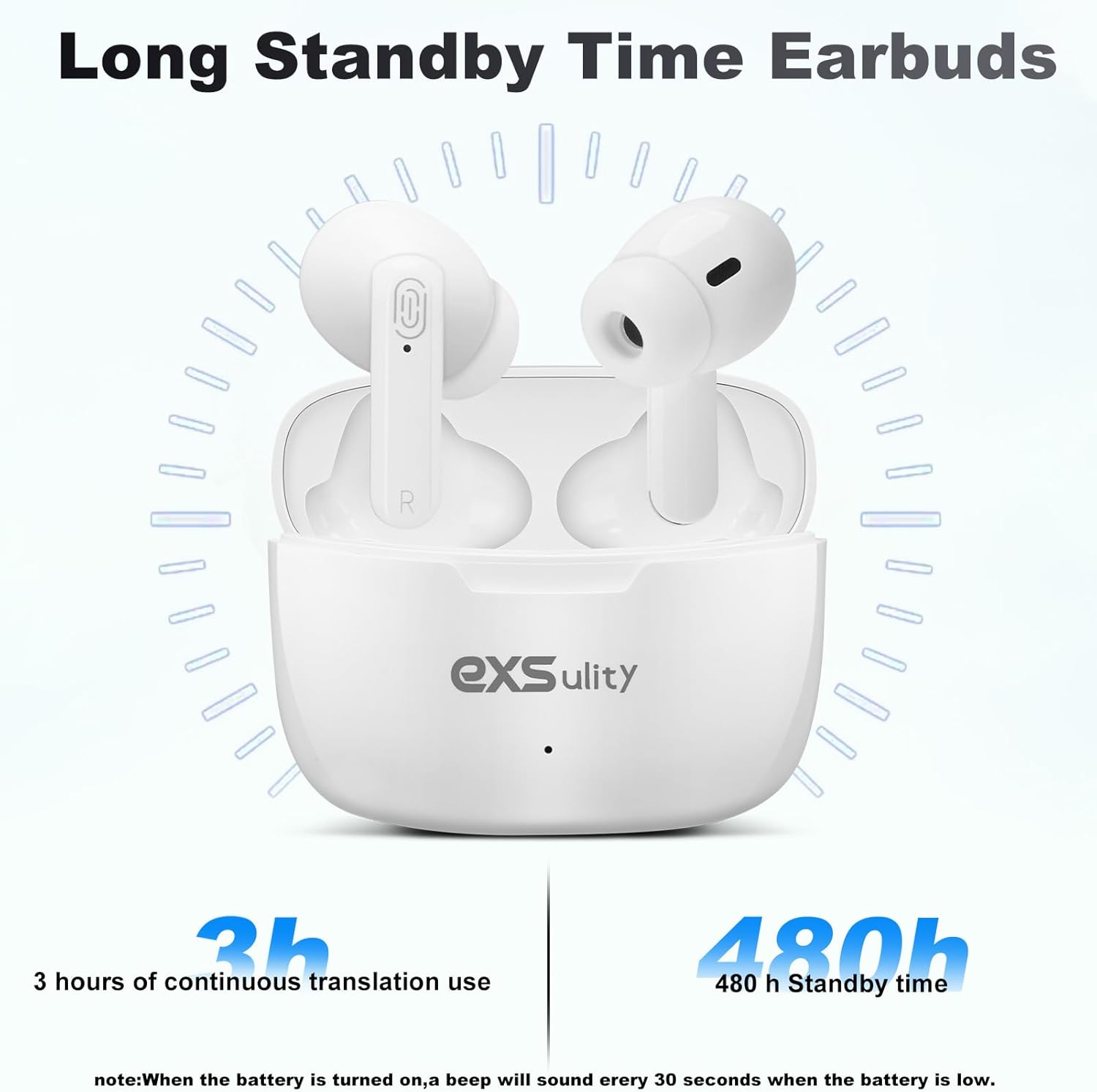
Image: Battery life indicators for the earbuds, showing continuous translation and standby times.
7. Troubleshooting
- Earbuds not connecting to app/requiring payment for online translation: Ensure the earbuds are connected via Bluetooth to your phone first. Then, open the WOOASK app and verify that the device name at the top is 'Y113'. If not, re-check the Bluetooth connection. The online function is free, but offline functions require separate language pack purchases. Each headset is tied to one account; avoid changing headsets or accounts during use to prevent potential charges for online translation.
- No sound from earbuds: Check if the earbuds are properly paired and connected to your device. Ensure the volume is turned up on both the earbuds and your device.
- Translation accuracy issues: Ensure a stable internet connection for online translation. Speak clearly and at a moderate pace. Check that the correct source and target languages are selected in the app.
- Earbuds not charging: Verify that the charging cable is securely connected to both the case and the power source. Ensure the charging case itself has power. Clean the charging contacts on both the earbuds and the case.
- App crashing or freezing: Close and restart the app. Ensure your phone's operating system and the WOOASK app are updated to the latest versions.
8. Specifications
| Feature | Detail |
|---|---|
| Model Number | exsulity-xcz01 |
| Manufacturer | exsulity |
| Package Dimensions | 9.37 x 3.94 x 1.46 inches |
| Item Weight | 3.87 ounces |
| Date First Available | October 28, 2024 |
| Translation Languages | 144 (Online) |
| Translation Accuracy | Up to 99% |
| Connectivity | Bluetooth (iOS & Android compatible) |
| Continuous Translation Use | Approx. 3 hours |
| Standby Time | Approx. 480 hours |
9. Maintenance
To ensure the longevity and optimal performance of your exsulity AI Language Translator Earbuds, follow these maintenance guidelines:
- Cleaning: Regularly wipe the earbuds and charging case with a soft, dry, lint-free cloth. Do not use abrasive cleaners, alcohol, or chemical solvents.
- Storage: Store the earbuds in their charging case when not in use to protect them from dust and damage. Keep them in a cool, dry place away from direct sunlight and extreme temperatures.
- Avoid Water: The earbuds are not waterproof. Avoid exposure to water, rain, or excessive moisture.
- Charging: Use only the provided charging cable and a compatible power adapter. Avoid overcharging or completely draining the battery for extended periods.
10. Warranty and Support
For warranty information, product support, or technical assistance, please contact exsulity customer service. Refer to the contact details provided on the product packaging or the official exsulity website.
When contacting support, please have your product model number (exsulity-xcz01) and purchase details readily available.