
Retekess TD113
Retekess TD113 Restaurant Pager System User Manual
Model: TD113
Introduction
The Retekess TD113 Restaurant Pager System is designed to enhance communication and efficiency in fast-paced service environments. This system includes a stylish watch receiver and multiple call buttons, providing immediate connectivity and reliable performance. This manual provides detailed instructions for setting up, operating, and maintaining your TD113 system.

Image: The Retekess TD113 system, showing one watch pager and ten red call buttons.
Components Included
Your Retekess TD113 package includes the following items:
- 1 x Watch Pager (Watch face)
- 10 x T117 Call Buttons
- 10 x Stickers
- 1 x USB Magnetic 4PIN Charging Cable
- 1 x Transparent PC Case
- 1 x Watch Strap
- 1 x User Manual

Image: All components included in the Retekess TD113 package, laid out clearly.
Setup
1. Charging the Devices
Before first use, ensure both the watch pager and call buttons are fully charged.
- Watch Pager: Use the provided USB magnetic 4PIN charging cable. Align the charger with the magnetic contacts on the back of the watch. A full charge provides approximately 48 hours of standby time.
- Call Buttons: The call buttons are powered by a 17mAh battery, offering up to 6 months of working time on a single charge. Refer to the specific instructions for initial activation or battery replacement if needed.
2. Pairing and Connection
The watch receiver connects seamlessly with the call buttons. The system offers an effective communication range of up to 80 meters (262 feet).

Image: Diagram illustrating the easy connection between the watch pager and a call button, highlighting the 80m/262ft communication range.
Follow the instructions in the included user manual for specific pairing procedures to ensure all call buttons are correctly registered with the watch pager.
3. Wearing Styles
The watch pager offers versatile wearing options to suit your preference and work environment:
- Strap: Wear it like a traditional wristwatch using the provided strap.
- Clip: Attach it to your clothing using the integrated clip on the back.
- Lanyard: Use a detachable lanyard (not included) for neck wear.

Image: Three examples of wearing the watch pager: on the wrist with a strap, clipped to an apron, and worn around the neck with a lanyard.
Operating Instructions
1. Watch Pager Display
The watch pager features a 1.67-inch TFT 240*280 color screen with narrow bezels, providing a rich visual experience and clear display of information.

Image: Close-up of the watch pager display, highlighting its 1.67-inch size, TFT 240x280 color screen, and narrow bezels.
2. Call Button Usage
Each call button typically includes functions such as 'Call', 'Pay', 'Order', and 'Cancel'. Pressing the relevant button sends an immediate signal to the watch pager.
3. Reminder Modes
Customize how you receive alerts from the watch pager. Available reminder modes include:
- Buzzer (Audible alert)
- Vibration (Tactile alert)
- Buzzer + Vibration (Combined alert)
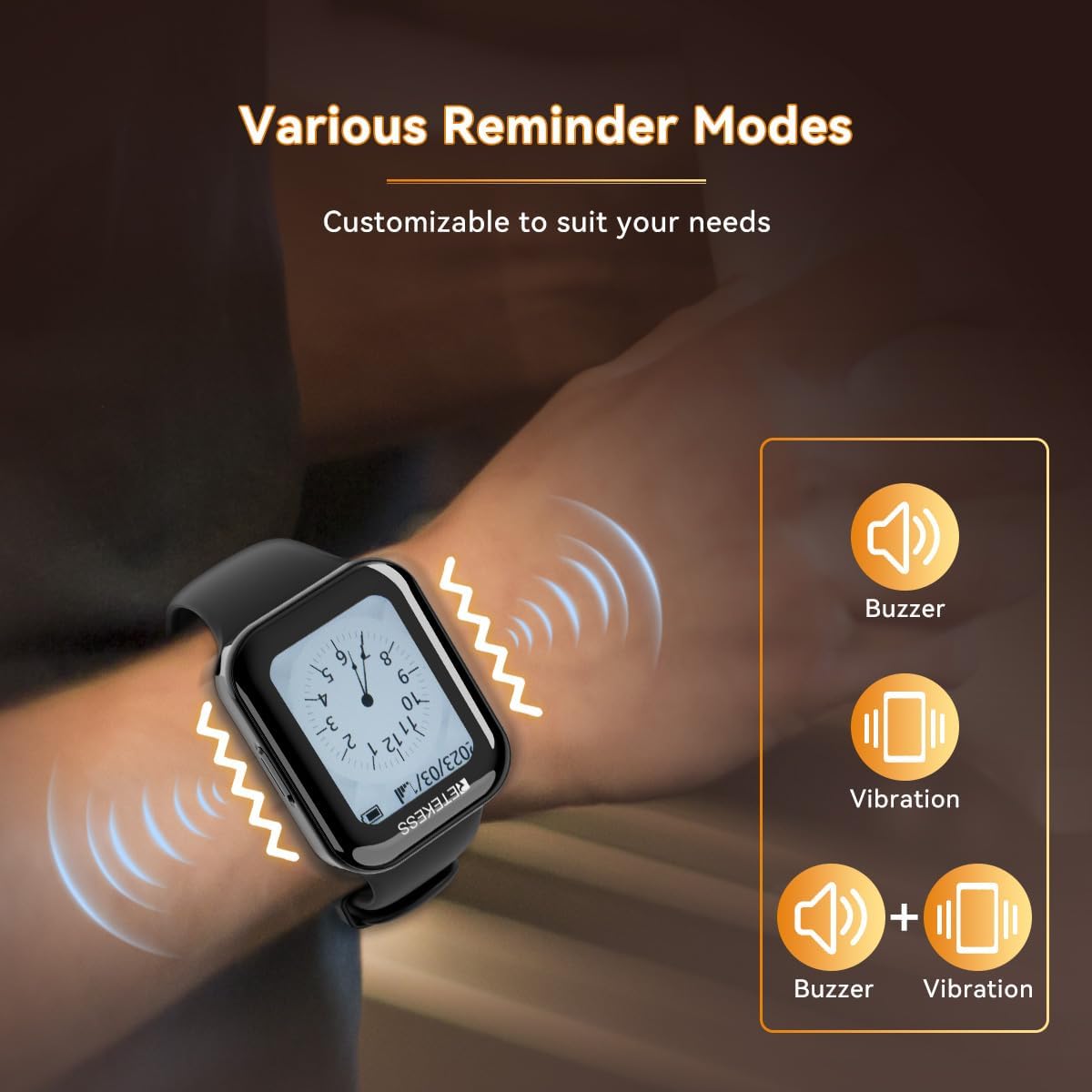
Image: A hand wearing the watch pager, with visual cues indicating buzzer and vibration reminder modes.
4. Flexible Volume Control
Adjust the volume of the watch pager to your preferred level, ensuring clear communication without disturbing others.
5. Accessing Call Logs
The watch pager allows easy access to call logs, ensuring that no detail is overlooked and improving team coordination.

Image: The watch pager screen showing a list of call logs, indicating different service requests.
6. Customization
Personalize your watch pager with 11 different dial styles to match your preference or the ambiance of your establishment.
Maintenance
1. Water Resistance
The watch pager is equipped with an IP67 waterproof rating, providing protection against splashes, spills, and accidental immersion. This ensures continuous efficiency and reliability in various environments.

Image: The watch pager being exposed to water, demonstrating its IP67 waterproof capability.
2. Battery Life
The watch pager features a powerful 500mAh battery, offering up to 48 hours of standby time. The call buttons have a low working current of 17mA, providing an extended battery life of up to 6 months.

Image: Visual representation of the watch pager's 48-hour battery life and the call button's 6-month battery life.
3. Cleaning
To clean the devices, use a soft, damp cloth. Avoid using harsh chemicals or abrasive materials that could damage the surfaces.
Troubleshooting
If you encounter issues with your Retekess TD113 system, please refer to the following common problems and solutions:
| Problem | Possible Cause | Solution |
|---|---|---|
| Watch pager not receiving calls. | Out of range, low battery, or not paired. | Ensure devices are within 80m range. Charge watch pager. Re-pair call buttons if necessary. |
| Call button not responding. | Low battery or button malfunction. | Check call button battery. If battery is not replaceable, consider replacing the button. |
| Display is dim or unreadable. | Low battery or brightness setting. | Charge watch pager. Adjust brightness settings on the watch. |
| Notifications are too small. | Display font size setting. | Check watch pager settings for display or font size options. (Note: Some users have reported this as a limitation.) |
Specifications
| Feature | Detail |
|---|---|
| Manufacturer | Retekess |
| Model Number | TD113 |
| Dimensions (L x W x H) | 23 x 20.5 x 12.5 cm |
| Weight | 465 grams |
| Watch Pager Battery | 500 mAh Lithium-ion (included) |
| Call Button Battery | 17 mAh working current (included) |
| Waterproof Rating | IP67 |
| Communication Range | 80m / 262ft |
| Display Type | 1.67 inch TFT Color Screen (240*280) |
Warranty and Support
For warranty information and customer support, please refer to the documentation provided with your purchase or visit the official Retekess website. Retekess is committed to providing professional support and innovation in wireless communication technology.
You can also visit the Retekess Store on Amazon for more information and contact options.
Ask a question about this manual
Ask about setup, troubleshooting, compatibility, parts, safety, or missing instructions. Manuals+ will review the question and use this page’s manual context to help answer it.