
1. Introduction
Thank you for purchasing the Patikuin 63" W Black Dresser TV Stand. This manual provides essential information for the safe assembly, operation, and maintenance of your new furniture. Please read these instructions carefully before beginning assembly and retain them for future reference.
2. Product Overview
The Patikuin 63" W Black Dresser TV Stand is a versatile furniture piece designed to accommodate televisions up to 75 inches while providing extensive storage. It features a sturdy metal frame, a durable wooden top, and 14 fabric drawers for organizing various items.
Key Features:
- 14 Fabric Drawers: Offers ample storage with two types of drawers for organized separation of items like clothing, blankets, remotes, and media.
- Integrated Power Outlets: Equipped with 2 AC outlets and 2 USB ports on the tabletop for convenient charging of electronic devices.
- Durable Construction: Features a high-quality fabric and sturdy wooden top, supported by a robust steel frame.
- Anti-Tip Kit: Includes an anti-tip kit to secure the unit to a wall, enhancing safety and stability.
- Versatile Design: Suitable for use as a TV stand in bedrooms or living rooms, or as a storage dresser in various spaces such as dorms, closets, nurseries, or hallways.
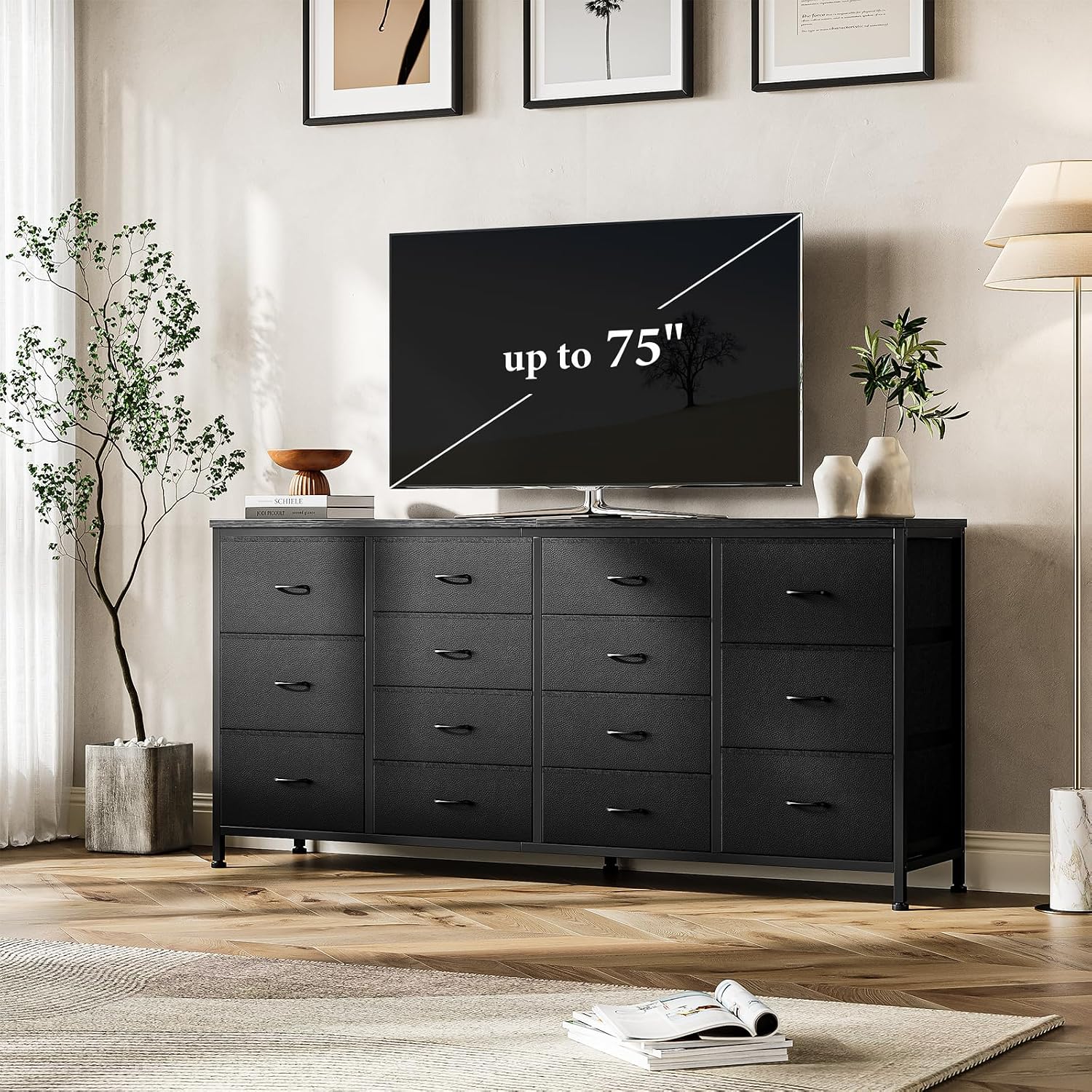
Image 2.1: The Patikuin 63" W Black Dresser TV Stand in a living room setting, supporting a large television.
Dimensions:
- Overall Size: 63" W x 13.8" D x 29.5" H
- Small Drawer Interior: 14.6" W x 13.8" D x 5.9" H (approximate)
- Large Drawer Interior: 14.6" W x 13.8" D x 8" H (approximate)
- Top Weight Capacity: 110 lbs

Image 2.2: Detailed dimensions of the dresser TV stand, including overall size and individual drawer capacities.

Image 2.3: An illustration demonstrating the storage capacity of the 14 fabric drawers for different types of items.
3. Safety Information
- Always install the included anti-tip kit to prevent accidental tipping, especially in households with children or pets.
- Do not exceed the maximum weight capacity of the top surface (110 lbs) or individual drawers.
- Ensure the unit is placed on a flat, stable, and level surface.
- Keep small parts and packaging materials away from children during assembly.
- Do not stand or climb on the unit.
- Periodically check all connections and fasteners to ensure they remain tight.
- Avoid placing hot items directly on the wooden top surface without protection.
4. Package Contents
Before assembly, verify that all components listed below are present and undamaged.
- 1 x 14 Drawers Dresser Frame and Top
- 1 x Accessory Kit (hardware)
- 1 x Anti-Tip Kit
- 1 x Instructions Manual (this document)
5. Setup and Assembly
Assembly of this unit is designed to be straightforward. Please follow the step-by-step instructions provided in the included accessory kit. It is recommended to have a clear, spacious area for assembly.
General Assembly Steps:
- Unpack all components and lay them out on a soft, clean surface to prevent scratches.
- Identify all parts using the provided parts list in the accessory kit.
- Assemble the metal frame structure according to the diagrams. Pay close attention to the orientation of each piece, especially the bottom brackets, to ensure proper alignment.
- Attach the wooden top to the assembled frame.
- Assemble the fabric drawers by inserting the bottom panels and handles.
- Insert the assembled drawers into the frame.
- Install the anti-tip kit by securing the unit to a wall stud using the provided hardware. This step is crucial for safety.
- Adjust the leveling feet at the bottom of the unit to ensure stability on uneven floors.
Estimated assembly time: Approximately 30-45 minutes.
6. Operating Instructions
Using the Integrated Power Outlets:
The dresser TV stand includes a built-in power strip with 2 standard AC outlets and 2 USB charging ports. To use these, ensure the power cord extending from the unit is securely plugged into a functional wall outlet.
- Plug your electronic devices into the AC outlets for power.
- Connect your USB charging cables to the USB ports to charge compatible devices such as smartphones, tablets, or smartwatches.
- Avoid overloading the power strip. Refer to the power strip's specifications for maximum wattage.
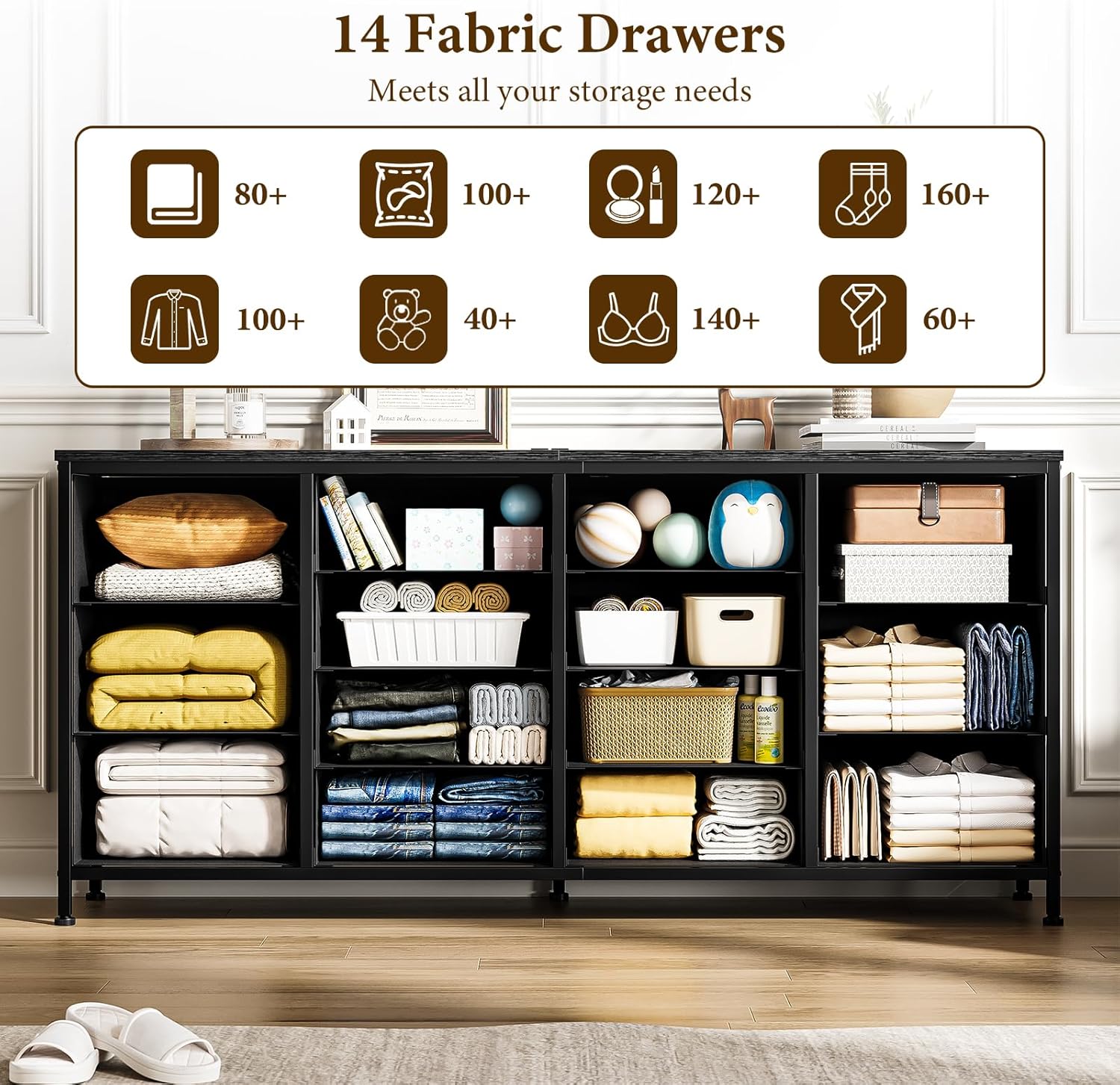
Image 6.1: A close-up view of the desktop power outlets, showing 2 AC and 2 USB ports in use.
7. Maintenance
Cleaning:
- Wooden Top: Wipe with a soft, damp cloth. Avoid harsh chemicals or abrasive cleaners. Dry immediately.
- Fabric Drawers: Spot clean with a mild detergent and a damp cloth. Allow to air dry completely. Do not machine wash.
- Metal Frame: Wipe with a soft, dry or slightly damp cloth.
General Care:
- Periodically check all screws and fasteners to ensure they are tight. Re-tighten if necessary.
- Avoid exposing the unit to direct sunlight or extreme temperature changes to prevent material damage.
- Do not drag the unit when moving it; always lift to prevent damage to the legs and frame.
8. Troubleshooting
| Problem | Possible Cause | Solution |
|---|---|---|
| Parts do not align during assembly. | Incorrect orientation of frame components (e.g., bottom brackets). | Review the assembly diagrams carefully. Disassemble the affected section and reassemble, ensuring all parts face the correct direction as shown in the instructions. |
| Unit is wobbly or unstable. | Loose fasteners or uneven floor. | Tighten all screws and bolts. Adjust the leveling feet at the bottom of the unit until it is stable. Ensure the anti-tip kit is properly installed. |
| Power outlets are not working. | Power cord not plugged in, wall outlet not functional, or overloaded circuit. | Ensure the dresser's power cord is fully plugged into a working wall outlet. Test the wall outlet with another device. Check if the power strip is overloaded; unplug some devices. |
| Drawers do not slide smoothly. | Drawer not assembled correctly or obstruction. | Ensure the fabric drawers are fully assembled with the bottom panel inserted correctly. Check for any items obstructing the drawer's movement within the frame. |
9. Specifications
| Brand | Patikuin |
| Model Name | FabricDresser_PHO_16OGXTT0f6 |
| Color | Black |
| Material | Fabric Removable Drawers, Wood Table Top, Steel Frame |
| Item Dimensions (D x W x H) | 13.8 x 63 x 29.5 inches |
| Item Weight | 43.43 Pounds |
| Assembly Required | Yes |
| Included Components | 1 x 14 Drawers Dresser, 1 x Accessory Kit, 1 x Anti-Tip Kit, 1 x Instructions |
| UPC | 198723140179 |
10. Warranty and Support
For any questions, missing parts, or assistance with assembly or operation, please contact Patikuin customer support. Refer to your purchase documentation or the Patikuin brand store on Amazon for contact information.
Please retain your proof of purchase for any warranty claims.