1. Introduction
This manual provides instructions for the proper installation, operation, and maintenance of your new phone case for the Honor X8 4G. This case is designed to offer robust protection and enhanced functionality for your device.
Key Features:
- Multi-Layer Protection: Constructed with a durable PC (Polycarbonate) backplate and a soft TPU (Thermoplastic Polyurethane) shell to absorb impacts and protect against drops.
- Integrated Ring Stand: Features a built-in ring stand for convenient hands-free viewing in both landscape and portrait orientations.
- Camera Lens Slide Cover: A sliding mechanism provides protection for your phone's camera lenses when not in use.
- Magnetic Compatibility: Includes an integrated magnetic iron sheet for secure attachment to magnetic car mounts.
- Precise Cutouts: Designed with accurate cutouts for full access to all ports, buttons, and camera functions.
2. Setup Instructions
Follow these steps to properly install the phone case on your Honor X8 4G device:
- Ensure your Honor X8 4G phone is clean and free of dust or debris.
- Align the phone with the case, starting with one side.
- Gently press the phone into the case, ensuring all corners and edges are securely fitted. The flexible TPU material allows for easy installation.
- Verify that all cutouts for the camera, charging port, speakers, and buttons are correctly aligned and accessible.

Figure 2.1: General view of the Honor X8 4G phone case, illustrating its design and fit.
3. Operating Instructions
3.1. Using the Integrated Ring Stand
The built-in ring stand provides a convenient way to prop up your phone for hands-free viewing.
- To deploy the stand, gently pull the ring outwards from the back of the case until it clicks into position.
- Adjust the angle of the stand to your preferred viewing position. The stand supports both vertical (portrait) and horizontal (landscape) orientations.
- To retract the stand, push it back into the case until it lies flat and flush with the case surface.

Figure 3.1: Phone case with kickstand extended for landscape viewing.

Figure 3.2: Phone case with kickstand extended for vertical viewing.

Figure 3.3: Examples of hands-free use, including selfies, live streaming, watching movies, and office work.
3.2. Using the Camera Lens Slide Cover
The case features a sliding cover to protect your phone's camera lenses from scratches and dust when not in use.
- To cover the camera lenses, gently slide the cover horizontally until it completely conceals the camera module.
- To use the camera, slide the cover back to expose the lenses.
- The slide cover is designed to move smoothly while maintaining a secure fit to prevent accidental opening or loosening.
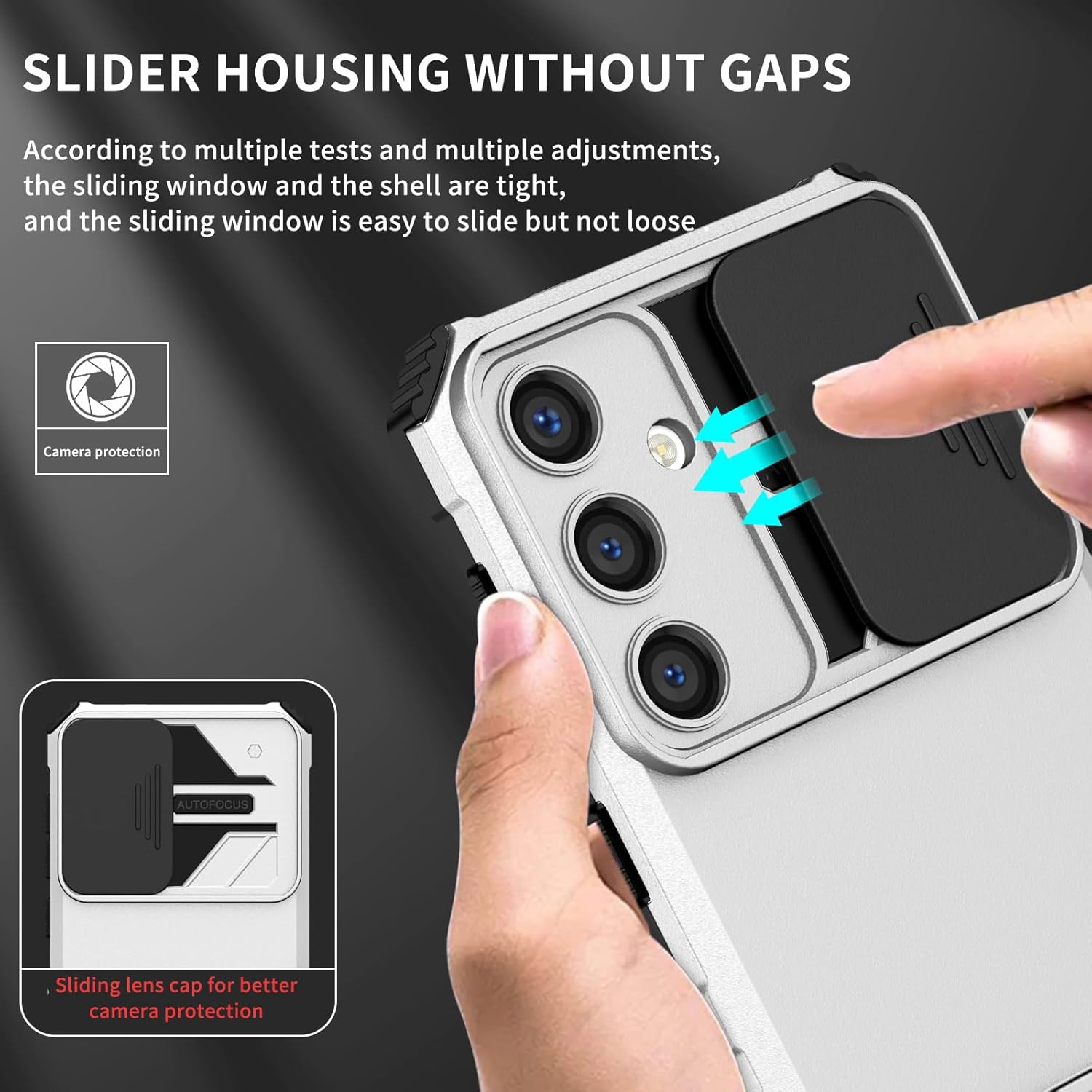
Figure 3.4: Illustration of the camera lens slide cover in action, showing its protective function.
3.3. Magnetic Functionality
The integrated magnetic iron sheet on the back of the case allows for easy and secure attachment to compatible magnetic car mounts. Simply place the back of the phone case onto a magnetic car mount for hands-free navigation or media viewing while driving.
4. Maintenance
To ensure the longevity and appearance of your phone case, follow these maintenance guidelines:
- Cleaning: Wipe the case regularly with a soft, damp cloth. For stubborn dirt, a mild soap solution can be used. Avoid harsh chemicals or abrasive cleaners, as these can damage the material.
- Avoid Extreme Temperatures: Do not expose the case to extreme heat or cold, as this may affect its material integrity and fit.
- Inspect Regularly: Periodically check the case for any signs of wear or damage, especially around the ring stand and camera slide mechanism.
5. Troubleshooting
Here are solutions to common issues you might encounter:
- Issue: The ring stand feels loose or does not stay in position.
Solution: Ensure the stand is fully extended or fully retracted until it clicks. If the issue persists after prolonged use, the hinge may have worn. - Issue: The camera slide cover is stiff or difficult to move.
Solution: Ensure there is no debris obstructing the sliding mechanism. Gently clean the track with a soft, dry cloth. Avoid forcing the slide. - Issue: Phone does not fit securely in the case.
Solution: Double-check that the case is specifically designed for the Honor X8 4G (models TFY-LX1, TFY-LX2, TFY-LX3). Remove and re-install the phone, ensuring all corners are properly seated. - Issue: Magnetic car mount attachment is weak.
Solution: Ensure the magnetic car mount is strong enough and properly positioned. The integrated magnetic sheet is designed for compatibility, but mount strength can vary.
6. Specifications
| Feature | Detail |
|---|---|
| Compatible Phone Models | Honor X8 4G (TFY-LX1, TFY-LX2, TFY-LX3) |
| Material | Polycarbonate (PC) backplate, Thermoplastic Polyurethane (TPU) soft shell |
| Color | yLTW-jD- white |
| Product Dimensions | 0.39 x 0.39 x 0.39 inches |
| Item Weight | 2.46 ounces |
| Special Features | Comfortable feel, PC backplate + TPU soft shell + Ring stand, PC sliding window tin ring frame |
| Form Factor | Basic Case |
7. Warranty Information
Please refer to the retailer's return and warranty policy at the point of purchase for specific details regarding your product's warranty. Typically, phone cases are covered against manufacturing defects for a limited period.
8. Support
For further assistance or inquiries not covered in this manual, please contact the seller or manufacturer through the platform where the product was purchased. Provide your product model (Honor X8 4G case) and ASIN (B0DL46PVPN) for quicker service.


