
1. Introduction
Thank you for choosing the Reobiux A20H-1P Outdoor Security Camera. This manual provides detailed instructions for the installation, operation, and maintenance of your new security camera. Please read this manual thoroughly before use to ensure proper setup and optimal performance.
1.1 Product Overview
The Reobiux A20H-1P is an advanced outdoor security camera featuring a dual-lens design for comprehensive coverage, high-resolution video, intelligent detection capabilities, and robust weather resistance. It is designed to provide reliable surveillance for your home or property.

Image: The Reobiux A20H-1P camera alongside a smartphone displaying its dual-screen monitoring feature, showing both bullet and dome camera views.
1.2 Key Features
- 2-in-1 Dual Lenses & Dual Screen: Features 3MP+3MP resolution with a fixed lens and a rotating PTZ lens for 360° coverage.
- 2.5K UHD Resolution & 30m Color Night Vision: Provides clear, high-definition video day and night with three night modes (infrared, color, dual-light alarm).
- Smart Detection and Real-time Alarm: Advanced motion detection, human detection, auto-tracking, and instant notifications with adjustable sensitivity.
- Two-Way Audio and Multi-User Access: Communicate remotely with visitors or deter intruders, and share access with family members.
- 2.4G/5G WiFi & Dual Storage: Supports fast and stable Wi-Fi connectivity and offers local micro SD card (up to 128GB) and cloud storage options.
- IP66 Weatherproof: Designed to withstand various outdoor weather conditions.
1.3 Package Contents
Ensure all items are present in the package:
- Reobiux A20H-1P Security Camera
- Instruction Manual
- Installation Screw Bag
- 3M Power Cable
2. Setup Guide
2.1 Installation
The Reobiux A20H-1P camera can be wall-mounted or ceiling-mounted. Choose a location that provides optimal viewing coverage and has access to a power source.
- Select a suitable mounting location, ensuring a clear line of sight and strong Wi-Fi signal.
- Use the included installation screw bag to securely mount the camera bracket to the desired surface.
- Attach the camera to the mounted bracket.
- Connect the 3M power cable to the camera and plug it into a power outlet.
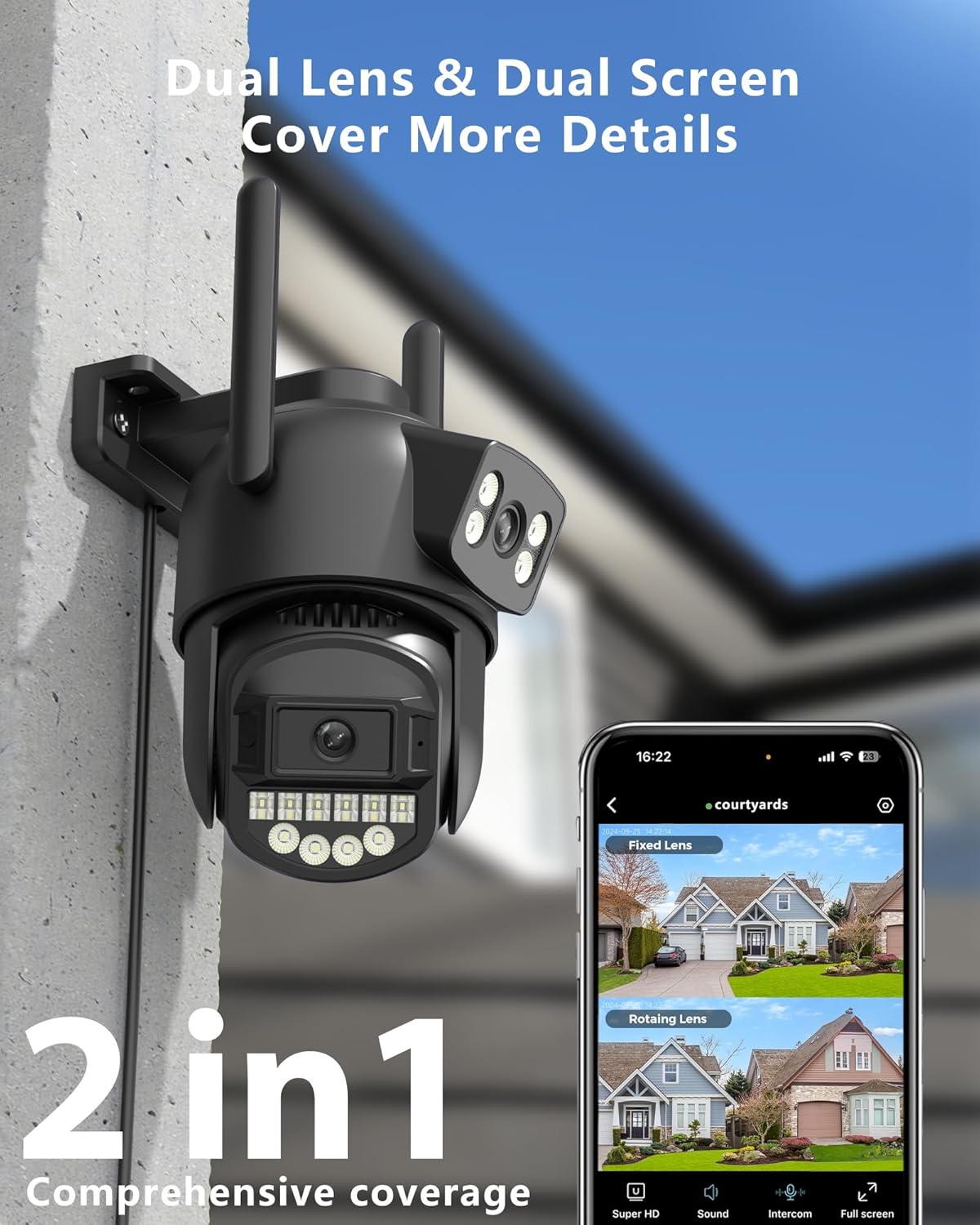
Image: The Reobiux A20H-1P camera securely mounted on an exterior wall, highlighting its dual-lens design and comprehensive coverage capabilities.
2.2 App Download and Account Registration
To control and monitor your camera, you need to download the O-KAM Pro app.
- Scan the QR code in the manual or search for "O-KAM Pro" in your mobile app store (App Store for iOS, Google Play for Android).
- Download and install the app.
- Open the O-KAM Pro app and follow the on-screen instructions to register a new account or log in if you already have one.
2.3 Connecting to Wi-Fi
The camera supports both 2.4GHz and 5GHz Wi-Fi networks for flexible connectivity.
- Ensure your camera is powered on and the indicator light is flashing, indicating it's ready for pairing.
- In the O-KAM Pro app, tap "Add Device" or the "+" icon.
- Select your camera model or scan the QR code on the camera if prompted.
- Follow the app's instructions to connect the camera to your Wi-Fi network. This typically involves selecting your Wi-Fi network and entering the password.
- The app will guide you through the Bluetooth connection process to finalize the setup.
- Once connected, the camera's indicator light will turn solid, and you will see the live feed in the app.

Image: A sequence of screenshots illustrating the five steps for setting up the Reobiux camera using the O-KAM Pro app, from account registration to successful device connection.
3. Operation
3.1 Dual Lens and Dual Screen Monitoring
The A20H-1P features two lenses (3MP fixed and 3MP PTZ) that provide a combined 2.5K resolution and allow for simultaneous viewing of two different areas on a single screen within the app.
- Access the live view in the O-KAM Pro app.
- You will see two separate video feeds: one from the fixed lens and one from the PTZ (Pan-Tilt-Zoom) lens.
- Use the PTZ controls in the app to adjust the viewing angle of the rotating lens.
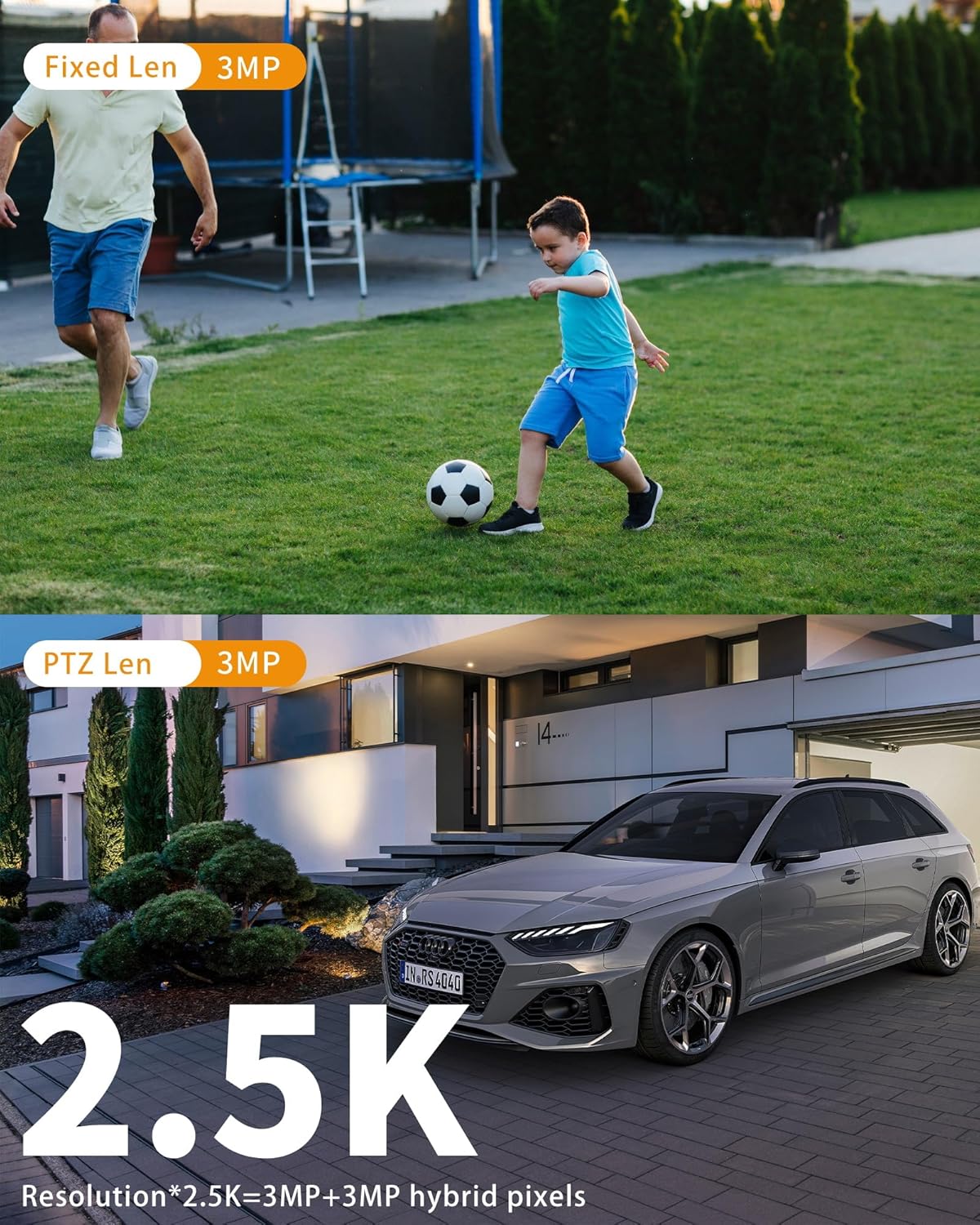
Image: A visual demonstration of the camera's 2.5K resolution, showing a fixed lens view of a child playing soccer and a PTZ lens view of a car, illustrating the clarity from both lenses.
3.2 Night Vision Modes
The camera offers three night vision modes to suit different surveillance needs, with a color night vision range of up to 30 meters.
- Infrared Mode: Provides clear black and white video in low-light conditions using infrared LEDs.
- Color Night Vision: Activates white LEDs to provide full-color video even in complete darkness.
- Dual-Light Alarm Mode: Combines infrared and white light. When motion is detected, the white lights illuminate to provide color video and deter intruders.

Image: A comparison demonstrating the camera's 30-meter color night vision, showing a scene in full color on one side and in black and white infrared on the other, highlighting its low-light capabilities.
3.3 Smart Detection and Auto Tracking
The camera is equipped with advanced motion detection and human detection technology, along with auto-tracking capabilities.
- Motion Detection: Receive real-time notifications on your mobile device within 0.2 seconds when abnormal activity is detected.
- Human Detection: The camera can differentiate between human shapes and other moving objects, reducing false alarms.
- Auto Tracking: When a human figure is detected, the PTZ lens will automatically follow their movement.
- Adjustable Sensitivity: Customize alarm sensitivity in the app to minimize false alarms caused by environmental factors like insects or weather.
- Sound & Light Alarm: The camera can emit an 80dB siren and flash lights to deter intruders upon detection.

Image: The camera's sound and light alarm feature is depicted, showing the camera mounted on a house with an 80dB siren icon and a light beam, indicating its ability to deter intruders.

Image: A visual representation of the camera's intelligent detection and automatic tracking, showing a detection box around a child on a skateboard, indicating high precision.
3.4 Two-Way Audio
The built-in microphone and speaker allow for real-time two-way communication.
- Speak through the app to communicate with visitors at your door.
- Warn potential intruders directly through the camera's speaker.

Image: A scenario illustrating the two-way audio feature, where a child playing outdoors can communicate with an adult indoors via the camera.
3.5 Storage Options
The camera offers flexible storage solutions for your recorded footage.
- Micro SD Card: Supports local storage on a micro SD card up to 128GB (not included). Ensure the SD card is compatible and formatted correctly.
- Cloud Storage: Optional cloud storage service is available (subscription required) for secure, remote access to your recordings.

Image: A close-up of the camera's SD card slot, accompanied by icons indicating support for both local micro SD card storage (up to 128GB) and cloud storage options.
4. Maintenance
4.1 Weather Resistance
The Reobiux A20H-1P camera is rated IP66, meaning it is protected against dust and powerful water jets. It is designed to operate reliably in various outdoor weather conditions, with an operating temperature range of -30°C to +50°C.

Image: The Reobiux A20H-1P camera shown enduring rain, emphasizing its IP66 weatherproof rating and ability to resist various weather conditions.
4.2 Cleaning
To ensure clear image quality and prolong the camera's lifespan, regular cleaning is recommended.
- Disconnect the power before cleaning.
- Use a soft, damp cloth to wipe the camera body.
- For the lens, use a specialized lens cleaning cloth and solution to avoid scratches.
- Do not use harsh chemicals or abrasive cleaners.
5. Troubleshooting
If you encounter issues with your Reobiux A20H-1P camera, please refer to the following common problems and solutions:
| Problem | Possible Cause | Solution |
|---|---|---|
| Camera offline/Cannot connect to Wi-Fi | Incorrect Wi-Fi password; Weak Wi-Fi signal; Router issues; Camera too far from router. | Verify Wi-Fi password; Move camera closer to router; Restart router and camera; Ensure 2.4G/5G network is stable. |
| SD card not recognized/Recording issues | Incompatible SD card; SD card not formatted; SD card full or corrupted. | Use a compatible micro SD card (up to 128GB); Format the SD card via the app; Replace the SD card if corrupted. |
| PTZ (Pan/Tilt/Zoom) movement issues | Obstruction; Mechanical fault; Software glitch. | Check for physical obstructions; Restart the camera; Update camera firmware via the app; If persistent, contact support. |
| Frequent false alarms | High motion detection sensitivity; Environmental factors (e.g., swaying branches, insects, rain). | Adjust motion detection sensitivity in the app; Utilize human detection feature; Adjust detection zones to exclude busy areas. |
| No two-way audio | Microphone/speaker muted in app; App permissions; Network issues. | Check audio settings in the O-KAM Pro app; Ensure app has microphone permissions; Verify stable network connection. |
If the problem persists after trying these solutions, please contact Reobiux customer support for further assistance.
6. Technical Specifications
| Feature | Specification |
|---|---|
| Model | A20H-1P |
| Video Capture Resolution | 2.5K (3MP+3MP Dual Lens) |
| Viewing Angle | 360 Degrees (PTZ) |
| Night Vision Range | 30 Meters (Color Night Vision) |
| Frame Rate | 25 frames per second |
| Wireless Communication | Bluetooth, Wi-Fi (2.4G/5G) |
| Connectivity Protocol | Bluetooth, Wi-Fi, RTSP, ONVIF |
| Storage Options | Micro SD Card (up to 128GB), Cloud Storage |
| Two-Way Audio | Yes |
| Special Features | No Blind Spot, Motion Sensor + Custom Alarm Mode, Bluetooth Connection, Multi-user Sharing, Double Lens+Dual Screen |
| Water Resistance Level | IP66 (Waterproof) |
| Installation Type | Wall Mount, Ceiling Mount |
| Power Source | Corded Electric (12 Volts, 3 Watts) |
| Material | Plastic |
| Item Weight | 630 g |
| Operating Temperature | -30°C to +50°C (Implied by weather resistance) |
| Compatible Devices | Laptop, Television, Tablet, Smartphone |
| Controller Type | O-KAM-Pro App |
7. Warranty and Support
7.1 Warranty Information
The Reobiux A20H-1P Outdoor Security Camera comes with a 1-Year Warranty from the date of purchase. This warranty covers manufacturing defects and malfunctions under normal use. Please retain your proof of purchase for warranty claims.
7.2 Customer Support
For any technical assistance, troubleshooting, or warranty inquiries, please contact Reobiux customer support. Refer to the contact information provided on the product packaging or the official Reobiux website.