
1. Introduction
This manual provides essential information for the safe and effective installation, operation, and maintenance of your KIMISS ZGQ5 100A4P Automatic Transfer Switch (ATS). An Automatic Transfer Switch is designed to automatically switch power supply between two sources, typically a main utility power and a backup generator, ensuring continuous power to critical loads.
Please read this manual thoroughly before installation and operation. Keep it for future reference.
2. Safety Information
WARNING: Electrical shock hazard. Installation and servicing of this equipment must be performed by qualified personnel only. Failure to follow these instructions can result in serious injury or death.
- Always disconnect all power sources before working on the transfer switch.
- Ensure proper grounding of the equipment.
- Verify all wiring connections are secure and correct according to local electrical codes.
- Do not operate the switch if it appears damaged.
- Wear appropriate personal protective equipment (PPE) when working with electrical systems.
3. Product Overview
The KIMISS ZGQ5 100A4P Automatic Transfer Switch is a robust device designed for reliable power transfer. It features a double-row composite contact structure, micro-motor energy storage, and micro-electronic control technology for efficient and safe operation. The switch supports both main and backup power sources, ensuring seamless transition.

Figure 3.1: Front view of the KIMISS ZGQ5 100A4P Automatic Transfer Switch, showing the main body and control panel.
4. Features
- Advanced Contact Technology: Employs state-of-the-art double-row composite contact, transverse pull structure, micro-motor energy storage, and micro-electronic control technology, effectively achieving virtually zero arc over.
- Versatile Operation Modes: Offers four functional modes: manual operation, remote electrical control operation, emergent disconnect in automatic control state, and comprehensive automatic control.
- Enhanced Safety: Accentuates mechanical and electrical interlocking mechanisms for enhanced safety and peace of mind.
- Seamless Power Transfer: The load isolation execution switch is outfitted with an efficient mechanical interlocking device, ensuring seamless and uninterrupted functioning of the main and backup power supplies, eliminating mutual interference.
- Clear Indicators & Security: Well-designed bearing obvious on/off indicators with integrated padlock functionality for maximum safety and power load isolation.
5. Specifications
| Specification | Value |
|---|---|
| Rated Current | 100A |
| Rated Voltage | 220V (as indicated on product images, though description states 100V, refer to product label for exact rating) |
| Operation Mode | MANUAL-AUTOMATIC |
| Contact Type | Normally Open |
| Connector Type | Screw Terminal |
| Terminal Type | Screw |
| Circuit Type | 2-way |
| Mounting Type | Panel Mount |
| Control Method | Touch (for manual selection) |
| Product Dimensions (L x W x H) | 11.42 x 7.87 x 7.09 inches (approx. 290 x 200 x 180 mm) |
| Item Weight | 7.96 pounds (approx. 3.61 kg) |
| Manufacturer | KIMISS |
| Model Number | KIMISSicghybe67r |
6. Package Contents
Upon opening the package, please verify that all the following items are present and undamaged:
- 1 x KIMISS ZGQ5 100A4P Automatic Transfer Switch
- 1 x Manual Handle
- 1 x User Manual (this document)

Figure 6.1: The Automatic Transfer Switch shown with its included manual handle.

Figure 6.2: Detailed view of the manual handle.
7. Installation and Setup
IMPORTANT: Installation must be performed by a qualified electrician in accordance with all national and local electrical codes.
- Mounting: Securely mount the transfer switch to a stable surface using appropriate fasteners. Ensure adequate clearance for wiring and ventilation.
- Wiring Connections:
- Identify the main power input (utility), backup power input (generator), and load output terminals.
- Connect the main power source to the designated terminals (e.g., 'I' or 'A').
- Connect the backup power source to the designated terminals (e.g., 'II' or 'B').
- Connect the load circuits to the output terminals.
- Ensure all connections are tight and properly insulated. Refer to the wiring diagram on the unit or provided separately for specific terminal assignments.
- Control Wiring: Connect any necessary control wiring for remote operation or generator start/stop signals, if applicable to your setup. The unit features plug-in connection terminals for convenience.
- Grounding: Ensure the transfer switch is properly grounded according to electrical codes.
- Pre-Power Check: Before applying power, double-check all connections for correctness and tightness. Verify there are no loose wires or debris.
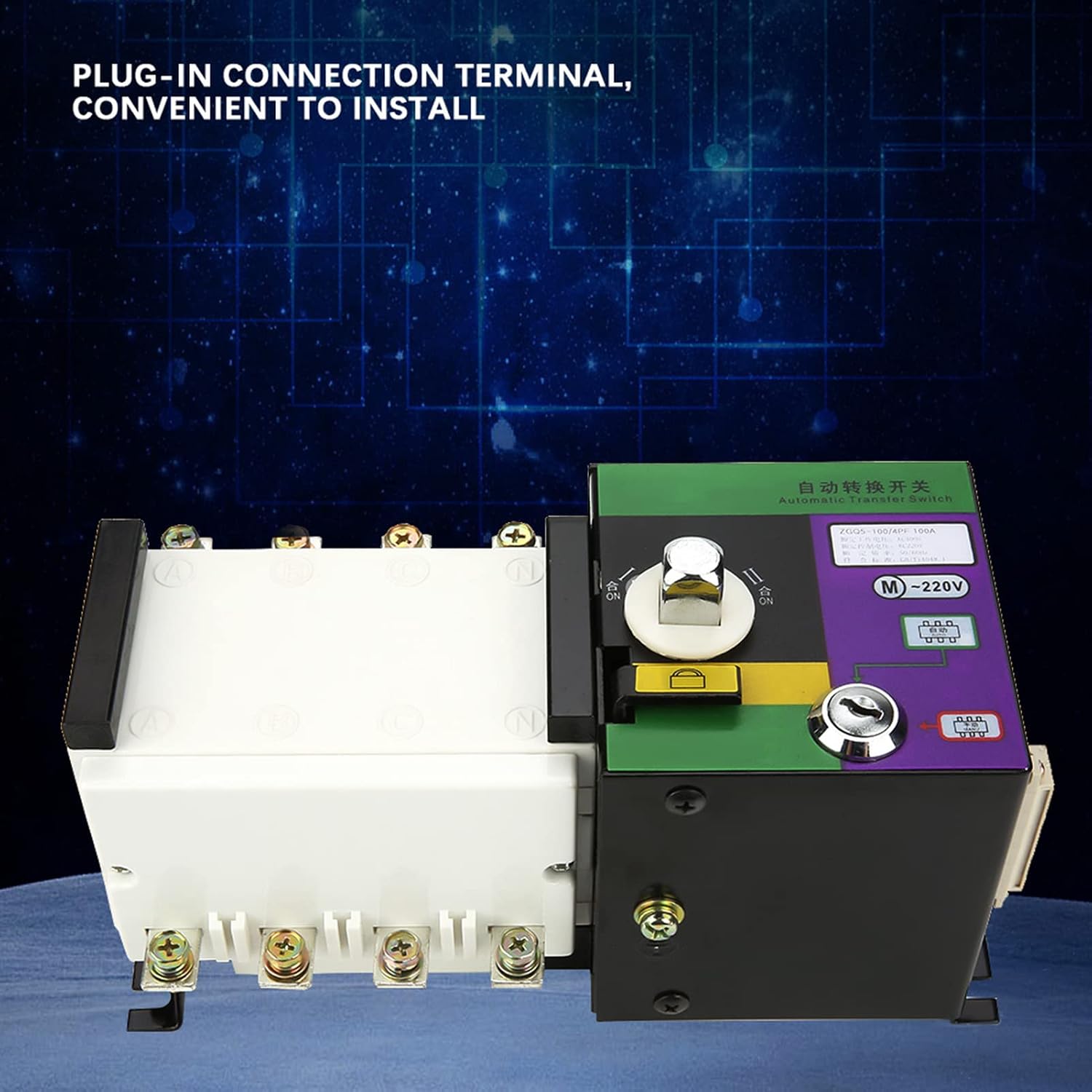
Figure 7.1: The transfer switch highlighting the plug-in connection terminal for convenient installation.

Figure 7.2: Detailed view of the plug-in connection terminals, showing individual pin assignments.
8. Operation
The ZGQ5 100A4P ATS offers multiple modes of operation, selectable via the control panel.
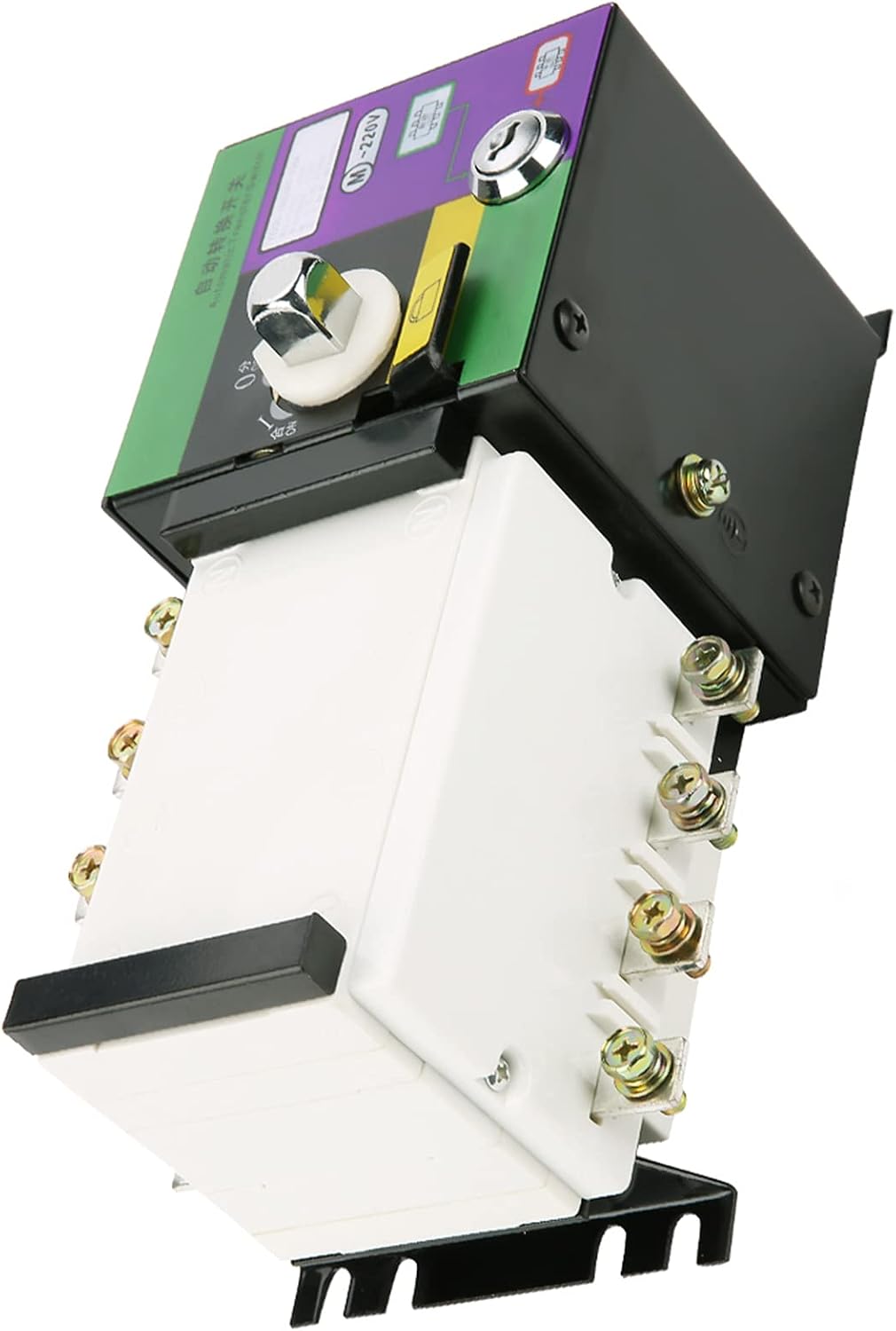
Figure 8.1: Control panel showing the selector switch for operation modes.
8.1 Operation Modes
- Automatic Control (AUTO): In this mode, the switch automatically monitors the main power source. If the main power fails, the switch will automatically transfer the load to the backup power source (e.g., generator). When main power is restored, it will automatically transfer the load back to the main power.
- Manual Operation (MANU): This mode allows for manual switching between power sources using the provided manual handle. This is typically used for maintenance or testing purposes.
- Remote Electrical Control: The switch can be controlled remotely via electrical signals, integrating with building management systems or other control interfaces.
- Emergent Disconnect: A feature allowing for immediate disconnection of both power sources in an emergency situation.
8.2 Switching Between Modes
Use the selector switch on the control panel to choose between 'AUTO' and 'MANU' modes. For remote electrical control or emergent disconnect, refer to the specific wiring and control instructions provided with your system integration.
The switch features clear ON/OFF indicators to show the current status of the power sources and load connection.
9. Maintenance
WARNING: Disconnect all power before performing any maintenance.
- Regular Inspection: Periodically inspect the transfer switch for any signs of damage, loose connections, or excessive dust accumulation.
- Cleaning: Keep the unit clean and free from dust and debris. Use a dry, soft cloth for cleaning. Do not use liquid cleaners.
- Terminal Check: Annually, or as recommended by a qualified electrician, check all terminal connections for tightness.
- Functional Test: Periodically test the automatic transfer function by simulating a main power outage (if safe to do so and with proper precautions).
10. Troubleshooting
If you encounter issues with your Automatic Transfer Switch, refer to the following common troubleshooting steps. For complex issues, contact a qualified electrician.
- No Power Transfer:
- Check if both main and backup power sources are active.
- Ensure the switch is in 'AUTO' mode for automatic transfer.
- Verify all control wiring connections are secure.
- Indicators Not Lighting Up:
- Check the power supply to the control circuit.
- Inspect for loose internal connections (only by qualified personnel).
- Unusual Noises or Odors:
- Immediately disconnect all power sources.
- Do not attempt to operate the switch. Contact a qualified electrician for inspection.
11. Warranty and Support
For warranty information, please refer to the documentation provided at the time of purchase or contact your retailer. For technical support, please reach out to KIMISS customer service through their official channels.