
1. Introduction
Thank you for choosing the HUNICOM H-628 FRS Two-Way Radio. This device is designed for reliable and clear communication, featuring a durable build, long-lasting battery, and essential functions like VOX and a built-in flashlight. Please read this manual carefully to ensure proper use and maintenance of your radio.
2. Package Contents
Verify that all items are present in your package:
- 2 x HUNICOM H-628 Walkie Talkie
- 2 x Rechargeable Li-ion Battery
- 1 x Charging Cable
- 1 x User Manual
3. Product Overview and Features
The HUNICOM H-628 is a compact and versatile FRS two-way radio, ideal for various activities requiring clear communication. Key features include:
- Long-Lasting Battery: Equipped with a durable Li-ion battery for extended usage.
- Clear Audio: Provides crisp and clear sound quality for effective communication.
- Push-to-Talk (PTT) & Voice Operated Transmission (VOX): Offers both manual and hands-free operation.
- Dual Channel Monitor: Allows monitoring of two channels simultaneously.
- Customizable Call Tones & Sub-Codes: Personalize alerts and minimize interference.
- Integrated Flashlight: Convenient for use in low-light conditions.
- Durable Plastic Shell: Designed for comfort and resilience.
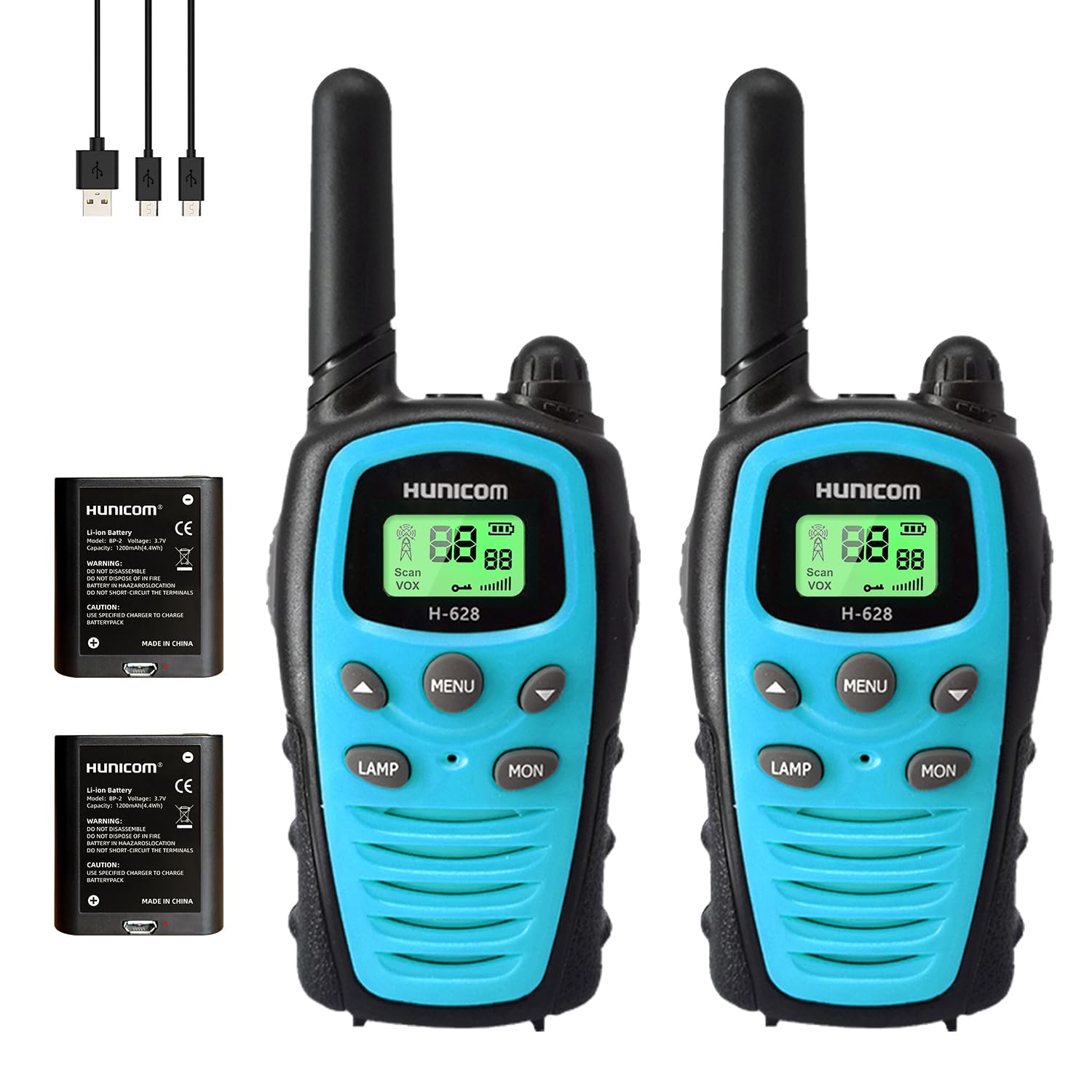
Image: The HUNICOM H-628 walkie talkie displaying its communication range capabilities. Without obstacles, the range can be up to 5KM. In open areas, it can reach 3KM, and inside a house, approximately 1KM.

Image: A visual representation of the HUNICOM H-628 walkie talkie, highlighting its strong anti-interference ability, ultra-remote intercom, clear sound quality, and long-lasting battery life. The dimensions are shown as 6.02 inches in height, 2.32 inches in width, and 1.4 inches in depth.
4. Controls and Display
Familiarize yourself with the buttons and display of your HUNICOM H-628 radio:
- Antenna: For transmitting and receiving signals.
- Volume/Power Knob: Rotate to turn the radio on/off and adjust volume.
- LCD Display: Shows channel number, battery status, VOX indicator, scan mode, and other settings.
- MENU Button: Accesses the radio's settings menu.
- Up/Down Buttons: Navigate menu options and change channels/settings.
- LAMP Button: Activates the built-in flashlight.
- MON (Monitor) Button: Temporarily disables squelch to listen for weak signals.
- PTT (Push-to-Talk) Button: Press and hold to transmit your voice.
- Microphone (MIC): Speak into the microphone when transmitting.
- Speaker (SP): Audio output.
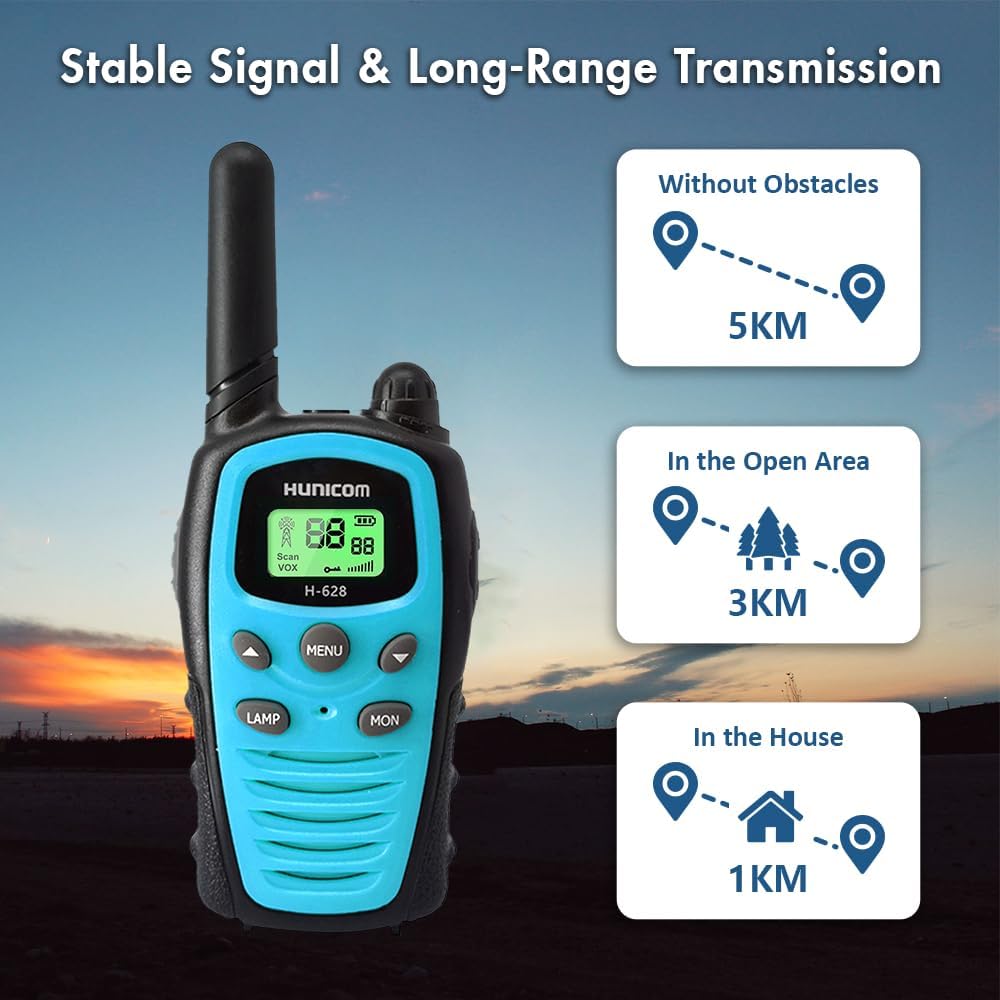
Image: A clear front view of the HUNICOM H-628 walkie talkie, showcasing its LCD display, MENU, LAMP, and MON buttons, along with the HUNICOM branding and model number H-628.

Image: A composite image showing various angles of the HUNICOM H-628 walkie talkie. It includes a front view held in a hand, a top-down view highlighting the antenna and volume knob, and side views showing the PTT button, speaker, and microphone ports.

Image: This image illustrates the top of the HUNICOM H-628 walkie talkie, emphasizing the knob that controls both volume and power. It also highlights the durable and comfortable plastic shell construction of the device.
5. Setup
5.1 Battery Installation
- Ensure the radio is powered off.
- Locate the battery compartment cover on the back of the radio.
- Slide the latch or unscrew the cover to open the compartment.
- Insert the Li-ion battery, ensuring the contacts align correctly with the terminals inside the compartment.
- Replace the battery compartment cover and secure it.
5.2 Charging the Battery
- Connect the charging cable to the charging port on the radio.
- Plug the other end of the charging cable into a compatible USB power source (e.g., wall adapter, computer USB port).
- The battery indicator on the LCD display will show charging status.
- Once fully charged, disconnect the charging cable.
Note: For optimal battery life, fully charge the battery before first use.

Image: A HUNICOM Li-ion battery (Model: BP-2, Voltage: 3.7V) is shown, emphasizing its long battery life, with a background image of hikers, suggesting its suitability for outdoor activities.
6. Operating Instructions
6.1 Power On/Off and Volume Adjustment
- To Power On: Rotate the Volume/Power knob clockwise until you hear a click and the LCD display illuminates.
- To Power Off: Rotate the Volume/Power knob counter-clockwise until you hear a click and the display turns off.
- To Adjust Volume: Rotate the Volume/Power knob clockwise to increase volume and counter-clockwise to decrease volume.
6.2 Channel Selection
- Press the MENU button once. The channel number on the LCD display will flash.
- Use the Up or Down buttons to select your desired channel (1-22).
- Press the MENU button again or wait a few seconds for the selection to be confirmed.
6.3 Transmitting and Receiving (PTT)
- To Transmit: Press and hold the PTT button. Speak clearly into the microphone. Release the PTT button to stop transmitting.
- To Receive: Ensure the PTT button is not pressed. The radio will automatically receive signals on the selected channel.
6.4 VOX (Voice Operated Transmission)
VOX allows hands-free transmission. When activated, the radio will transmit automatically when it detects your voice.
- Press the MENU button multiple times until the VOX icon flashes on the display.
- Use the Up or Down buttons to select a VOX sensitivity level (e.g., 1-3, with 1 being most sensitive).
- Press the MENU button again or wait to confirm.
- To disable VOX, select 'OFF' in the VOX setting.
6.5 Flashlight Function
- Press the LAMP button to turn the built-in flashlight on.
- Press the LAMP button again to turn the flashlight off.
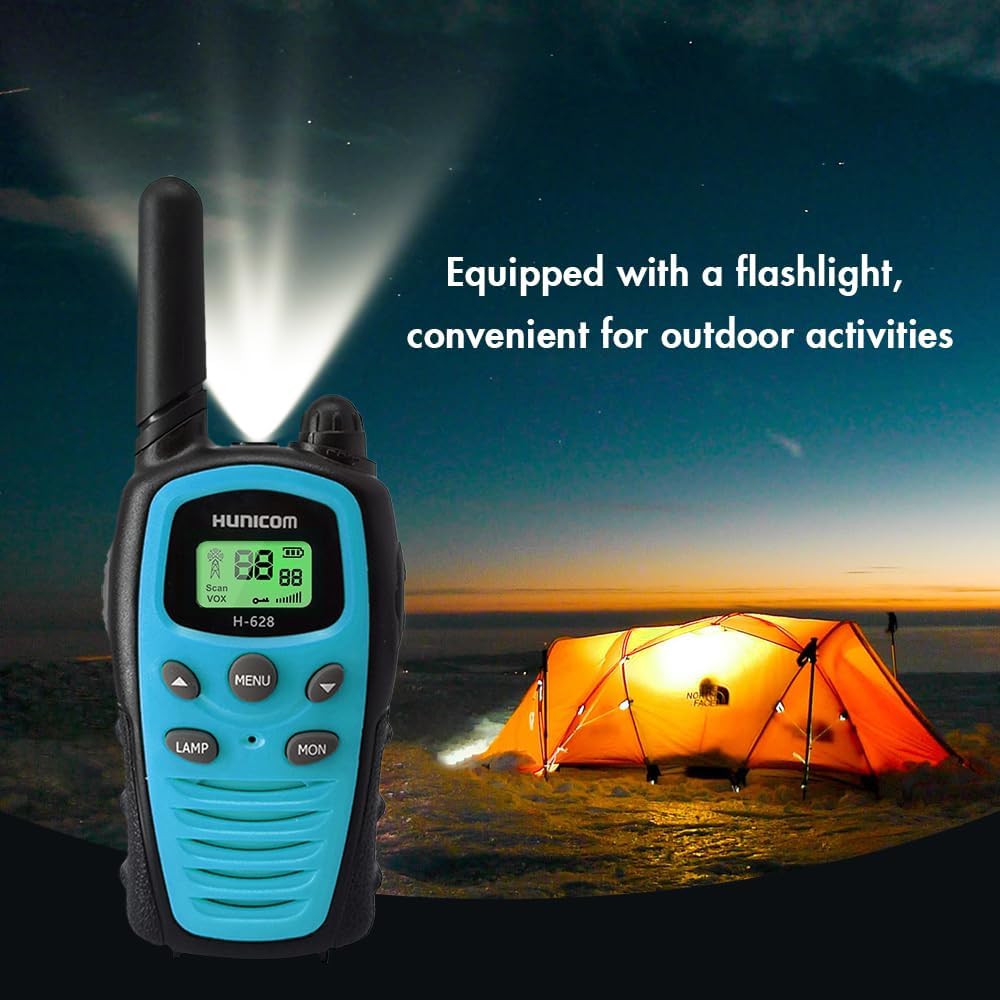
Image: The HUNICOM H-628 walkie talkie is shown with its integrated flashlight activated, illuminating a dark outdoor scene with a tent, demonstrating its utility for outdoor activities.
6.6 Call Tones and Sub-Codes (CTCSS/DCS)
These features help minimize interference and allow you to communicate with specific groups.
- Press the MENU button repeatedly to cycle through settings until you reach the Call Tone or Sub-Code (CTCSS/DCS) setting.
- Use the Up or Down buttons to select your desired tone or code.
- Press the MENU button again or wait to confirm.
- Ensure all radios in your group are set to the same channel and sub-code for private communication.
6.7 Dual Channel Monitor
The dual channel monitor function allows you to scan two channels for activity.
- Set your primary channel.
- Access the dual channel monitor setting via the MENU button.
- Select a secondary channel to monitor.
- The radio will alternate listening between the two selected channels.
7. Care and Maintenance
- Cleaning: Use a soft, damp cloth to clean the radio's exterior. Do not use harsh chemicals or abrasive cleaners.
- Storage: Store the radio in a cool, dry place when not in use. Remove the battery if storing for extended periods.
- Water Resistance: This device is NOT water resistant. Avoid exposure to water or high humidity.
- Battery Care: Do not disassemble, short-circuit, or expose the battery to high temperatures. Dispose of batteries responsibly.
8. Troubleshooting
| Problem | Possible Solution |
|---|---|
| Radio does not power on. | Check if the battery is correctly installed and charged. Ensure the Volume/Power knob is turned clockwise. |
| Cannot transmit or receive. | Verify both radios are on the same channel and sub-code. Check battery level. Ensure PTT button is fully pressed when transmitting. |
| Poor audio quality or static. | Adjust volume. Move to an open area to reduce interference. Check battery level. Press MON button to temporarily disable squelch. |
| VOX not working. | Ensure VOX is enabled and the sensitivity level is set appropriately. Speak clearly into the microphone. |
9. Technical Specifications
- Model Number: H-628
- Frequency Range: 462.55-467.125 MHz (FRS)
- Number of Channels: 22
- Talking Range Maximum: 3 Kilometers (approx. 1.86 miles)
- Battery Type: 2 Lithium Ion batteries (included)
- Voltage: 3.7 Volts
- Item Weight: 10.8 ounces
- Package Dimensions: 6.73 x 3.58 x 2.72 inches
- Special Features: Integrated Flashlight, Lightweight, Long Range, Rechargeable
- Water Resistance Level: Not Water Resistant
10. Warranty and Support
10.1 Warranty Information
The HUNICOM H-628 FRS Two-Way Radio comes with a 1-Year Manufacturer Warranty from the date of purchase. This warranty covers defects in materials and workmanship under normal use. It does not cover damage caused by misuse, accidents, unauthorized modifications, or exposure to water.
10.2 Customer Support
If you encounter any issues or have questions regarding your HUNICOM H-628 radio that are not addressed in this manual, please contact HUNICOM customer support. Refer to the product packaging or the official HUNICOM website for contact details.