
Rohent N06 with usb cable
Rohent Car Camera for Baby USB Instruction Manual
Model: N06 with USB Cable
Introduction
This manual provides comprehensive instructions for the installation, operation, and maintenance of your Rohent Car Camera for Baby USB. Please read this manual thoroughly before use to ensure proper functionality and safety.
The Rohent Car Camera is designed to provide parents with a clear, real-time view of their child in the backseat while driving, enhancing safety and peace of mind. It features high-definition video, automatic night vision, and a wide viewing angle.
Package Contents
Verify that all items are present in the package:
- 1x Rohent Baby Car Camera
- 1x 4.3 Inch Display Monitor
- 1x Car Charger
- 1x Upgraded Baby Car Suction Cup Mount
- 1x Baby Car Video Cable
- 1x USB Cable with On/Off Button
- 2x Straps (for camera mounting)
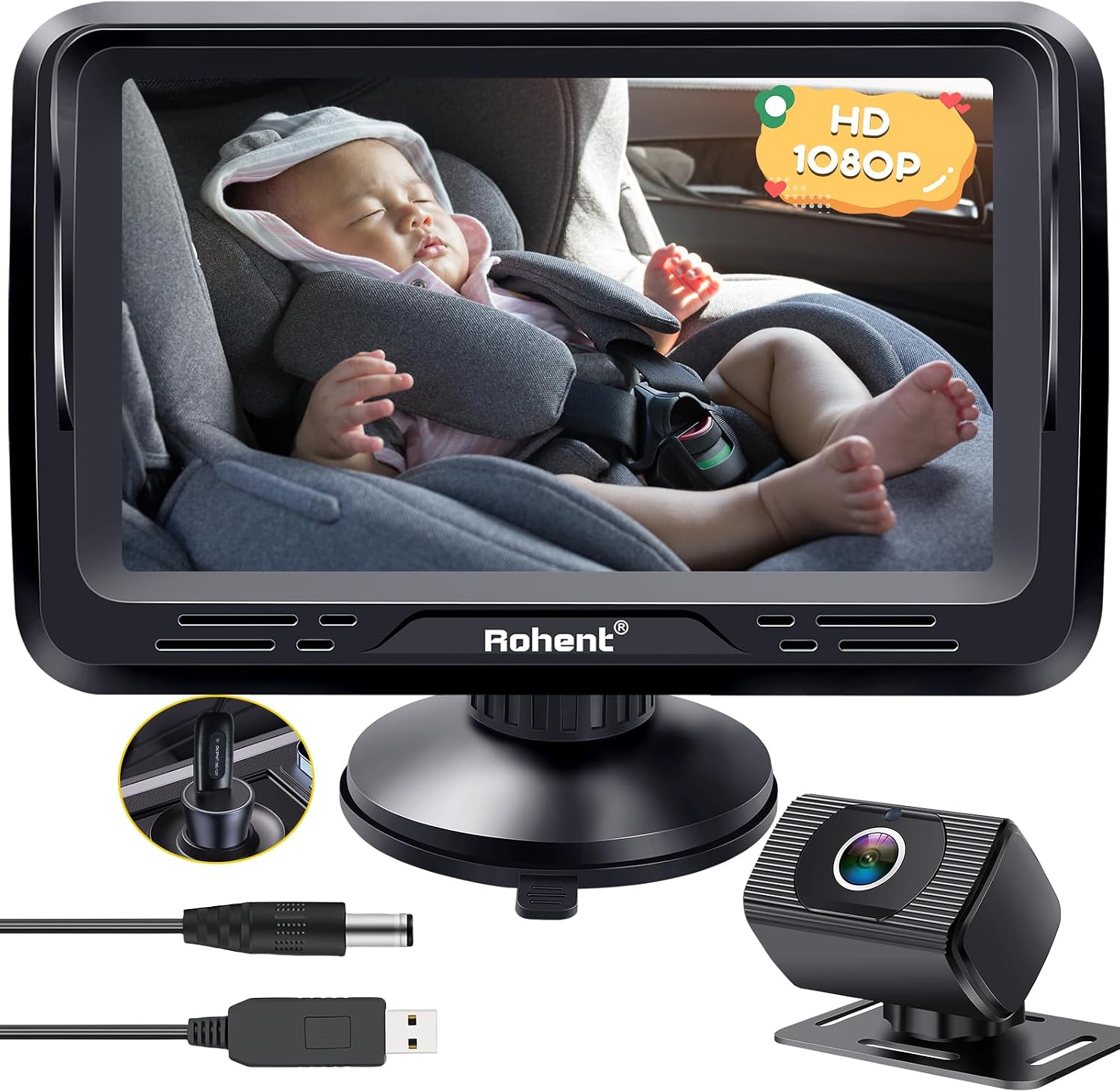
Image: Overview of the Rohent Car Camera system components, including the monitor, camera, and various cables for power and connection.
Setup and Installation
The Rohent Car Camera is designed for quick and easy installation without the need for special tools.
Camera Installation
- Mount the Camera: Secure the baby car camera to the headrest of the backseat using the provided straps. Ensure the camera is positioned to have a clear view of your child in their car seat. The camera offers 360° rotation for optimal angle adjustment.
- Connect Video Cable: Connect the long video cable from the camera to the monitor. Route the cable discreetly to avoid obstruction.

Image: Illustrates the camera being mounted to a car's headrest using the included straps, showing its adjustable nature.

Image: Shows the connection of the video cable from the camera to the monitor, highlighting the plug-and-play design.
Monitor Installation
- Mount the Monitor: Attach the 4.3-inch display monitor to your car's windshield or dashboard using the powerful suction cup mount. Ensure the surface is clean and dry for secure adhesion. The monitor's mount is 360° adjustable for optimal viewing.
- Power Connection: Plug the USB power cable with the on/off button into your car's USB port or a 5V 1A car charger.

Image: Depicts the monitor being secured to the car's windshield with its suction cup, emphasizing stability.

Image: Shows the USB power cable being plugged into a car's power outlet, indicating the simple power connection.
The system is designed for plug-and-play operation, activating automatically once connected to power.
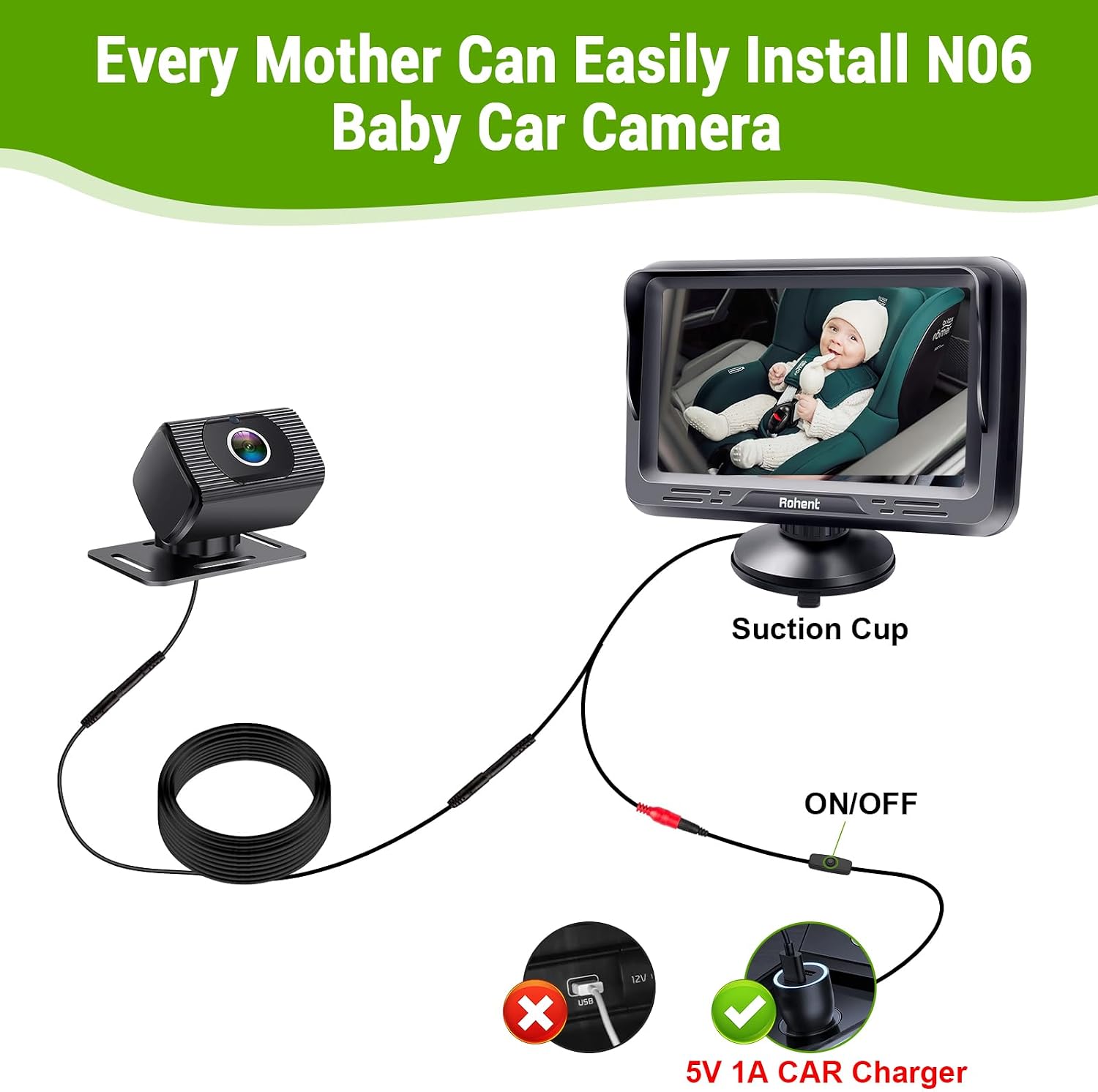
Image: A comprehensive diagram illustrating the entire installation process, from camera placement to power connection, for the Rohent N06 Baby Car Camera.
Operating Instructions
Powering On/Off
The system powers on automatically when connected to a power source. Use the on/off button located on the USB power cable to manually turn the display on or off.
Adjusting Display Settings
The 4.3-inch display features a menu button (M) and Up (▲) and Down (▼) buttons for navigation. Press the Menu button to access settings for:
- Brightness: Adjust to suit ambient light conditions.
- Contrast: Fine-tune image contrast.
- Saturation: Modify color intensity.
- Hue: Adjust color tint.
- Zoom: Enlarge or reduce the view.
- Language: Select display language.
- Reset: Restore default settings.

Image: A visual guide to the monitor's menu buttons (M, Up, Down) and the various adjustable settings like brightness, contrast, and saturation.
Automatic Night Vision
The camera is equipped with hidden infrared lights that automatically activate in low-light conditions, providing clear black-and-white video without visible light emission, ensuring your baby's sleep is undisturbed.
Image: Close-up of the camera highlighting its hidden infrared lights, which enable automatic night vision without disturbing visible light.

Image: Demonstrates the camera's performance in both bright daylight and low-light conditions, showcasing its clear day and automatic night vision capabilities.
Wide Viewing Angle and Rotation
The camera provides a 150° wide viewing angle, allowing comprehensive monitoring of the backseat. The camera and monitor both feature 360° rotation for flexible positioning to suit various vehicle types and child seat configurations.

Image: Illustrates the expansive 150-degree wide viewing angle, capable of monitoring multiple children or a wider area of the backseat.

Image: Highlights the 360-degree rotation capability of the camera, allowing for flexible positioning and optimal viewing angles.
Maintenance
- Cleaning: Use a soft, dry cloth to clean the camera lens and monitor screen. Avoid abrasive cleaners or solvents.
- Storage: When not in use for extended periods, store the device in a cool, dry place away from direct sunlight and extreme temperatures.
- Cable Care: Ensure cables are not pinched or tangled to prevent damage.
Troubleshooting
| Problem | Possible Cause | Solution |
|---|---|---|
| No image on display | Power cable not connected or loose. Camera cable not connected properly. | Ensure the USB power cable is securely plugged into a working USB port/car charger. Check that the camera video cable is firmly connected to the monitor. Press the on/off button on the USB cable. |
| Image is blurry or unclear | Camera lens is dirty. Poor lighting conditions. | Clean the camera lens with a soft cloth. Ensure sufficient light or allow the automatic night vision to activate. |
| Night vision not working | Insufficient darkness for automatic activation. | The night vision activates automatically in low light. Ensure the environment is dark enough. |
| Monitor keeps falling from windshield | Suction cup not properly secured or surface is dirty. | Clean the windshield/dashboard surface thoroughly before attaching the suction cup. Press firmly to ensure a strong seal. |
Specifications
- Model: N06 with USB Cable
- Video Capture Resolution: 1080p HD
- Viewing Angle: 150° Wide Angle
- Display Size: 4.3 inches
- Connectivity: Wired
- Power Input: 12 Volts (DC) via USB
- Night Vision: Automatic Infrared (940nm IR Lights)
- Mounting Type: Windshield Mount (Suction Cup)
- Material: Plastic
- Item Dimensions (L x W x H): 8.86 x 6.69 x 1.97 inches
- Item Weight: 1.08 pounds (0.49 Kilograms)
- Included Components: Camera, Display, Car Charge, Suction Cup, Video Cable, USB Cable with On/Off Button, Straps
Warranty and Support
For warranty information and technical support, please refer to the contact details provided on the product packaging or visit the official Rohent website. Keep your purchase receipt for warranty claims.
Return Policy: This product typically includes a 90-day return/replacement policy. Please check with your retailer for specific terms.
Safety Information
- Always ensure the camera and monitor are securely mounted and do not obstruct your view of the road or interfere with vehicle controls.
- Do not attempt to disassemble or repair the device yourself. Refer to qualified personnel for service.
- Keep the device away from water and excessive heat.
- While the camera provides a view of your child, it is not a substitute for direct supervision. Always ensure your child is properly secured in their car seat.