
Jacoosa L70
Jacoosa Smart Watch L70 User Manual
Model: L70
Introduction
This manual provides detailed instructions for the setup, operation, and maintenance of your Jacoosa Smart Watch L70. Please read this guide thoroughly to ensure proper use and to fully utilize all features of your new smartwatch. The Jacoosa Smart Watch L70 is designed to enhance your daily life with features such as Bluetooth calling, comprehensive health monitoring, and a wide range of sports tracking capabilities.
What's in the Box
Upon opening your Jacoosa Smart Watch L70 package, you should find the following items:
- Jacoosa Smart Watch (L70)
- User Manual/Instructions
- Watch Magnetic Charger

Image: Contents of the Jacoosa Smart Watch L70 package, showing the smartwatch, magnetic charging cable, and user manual.
Setup
1. Charging the Smart Watch
Before initial use, fully charge your Jacoosa Smart Watch L70. Connect the magnetic charger to the charging points on the back of the watch and plug the USB end into a power adapter (not included) or a computer's USB port. A full charge typically takes approximately 2 hours.
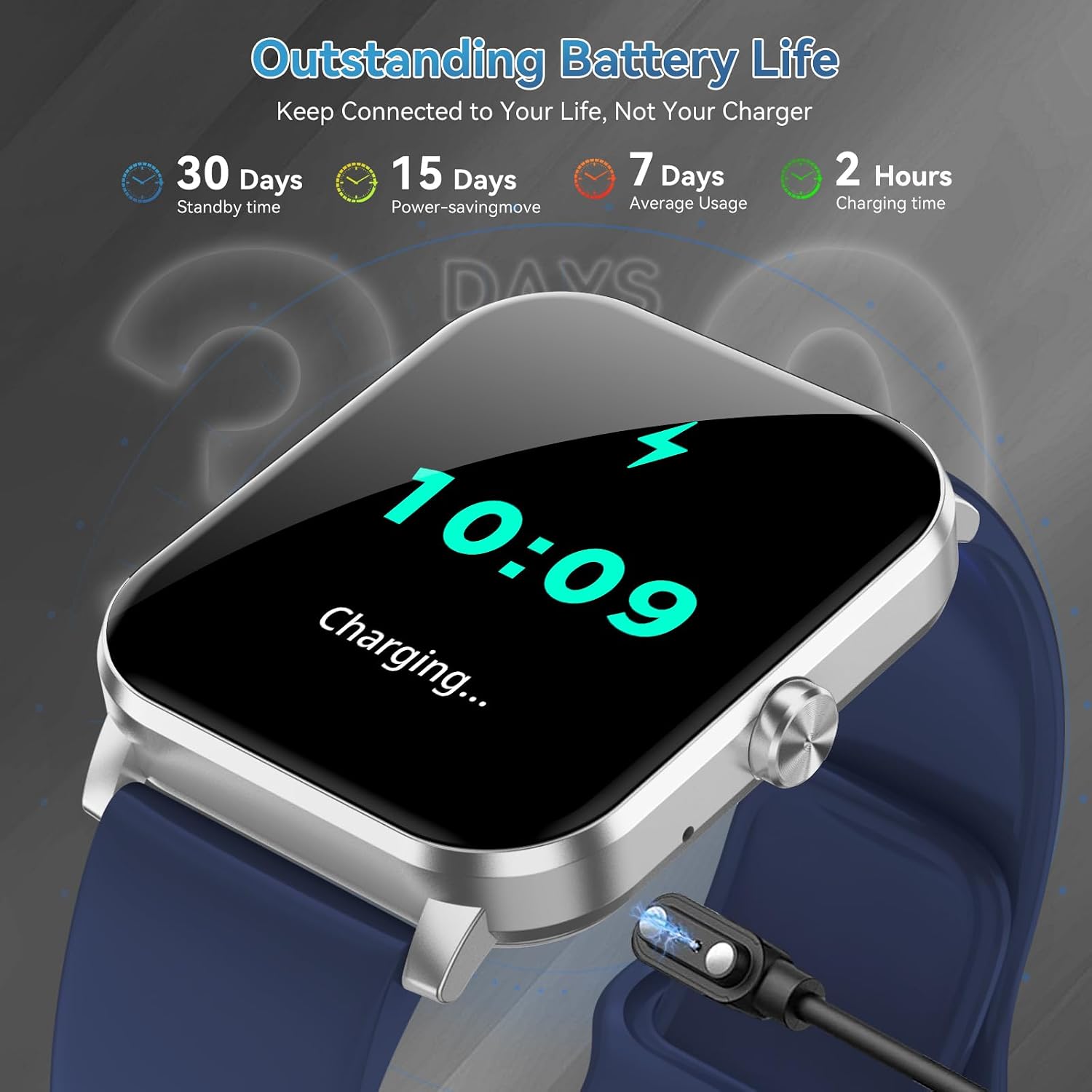
Image: The Jacoosa Smart Watch L70 connected to its magnetic charging cable, showing the charging status on the display.
2. App Installation and Pairing
To unlock the full potential of your smartwatch, download and install the 'Da Fit' application on your smartphone.
- Enable Bluetooth: Ensure Bluetooth is enabled on your smartphone.
- Download 'Da Fit' App: Scan the QR code provided in the watch's packaging or search for 'Da Fit' in your phone's app store (Google Play Store for Android, Apple App Store for iOS). You can also visit http://fitcloud.hetangsmart.com/qrcode/ for direct download links.
- Open App and Add Device: Open the 'Da Fit' app, navigate to the 'Device' section, and tap 'Add Device'.
- Find and Connect: The app will search for nearby devices. Select 'L70' from the list.
- Confirm Pairing: A Bluetooth pairing request will appear on your phone. Confirm by tapping 'Pair'.
- Allow Notifications: Grant necessary permissions for notifications within the 'Da Fit' app settings to receive messages and alerts on your watch.

Image: Visual instructions demonstrating the process of connecting the Jacoosa Smart Watch L70 to a smartphone, including enabling Bluetooth, downloading the Da Fit app, and pairing the devices.
Operating the Device
Basic Navigation
The Jacoosa Smart Watch L70 features a 1.85-inch HD touch screen for intuitive navigation. Swipe left, right, up, or down to access different functions and menus. The side button typically serves as a power button, back button, or to return to the main watch face.
Bluetooth Calling
With its built-in microphone and HD speaker, the L70 allows you to make and receive calls directly from your wrist when connected to your smartphone via Bluetooth.
- Making Calls: Access the dial pad or call history on the watch to initiate a call.
- Receiving Calls: When a call comes in, the watch will display the caller ID. You can answer or reject the call directly from the watch screen.
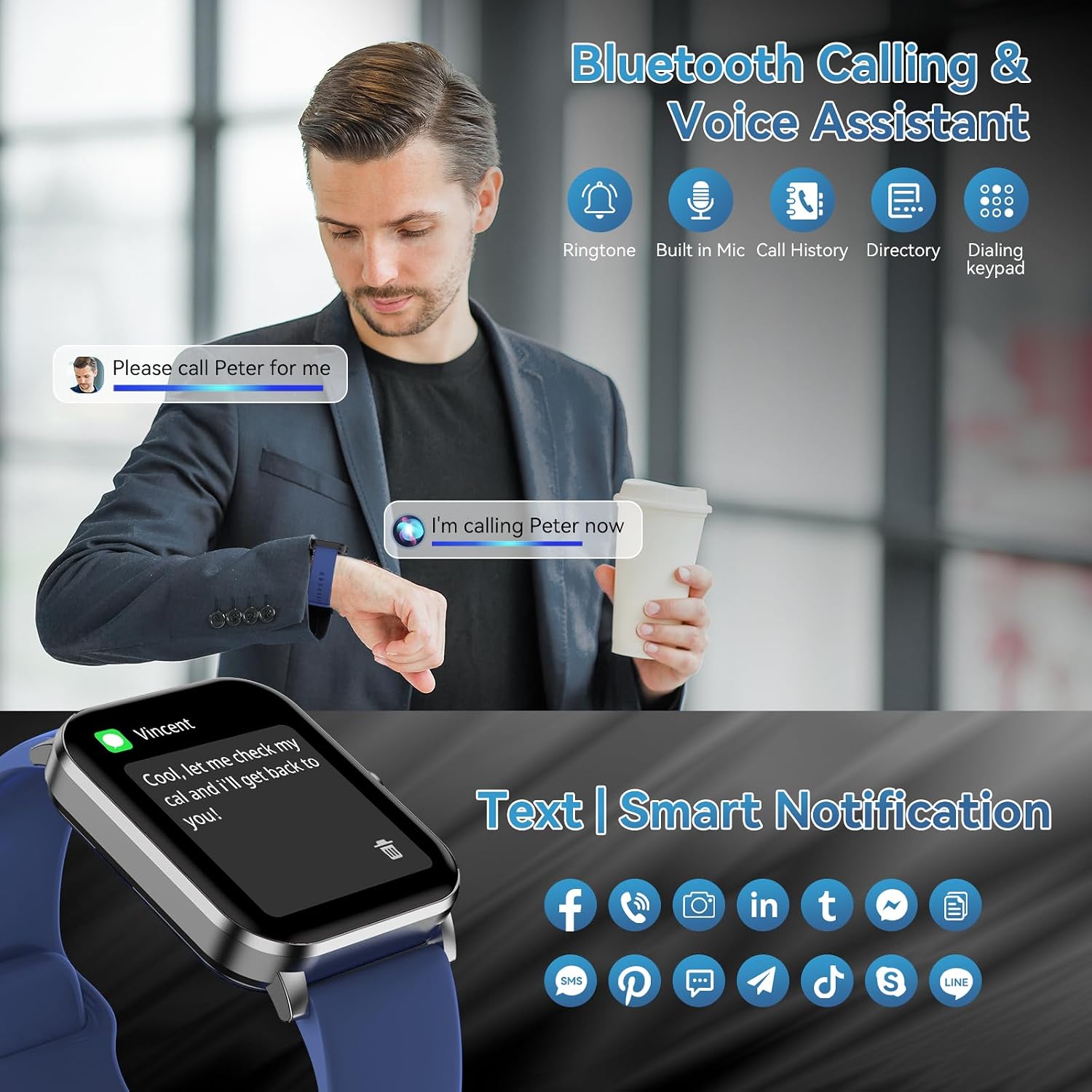
Image: The Jacoosa Smart Watch L70 showing an incoming call notification, alongside icons representing its Bluetooth calling and voice assistant capabilities.

Image: A user answering a call on the Jacoosa Smart Watch L70 while driving, highlighting the convenience of its Bluetooth calling function.
Voice Assistant
Activate the built-in voice assistant to perform various tasks hands-free. You can ask questions, control music playback, set alarms, check the weather, and more by speaking commands to your watch.

Image: A user utilizing the voice assistant feature on the Jacoosa Smart Watch L70 to inquire about the weather, set an alarm, and control music.
Message Notifications
Receive notifications for SMS, Facebook, WhatsApp, Instagram, X, and other social media apps directly on your watch. Ensure message push settings are enabled in the 'Da Fit' app. Note: The watch can display messages but cannot send replies.

Image: The Jacoosa Smart Watch L70 displaying a text message notification, surrounded by icons of popular social media and messaging applications, illustrating its smart notification feature.
Custom Watch Dials
Personalize your watch face by choosing from over 100 built-in dials available through the 'Da Fit' app, or upload your favorite photos to create custom watch faces.

Image: The Jacoosa Smart Watch L70 showcasing its 1.85-inch HD screen with a dynamic watch face, along with several examples of customizable watch dials.

Image: The Jacoosa Smart Watch L70 highlighting its large HD display and the variety of watch faces available for customization through the Da Fit app.
Health Monitoring
The Jacoosa Smart Watch L70 provides comprehensive health monitoring features to help you track your well-being. Note: Health data is for reference only and not for medical diagnosis.
Heart Rate Monitoring
The watch continuously monitors your heart rate throughout the day, providing real-time data and historical trends in the 'Da Fit' app.

Image: The Jacoosa Smart Watch L70 showing current heart rate, blood oxygen, and sleep data on its display, with a companion app illustrating detailed health metrics.

Image: A woman engaged in tennis, with her Jacoosa Smart Watch L70 displaying continuous heart rate tracking data.
Blood Oxygen Monitoring
Monitor your blood oxygen saturation (SpO2) levels to understand your body's oxygen uptake. View current readings and trends in the app.

Image: A hiker wearing the Jacoosa Smart Watch L70, which shows blood oxygen saturation levels and a seven-day trend graph.
Sleep Monitoring
The watch automatically tracks your sleep patterns, including awake time, REM, light, and restful sleep stages. Analyze your sleep quality in the 'Da Fit' app to gain insights and improve your rest.

Image: A woman asleep, with her Jacoosa Smart Watch L70 displaying a detailed breakdown of her sleep stages and duration.
Stress Management
The L70 includes tools for stress management, helping you understand your body's response to stress and providing insights for mindfulness.

Image: Two people exercising, with a graphic representation of stress management data from the Jacoosa Smart Watch L70.
Sports Modes
The Jacoosa Smart Watch L70 supports over 120 sports modes, allowing you to track various activities including walking, running, cycling, swimming, yoga, and more. Real-time statistics are displayed on your wrist and recorded in the 'Da Fit' app.

Image: A woman running, with the Jacoosa Smart Watch L70 displaying activity data and a visual representation of over 120 supported sports modes.

Image: A skier on a mountain, illustrating the watch's capability to track over 120 sports modes.
Workout Tracking and GPS
The 'Da Fit' app allows you to view detailed workout records and tracks. When connected to your smartphone, the watch can utilize your phone's GPS to map your activity trajectory and provide data such as total time, distance, and calories burned.

Image: A woman running, with the Jacoosa Smart Watch L70 showing a workout summary and the companion app displaying a map of the workout route.

Image: A cyclist in a scenic outdoor setting, with an overlay illustrating the watch's ability to track daily activities including steps, calories, heart rate, and distance.
Other Features
The Jacoosa Smart Watch L70 includes a variety of additional utilities to enhance your daily convenience:
- Weather Forecast: Syncs with your phone to display current weather and forecasts.
- Calculator: A basic calculator for quick computations.
- Music Control: Control music playback on your smartphone (play, pause, skip tracks).
- Camera Control: Use your watch as a remote shutter for your phone's camera.
- Alarm Clock: Set multiple alarms directly from your wrist.
- Stopwatch & Timer: Essential tools for timing activities.
- Games: Simple games for entertainment.
- Find Your Cell Phone: Locate your paired smartphone by making it ring.
- Physiological Cycles: Track female physiological cycles.
- Sedentary Reminder: Reminds you to move after periods of inactivity.
- Brightness Adjustment: Adjust screen brightness for optimal viewing.
- Do Not Disturb Mode: Silence notifications during specific times.

Image: A visual overview of the Jacoosa Smart Watch L70's multi-functional components, including features like finding your phone, alarm clocks, calculator, camera control, music control, and physiological cycle tracking.

Image: The Jacoosa Smart Watch L70 displaying weather forecasts, demonstrating its weather assistant functionality.
Water Resistance
The Jacoosa Smart Watch L70 is IP68 waterproof, meaning it is resistant to dust and can withstand immersion in water up to 1.5 meters for 30 minutes. It can be used normally when washing hands, washing your face, or during light rain and sweating. Note: It is not suitable for long-term immersion in water, hot water, saunas, or diving.
Battery Life
The Jacoosa Smart Watch L70 is equipped with a battery designed for extended use. A full charge provides approximately 7 days of average usage, up to 15 days in power-saving mode, and around 30 days of standby time. Charging time is approximately 2 hours.
Image: The Jacoosa Smart Watch L70 connected to its charger, illustrating its battery life capabilities including standby, power-saving, and average usage times, along with charging duration.
Specifications
| Feature | Detail |
|---|---|
| Model Number | L70 |
| Screen Size | 1.85 Inches |
| Display Resolution | 390 x 390 |
| Operating System Compatibility | Android 4.0+, iOS 9.0+ |
| Connectivity Technology | Bluetooth |
| Special Features | Bluetooth Call, Message Reminder, Fitness Tracker, Stopwatch, Alarm Clock, Find Your Phone, Sedentary Reminder, Music Control, Weather Forecast, Do Not Disturb Mode, Brightness Adjustment, Camera Control, Female Cycle Tracking, 100+ Sports Modes, IP68 Waterproof |
| Water Resistance Rating | IP68 |
| Battery Capacity | 2000 Amp Hours (Note: This value seems unusually high for a smartwatch battery and might be a typo in the source data. Typical smartwatch batteries are in the range of 200-400 mAh.) |
| Memory Storage Capacity | 128 MB |
| Item Weight | 3.35 ounces (approximately 95 grams) |
| Manufacturer | Jacoosa |
Troubleshooting
Watch Not Turning On
- Ensure the watch is fully charged. Connect it to the magnetic charger for at least 30 minutes.
- Press and hold the side button for several seconds to power it on.
Unable to Pair with Phone
- Make sure Bluetooth is enabled on your phone and the watch.
- Ensure the 'Da Fit' app is installed and open.
- Keep the watch and phone within close proximity (within 8-10 meters).
- Restart both your phone and the watch, then try pairing again.
- If previously paired, try unpairing from your phone's Bluetooth settings and then re-pairing through the 'Da Fit' app.
No Notifications Received
- Check if the watch is successfully connected to the 'Da Fit' app.
- Verify that notification permissions are granted for the 'Da Fit' app in your phone's settings.
- Ensure that message push settings for specific apps (e.g., WhatsApp, Facebook) are enabled within the 'Da Fit' app.
- Confirm that 'Do Not Disturb' mode is not active on your watch.
Inaccurate Health Data
- Ensure the watch is worn snugly on your wrist, not too loose or too tight.
- Keep the sensor clean and free from debris.
- Avoid excessive movement during measurements for more accurate readings.
- Remember that health data is for reference and not a substitute for medical advice.
Warranty and Support
Jacoosa provides a 12-month warranty service for your Smart Watch L70. If you encounter any quality issues, operational problems, or charging difficulties, please contact Jacoosa customer support. We are committed to providing a solution within 24 hours.
- Warranty Period: 12 months from the date of purchase.
- Support Response: Solutions provided within 24 hours.
- Return Policy: 30 days no reason to return policy.
- Replacement: 1 year free replacement.
- Lifetime Support: Lifetime support and satisfied solutions.

Image: An overview of Jacoosa's customer support commitments, including warranty, return policy, and support response times.