
Introduction
Thank you for choosing the Gosasa Digital Sports Watch Model 3169. This multi-functional timepiece combines analog and digital displays, offering features such as an alarm, stopwatch, calendar, hourly chime, and LED backlight. Designed for durability, it boasts 5ATM water resistance, making it suitable for various sports and daily activities. Please read this manual carefully to understand the watch's functions and ensure proper use and maintenance.
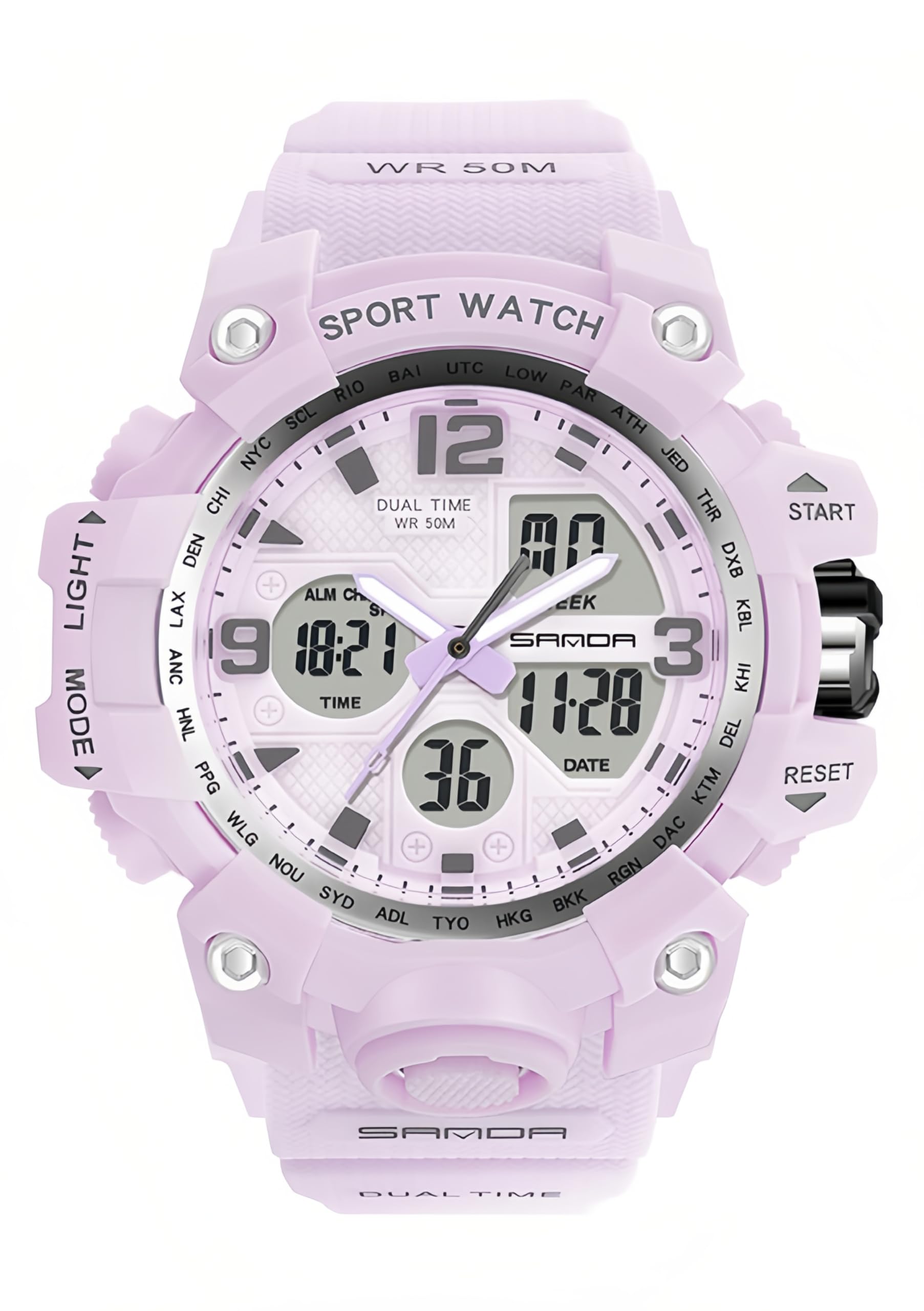
Figure 1: Gosasa Digital Sports Watch Model 3169
Watch Components and Button Functions
Familiarize yourself with the watch's buttons and their primary functions:
- LIGHT Button (Top Left): Activates the LED backlight for visibility in low-light conditions.
- MODE Button (Bottom Left): Cycles through different modes: Time Display, Alarm Setting, Stopwatch, and Date/Day Display.
- START Button (Top Right): Used to start/stop the stopwatch, adjust values during setting, or activate certain functions.
- RESET Button (Bottom Right): Used to reset the stopwatch, confirm settings, or switch between 12/24-hour format.
- Crown (Right Side): Used to set the analog time. Pull out to adjust, push in to lock.

Figure 2: Watch Button Functions Overview
Operating Instructions
1. Setting Analog Time
- Pull out the crown on the right side of the watch.
- Rotate the crown to adjust the analog hands to the desired time.
- Push the crown back in to lock the time.
2. Setting Digital Time and Date
- From the normal time display, press the MODE button repeatedly until the seconds start flashing. This indicates you are in time setting mode.
- Press the RESET button to cycle through the setting items: Seconds → Hour → Minute → Month → Date → Day.
- Use the START button to adjust the flashing value. Hold START to increase values quickly.
- After setting all values, press the MODE button to exit the setting mode and return to the normal time display.
- To switch between 12-hour and 24-hour format, press the RESET button while in normal time display.
3. Alarm Function
- From the normal time display, press the MODE button once to enter Alarm mode (indicated by 'AL' or an alarm icon).
- Press the RESET button to select the hour or minute to set. The selected value will flash.
- Use the START button to adjust the flashing hour or minute.
- Press the MODE button to confirm the alarm time and exit setting mode.
- To activate/deactivate the alarm, press the START button while in Alarm mode. An alarm icon will appear/disappear.
- To activate/deactivate the hourly chime, press the RESET button while in Alarm mode. A chime icon will appear/disappear.
4. Stopwatch Function
- From the normal time display, press the MODE button twice to enter Stopwatch mode (indicated by 'ST' or '00:00:00').
- Press the START button to begin timing.
- Press the START button again to pause timing.
- Press the RESET button to reset the stopwatch to zero while it is paused.
- To exit Stopwatch mode, press the MODE button.
5. Using the LED Backlight
Press the LIGHT button (top left) to illuminate the digital display. The light will stay on for a few seconds.

Figure 3: Luminous Display Feature
Maintenance
Water Resistance
This watch is 5ATM (50 meters) water resistant. This means it is suitable for showering, swimming, and general water activities. However, it is not suitable for diving or prolonged underwater activities at significant depths. Avoid operating buttons underwater or exposing the watch to hot water or steam, as this can compromise the water seals.

Figure 4: Water Resistance Demonstration
Cleaning Your Watch
Wipe the watch case and strap regularly with a soft, damp cloth. For stubborn dirt, a mild soap solution can be used, followed by rinsing with clean water and drying thoroughly. Avoid harsh chemicals or abrasive materials.
Battery Replacement
The watch uses one nonstandard battery (included). When the display dims or functions become erratic, it may be time for a battery replacement. It is recommended to have the battery replaced by a qualified watch technician to ensure proper sealing and maintain water resistance.
Storage
When not in use for extended periods, store the watch in a cool, dry place away from direct sunlight and extreme temperatures.
Troubleshooting
- Digital Display is Blank or Dim: The battery may be low or depleted. Replace the battery.
- Buttons Not Responding: Ensure the watch is not in a locked mode (if applicable, though this model does not have a specific lock). Try pressing the buttons firmly. If the issue persists, a battery replacement might be needed, or there could be an internal malfunction.
- Analog Time Does Not Match Digital Time: The analog hands are set manually. Follow the "Setting Analog Time" instructions to synchronize them with the digital display.
- Water Inside the Watch: If condensation or water droplets appear inside the watch, stop using it immediately and take it to a professional for inspection and repair. This indicates a breach in the water resistance.
- Inaccurate Time: Ensure the time is set correctly. If the watch consistently loses or gains time, the battery may be weak, or the quartz movement may require servicing.
Specifications
| Feature | Specification |
|---|---|
| Model Number | 3169 |
| Display Type | Analog-Digital |
| Watch Movement Type | Quartz |
| Water Resistance Depth | 50 Meters (5ATM) |
| Case Material | Acrylonitrile Butadiene Styrene (ABS) |
| Band Material Type | Thermoplastic Polyurethane (TPU) |
| Case Diameter | 46 Millimeters |
| Case Thickness | 15 Millimeters |
| Band Width | 18 Millimeters |
| Band Length | 230 Millimeters |
| Additional Features | Alarm, Chronograph, Lightweight, Scratch-Resistant, Luminous |
| Battery | 1 Nonstandard Battery (included) |

Figure 5: Watch Dimensions
Warranty Information
This Gosasa Digital Sports Watch Model 3169 comes with a Limited Warranty. The warranty covers manufacturing defects under normal use. It does not cover damage resulting from improper use, accidents, unauthorized repairs, or normal wear and tear. Please retain your proof of purchase for warranty claims. For specific terms and conditions, refer to the warranty card included with your product or contact customer support.
Customer Support
If you encounter any issues or have questions regarding your Gosasa Digital Sports Watch Model 3169 that are not covered in this manual, please contact our customer support team. For the most up-to-date contact information, please visit the official Gosasa website or refer to the packaging materials.
We are committed to providing excellent service and support for our products.