Introduction
This manual provides comprehensive instructions for the setup, operation, and maintenance of your Doubc Q13 Wireless Bluetooth 5.3 Earbuds. Please read this manual carefully before use to ensure optimal performance and longevity of your device.
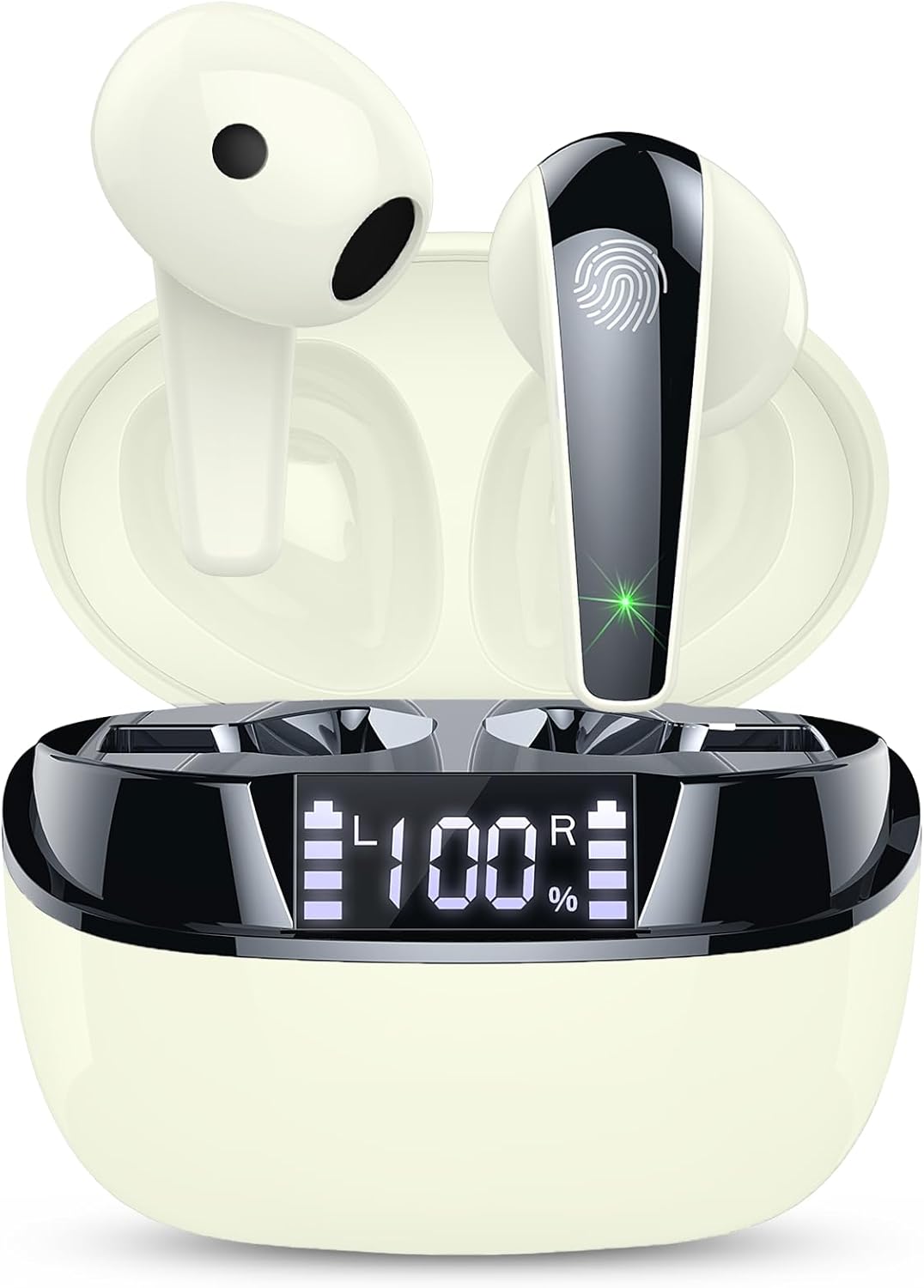
Image: The Doubc Q13 Wireless Bluetooth 5.3 Earbuds in their open charging case, displaying the dual LED battery indicator. The earbuds are off-white with black accents, and the charging case is also off-white.
Package Contents
- Doubc Q13 Wireless Bluetooth 5.3 Earbuds (Left and Right)
- Wireless Charging Case
- USB-C Charging Cable
- User Manual (this document)
Setup
1. Initial Charging
Before first use, fully charge the earbuds and the charging case. Connect the charging case to a power source using a USB-C cable. The dual LED display on the charging case will show the battery percentage for the case and individual earbuds (L for left, R for right).
- A full charge provides up to 47 hours of total playtime with the charging case.
- Earbuds offer up to 7 hours of playtime on a single charge.
- Quick charge feature: 10 minutes of charging provides approximately 1.5 hours of music playtime.
2. Pairing with a Device
- Ensure the earbuds are charged.
- Open the charging case. The earbuds will automatically enter pairing mode.
- On your device (e.g., smartphone, tablet), enable Bluetooth.
- Search for available Bluetooth devices and select "Q13" (or similar name) from the list.
- Once connected, a confirmation sound may be heard, and the earbuds will be ready for use.
The earbuds feature Bluetooth 5.3 technology for faster data transfer, reduced latency, and enhanced connection stability. After initial pairing, the earbuds will automatically reconnect to the last paired device when removed from the case.
Operating Instructions
Smart Touch Controls
The Doubc Q13 earbuds are equipped with touch-sensitive controls on each earbud. The specific functions are:
| Action | Function |
|---|---|
| Single Tap (Left/Right) | Play/Pause Music, Answer/End Call |
| Double Tap (Right Earbud) | Next Track |
| Double Tap (Left Earbud) | Previous Track |
| Triple Tap (Right Earbud) | Volume Up |
| Triple Tap (Left Earbud) | Volume Down |
| Long Press (2 seconds) | Reject Call, Activate Voice Assistant (Siri/Google Assistant) |
Note: Functions may vary slightly depending on your connected device and operating system.
Maintenance
Cleaning
- Gently wipe the earbuds and charging case with a soft, dry, lint-free cloth.
- Avoid using abrasive materials, solvents, or chemical cleaners.
- Ensure charging contacts on both earbuds and case are clean and dry for proper charging.
Water Resistance
The earbuds feature an IPX7-rated nano-coating, providing protection against sweat and rain. This makes them suitable for workouts and outdoor activities. However, they are not designed for swimming or submersion in water. Ensure the earbuds are dry before placing them back into the charging case to prevent damage.
Storage
When not in use, store the earbuds in their charging case to protect them and keep them charged. Store the device in a cool, dry place away from extreme temperatures.
Troubleshooting
If you encounter issues with your Doubc Q13 earbuds, refer to the following common solutions:
- Earbuds not pairing:
- Ensure both earbuds are charged.
- Place earbuds back into the charging case, close the lid, then open it again to re-enter pairing mode.
- Turn off and on your device's Bluetooth.
- Forget "Q13" from your device's Bluetooth list and attempt to pair again.
- No sound from one earbud:
- Ensure both earbuds are charged.
- Try placing both earbuds back into the charging case, closing the lid, and then taking them out again.
- Check your device's audio balance settings.
- Charging issues:
- Ensure the USB-C cable is securely connected to both the case and the power source.
- Verify the power source is active.
- Clean the charging contacts on the earbuds and inside the case.
- Poor sound quality or connection drops:
- Ensure the earbuds are within the effective Bluetooth range of your device (typically 10 meters/33 feet).
- Minimize interference from other wireless devices.
- Ensure earbuds are clean and free of debris.
If problems persist, consult the manufacturer's support resources (if available) or contact customer service.
Specifications
| Feature | Detail |
|---|---|
| Model Name | Q13 |
| Brand | Doubc |
| Connectivity Technology | Wireless (Bluetooth 5.3) |
| Ear Placement | In Ear |
| Form Factor | In Ear |
| Noise Control | Adaptive Noise Cancellation (ENC Microphones) |
| Water Resistance Level | IPX7 Waterproof |
| Total Playtime | Up to 47 hours (with charging case) |
| Earbud Playtime | Up to 7 hours (single charge) |
| Quick Charge | 10 mins charge for 1.5 hours playtime |
| Drivers | Four 13mm graphene drivers |
| Microphones | 4 ENC Noise Cancelling Microphones |
| Display | Dual LED Power Display |
| Item Weight | 1.76 ounces |
| Battery Type | Lithium Ion (included) |
| Compatible Devices | Cellphones |
| Impedance | 32 Ohm |
Warranty and Support
Information regarding product warranty and customer support contact details was not available in the provided product data. Please refer to the product packaging or the manufacturer's official website for warranty terms and support options.


