
1. Introduction and Overview
The Imagitarium Freshwater Aquarium LED Strip Light is designed to provide customizable and efficient lighting for your aquarium. Its sleek, low-profile design allows it to rest approximately one inch above the aquarium surface when the fixture legs are installed. This light features a spectrum achieved using red, blue, and white LEDs, offering various lighting options for your aquatic environment.
Key Features:
- Brilliant freshwater LED lighting suitable for framed and frameless aquariums.
- Integrated light spectrum with red, blue, and white LEDs.
- Dynamic controller with adjustable Lumens, Kelvin, and Timer functions.
- Designed to sit approximately 1 inch above the aquarium with installed fixture legs.
- Typically fits standard aquarium sizing of 20-45 gallons. Verify opening measurements for frameless or cube aquariums.
- 7-foot electrical cord for flexible placement.
2. What's in the Box
Carefully unpack all components and ensure the following items are included:
- Imagitarium Freshwater Aquarium LED Strip Light
- Remote Control (inline controller)
- Power Cable
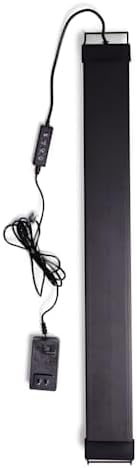
Figure 2.1: The complete Imagitarium Freshwater Aquarium LED Strip Light unit, including the LED strip, inline controller, and power cable. The light is designed for easy placement over an aquarium.
3. Setup Instructions
- Unpack: Carefully remove the LED strip light and all accessories from the packaging.
- Install Mounting Brackets: Attach the adjustable mounting brackets to each end of the LED strip light. Ensure they are securely fastened.
- Position Light: Place the LED strip light on top of your aquarium, ensuring the mounting brackets rest firmly on the edges of the tank. The light should sit approximately 1 inch above the water surface.
- Connect Power: Connect the power cable to the inline controller, and then plug the power adapter into a standard electrical outlet. Ensure the outlet is equipped with a ground fault circuit interrupter (GFCI) for safety.
- Cable Management: Arrange the 7-foot electrical cord to prevent kinks or damage and to keep it away from water.
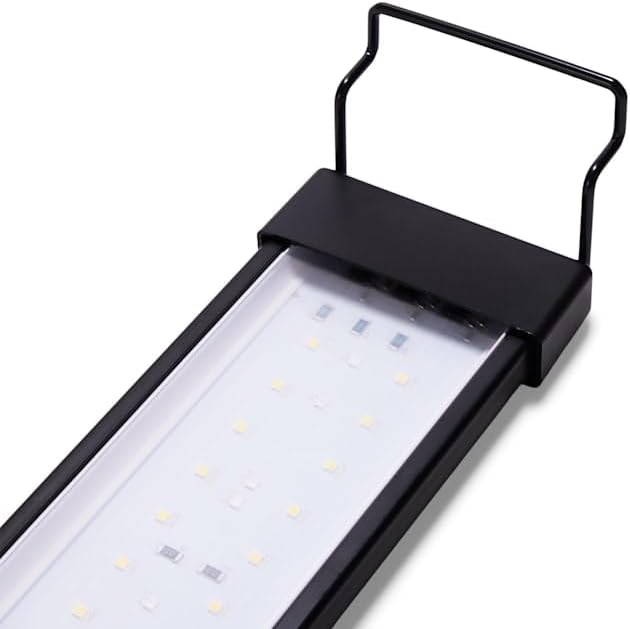
Figure 3.1: This image shows one end of the LED strip light, highlighting the adjustable mounting bracket. These brackets allow the light to rest securely on the edges of an aquarium.
4. Operating Instructions
The Imagitarium LED Strip Light is controlled via an inline remote. Familiarize yourself with the buttons for optimal use.

Figure 4.1: A detailed view of the inline controller for the LED strip light. It features buttons for power (on/off), adjusting light modes (color and intensity), and setting the integrated timer function.
4.1. Power On/Off
- Press the Power button (usually marked with a circle and a vertical line) once to turn the light on.
- Press the Power button again to turn the light off.
4.2. Adjusting Light Modes
The controller allows you to cycle through different light spectrums:
- Press the Light Mode button (often marked with a light bulb icon) to switch between available light settings.
- White Light Mode: Provides bright, clear illumination.
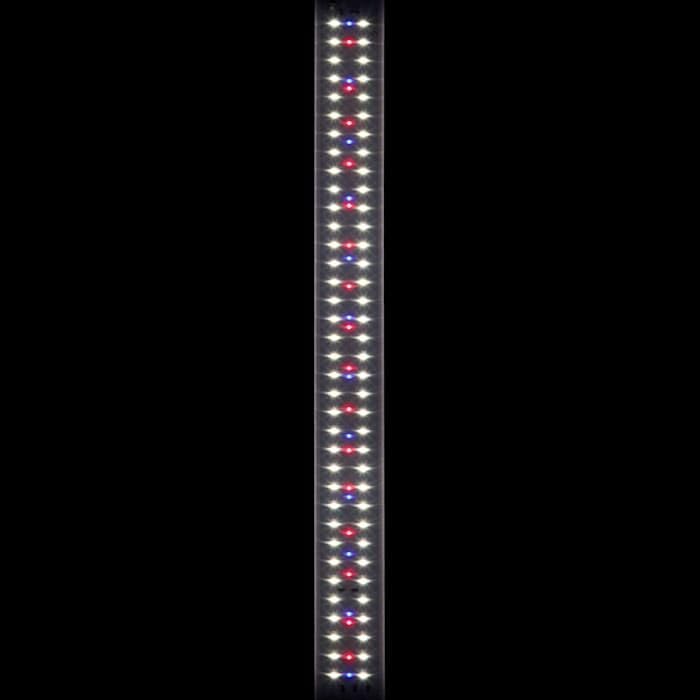
Figure 4.2: The LED strip light is shown with its white LEDs fully illuminated, providing clear and bright illumination for a freshwater aquarium.
- Blue Light Mode: Creates a moonlight effect, ideal for nighttime viewing.

Figure 4.3: The LED strip light is displayed with only its blue LEDs active, creating a calming moonlight effect suitable for nighttime viewing or specific aquatic environments.
- Mixed Light Mode (Red, Blue, White): Offers a full spectrum light, beneficial for plant growth and enhancing fish coloration.
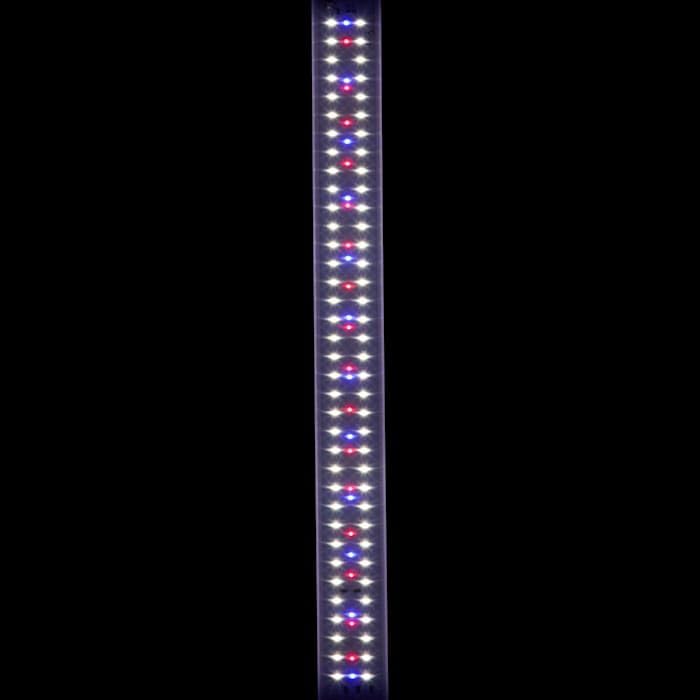
Figure 4.4: This image illustrates the LED strip light with a combination of red, blue, and white LEDs active, providing a full spectrum of light beneficial for plant growth and enhancing fish colors in a freshwater aquarium.
4.3. Timer Function
The integrated timer function allows you to automate the light cycle for your aquarium. Refer to the controller for specific timer settings (e.g., 6-hour, 8-hour, 10-hour cycles). Press the Timer button (often marked with a clock icon) to activate and cycle through the timer options.
5. Maintenance
Regular maintenance ensures the longevity and optimal performance of your LED strip light.
- Cleaning: Before cleaning, always unplug the light from the power source. Use a soft, damp cloth to gently wipe the exterior of the LED strip and controller. Avoid using abrasive cleaners or solvents, as these can damage the unit.
- Water Contact: While the light is designed for aquarium use, avoid submerging the unit or allowing excessive water to come into contact with the electrical components, especially the controller and power adapter.
- Inspection: Periodically inspect the power cord and light fixture for any signs of damage, such as frayed wires or cracks. If damage is found, discontinue use and contact customer support.
6. Troubleshooting
If you encounter issues with your Imagitarium LED Strip Light, refer to the following common problems and solutions:
| Problem | Possible Cause | Solution |
|---|---|---|
| Light does not turn on. | No power, loose connection, faulty outlet. | Ensure the power cable is securely plugged into the light and the outlet. Test the outlet with another device. |
| Light modes are not changing. | Controller malfunction, button not pressed correctly. | Press the Light Mode button firmly. If the issue persists, contact customer support. |
| Timer function is not working. | Incorrect timer setting, power interruption. | Re-set the timer function. Ensure continuous power supply to the unit. |
| Dim or flickering lights. | Power fluctuation, aging LEDs, internal fault. | Check power connection. If problem persists, contact customer support. |
If these steps do not resolve the issue, please contact Imagitarium customer support for further assistance.
7. Specifications
- Brand: imagitarium
- Model: Freshwater Aquarium LED Strip Light 29.5-40"
- ASIN: B0DKVT7R3B
- GTIN/UPC: 800443693001
- Lamp Type: LED Strip Light
- Light Source Type: LED
- Number of Light Sources: 3 (Red, Blue, White LED types)
- Wattage: 34 watts
- Power Source: Corded Electric
- Item Weight: 1.6 Pounds
- Base Material: Plastic
- Shade Material: Plastic
- Finish Type: Polished
- Switch Type: Rotary (on controller)
- Mounting Type: Tabletop (on aquarium rim)
- Indoor Outdoor Usage: Indoor
- Efficiency: Energy Efficient
- Is Waterproof: No (not submersible)
8. Warranty and Support
For warranty information and customer support, please refer to the documentation included with your purchase or contact Imagitarium directly through their official website or customer service channels. Keep your proof of purchase for any warranty claims.