
1. Introduction
Thank you for choosing the imagitarium Planted Aquarium LED Strip Light. This full-spectrum LED light is designed to promote healthy plant growth in both framed and frameless aquariums. Its sleek, low-profile design ensures it sits approximately 1 inch above your aquarium, providing optimal lighting conditions. This manual provides essential information for the safe and effective setup, operation, and maintenance of your new aquarium light.
2. Safety Information
Please read all safety instructions before use to prevent injury or product damage.
- This product is designed for indoor use only. Do not use outdoors or in wet conditions other than over an aquarium.
- Ensure your hands are dry before handling the power adapter or plugging/unplugging the unit.
- Always unplug the light from the power outlet before performing any maintenance, cleaning, or when placing hands in the aquarium water.
- Do not operate the light if the cord or plug is damaged.
- Keep the power adapter and controller away from water.
- Do not attempt to disassemble or modify the light fixture or power adapter.
- Ensure the light is securely placed on the aquarium to prevent it from falling into the water.
3. Package Contents
Verify that all items are present in the package:
- imagitarium Planted Aquarium LED Strip Light
- Inline Controller
- Power Adapter
- Adjustable Mounting Legs (2)

Image: The imagitarium Planted Aquarium LED Strip Light in its retail packaging.
4. Setup Instructions
-
Unpack the Light: Carefully remove all components from the packaging.

Image: All components of the LED strip light, including the light bar, inline controller, and power adapter.
-
Attach Mounting Legs: Slide the adjustable mounting legs onto each end of the LED light fixture. Ensure they are securely seated.
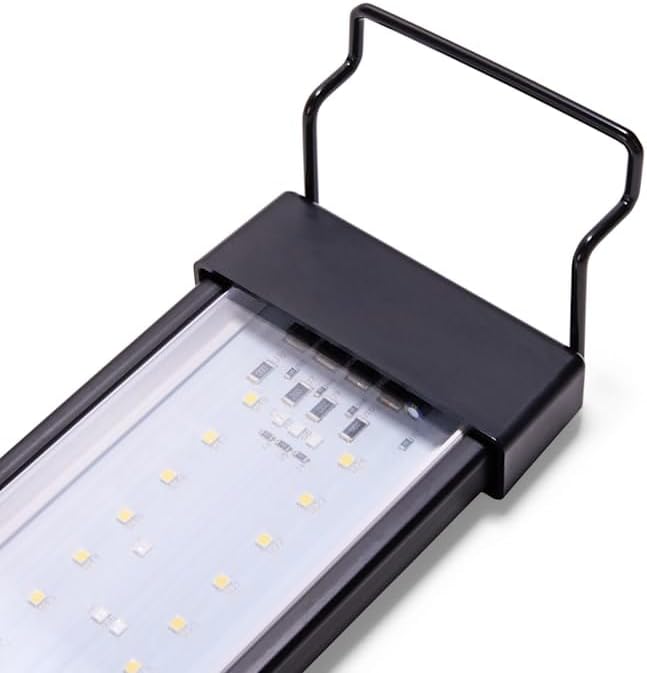
Image: A close-up view of one end of the LED light fixture, showing where the mounting leg attaches.
- Position on Aquarium: Place the light fixture with attached legs onto the top edges of your aquarium. The light is designed to sit approximately 1 inch above the aquarium surface. This light typically fits standard aquarium sizing of 10-20 gallons. For frameless or cube-sized aquariums, verify the opening measurement prior to placement.
-
Connect Controller and Power Adapter: Connect the inline controller to the light fixture cable, then connect the power adapter to the controller. Ensure all connections are firm.
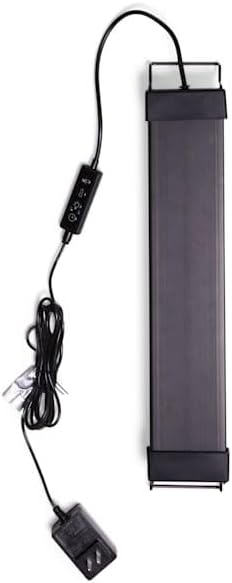
Image: The LED strip light with the inline controller and power adapter fully connected.
- Plug In: Plug the power adapter into a standard electrical outlet. The 7-foot electrical cord provides ample length for convenient placement.
5. Operating Instructions
The imagitarium Planted Aquarium LED Strip Light features a dynamic inline controller for customizable performance. The light spectrum aids in plant growth using red, green, blue, and white LEDs.
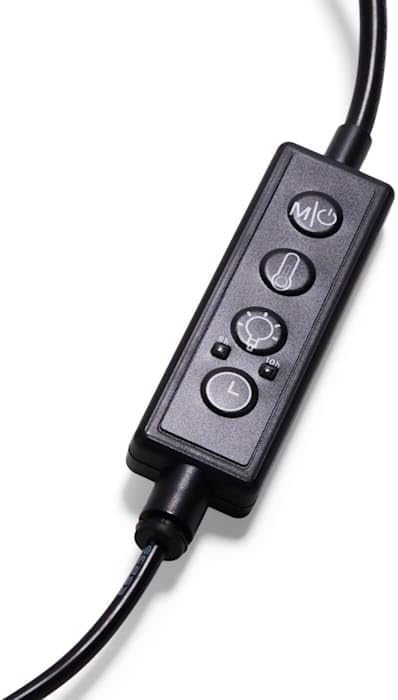
Image: A detailed view of the inline controller with its four buttons.
Controller Functions:
-
Power Button (M/C): Press once to turn the light ON or OFF. This button also cycles through different lighting modes (e.g., full spectrum, blue only).
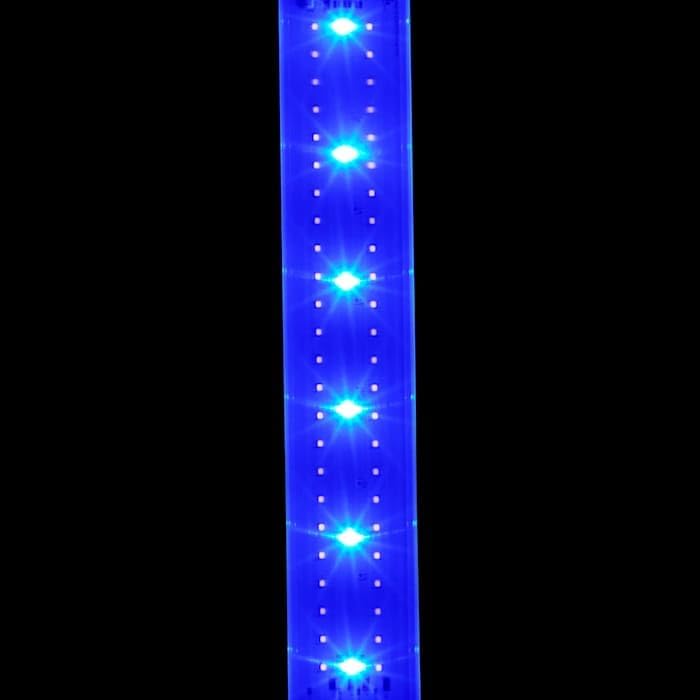
Image: A close-up of the LED strip illuminated with blue lights, demonstrating one of the available lighting modes.
- Kelvin (Color Temperature) Button (☼): Adjusts the color temperature of the light. Cycle through various Kelvin settings to find the optimal spectrum for your planted aquarium.
- Lumens (Brightness) Button (💡): Controls the brightness level of the light. Press to increase or decrease the intensity to suit your plants' needs and viewing preference.
- Timer Button (L): Sets the operational timer for the light. Refer to the specific timer settings in the product's detailed instructions for programming daily on/off cycles.
6. Maintenance
- Cleaning: Regularly wipe the light fixture with a soft, damp cloth to remove dust, water spots, and algae buildup. Ensure the light is unplugged before cleaning. Do not use abrasive cleaners or solvents.
- Cord Inspection: Periodically inspect the power cord and controller for any signs of damage or wear. Replace if necessary.
- Ventilation: Ensure the light fixture has adequate air circulation around it to prevent overheating.
7. Troubleshooting
| Problem | Possible Cause | Solution |
|---|---|---|
| Light does not turn on. | No power, loose connection, faulty adapter. | Check power outlet. Ensure all cables (light to controller, controller to adapter, adapter to wall) are securely connected. Test with another outlet. |
| Light flickers or dims unexpectedly. | Loose connection, power fluctuation, internal fault. | Check all connections. Ensure the power source is stable. If the issue persists, contact customer support. |
| Plants are not growing well. | Incorrect light settings (Kelvin, Lumens, Timer), other aquarium parameters. | Adjust Kelvin and Lumens settings to optimize for plant growth. Ensure the timer provides adequate light duration. Check water parameters (CO2, nutrients) and plant species requirements. |
8. Specifications
| Feature | Detail |
|---|---|
| Model Number | AQUA16/PG /PET |
| Product Dimensions | 16 x 3.2 x 0.5 inches (Light Bar) |
| Adjustable Length | 17.5 - 28 inches (with mounting legs) |
| Item Weight | 1.17 pounds |
| Light Source Type | LED (Red, Green, Blue, White) |
| Voltage | 12 Volts |
| Switch Type | Inline Remote Controller |
| Cord Length | 7 feet |
| Indoor/Outdoor Usage | Indoor Only |
| Material | Plastic |
| UPC | 800443692967 |
9. Warranty and Support
For warranty information or technical support, please refer to the product packaging or contact imagitarium customer service directly. Keep your purchase receipt for warranty claims.