
1. Introduction
The NineLeaf KS-SF20R-PRO is a multifunction wireless motion detector and doorbell system designed for security and convenience. This intelligent device features remote monitoring, sensitive detection, and an energy-saving design, making it suitable for various environments such as homes, stores, offices, and factories. This manual provides detailed instructions for setup, operation, maintenance, and troubleshooting to ensure optimal performance of your device.
2. Product Overview
Key Features:
- Simple Installation: Self-adhesive mounting for the detector, no complex wiring required.
- Rich Ringtone Choice: Receiver offers 17 ringtones, including 4 retail store welcome tones, with bright 4-color LED lights.
- Vibration Alert: Silent mode with strong vibration for discreet alerts.
- Power Saving Design: Utilizes fourth-generation power-saving technology; can be powered by batteries or Micro USB.
- Wide Applicable Range: Working range up to 918 feet (280 meters) between receiver and transmitter.
Components:
The system consists of two main components: the Receiver and the Infrared Sensor (Motion Detector).

Image Description: A detailed diagram illustrating the various parts of the NineLeaf Receiver and Infrared Sensor. The Receiver features an On/Off button, Volume button, Micro USB port, 4 color LEDs, Speaker, Backward/Forward buttons, Hanging hole, and Battery cover. The Infrared Sensor includes a Micro USB Power Interface, ON/OFF switch, Base support adjustment, LED Light Indicator, and the Infrared Motion Sensor itself.
3. Setup
3.1 Battery Installation
The NineLeaf KS-SF20R-PRO does not include batteries. Please ensure you have the correct type and quantity of batteries for both the receiver and the infrared detector.
- Receiver: Open the battery compartment on the back of the receiver and insert the required batteries, observing polarity.
- Infrared Detector: Open the battery compartment on the detector and insert the required batteries, observing polarity.
Alternatively, the device can be powered via a Micro USB cable (not included).
3.2 Mounting the Detector and Receiver
The detector is designed for self-adhesive mounting on a wall. Ensure the mounting surface is clean and dry before application.
- Detector Placement: Mount the infrared detector in the desired location. Adjust the angle of the sensor to cover the detection area effectively and avoid false alarms. The detector has an adjustable angle of 180° to 360°.
- Receiver Placement: Place the receiver in a central location within the working range of the detector (up to 918 feet or 280 meters). The receiver can be placed on a flat surface or hung using the integrated hanging hole.
Important: This unit is for indoor use only. Do not install it in direct sunlight or areas exposed to rain or high humidity.

Image Description: This image shows the adjustable angle of the infrared sensor (180° and 360° rotation) and its detection distance of 2-8 meters. It also illustrates the receiving distance between the sensor and the receiver, which can be up to 918 feet (280 meters).

Image Description: An illustration demonstrating the effective transmission range of 280m/918ft between the motion sensor and the receiver, even when obstacles like doors, brick walls, and concrete walls are present.
4. Operating Instructions
4.1 Powering On/Off
- Receiver: Use the On/Off button located on the side of the receiver to power the device on or off.
- Infrared Detector: Use the ON/OFF switch on the detector to power it on or off.
4.2 Selecting Ringtones and Volume
The receiver offers 17 ringtones and 5 volume levels.
- Ringtone Selection: Use the "Forward" and "Backward" buttons on the receiver to cycle through the available 17 ringtones.
- Volume Adjustment: Use the "Volume" button on the side of the receiver to adjust the sound level. There are 5 distinct volume levels.

Image Description: The NineLeaf receiver is shown with four distinct LED light zones (red, green, blue, white) at the top, indicating different alerts or areas. Musical notes emanate from the speaker grille, symbolizing the variety of chimes and voice prompts available.
4.3 Vibration Alert (Silent Mode)
For quiet environments or nighttime use, the device features a silent mode with a strong vibration alert.
- Activating Vibration: Consult the device's specific mode selection instructions (usually by cycling through ringtone/volume modes until vibration-only is selected).
- This mode provides privacy and minimizes disturbance while still alerting you to detected motion.
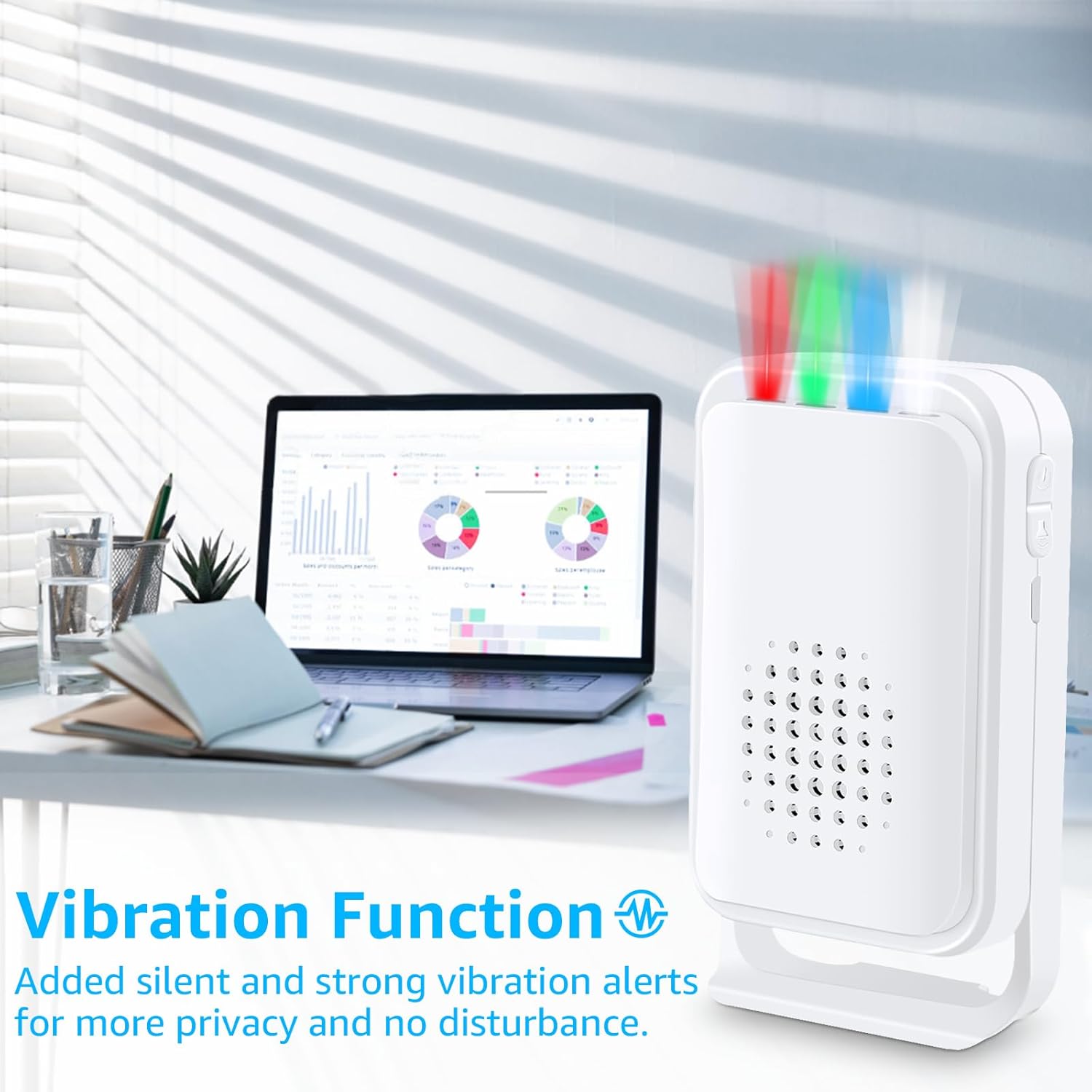
Image Description: The NineLeaf receiver is positioned on a modern desk next to a laptop, emphasizing its use in a professional or quiet setting. Text overlay highlights the "Vibration Function" for silent and strong alerts, promoting privacy and undisturbed operation.
4.4 LED Indicators
The receiver features 4 bright LED indicators that can differentiate between different areas or alert types. The infrared detector also has an LED indicator.
- Observe the LED lights on the receiver to identify the source or type of alert.
- The infrared detector's LED will flash upon detection.
5. Maintenance
5.1 Battery Replacement
Replace batteries promptly when low battery indications occur to ensure continuous operation.
- Infrared Detector: When the infrared detector battery is low, its LED will flash once every 3 seconds.
- Receiver: When the receiver battery is low, a low-battery sound will be heard when switching on or changing modes.
- Remote Control (if applicable): If the indicator light becomes dim or the remote control distance is short, replace its batteries.
5.2 Cleaning
Wipe the device surfaces with a soft, dry cloth. Do not use abrasive cleaners or solvents, as these can damage the device.
6. Troubleshooting
6.1 False Alarms
- Cause: Incorrect sensor angle, direct sunlight, or placement near heat sources/air vents.
- Solution: Adjust the angle of the sensor to avoid detecting unwanted movement. Ensure the unit is not installed in direct sunlight or rain.
6.2 No Detection or Short Range
- Cause: Low batteries, obstructions, or excessive distance.
- Solution: Replace batteries in both the detector and receiver. Ensure there are no significant metal obstructions between the detector and receiver. Verify that the distance is within the specified 918ft (280m) range.
6.3 Receiver Not Responding
- Cause: Receiver is off, low battery, or out of range.
- Solution: Check if the receiver is powered on. Replace batteries or connect via Micro USB. Move the receiver closer to the detector.
7. Specifications
| Parameter | Value |
|---|---|
| Model Number | KS-SF20R-PRO |
| Battery Life (Detector) | 5-7 months (calculated by 30 times per day) |
| Volume | 80-96db (track difference) |
| Working Frequency | 433.92MHz |
| Operating Ambient Temperature (Receiver) | -10°C - 60°C |
| Operating Ambient Temperature (Infrared Detector) | -10°C - 33°C |
| Working Environment Humidity | < 80 % |
| Storage Temperature | -20°C - 70°C |
| Working Range (Receiver to Transmitter) | Up to 918 feet (280 meters) |
| Product Dimensions | 5.71 x 4.45 x 1.89 inches |
| Item Weight | 1.99 pounds |

Image Description: A diagram showing the precise dimensions of both the NineLeaf receiver and the infrared sensor in millimeters and inches. The receiver measures 109mm (4.3in) in height, 62mm (2.4in) in width, and 34mm (1.3in) in depth. The infrared sensor measures 82mm (3.2in) in height, 78mm (3.1in) in width, and 44mm (1.7in) in depth.
8. Warranty and Support
8.1 Warranty Information
The NineLeaf KS-SF20R-PRO comes with a one-year warranty from the date of purchase. This warranty covers manufacturing defects and ensures the product functions as intended under normal use. Please retain your proof of purchase for warranty claims.
8.2 Customer Support
For technical assistance, troubleshooting, or warranty inquiries, please contact NineLeaf customer support through the retailer where the product was purchased or visit the official NineLeaf website for contact information.
9. Applicable Range
The NineLeaf KS-SF20R-PRO is versatile and can be used in a wide variety of settings:
- Retail Stores & Shopping Malls: Welcome chime for customers, alert for unauthorized entry.
- Offices & Factories: Security monitoring, visitor alerts.
- Homes & Villas: Doorbell, security alert, child safety monitoring, garage alerts.
- Upscale Clubs & Hotels: Discreet visitor notification, security.
- Mailbox Monitoring: Alerts when mail is delivered.

Image Description: A collage of six images demonstrating the wide range of applications for the NineLeaf motion detector. Scenarios include detecting a thief entering a room, an animal near an entrance, ensuring child safety on stairs, providing a garage alert, notifying of a visitor at the door, and monitoring a mailbox for deliveries.