
CPAI EV1416
CPAI Replacement Filter for Black+Decker EV1416 3-in-1 Vacuum
Instruction Manual
1. Introduction
This manual provides essential information for the proper installation, maintenance, and use of your CPAI Replacement Filter. Designed for optimal performance, this filter helps maintain the efficiency of your vacuum cleaner by capturing dust and debris effectively.
2. Compatibility
The CPAI Replacement Filter is specifically designed for use with the following vacuum cleaner model:
- Black+Decker EV1416 Series 3-in-1 Lightweight Corded Upright and Handheld Multi-Surface Vacuum Cleaner.
Please verify your vacuum cleaner's model number to ensure proper fit and function.
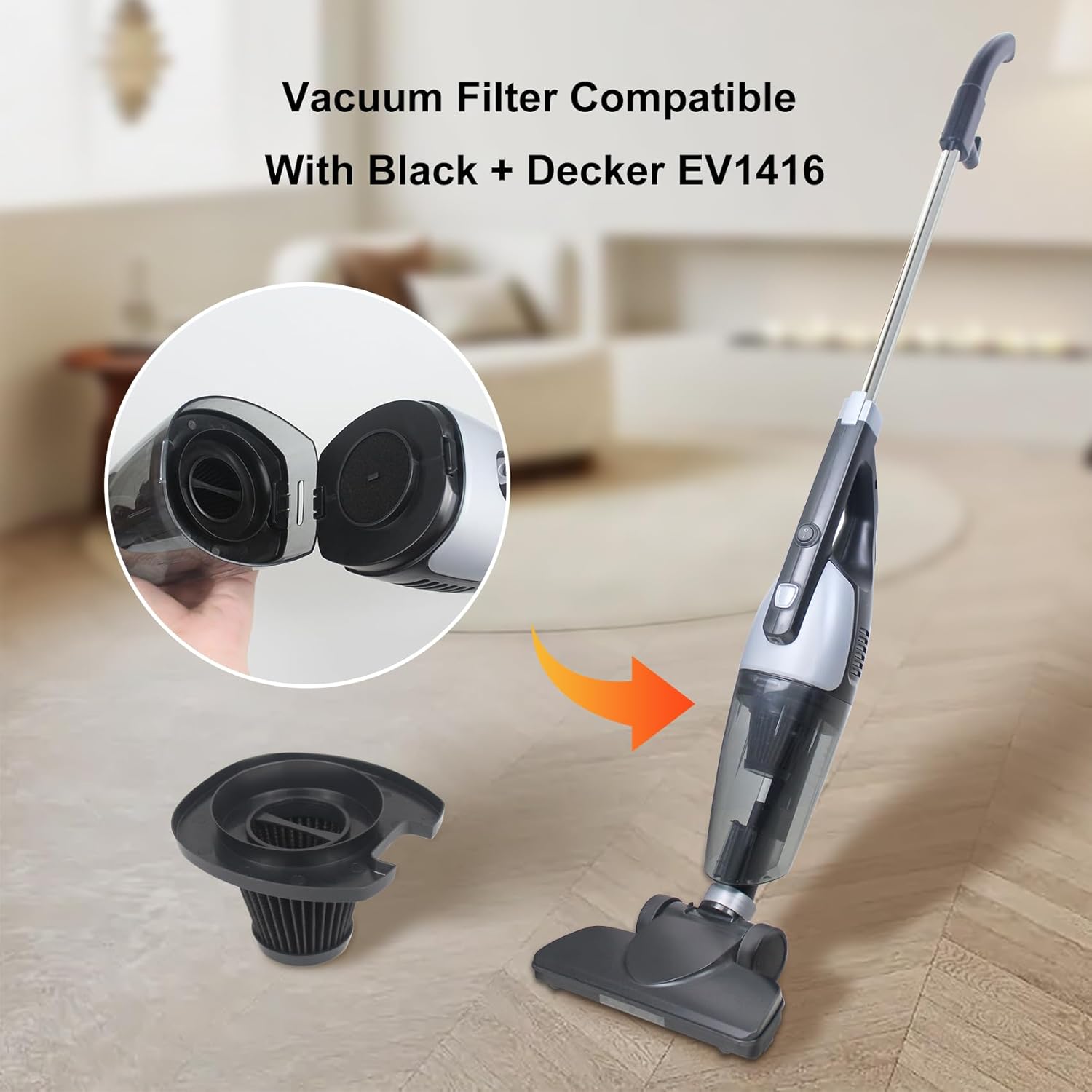
Image: The CPAI Replacement Filter shown alongside a compatible Black+Decker EV1416 vacuum cleaner, illustrating its intended use.
3. Key Features
- High Efficiency Filtration: Designed to capture fine dust and allergens, contributing to cleaner air.
- Washable and Reusable: The filter can be washed and reused, extending its lifespan and providing cost-effective maintenance.
- Easy Installation: Engineered for quick and straightforward replacement, requiring no special tools.
- Optimal Performance: Regular replacement ensures your vacuum operates at its peak suction power and filtration efficiency.

Image: A set of four CPAI replacement filters, each consisting of a pleated filter and a foam pre-filter, ready for use.
4. Installation
Follow these steps to replace the filter in your Black+Decker EV1416 vacuum cleaner:
- Remove the Dustbin: Locate the release button for the dustbin on your vacuum cleaner. Press the button and carefully detach the dustbin from the main unit.
- Access the Old Filter: Inside the dustbin, you will find the existing filter assembly. Gently twist or pull to remove the old filter.
- Clean the Dustbin: Empty any accumulated debris from the dustbin and wipe it clean if necessary.
- Install the New Filter: Take your new CPAI Replacement Filter. Align it correctly within the dustbin and push it firmly into place until it is securely seated.
- Reattach the Dustbin: Reconnect the dustbin to the main vacuum unit, ensuring it clicks securely into place.
Video: A demonstration of replacing a Black+Decker vacuum filter, showing the steps of removing the old filter and inserting a new one.
Video: A detailed guide on replacing the VF110 filter in a Black+Decker vacuum, highlighting the ease of installation.
5. Maintenance
To ensure optimal performance and extend the life of your CPAI Replacement Filter, regular cleaning is recommended:
- Frequency: It is recommended to clean the filter every 6-9 months, or more frequently depending on usage and debris accumulation.
- Washing: Remove the filter from the dustbin. Tap off any loose debris. Rinse the filter under running water until the water runs clear.
- Drying: Allow the filter to air dry completely for at least 24 hours before reinserting it into the vacuum. Do not use a dryer or direct heat, as this can damage the filter material.
- Replacement: Even with regular cleaning, filters wear out over time. Replace the filter with a new one if you notice a decrease in suction power or if the filter appears damaged.
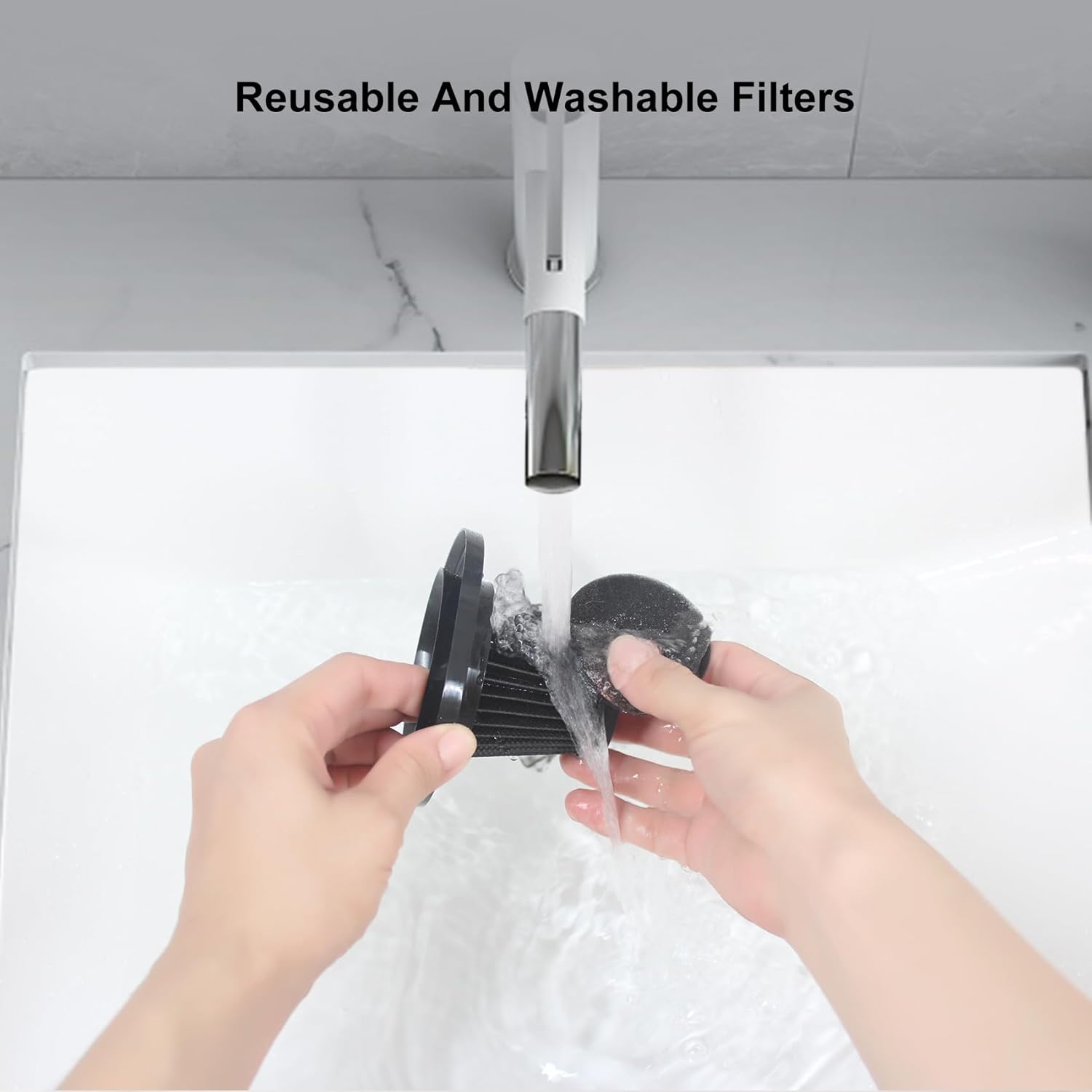
Image: Hands demonstrating the washing process of a reusable filter under running water, emphasizing its washable design.
6. Troubleshooting
- Reduced Suction: If your vacuum experiences reduced suction, first check if the filter is clogged. Clean or replace the filter as described in the Maintenance section. Also, check the dustbin for overfilling and ensure all parts are correctly assembled.
- Unusual Noises: Ensure the filter is properly seated and the dustbin is securely attached. Loose components can cause unusual noises during operation.
7. Specifications
| Attribute | Detail |
|---|---|
| Brand | CPAI |
| Model Info | EV1416 |
| Item Weight | 7.4 ounces |
| Product Dimensions | 4.1 x 2.1 x 2.7 inches |
| Material Type | Foam |
| Reusability | Reusable |
| Included Components | EV1416 Filter |

Image: A diagram illustrating the precise dimensions of the EV1416 filter, including height and width measurements.
8. Warranty and Support
For any questions regarding your CPAI Replacement Filter or for support, please refer to the contact information provided with your purchase. Ensure you retain your proof of purchase for warranty claims.