
YPOO WP02
YPOO Walking Pad with Incline User Manual
Model: WP02 | Brand: YPOO
Introduction
This manual provides essential information for the safe and effective operation, maintenance, and troubleshooting of your YPOO Walking Pad with Incline. Please read this manual thoroughly before first use and retain it for future reference.

Image: The YPOO Walking Pad with Incline, demonstrating its use for both walking under a desk and light jogging. The image highlights the compact design and the incline feature.
Safety Instructions
To ensure safe operation and prevent injury, adhere to the following safety guidelines:
- Always place the walking pad on a flat, stable surface.
- Ensure adequate clear space around the walking pad during operation.
- Do not exceed the maximum user weight capacity of 300 lbs (136 kg).
- Keep children and pets away from the walking pad during operation.
- Unplug the walking pad from the power outlet when not in use or before cleaning/maintenance.
- Do not operate the walking pad if it has a damaged cord or plug, or if it is not working properly.
- Consult a physician before starting any new exercise program.
- Use the remote control carefully to adjust speed and settings.
Package Contents
Verify that all components are present in the package:
- 1 x YPOO Walking Pad with Incline
- 1 x Power Cord
- 2 x Bolts (for incline adjustment)
- 1 x Hex Tool
- 1 x Remote Control
- 1 x User Manual
- Lubricating Oil (for initial or future maintenance, though belt is oil-free)

Image: A visual representation of the items included in the YPOO Walking Pad package, including the power cord, bolts, hex tool, remote control, and user manual.
Setup
The YPOO Walking Pad is designed for quick and easy setup, requiring no installation.
- Unpack: Carefully remove the walking pad from its packaging.
- Position: Place the walking pad on a level surface. Its compact design allows it to fit under a standing desk, sofa, or bed.
- Connect Power: Plug the power cord into the walking pad's power inlet and then into a standard electrical outlet. The power cord is detachable for safety and convenience.
- Remote Control: Insert the included batteries into the remote control.
- Incline Adjustment: The walking pad features three customizable incline modes. Manually adjust the incline by positioning the support legs at the desired angle.

Image: The YPOO Walking Pad demonstrating its extreme space-saving capability by being stored under a sofa, emphasizing its easy storage, setup, and mobility with wheels.

Image: A close-up view illustrating the detachable power cord connection point on the YPOO Walking Pad, emphasizing safety and ease of use.
Operating Instructions
Basic Operation
- Power On: Turn on the main power switch located on the walking pad.
- Start: Press the power button on the remote control. The display will show a countdown before the belt starts moving.
- Adjust Speed: Use the "+" and "-" buttons on the remote control to adjust the speed. The speed range is 0.5 to 3.7 MPH.
- Monitor Progress: The 3-window LED display shows real-time data for time, speed, distance, and calories burned.
- Stop: Press the power button on the remote control to stop the walking pad.

Image: The YPOO Walking Pad's integrated LED display, showing real-time exercise data such as distance, calories, time, and speed, along with the remote control for easy adjustments.
Incline Modes
The walking pad offers three incline modes to simulate different terrains and enhance calorie burning. These are manually adjusted by positioning the rear support legs.

Image: A visual guide to the YPOO Walking Pad's 3-level adjustable incline, demonstrating how different incline settings (1.7%, 4.4%, 6%) can increase calorie burning by up to 45%.
App Connectivity
Enhance your workout experience by connecting your walking pad to the YPOO FIT app. The app allows you to track your progress, view detailed exercise data, and unlock professional workouts.
- Download the "YPOO FIT" app from your device's app store (App Store or Google Play).
- Follow the in-app instructions to pair your walking pad via Bluetooth.
- The app will display and record your movement data, including pace, exercise time statistics, and more.

Image: The YPOO Walking Pad connected to the YPOO FIT app, showcasing the app's interface with detailed exercise data and statistics, allowing users to track their fitness journey.
Maintenance
Proper maintenance ensures the longevity and optimal performance of your YPOO Walking Pad.
- Cleaning: Wipe down the walking pad with a damp cloth after each use to remove sweat and dust. Do not use abrasive cleaners.
- Running Belt: The YPOO Walking Pad features an upgraded oil-free running belt with a self-lubricating layer, eliminating the need for frequent lubrication. This design ensures long-lasting durability and maintenance-free operation.
- Storage: When not in use, the compact design allows for easy storage under a sofa, bed, or in a corner. Utilize the built-in wheels for effortless mobility.
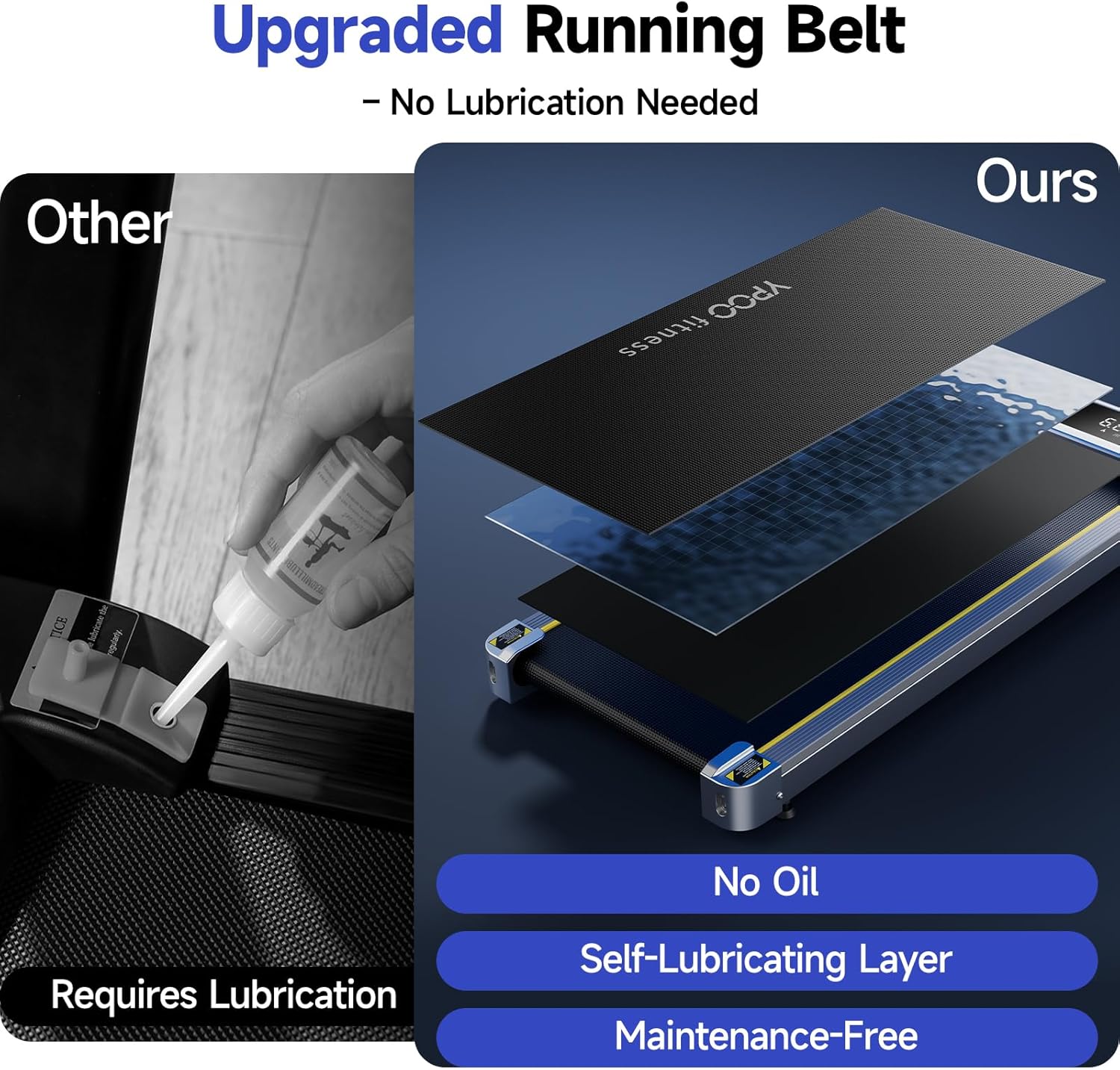
Image: A comparison highlighting the YPOO Walking Pad's upgraded running belt, which is oil-free and features a self-lubricating layer, eliminating the need for manual lubrication and ensuring maintenance-free use.
Troubleshooting
If you encounter issues with your YPOO Walking Pad, refer to the following common solutions:
| Problem | Possible Cause | Solution |
|---|---|---|
| Remote control flashes blue light and does not work. | Remote control is not paired with the treadmill. | To pair the remote control:
|
| Treadmill does not power on. | Power cord not properly connected or no power from outlet. | Ensure the power cord is securely plugged into both the treadmill and a working electrical outlet. Check the main power switch on the treadmill. |
| Belt slips or hesitates. | Belt tension may be loose or belt alignment issue. | Refer to the full user manual for instructions on adjusting belt tension and alignment. |
| Unusual noise during operation. | Loose components or foreign objects under the belt. | Stop the treadmill immediately. Inspect for loose parts or obstructions. If the issue persists, contact customer service. |
Specifications
| Feature | Detail |
|---|---|
| Model Number | WP02 |
| Product Dimensions | 115.5 x 53 x 12 cm (45.5 x 20.9 x 4.7 inches) |
| Item Weight | 18 kg (39.7 lbs) |
| Colour | Silver |
| Display Type | LED |
| Frame Material | Alloy Steel |
| Horsepower | 2.5 HP (Brushless Motor) |
| Speed Range | 0.5 - 3.7 MPH |
| Maximum User Weight | 136 kg (300 lbs) |
| Running Area | 93 x 38 cm (36.6 x 15 inches) |
| Special Features | Manual Incline, Oil-Free Running Belt, App Connectivity, Portable with Wheels |
| Power Source | Corded Electric |
Warranty and Support
YPOO is committed to providing excellent customer service and product support.
- Customer Service: We offer 24-hour customer service to address any issues or questions you may have.
- After-Sales Support: YPOO provides 100% satisfied after-sales service, ensuring your satisfaction with the product.
- Experience: Benefit from over 15 years of experience in fitness equipment manufacturing and 24/7 US-based customer support.
For assistance, please refer to the contact information provided in your product packaging or visit the official YPOO website.

Image: A customer service representative ready to assist, symbolizing YPOO's commitment to 100% satisfied after-sales service, including product inspection, packing, shipment, order processing, delivery, and customer support.
Related documentsWP02

Ask a question about this manual
Ask about setup, troubleshooting, compatibility, parts, safety, or missing instructions. Manuals+ will review the question and use this page’s manual context to help answer it.