Introduction
This manual provides detailed instructions for the proper use, setup, and maintenance of your Hsermlh OWS True Wireless Open Ear Headset. Please read this manual thoroughly before using the product to ensure optimal performance and longevity.
The Hsermlh OWS True Wireless Open Ear Headset features Bluetooth 5.4 connectivity, an IP54 waterproof rating, and a color touch screen on the charging case. Its open-ear design is suitable for various activities, including workouts, providing comfort and situational awareness.
Package Contents
- Hsermlh OWS True Wireless Open Ear Headset (Left and Right Earbuds)
- Charging Case with Color Touch Screen
- USB Charging Cable
- User Manual
Product Overview

Image: The Hsermlh OWS True Wireless Open Ear Headset, showing both earbuds and the charging case with its integrated color touch screen.

Image: Diagram illustrating the dimensions of the Hsermlh OWS True Wireless Open Ear Headset earbuds and their charging case. The case measures approximately 93.0mm (3.66 inches) in length and 54.4mm (2.14 inches) in width. Each earbud measures approximately 45.8mm (1.80 inches) in length.
Setup
Charging the Device
Before first use, fully charge the earbuds and the charging case.
- Place the earbuds into the charging case, ensuring they are properly seated.
- Connect the USB charging cable to the charging port on the case and the other end to a compatible USB power source.
- The color touch screen on the case will indicate the charging status. A full charge for the case and earbuds takes approximately 1 hour.
Pairing with a Device
The earbuds utilize Bluetooth 5.4 for stable and efficient wireless connection.

Image: An illustrative diagram showcasing the internal layers of the Bluetooth 5.4 chip, highlighting its advanced architecture for wireless connectivity.
- Open the charging case. The earbuds will automatically enter pairing mode.
- On your smartphone, laptop, tablet, or smart speaker, navigate to the Bluetooth settings.
- Search for available devices and select "Hsermlh OWS" (or similar name) from the list.
- Once connected, the earbuds will indicate successful pairing, and the device will show them as connected.
- The earbuds support automatic re-connection to the last paired device when taken out of the case.
Operating Instructions
Wearing the Earbuds
The earbuds feature a hanging ear style design for a secure and comfortable fit, ideal for workouts and active use.

Image: A person wearing the Hsermlh OWS True Wireless Open Ear Headset, demonstrating the secure and comfortable "hanging ear" fit.
- Identify the left (L) and right (R) earbuds.
- Gently hook the earbud over your ear, positioning the speaker part comfortably near your ear canal without inserting it directly.
- Adjust the earbud for a stable and comfortable fit. The design ensures they remain in place even during movement.
Audio Features
The earbuds are designed to deliver panoramic stereo sound with professional acoustic tuning.

Image: The earbuds in their charging case, highlighting the "Panoramic stereo" feature, emphasizing comfortable wear and lightweight design (7 grams per ear).

Image: An exploded view of an earbud's internal components, illustrating the professional acoustic tuning and high elasticity composite diaphragm responsible for sound quality.
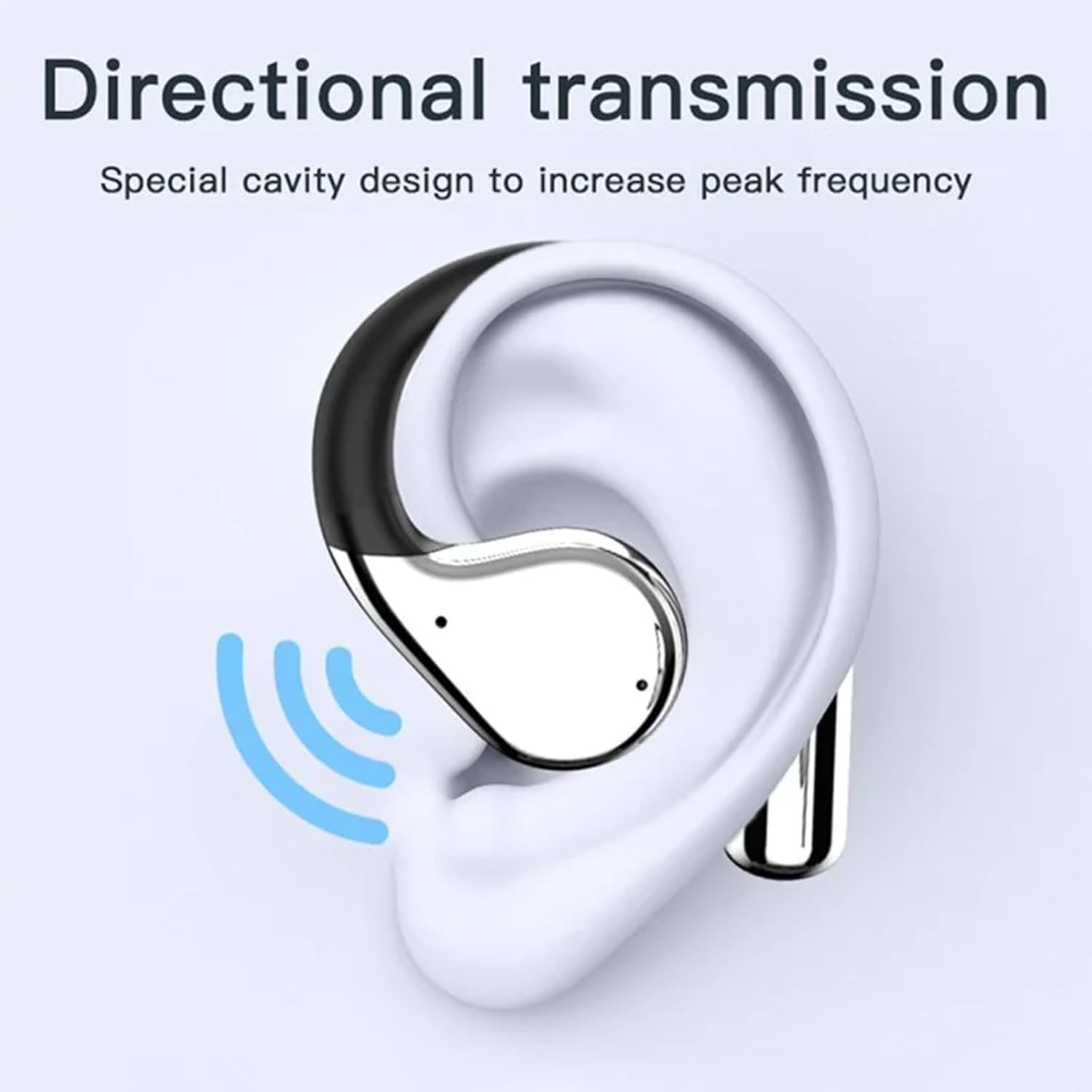
Image: A diagram showing an earbud positioned on an ear, with blue waves indicating directional sound transmission, a result of the special cavity design to increase peak frequency.
The open-ear design allows you to hear your surroundings while enjoying audio, enhancing safety during outdoor activities.
Touch Screen Controls (Charging Case)
The charging case features a color touch screen for convenient control and information display. Refer to the on-screen interface for specific functions such as battery levels, playback controls, and settings adjustments.
Maintenance
Cleaning
- Wipe the earbuds and charging case with a soft, dry, lint-free cloth.
- Do not use abrasive cleaners, alcohol, or chemical solvents.
- Ensure charging contacts are clean and free of debris.
Storage
- Store the earbuds in their charging case when not in use to protect them and keep them charged.
- Store in a cool, dry place, away from extreme temperatures and direct sunlight.
Water Resistance (IP54)
The earbuds are rated IP54, meaning they are protected from limited dust ingress and from water spray from any direction. This makes them suitable for workouts and light rain. Do not submerge the earbuds in water or expose them to strong jets of water.
Troubleshooting
| Problem | Possible Cause | Solution |
|---|---|---|
| Earbuds not pairing | Low battery; out of range; pairing mode not active; previously paired to another device. | Charge earbuds and case. Ensure earbuds are in pairing mode (open case). Turn off Bluetooth on other devices. Forget device in Bluetooth settings and re-pair. |
| No sound | Volume too low; earbuds not connected; incorrect audio output selected on device. | Increase volume on both earbuds and connected device. Reconnect earbuds. Check audio output settings on your device. |
| Intermittent connection | Interference; distance from device; obstacles; low battery. | Move closer to the connected device. Avoid areas with strong Wi-Fi or other Bluetooth signals. Ensure earbuds and device are charged. |
| Charging case screen unresponsive | Low battery; temporary software glitch. | Charge the case. If issue persists, try a soft reset (refer to manufacturer's website for specific reset procedures if available). |
Specifications
| Feature | Detail |
|---|---|
| Brand | Hsermlh |
| Model | OWS True Wireless Open Ear Headset (B0DKT9QJ77) |
| Connectivity | Bluetooth 5.4 |
| Audio Driver Type | Dynamic Driver |
| Battery Life (Earbuds) | Up to 7 Hours |
| Charging Time | Approximately 1 Hour (Earbuds & Case) |
| Water Resistance Rating | IP54 |
| Compatible Devices | Smartphones, Laptops, Tablets, Smart Speakers |
| Unit Count | 1.0 Count (Pair of Earbuds + Charging Case) |
| First Available Date | May 9, 2025 |
Warranty and Support
For information regarding warranty coverage, technical support, or service inquiries, please refer to the warranty card included with your product packaging or visit the official Hsermlh website. Keep your purchase receipt as proof of purchase for warranty claims.
Manufacturer: Hsermlh