
1. Introduction
The FlexFit CF577BLE Smart Scale is designed to provide comprehensive body composition analysis. Utilizing an 8-electrode measuring principle, it accurately measures 56 body indicators, including body weight, BMI, body fat percentage, muscle mass, hydration levels, and bone density. This manual provides instructions for setting up, operating, and maintaining your FlexFit Smart Scale.

Image 1.1: Top view of the FlexFit CF577BLE Smart Scale, showcasing its sleek design and integrated display.
2. Package Contents
Verify that all items are present in the package:
- FlexFit CF577BLE Smart Scale
- Instruction Manual (this document)
- USB Charging Cable (if applicable)

Image 2.1: The FlexFit Smart Scale packaging, showing the scale and a smartphone displaying the companion app.
3. Setup Guide
3.1 Initial Charging
Before first use, ensure the scale is fully charged. Connect the provided USB charging cable to the scale's charging port and a suitable USB power source. The display will indicate charging status.

Image 3.1: Close-up view of the scale's USB charging port, highlighting the easy charging feature.
3.2 App Installation and Pairing
- Download the Unique Health app from your smartphone's app store (iOS or Android).
- Create a user profile within the app, entering necessary personal details for accurate body composition calculations.
- Ensure Bluetooth is enabled on your smartphone.
- Step onto the scale. The scale will automatically activate and attempt to pair with the app via Bluetooth.
- Follow the on-screen prompts in the Unique Health app to complete the pairing process.

Image 3.2: The FlexFit scale displayed next to a smartphone showing the Unique Health app, illustrating the Bluetooth connection process.
3.3 Placement
Place the scale on a hard, flat surface for accurate readings. Avoid carpets or uneven flooring.
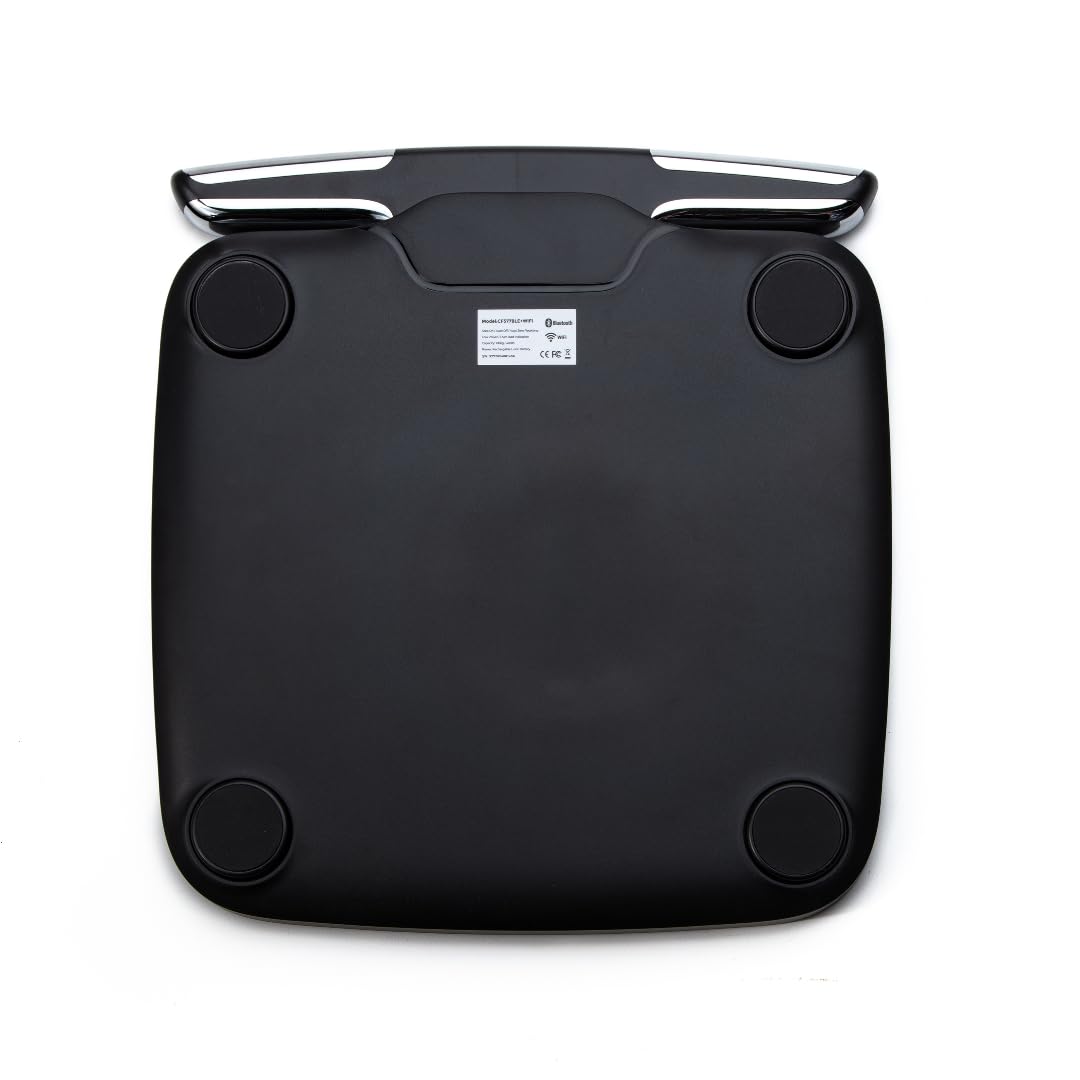
Image 3.3: The underside of the FlexFit Smart Scale, showing the four anti-slip pads for stable placement.
4. Operating Instructions
4.1 Taking a Measurement
The FlexFit Smart Scale features 'Step-On Technology'. Simply step onto the scale barefoot. Ensure your feet are positioned on the electrode areas for full body composition analysis. The scale will automatically turn on, measure your weight, and then proceed with body composition analysis using its 8-electrode system.

Image 4.1: A person standing barefoot on the FlexFit Smart Scale, demonstrating proper foot placement for measurement.
4.2 Using the Handheld Electrodes
For the most comprehensive 8-electrode body composition analysis, hold the handheld electrodes with your thumbs and fingertips on the contact points while standing on the scale. This allows for segmental body analysis.
Video 4.1: A demonstration of using the FlexFit Smart Scale, showing how to stand on the scale and hold the handheld electrodes for a full body composition reading.
4.3 Reading Measurements
Your weight will be displayed on the scale's TFT colorful screen. All 56 body indicators will be automatically synced to the Unique Health app via Bluetooth for real-time updates and detailed reports. The app provides intuitive charts and dashboards to track your health trends over time.
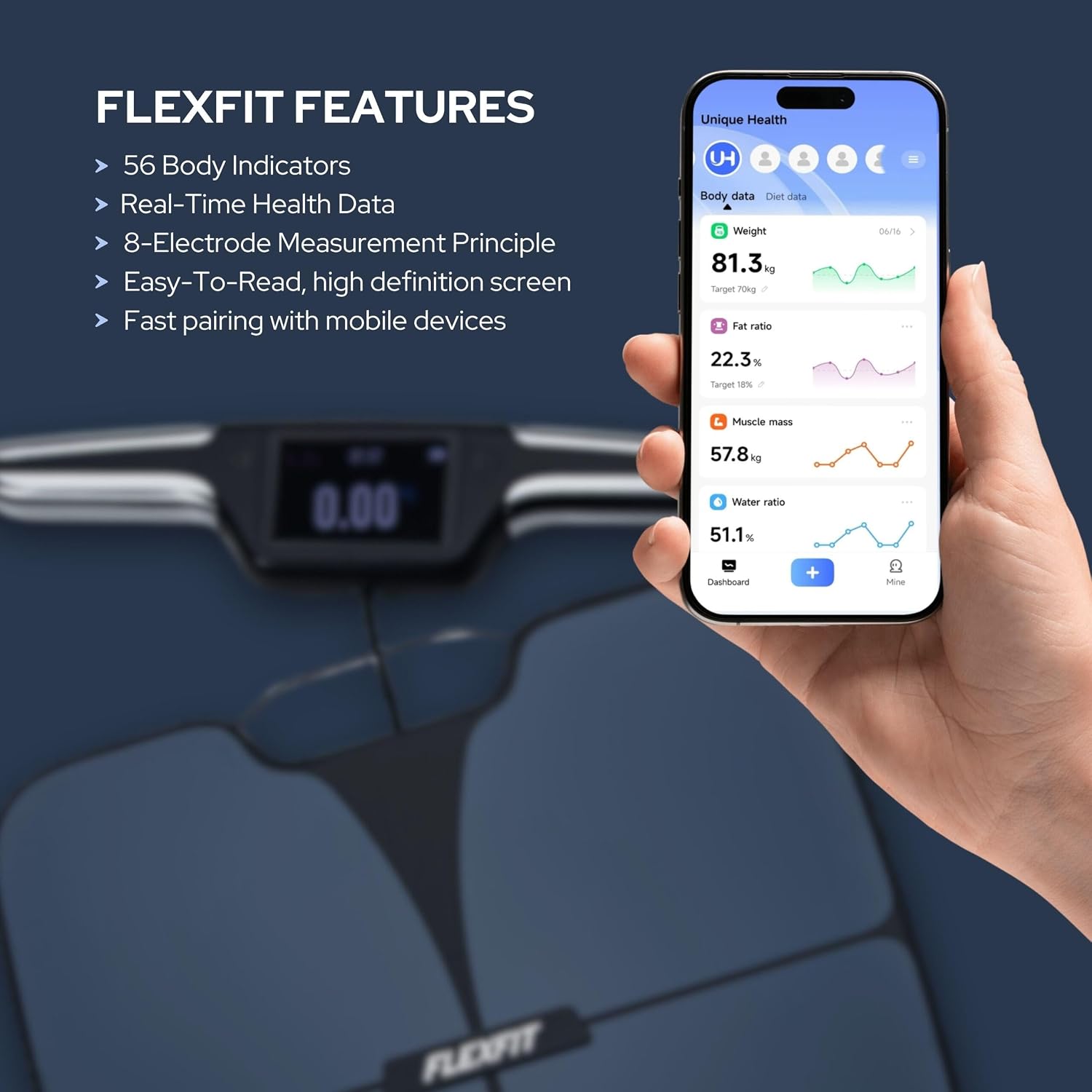
Image 4.2: An overview of FlexFit features, including 56 body indicators and real-time health data, alongside a smartphone displaying the Unique Health app interface.
4.4 Multiple Users
The scale automatically recognizes up to 10 users. Ensure each user has a profile set up in the Unique Health app. When a user steps on the scale, their data will be automatically associated with their profile.
5. Features and Body Indicators
The FlexFit Smart Scale provides detailed insights into your body composition. Key features include:
- 56 Body Indicators: Comprehensive analysis including Weight, BMI, Body Fat, Muscle Mass, Hydration, Bone Density, Protein, Skeletal Muscle, and more.
- 8-Electrode Measurement: Provides more precise and segmental body composition data compared to standard 4-electrode scales.
- TFT Colorful Screen: High-definition display for clear weight readings.
- Unique Health App: Syncs data via Bluetooth for tracking progress, setting goals, and receiving actionable insights.
- Step-On Technology: Instant measurements without needing to tap or press buttons.
- WiFi/Bluetooth Dual-Mode: Ensures reliable data transfer and updates.

Image 5.1: Visual representation of the 56 body indicators measured by the FlexFit scale, including weight, BMI, body fat, protein, muscle mass, and skeletal muscle.
6. Maintenance
6.1 Cleaning
Wipe the scale surface with a damp cloth and mild detergent. Do not use abrasive cleaners or immerse the scale in water.
6.2 Storage
Store the scale in a cool, dry place. Avoid extreme temperatures or direct sunlight.
7. Troubleshooting
7.1 Inaccurate Readings
- Ensure the scale is on a hard, flat surface.
- Make sure you are standing barefoot on the electrode areas.
- Verify your profile information (height, age, gender) in the app is correct.
- Recalibrate the scale by stepping on it briefly, then stepping off, and waiting for it to display '0.00' before taking a measurement.
7.2 Connectivity Issues (Bluetooth/App)
- Ensure Bluetooth is enabled on your smartphone.
- Make sure the Unique Health app is open and running in the foreground or background.
- Restart your smartphone and the scale.
- If issues persist, try unpairing and re-pairing the scale with the app.
7.3 Scale Not Turning On
- Check if the scale is charged. Connect it to a power source using the USB cable.
- Ensure there is no debris obstructing the power button (if applicable) or the step-on sensors.
8. Specifications
| Brand | FlexFit |
| Model Number | CF577BLE |
| Color | Black |
| Weight Limit | 400 Pounds |
| Display Type | LED (TFT Colorful Screen) |
| Measurement Type | Pounds |
| Special Features | 56 Body Measurements, Body Mass Index, Fat Percentage, Muscle Percentage, TFT Display Screen |
| Item Weight | 7.5 Pounds |
| Connectivity | WiFi/Bluetooth Dual-Mode |
9. Warranty and Support
For warranty information and customer support, please refer to the official FlexFit website or contact their customer service directly. Keep your purchase receipt as proof of purchase for any warranty claims.