
1. Introduction
This manual provides essential information for the Lazellz Dryer Lint Filter, a replacement part designed for specific Samsung dryer models. This lint filter is crucial for maintaining your dryer's efficiency and safety by trapping lint and debris from your laundry.
Important Note: This document focuses on the lint filter itself. Detailed installation and operational instructions for your specific Samsung dryer model can be found in your dryer's original user manual.
2. Product Compatibility
The Lazellz Dryer Lint Filter is compatible with the following Samsung dryer model numbers:
- DVE45M5500P
- DVE45M5500P/A3
- DVE45M5500W
- DVE45M5500W/A3
Please verify your dryer's model number before installing this replacement part to ensure proper fit and function.
3. Installation and Replacement
Replacing your dryer's lint filter is a straightforward process. Always ensure the dryer is turned off and unplugged from the power outlet before performing any maintenance or part replacement.
- Locate the Existing Filter: The lint filter is typically located inside the dryer door opening or on the top panel of the dryer.
- Remove the Old Filter: Grasp the handle of the existing lint filter and pull it straight out.
- Insert the New Filter: Align the new Lazellz lint filter with the opening and slide it firmly into place until it is fully seated. Ensure there are no gaps.
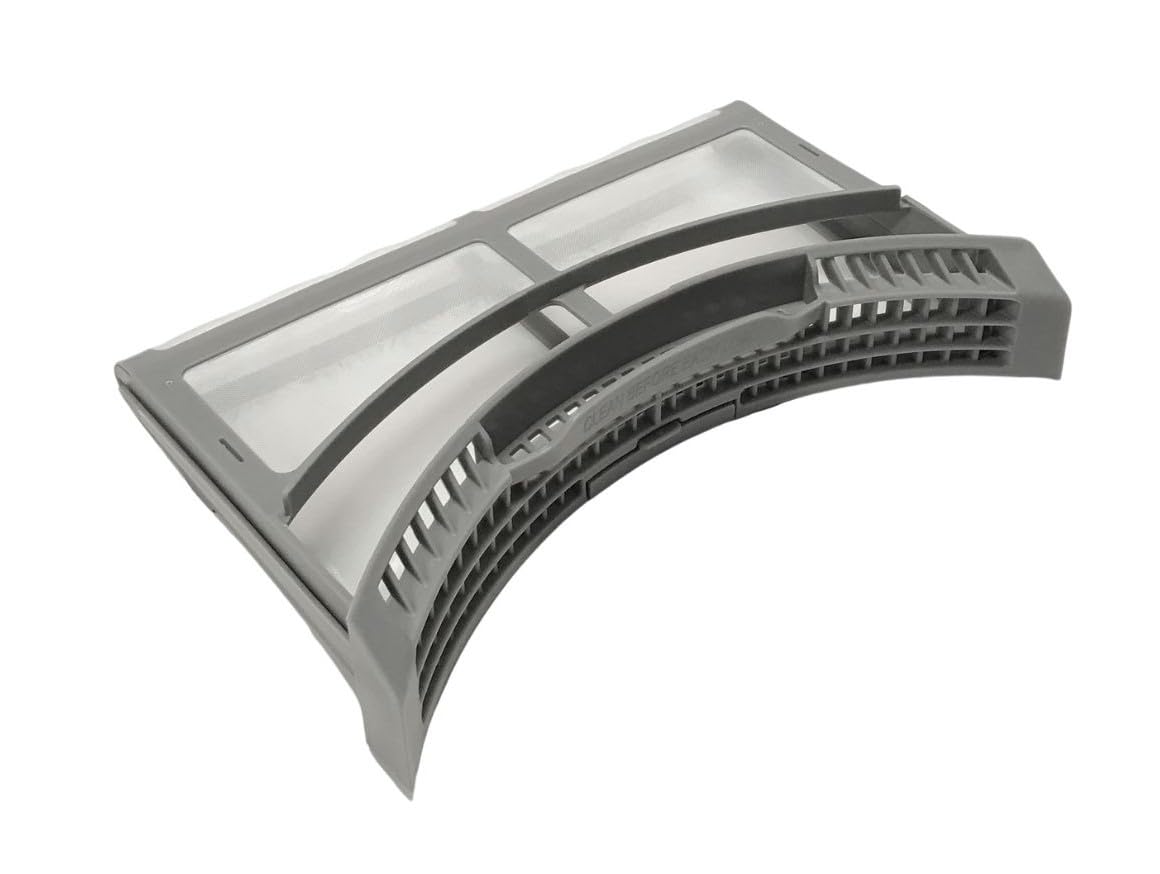
Image 1: Lazellz Dryer Lint Filter. This image shows the complete lint filter assembly, ready for insertion into the dryer.
For detailed visual instructions specific to your dryer model, refer to your Samsung dryer's original user manual.
4. Maintenance and Cleaning
Regular cleaning of the lint filter is essential for optimal dryer performance, energy efficiency, and fire safety.
- Clean After Every Load: Remove and clean the lint filter after every drying cycle. This prevents lint buildup, which can restrict airflow and increase drying times.
- How to Clean:
- Pull the lint filter out of its housing.
- Open the filter (this model is designed to open for easy cleaning).
- Peel off the accumulated lint by hand.
- For stubborn residue or fabric softener buildup, wash the filter with warm, soapy water and a soft brush. Rinse thoroughly and allow it to air dry completely before reinserting.
- Inspect for Damage: Periodically inspect the filter for any tears, holes, or damage. A damaged filter should be replaced to prevent lint from entering the dryer's exhaust system.
5. Troubleshooting
Most issues related to the lint filter are resolved through proper cleaning and ensuring it is correctly seated.
| Problem | Possible Cause | Solution |
|---|---|---|
| Clothes taking too long to dry | Clogged lint filter, restricted airflow | Clean the lint filter thoroughly. Ensure it is free of lint and residue. |
| Dryer feels unusually hot | Restricted airflow due to lint buildup | Clean the lint filter. Check the dryer's exhaust vent for blockages (refer to dryer manual). |
| Lint escaping into the dryer drum or vent | Damaged or improperly seated lint filter | Inspect the filter for damage. Replace if torn or broken. Ensure the filter is fully inserted and seated correctly. |
6. Specifications
- Part Number: 2282244
- Item Weight: 3.2 ounces
- Product Dimensions: 11.75 x 8 x 2.38 inches
- Color: Grey
- Included Components: 1 Lint Filter
- Manufacturer: Lazellz
7. Warranty and Support
For information regarding warranty coverage and return policies, please refer to the retailer's return policy at the point of purchase.
If you have questions about the compatibility of this lint filter with a dryer model not listed in this manual, please contact the seller for assistance.
Disclaimer: Always prioritize safety. Disconnect power before servicing. If you are unsure about any repair or maintenance procedure, consult a qualified technician.