Product Overview
The Tiksounds A12 Wireless Earbuds are designed for an immersive audio experience with advanced features for comfort and durability. They feature Bluetooth 5.3 connectivity, long battery life, and an IPX7 waterproof rating, making them suitable for various activities including sports.

Image: Tiksounds A12 Wireless Earbuds in their open charging case, displaying the LED battery indicators.
Key Features
- 72-Hour Playtime: 8 hours on a single charge, extended to 72 hours with the portable charging case.
- Immersive Stereo Sound: Equipped with 14.2mm dynamic drivers for deep bass and clear treble.
- ENC Noise Canceling Mic: Four built-in microphones with Environmental Noise Cancellation for clear calls.
- Bluetooth 5.3: Ensures stable, low-latency wireless connection up to 15 meters.
- Smart Touch Controls: Intuitive controls for music playback, calls, and volume adjustment.
- Ergonomic & Secure Fit: Flexible earhooks and multiple eartip sizes (S/M/L) for comfortable and stable wear.
- IPX7 Waterproof: Resistant to sweat and rain, ideal for workouts and outdoor activities.
- LED Power Display: Digital display on the charging case indicates battery levels.
What's in the Box

Image: A visual representation of all items included in the Tiksounds A12 Wireless Earbuds package.
- Tiksounds A12 Wireless Earbuds (Left and Right)
- Portable Charging Case
- USB Type-C Charging Cable
- Eartips (Sizes S, M, L)
- User Manual
Setup Guide
1. Charging the Earbuds and Case
Before first use, fully charge both the earbuds and the charging case. The LED display on the case will show the battery percentage.

Image: The Tiksounds A12 charging case with earbuds inside, showing the digital LED battery display.
- Place the earbuds into the charging case. Ensure they are correctly seated.
- Connect the USB Type-C charging cable to the charging port on the case and to a power source (e.g., USB wall adapter, computer USB port).
- The LED display on the case will show the charging status. A full charge is indicated by "100" on the display.
2. Pairing with Your Device
The earbuds support one-step pairing for quick and easy connection.
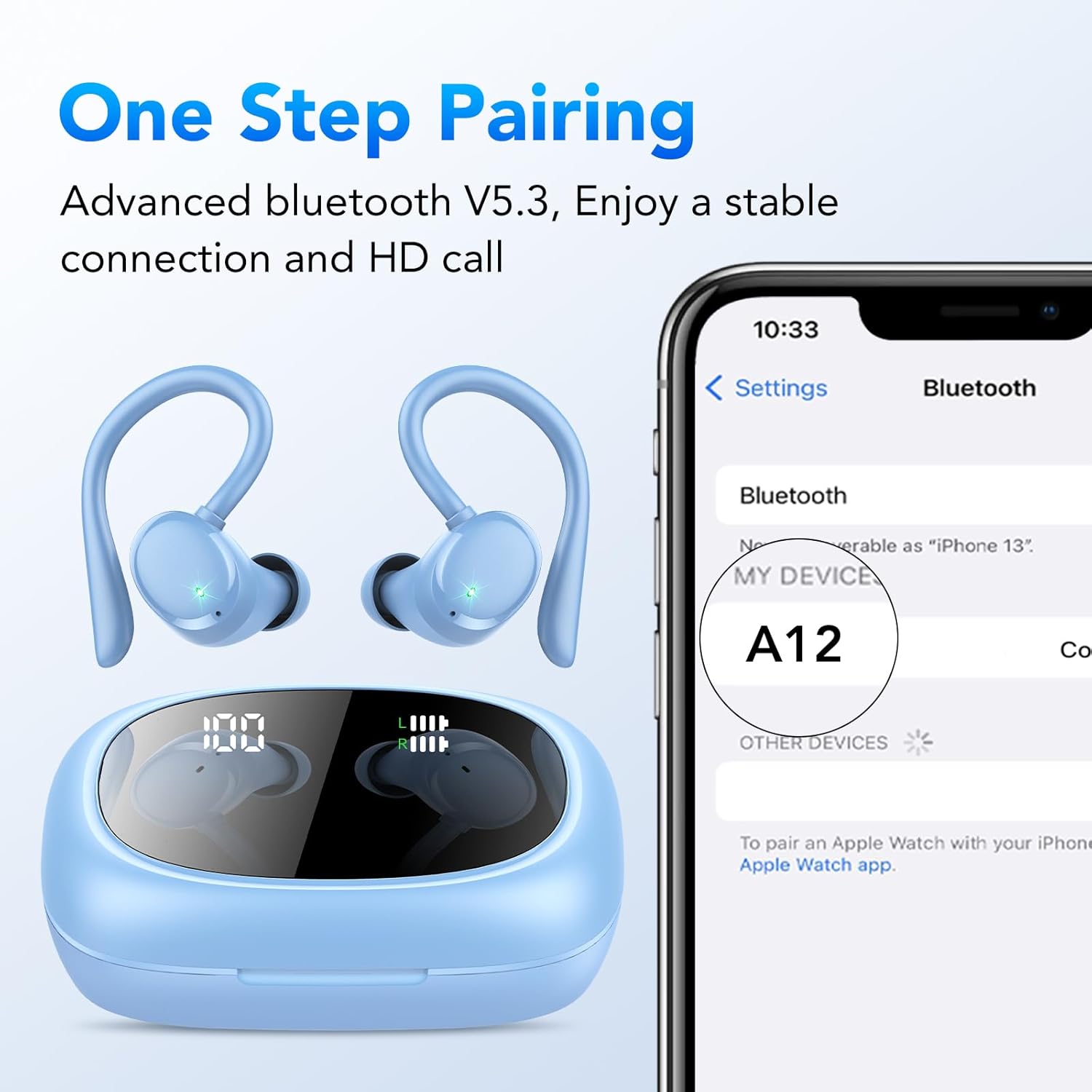
Image: The Tiksounds A12 earbuds and charging case next to a smartphone displaying the Bluetooth pairing menu, showing "A12" as a discoverable device.
- Open the charging case. The earbuds will automatically enter pairing mode.
- On your device (smartphone, tablet, computer), enable Bluetooth.
- Search for "A12" in the list of available Bluetooth devices.
- Select "A12" to connect. Once connected, you will hear a confirmation tone.
- For subsequent uses, the earbuds will automatically reconnect to the last paired device when taken out of the case.
Operating Instructions
Wearing the Earbuds
For optimal sound quality and comfort, choose the correct eartip size (S, M, L) and adjust the earhooks.

Image: Diagrams illustrating the flexible earhooks and different eartip sizes (S, M, L) for a secure and comfortable fit, along with a person wearing the earbuds.
- Select the eartips that provide a snug fit and good seal in your ear canal.
- Gently place the earbud into your ear, ensuring the earhook wraps securely over your ear.
- Adjust the earbud and earhook until it feels comfortable and stable.
Smart Touch Controls
The Tiksounds A12 earbuds feature intuitive touch controls on each earbud. The control method is "Remote" as per specifications, which refers to the touch controls on the earbuds themselves.
| Action | Left Earbud | Right Earbud |
|---|---|---|
| Play/Pause Music | Single Tap | Single Tap |
| Next Track | Hold (approx. 2 seconds) | Hold (approx. 2 seconds) |
| Previous Track | N/A | N/A |
| Answer/End Call | Single Tap | Single Tap |
| Reject Call | Hold (approx. 2 seconds) | Hold (approx. 2 seconds) |
| Activate Voice Assistant | Triple Tap | Triple Tap |
| Volume Up | Double Tap | N/A |
| Volume Down | N/A | Double Tap |
Note: Specific control functions may vary slightly depending on your connected device and operating system.
Audio Performance and Features
Deep Bass and Hi-Fi Stereo Sound
The Tiksounds A12 earbuds are engineered with 14.2mm dynamic drivers to deliver a rich audio experience with enhanced bass and clear highs.
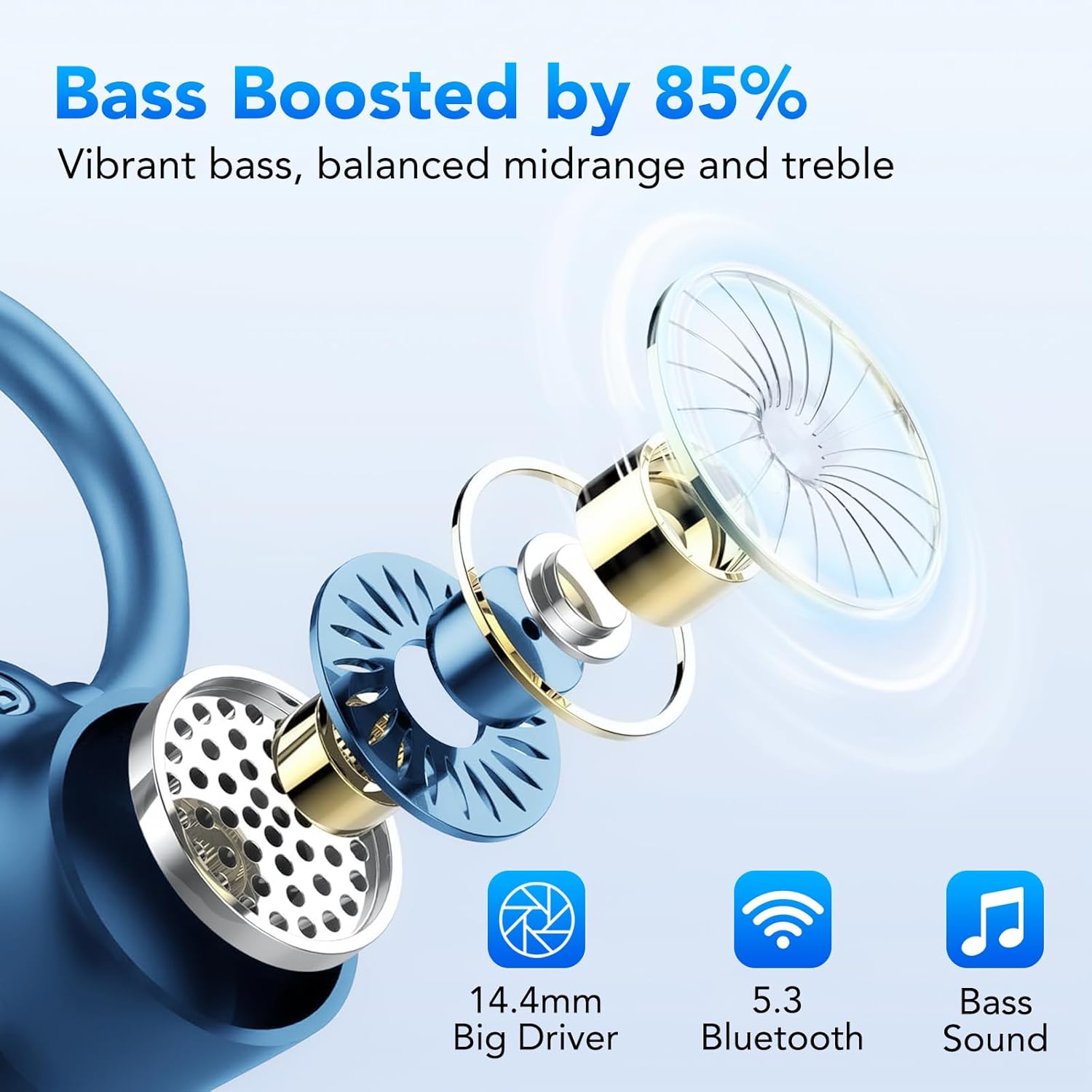
Image: An exploded view diagram illustrating the 14.2mm big driver and internal components responsible for bass-boosted sound, along with icons for Bluetooth 5.3 and Bass Sound.
Environmental Noise Cancellation (ENC)
Equipped with 4 ENC noise-canceling microphones, the earbuds effectively reduce background noise during calls, ensuring your voice is heard clearly.
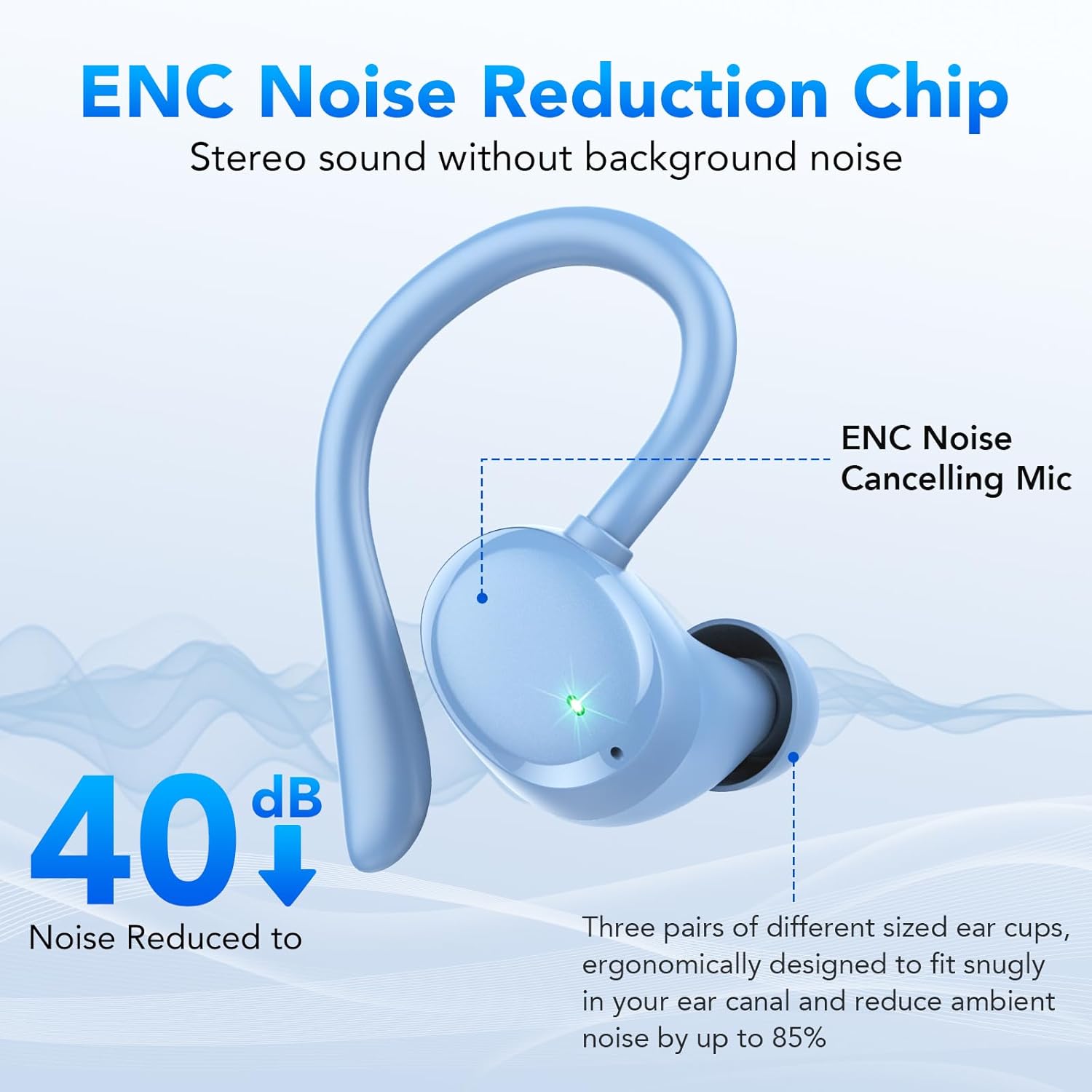
Image: A diagram highlighting the ENC Noise Cancelling Mic on the earbud, indicating up to 40dB noise reduction and the snug fit of eartips for ambient noise reduction.
Battery Life and Charging
The Tiksounds A12 earbuds offer extended playtime, ideal for long listening sessions or travel.

Image: A graphic illustrating the battery life: 8 hours per earbud on a single charge, and an additional 64 hours provided by the charging case, totaling 72 hours of playback.
- Earbud Playtime: Up to 8 hours on a single charge.
- Total Battery Life with Case: Up to 72 hours.
- Charging Time: Typically 1-2 hours for earbuds and case.
- The LED display on the charging case shows the remaining battery percentage of the case and individual earbud charging status.
Waterproof Protection
The Tiksounds A12 earbuds are rated IPX7 waterproof, providing protection against sweat and rain.

Image: The Tiksounds A12 earbuds with water droplets, illustrating their IPX7 waterproof rating.
- IPX7 means the earbuds can withstand immersion in water up to 1 meter for 30 minutes.
- They are suitable for intense workouts, running in the rain, or accidental splashes.
- Note: The charging case is not waterproof. Do not expose the charging case to water.
Maintenance and Care
- Cleaning: Regularly clean the earbuds, especially the eartips and charging contacts, with a soft, dry, lint-free cloth. Remove eartips and clean them with mild soap and water if necessary, ensuring they are completely dry before reattaching.
- Storage: When not in use, store the earbuds in their charging case to protect them and keep them charged.
- Avoid Extreme Conditions: Do not expose the earbuds or charging case to extreme temperatures, humidity, or corrosive materials.
- Charging Port: Keep the USB-C charging port free of dust and debris.
Troubleshooting
If you encounter any issues with your Tiksounds A12 earbuds, refer to the following common solutions:
- Earbuds not pairing/connecting:
- Ensure earbuds are charged and taken out of the case.
- Turn off and on Bluetooth on your device.
- Forget "A12" from your device's Bluetooth list and try pairing again.
- Restart your device.
- Only one earbud working:
- Ensure both earbuds are charged.
- Place both earbuds back into the charging case, close the lid for 5 seconds, then open it again.
- Clean the charging contacts on both earbuds and inside the case.
- Try resetting the earbuds (refer to manufacturer's specific reset instructions if available, otherwise, forgetting and re-pairing is often a soft reset).
- Low volume or poor sound quality:
- Adjust the volume on both your device and the earbuds.
- Ensure eartips are correctly sized and provide a good seal.
- Clean any earwax or debris from the earbud nozzles.
- Ensure there are no obstructions between your device and the earbuds.
- Charging issues:
- Check the charging cable and adapter. Try a different cable or power source.
- Ensure the charging contacts on the earbuds and in the case are clean and free of debris.
Specifications
| Feature | Detail |
|---|---|
| Model Name | A12 |
| Brand | Tiksounds |
| Connectivity Technology | Wireless (Bluetooth 5.3) |
| Bluetooth Range | Up to 15 meters |
| Audio Driver Type | 14.2mm Dynamic Driver |
| Noise Control | Sound Isolation, ENC Noise Canceling Mic |
| Frequency Range | 20Hz - 20,000Hz |
| Battery Life (Earbuds) | Up to 8 hours (single charge) |
| Total Battery Life (with Case) | Up to 72 hours |
| Waterproof Rating | IPX7 (earbuds only) |
| Ear Placement | Over Ear |
| Form Factor | Over Ear |
| Control Method | Touch Controls (Remote) |
| Item Weight | 4.2 ounces |
| Package Dimensions | 3.98 x 3.78 x 1.42 inches |
| Country of Origin | China |
Warranty and Support
Tiksounds products typically come with a manufacturer's warranty. Please refer to the warranty card included in your product packaging for specific terms and conditions, or visit the official Tiksounds website for the most up-to-date warranty information.
For further assistance, technical support, or warranty claims, please contact Tiksounds customer service through their official channels. You can often find contact information on the brand's official Amazon store page or website.
Visit the Tiksounds Store on Amazon for more product information and support resources.


