
1. Product Overview
The AUCARAUTO Android 13 Car Radio Head Unit, Model V300, is a 14.4-inch T-Style screen multimedia stereo system designed for Dodge RAM vehicles manufactured between 2019 and 2022. This unit features an Android 13 operating system, a Snapdragon 665 AIE Octa-Core processor, 8GB RAM, and 128GB ROM, providing advanced navigation, entertainment, and connectivity options for your vehicle.
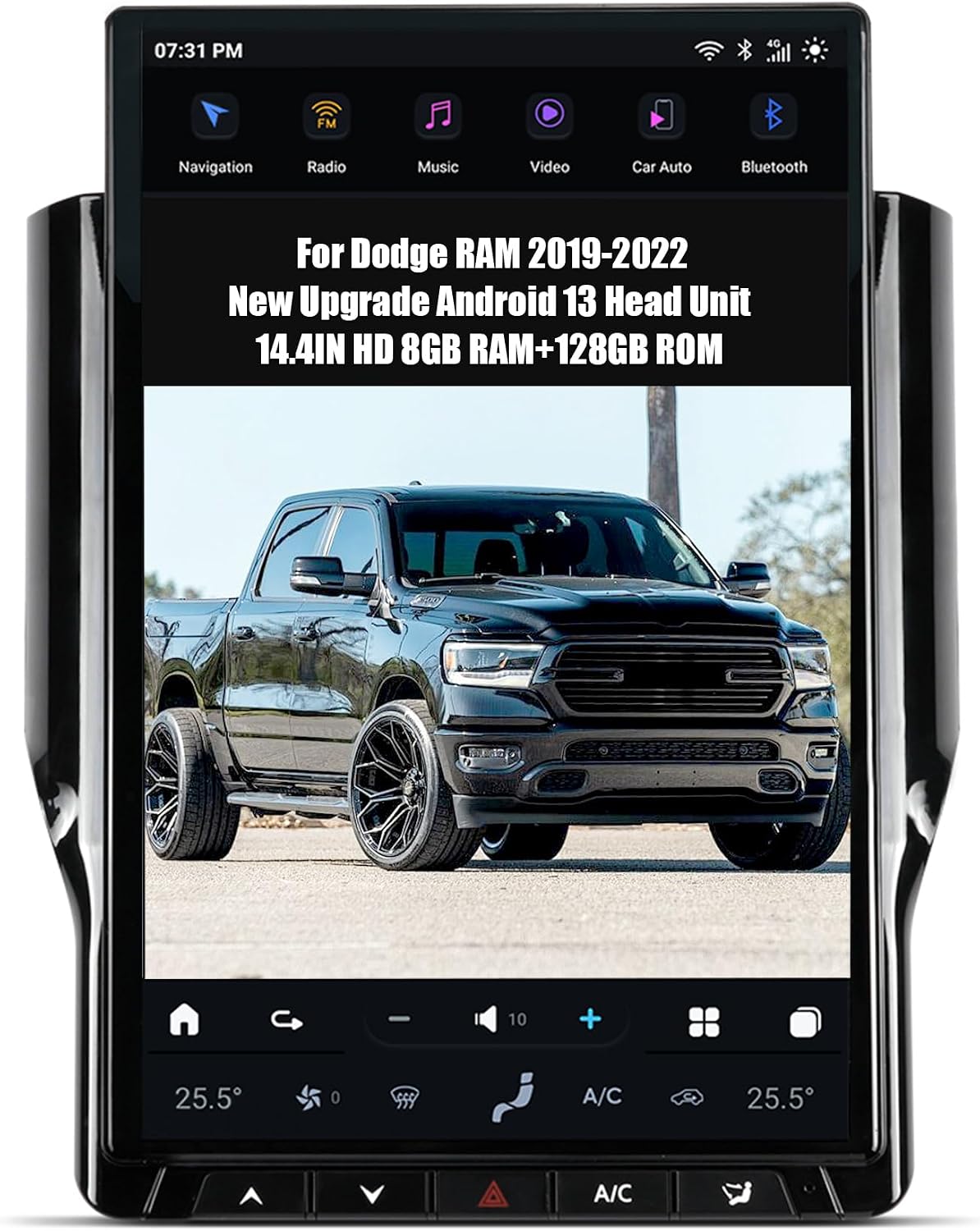
Image 1.1: The AUCARAUTO Android 13 Car Radio Head Unit, Model V300, showcasing its large display and integrated interface.
Key features include Wireless Carplay and Android Auto, 4G SIM card support, built-in WiFi, Google Play Store access, GPS navigation, Bluetooth 5.0, and compatibility with OEM steering wheel controls and car cameras.

Image 1.2: The head unit's display interface, illustrating navigation, weather, and music playback functionalities.
2. Compatibility and Pre-Installation
This head unit is specifically designed for Dodge RAM vehicles from model years 2019, 2020, 2021, and 2022. It is fully compatible with the OEM IN TOUCH system, ensuring a seamless integration without the need for cutting or splicing wires.
2.1 AC Panel Compatibility
The unit supports both auto and manual AC panels. It is crucial to identify your vehicle's existing AC panel type as installation methods may vary. Refer to the image below to determine your AC panel configuration.

Image 2.1: Various OEM AC panel types for Dodge RAM. Confirm your vehicle's panel before proceeding with installation.
Important Note:
- Verify your car's model, manufacturing year, and the shape of the center console to ensure correct compatibility.
- This product does not include a DVD drive.
3. Package Contents
Before beginning installation, ensure all components listed below are present in your package. The 'Plug & Play' design facilitates a straightforward installation process.
- Main Head Unit (14.4-inch T-Style Screen)
- Power Cable Type 1
- Power Cable Type 2
- GPS Antenna
- 4G/WiFi Antenna (x2)
- USB Port Cable
- SIM Card Harness
- RCA Cable
- AUX Camera Harness
- 3.5MM External Mic
- Factory USB Adapter
- OEM Radio Adapter

Image 3.1: Overview of the head unit's rear connections and all included installation accessories.
4. Setup and Installation
The AUCARAUTO head unit is designed for a 'Pure Plug and Play' installation, typically taking around 30 minutes. No cutting or jointing of wires is required, and it is fully compatible with OEM IN TOUCH systems. It is recommended to consult a professional for installation if you are unfamiliar with car electronics.
4.1 General Installation Steps
- Disconnect Battery: Before starting, disconnect the vehicle's negative battery terminal to prevent electrical shorts.
- Remove OEM Head Unit: Carefully remove the existing factory head unit and trim panels. Refer to your vehicle's service manual for specific instructions.
- Connect Wiring Harnesses: Connect the provided wiring harnesses from the new head unit to the vehicle's factory connectors. Ensure all connections are secure.
- Install Antennas: Connect the GPS antenna and 4G/WiFi antennas to the designated ports on the head unit. Position them for optimal signal reception.
- Test Functionality: Before fully reassembling the dashboard, temporarily reconnect the battery and power on the unit to test basic functions like power, audio, and touch screen response.
- Secure Head Unit: Mount the new head unit securely into the dashboard opening.
- Reassemble Dashboard: Reinstall all trim panels and components removed earlier.
- Final Battery Connection: Reconnect the vehicle's negative battery terminal.

Image 4.1: Visual comparison of the vehicle's dashboard before and after the installation of the AUCARAUTO head unit.
5. Operating Instructions
5.1 Basic Operation
- Power On/Off: Press and hold the power button (if available) or turn on your vehicle's ignition.
- Touchscreen Interface: Navigate through menus and applications using the capacitive multi-touch screen.
- Volume Control: Adjust volume using the on-screen controls or the vehicle's steering wheel controls.
5.2 Navigation System
The unit comes with built-in GPS offline maps and supports online mapping services. Access navigation through the dedicated app icon on the home screen.
5.3 Audio and Multimedia
- Radio: Tune into AM/FM stations with RDS functionality via the NXP6686 radio chip.
- Audio Output: Features 4*45W audio output with a 7850 amplifier and 9 equalizers for sound customization.
- USB Playback: Connect USB devices to the two USB ports for media playback.
5.4 Connectivity
- Bluetooth 5.0: For hands-free phone calls and synchronizing contact lists.
- WiFi: Built-in WiFi function allows connection to wireless networks.
- 4G SIM Card: Supports 4G SIM card for mobile data connectivity.
- Wireless Carplay & Android Auto: Seamlessly integrate your smartphone for navigation, music, calls, and messages.

Image 5.1: The head unit supporting Wireless Carplay and Android Auto for integrated smartphone functionality.

Image 5.2: The head unit's capability to run various applications via WiFi and 4G SIM card connectivity.
5.5 Steering Wheel Control
The unit supports OEM steering wheel controls, allowing you to manage audio, calls, and other functions without taking your hands off the wheel.

Image 5.3: Illustration of the head unit's compatibility with OEM steering wheel controls.
5.6 Camera Support
The extra-large screen supports OEM car cameras, providing a clear reversing image for safer maneuvering. It also supports aftermarket reverse and front cameras.

Image 5.4: The head unit displaying a clear reversing camera feed, enhancing safety during parking.
6. Maintenance
- Screen Cleaning: Use a soft, lint-free cloth slightly dampened with a screen cleaner or water to gently wipe the display. Avoid harsh chemicals or abrasive materials.
- Software Updates: Periodically check for available software updates through the unit's settings menu to ensure optimal performance and access to new features.
- General Care: Keep the unit free from dust and debris. Avoid exposing it to extreme temperatures or direct sunlight for prolonged periods.
7. Troubleshooting
This section addresses common issues you might encounter with your AUCARAUTO head unit.
| Issue | Possible Cause | Solution |
|---|---|---|
| Unit does not power on | Loose power connection, blown fuse, vehicle battery issue. | Check all power cable connections. Inspect vehicle fuses. Ensure vehicle battery is charged. |
| No sound output | Volume muted, incorrect audio source selected, loose speaker connections. | Check volume level and mute status. Verify correct audio source. Inspect speaker wiring. |
| GPS signal lost or inaccurate | GPS antenna obstructed or improperly installed. | Ensure GPS antenna has a clear view of the sky. Check antenna connection. |
| Touchscreen unresponsive | Software glitch, screen calibration issue. | Restart the unit. If issue persists, perform a factory reset (refer to settings menu). |
| Wireless Carplay/Android Auto not connecting | Bluetooth/WiFi interference, incorrect phone settings. | Ensure Bluetooth and WiFi are enabled on your phone. Forget and re-pair the device. Check phone compatibility. |
8. Specifications
- Model: V300
- Operating System: Android 13
- Processor: Snapdragon 665 AIE Octa-Core
- RAM: 8GB
- ROM: 128GB
- Display Size: 14.4 Inches
- Screen Resolution: 1200*1920P
- Bluetooth Version: 5.0
- Radio Chip: NXP6686 (AM/FM with RDS)
- Audio Output: 4*45W, 7850 amplifier, 9 Equalizers
- Connectivity: Wi-Fi, 4G SIM Card Support
- Special Features: Wireless Carplay, Android Auto, GPS Navigation, Touchscreen, OEM Steering Wheel Control Support, OEM Car Camera Support
- Product Dimensions: 8 x 4 x 4 inches
- Item Weight: 4.07 pounds
9. Warranty and Support
9.1 Manufacturer Warranty
This AUCARAUTO head unit comes with a 30-day manufacturer warranty. Please retain your proof of purchase for any warranty claims.
9.2 Customer Support
For technical assistance, troubleshooting beyond this manual, or warranty inquiries, please contact the seller directly through the Amazon platform. The seller typically offers 12 months after-sales support, no-cost replacement, and 30-day hassle-free returns.

Image 9.1: Instructions on how to contact the seller for support via Amazon.