
1. Introduction
This manual provides detailed instructions for the MEGALITH X8 Smartwatch. Please read this guide thoroughly to ensure proper setup, operation, and maintenance of your device. Retain this manual for future reference.
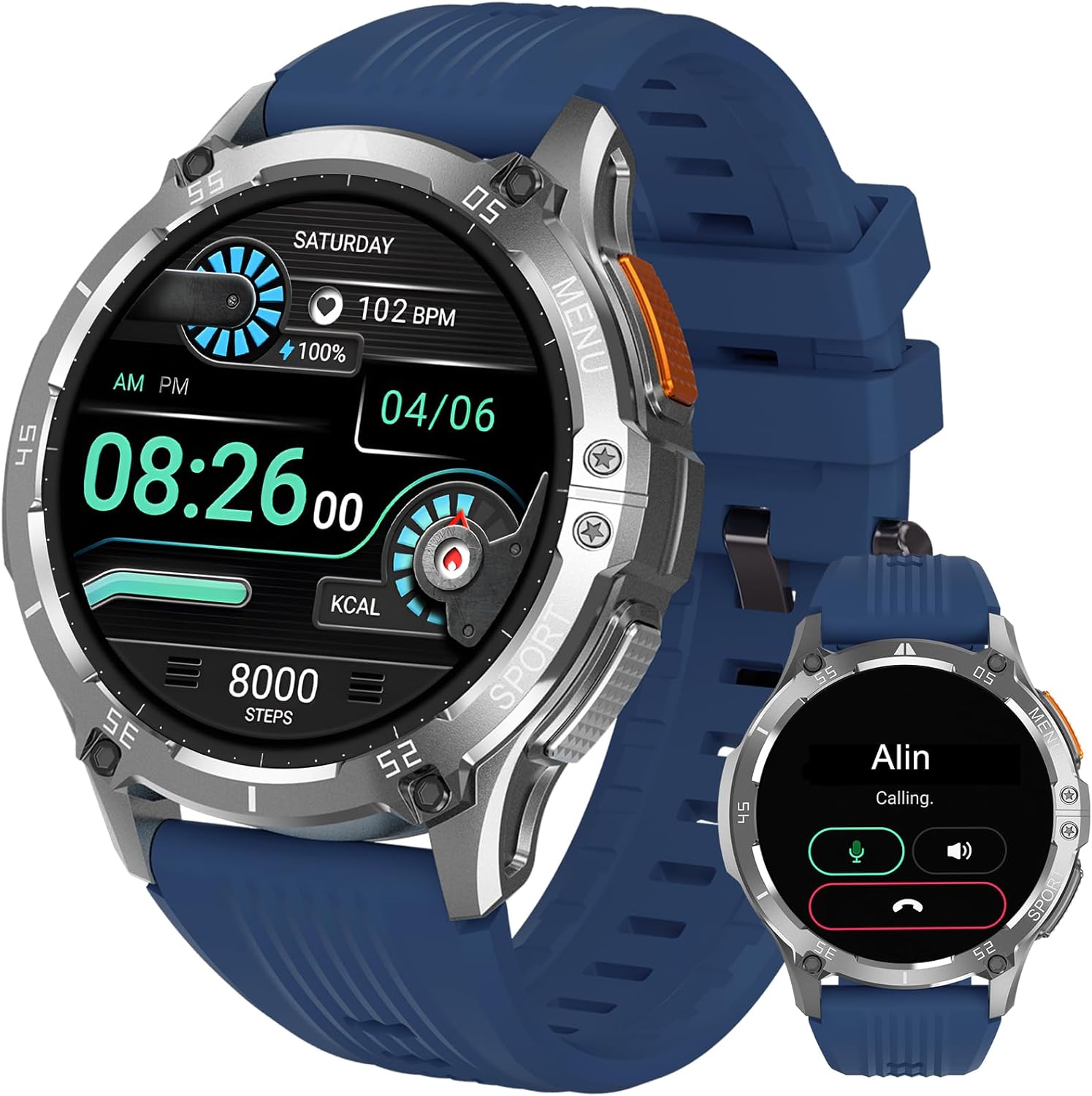
Image 1.1: MEGALITH X8 Smartwatch overview.
2. Package Contents
Upon unboxing, verify that all items are present:
- MEGALITH X8 Smartwatch
- Charging Cable
- User Manual (this document)

Image 2.1: Smartwatch dimensions and basic specifications.
3. Setup
3.1 Charging the Smartwatch
Before initial use, fully charge the smartwatch. Connect the provided charging cable to the charging port on the back of the watch and to a standard USB power adapter (not included). The watch display will indicate charging status.
3.2 App Installation
To access all features, download the INFOWEAR application on your smartphone. You can find the app by:
- Scanning the QR code displayed on the smartwatch screen or in the quick start guide.
- Searching for "INFOWEAR" in the Google Play Store (for Android devices) or the iOS App Store (for Apple devices).
3.3 Device Pairing
After installing the app:
- Ensure Bluetooth is enabled on your smartphone.
- Open the INFOWEAR app and follow the on-screen instructions to add a new device.
- Select the MEGALITH X8 from the list of available devices.
- Confirm the pairing request on both your smartphone and the smartwatch.
The smartwatch is compatible with Android 5.0 and above, and iOS 10 and above, supporting Bluetooth 4.0 and higher.
4. Operating Instructions
4.1 Basic Navigation
The MEGALITH X8 Smartwatch features a 1.43-inch AMOLED HD touch screen with 466x466 resolution. Navigate the interface by swiping across the screen and tapping icons. Physical buttons on the side may also provide shortcuts or return to the home screen.

Image 4.1: High-definition AMOLED touch screen.
4.2 Bluetooth Calls and Message Notifications
The smartwatch includes an integrated speaker and high-resolution microphone, enabling direct call handling when connected to your phone via Bluetooth.
- Making Calls: Access the dial pad or contact list on the watch to initiate calls.
- Receiving Calls: Answer or reject incoming calls directly from the watch screen.
- Notifications: Receive alerts for incoming calls, text messages, emails, and social media applications (e.g., WhatsApp, Instagram, Twitter) directly on your wrist.
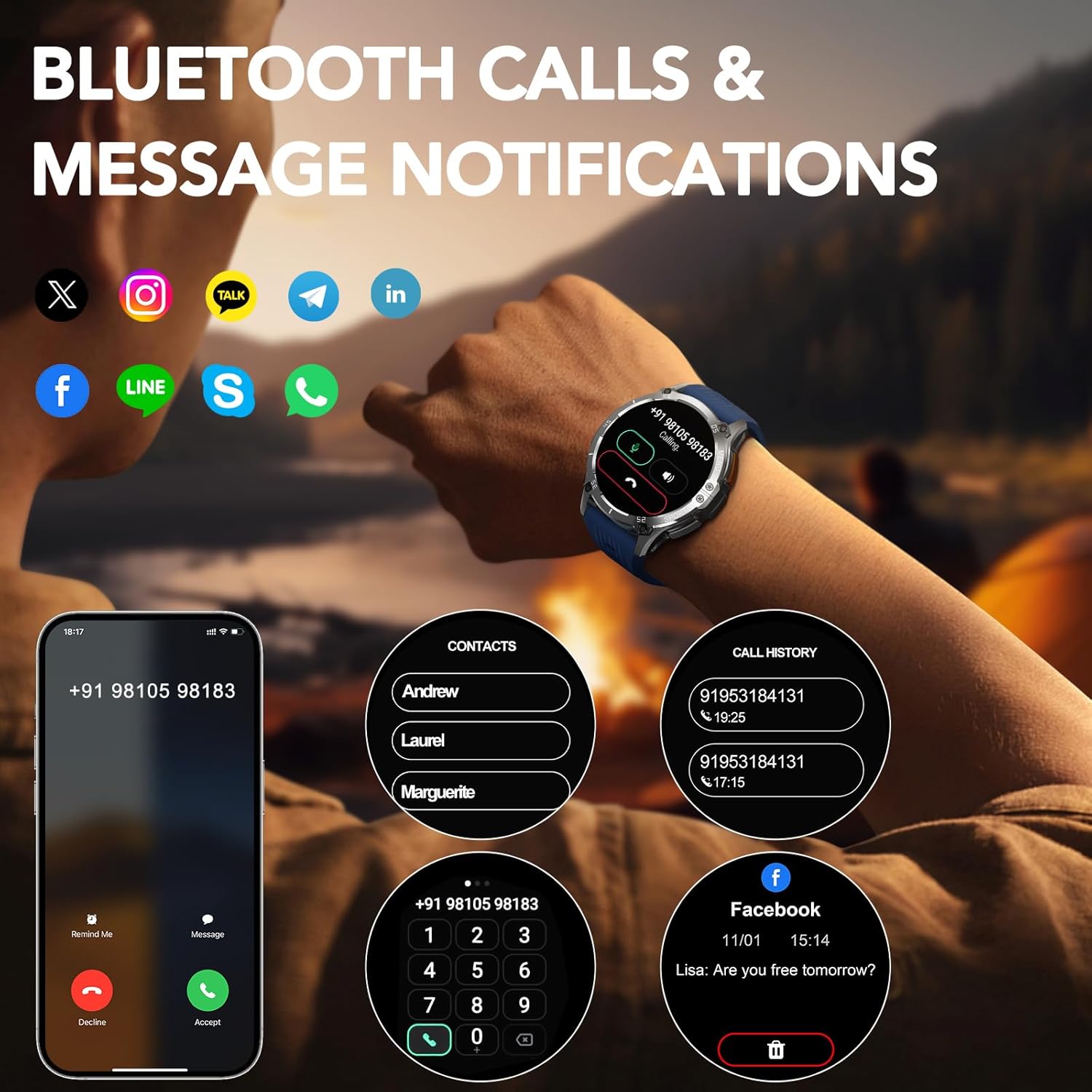
Image 4.2: Bluetooth call and message notification features.
4.3 Customizing Watch Faces
Personalize your smartwatch with over 200 unique online watch faces available through the INFOWEAR app. You can also upload any image from your phone to set as a custom background.

Image 4.3: Watch face customization options.
4.4 Sports Modes
The smartwatch supports over 100 sports modes. Select your activity to track real-time data, which assists in adjusting workout intensity for optimal results.

Image 4.4: Overview of available sports modes.
4.5 Health Monitoring
The X8 Smartwatch features a high-precision motion sensor for continuous health data collection:
- Heart Rate: Monitors your heart rate throughout the day.
- Blood Oxygen: Measures blood oxygen levels. Note: Data is for reference only and should not be used for medical diagnosis.
- Sleep Tracking: Records your sleep patterns, including deep sleep, light sleep, and wake-up times, to help understand sleep quality.
- Blood Pressure: The device includes a blood pressure measurement feature. Note: Data is for reference only and should not be used for medical diagnosis.

Image 4.5: Health monitoring features.
4.6 Other Features
The smartwatch offers additional functionalities for daily convenience:
- Weather Forecast: Provides real-time weather updates.
- Camera Control: Remotely control your smartphone camera.
- Sedentary Reminder: Alerts you to move after periods of inactivity.
- Drinking Water Reminder: Prompts you to stay hydrated.
- Find Phone: Helps locate your paired smartphone.
- Music Control: Manage music playback on your smartphone.

Image 4.6: Additional smartwatch features.
5. Maintenance
5.1 Cleaning
Regularly clean your smartwatch and strap with a soft, dry cloth. Avoid using harsh chemicals or abrasive materials, which can damage the device.
5.2 Water Resistance Guidelines
The MEGALITH X8 Smartwatch is rated IP67 water-resistant. This means it can withstand splashes, rain, and brief immersion in shallow water. It is not suitable for swimming, bathing, diving, or exposure to high-pressure water (e.g., hot showers, saunas). Prolonged exposure to water or use in extreme conditions may compromise water resistance.
5.3 Battery Care
To prolong battery life:
- Avoid fully discharging the battery frequently.
- Charge the device using only the provided charging cable.
- Store the smartwatch in a cool, dry place when not in use.
6. Troubleshooting
If you encounter issues with your MEGALITH X8 Smartwatch, refer to the following common solutions:
| Problem | Solution |
|---|---|
| Smartwatch does not turn on | Ensure the device is fully charged. Connect to the charger for at least 30 minutes. |
| Cannot pair with smartphone | Verify Bluetooth is enabled on your phone. Ensure the smartwatch is within range. Restart both devices and try pairing again via the INFOWEAR app. |
| Notifications not received | Check app permissions for INFOWEAR on your phone to ensure notification access. Confirm notifications are enabled within the INFOWEAR app settings. Ensure Bluetooth connection is stable. |
| Inaccurate health data | Ensure the watch is worn snugly on your wrist, not too tight or too loose. Clean the sensor on the back of the watch. Remember that health data is for reference only. |
| Short battery life | Reduce screen brightness, disable unnecessary features, and limit frequent health monitoring. Ensure the watch is not constantly searching for a Bluetooth connection. |
7. Specifications
| Feature | Detail |
|---|---|
| Brand | MEGALITH |
| Model Number | X8 |
| Screen Size | 1.43 Inches AMOLED HD (466x466 resolution) |
| Connectivity | Bluetooth (BLE5.3) |
| Waterproof Level | IP67 |
| Battery Capacity | 300mAh |
| Standby Time | 22-25 Days |
| Typical Usage Battery Life | 15 Days |
| Intense Usage Battery Life | 7 Days |
| AOD Mode Battery Life | 3 Days |
| System Requirements | Android 5.0+ / iOS 10+ (with Bluetooth 4.0+) |
| GPS | No GPS |
| Shape | Round |
| Compatible Devices | Smartphone, Tablet |
| Special Features | Heart Rate Monitor, Blood Oxygen Monitor, Sleep Tracker, Blood Pressure Monitor (Reference only) |
8. Warranty and Support
For warranty information and customer support, please refer to the documentation provided at the time of purchase or visit the official MEGALITH website. Keep your purchase receipt as proof of purchase for warranty claims.