
Anylife 480D-A
Anylife Walking Pad Treadmill 480D-A User Manual
Model: 480D-A
Important Safety Instructions
Before using the Anylife Walking Pad Treadmill, please read all instructions carefully to ensure safe operation and prevent injury. Keep this manual for future reference.
- Always consult your physician before starting any exercise program.
- Place the treadmill on a flat, stable surface.
- Ensure adequate clear space around the treadmill (at least 2 meters behind and 0.6 meters on each side).
- Keep children and pets away from the treadmill during operation.
- Do not operate the treadmill if it has a damaged cord or plug, or if it is not working properly.
- Wear appropriate athletic footwear.
- Do not use the treadmill outdoors or in damp environments.
- Unplug the treadmill from the power outlet when not in use or before cleaning.
- The maximum user weight capacity is 330 lbs (150 kg).
Package Contents
Verify that all components are present in the package:
- Anylife Walking Pad Treadmill (1 unit)
- Power Cord (1 unit)
- Remote Control (1 unit)
- User Manual (this document)
- Hex Wrench (for belt adjustment, 1 unit)
- Lubricant Oil (1 bottle)
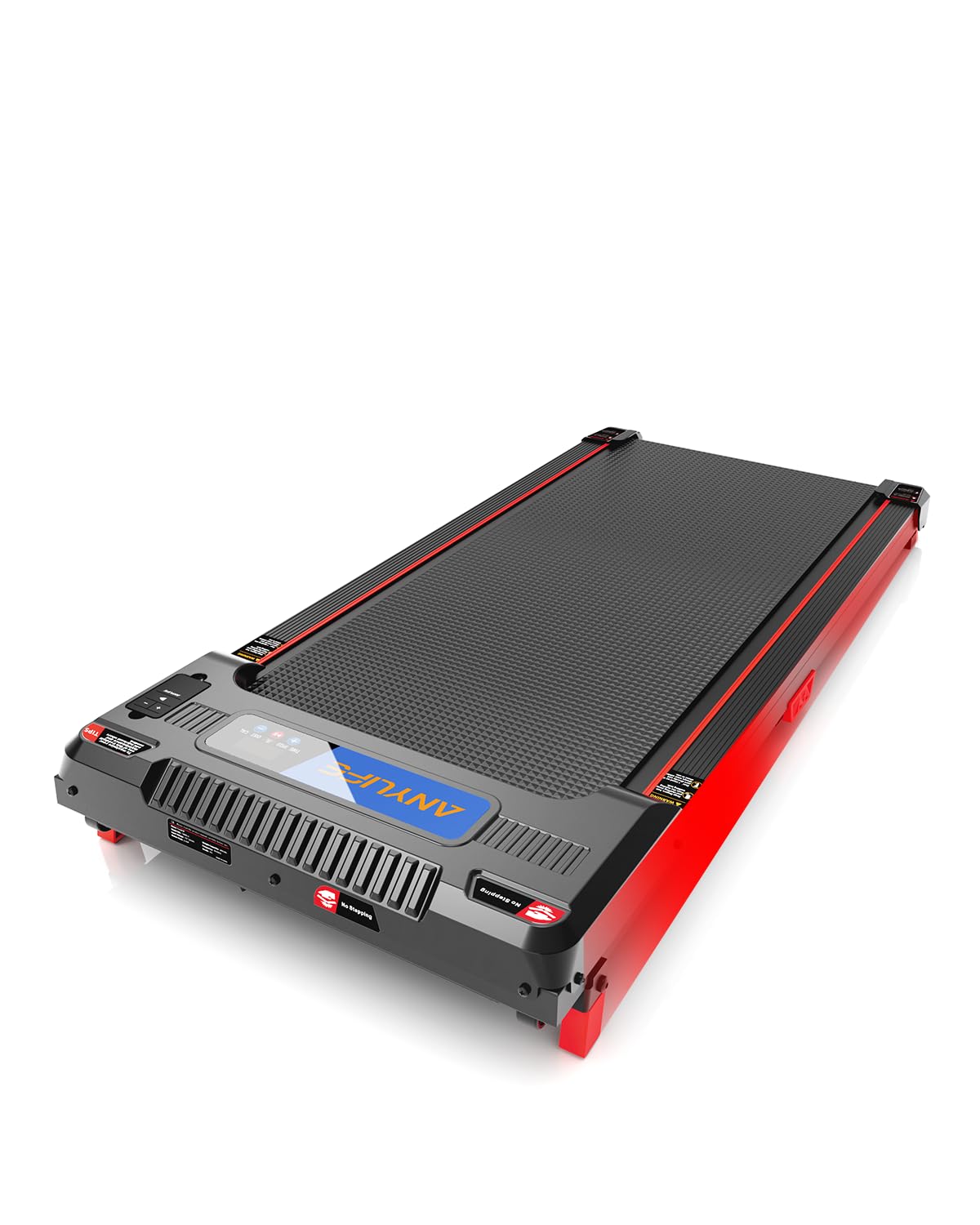
Image: Anylife Walking Pad Treadmill with remote control and power cord.
Setup Guide
1. Unpacking and Placement
- Carefully remove the treadmill from its packaging.
- Place the treadmill on a firm, level surface. Ensure there is at least 2 meters of clear space behind the unit and 0.6 meters on each side for safety.
- The treadmill features transport wheels for easy movement. To move, gently lift the rear end and roll it to the desired location.
Image: User unboxing and positioning the Anylife Walking Pad Treadmill.
2. Power Connection
- Connect the power cord to the treadmill's power input port.
- Plug the other end of the power cord into a grounded electrical outlet.
- Ensure the power switch on the treadmill is in the "OFF" position before plugging it in.
3. Incline Adjustment (Manual 5° Incline)
The Anylife Walking Pad Treadmill features a 5° manually adjustable incline. To set the incline:
- Ensure the treadmill is powered off and unplugged.
- Locate the incline adjustment mechanism at the front or rear of the treadmill.
- Manually adjust the support legs or mechanism to achieve the 5° incline. Ensure it is securely locked in place before use.
Image: Illustration of the manual 5° incline adjustment mechanism.
Operating Instructions
1. Getting Started
- Plug in the treadmill and turn on the main power switch. The display will illuminate.
- Stand on the side rails of the treadmill, not directly on the running belt.
- Press the "Start" button on the remote control. The treadmill will begin at a low speed (e.g., 0.5 km/h) after a short countdown.
- Carefully step onto the moving belt and begin walking.
2. Using the Remote Control
The remote control allows you to adjust speed and stop the treadmill.
- Start/Stop Button: Press to start or stop the treadmill.
- Speed Up (+): Press to increase the walking speed.
- Speed Down (-): Press to decrease the walking speed.
Image: Close-up of the Anylife Walking Pad Treadmill remote control.
3. Display Information
The digital display shows important workout data:
- Time: Duration of your workout.
- Speed: Current walking speed.
- Distance: Total distance covered.
- Calories: Estimated calories burned.
4. Finishing Your Workout
- Press the "Stop" button on the remote control. The treadmill will gradually slow down and stop.
- Once the belt has completely stopped, step off the treadmill.
- Turn off the main power switch and unplug the treadmill from the outlet.
Maintenance
Regular maintenance ensures the longevity and optimal performance of your Anylife Walking Pad Treadmill.
1. Cleaning
- Always unplug the treadmill before cleaning.
- Wipe down the treadmill surface with a soft, damp cloth. Do not use abrasive cleaners or solvents.
- Periodically vacuum under the treadmill to prevent dust buildup.
2. Belt Lubrication
The running belt requires lubrication every 3-6 months, depending on usage, to reduce friction and extend belt life.
- Unplug the treadmill.
- Gently lift one side of the running belt.
- Apply a small amount of the provided lubricant oil (or 100% silicone treadmill lubricant) in a thin line along the center of the deck, underneath the belt.
- Repeat on the other side.
- Plug in the treadmill and run it at a slow speed (e.g., 1 km/h) for 5 minutes to distribute the lubricant evenly.
Image: Illustration of applying lubricant under the treadmill belt.
3. Belt Adjustment
If the running belt shifts to one side or slips, it may need adjustment.
- Belt Centering: If the belt drifts to the left, turn the left rear roller adjustment bolt clockwise 1/4 turn. If it drifts to the right, turn the right rear roller adjustment bolt clockwise 1/4 turn. Run the treadmill for 2 minutes and re-check. Repeat if necessary.
- Belt Tension: If the belt slips during use, turn both rear roller adjustment bolts clockwise 1/4 turn simultaneously. Run the treadmill for 2 minutes and re-check. Repeat if necessary. Do not overtighten.
Troubleshooting
Refer to this section for common issues and their solutions.
| Problem | Possible Cause | Solution |
|---|---|---|
| Treadmill does not power on. | Power cord not plugged in; Power switch off; Circuit breaker tripped. | Ensure power cord is securely plugged in; Turn power switch to "ON"; Check household circuit breaker. |
| Running belt stops or slips. | Belt too loose; Insufficient lubrication. | Adjust belt tension (refer to Maintenance section); Lubricate the running belt. |
| Belt drifts to one side. | Belt is off-center. | Adjust belt centering (refer to Maintenance section). |
| Remote control not working. | Batteries dead; Remote not pointed at receiver. | Replace remote control batteries; Ensure remote is pointed towards the treadmill's display. |
| Unusual noise during operation. | Loose parts; Lack of lubrication; Foreign object. | Check for and tighten any loose screws; Lubricate the belt; Inspect for any foreign objects under the belt. |
Specifications
| Model | 480D-A |
| Motor Power | 2.58 HP (Peak) |
| Speed Range | Up to 8 Miles per Hour (approx. 12.8 km/h) |
| Incline | 5° Manual Fixed Incline |
| Maximum User Weight | 330 lbs (150 kg) |
| Product Dimensions (L x W x H) | 110.01 x 49.99 x 10.01 cm (43.3 x 19.7 x 3.9 inches) |
| Item Weight | 15.19 kg (33.49 lbs) |
| Running Belt | 4-layer non-slip belt |
| Shock Absorption | 6 shock absorbers |
| Noise Level | Below 45 dB |
| Special Features | Portable, Wheeled, Manual Incline, Shock Absorbent |
Warranty and Customer Support
Warranty Information
Anylife products are manufactured to high-quality standards. For specific warranty details regarding your Anylife Walking Pad Treadmill 480D-A, please refer to the warranty card included in your original packaging or visit the official Anylife website.
Customer Support
If you have any questions, require assistance with setup, operation, or maintenance, or encounter any issues not covered in this manual, please contact Anylife Customer Support:
- Website: www.anylifefitness.com (Hypothetical link, replace if actual link is known)
- Email: support@anylifefitness.com (Hypothetical email, replace if actual email is known)
- Phone: Refer to the official website for regional contact numbers.
Please have your model number (480D-A) and purchase date ready when contacting support.
Ask a question about this manual
Ask about setup, troubleshooting, compatibility, parts, safety, or missing instructions. Manuals+ will review the question and use this page’s manual context to help answer it.